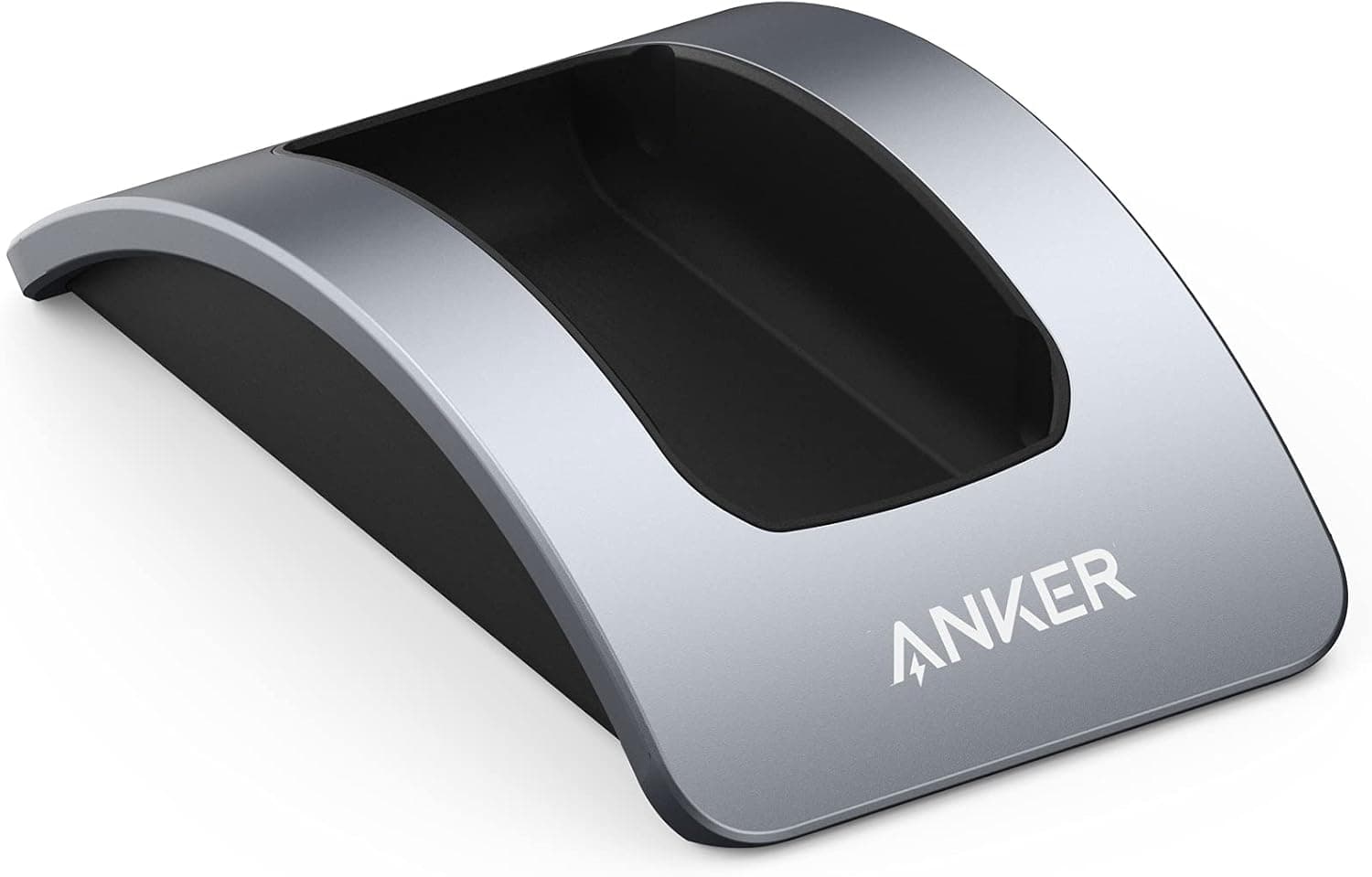
Overview
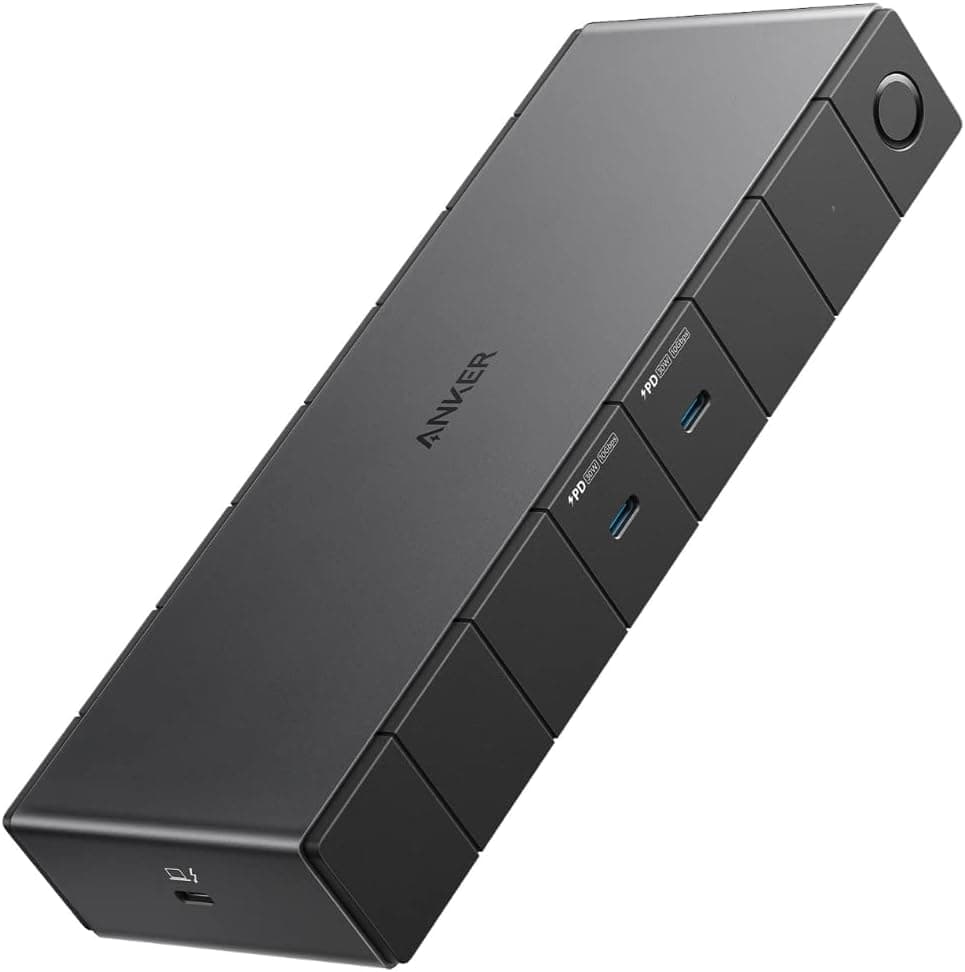
The dock stand for the Anker PowerExpand Elite 12-in-1 Thunderbolt 4 Dock (APEX) is a first-party accessory designed for one specific device: the APEX dock, model A8397. To be clear up front, it does not improve performance.
It changes how much desk space the dock occupies and how its cables are routed — nothing else. Transfer speeds, port count and power delivery stay exactly the same.
The stand measures 111 × 64 × 27 mm and weighs 289 g. That weight is high for something this small, which is the point: a light plastic cradle tends to tip when thick Thunderbolt cables pull on it, and the mass here is what keeps the dock planted.
The audience is narrow and obvious. You already own the APEX dock, and your desk is crowded.
The dock itself is sold separately, and the stand is useless without it.
What Vertical Mounting Actually Changes
Laid flat, the APEX dock takes up a meaningful patch of desk. Stood upright, its footprint shrinks to the 111 × 64 mm base of the stand — a little larger than a business card.
On a desk shared with a laptop, keyboard and mouse pad, that difference is noticeable rather than theoretical.
The second benefit is cabling. A Thunderbolt 4 dock by nature carries power, displays, Ethernet and USB devices at once.
Flat, those cables fan out across the desk surface. Vertical, they exit from a single point and can be bundled straight down behind the desk.
It looks tidier, but the practical win is easier cleaning and easier swapping of peripherals.
The third is airflow. Treat this one cautiously.
More of the chassis is exposed to air when standing, which generally helps, but there is no published thermal data for this product. Buying it to cool the dock is a weak argument.
Connectivity & Compatibility
| Item | Detail |
|---|---|
| Compatible with | Anker PowerExpand Elite 12-in-1 Thunderbolt 4 Dock (APEX), model A8397 only |
| Not compatible | Any other dock, external SSD, router or similar device |
| Dimensions | 111 × 64 × 27 mm |
| Weight | 289 g |
Anker states plainly that the stand works only with A8397. "Dedicated" here means the slot width and depth are cut to that chassis.
A dock of similar size will either rattle loosely or not fit at all.
The one thing to verify before buying is that your dock really is an A8397. Anker has shipped several generations of docks with confusingly similar names — the 13-in-1 USB-C Dock, the later Anker 778 Thunderbolt dock — and their bodies are shaped differently.
Read the model number printed on the underside of your dock rather than trusting the product name in your order history.
Also check vertical clearance. Standing the dock upright turns its width into its height, so a spot under a monitor arm or a desk shelf that fit the dock flat may not fit it upright.
Measure first.
Product Info
Published specifications are limited: 111 × 64 × 27 mm, 289 g, and a grey finish matching the dock. The box contains the stand and a short instruction sheet.
No tools or screws are needed — you slide the dock in and you are done. Rubber feet on the base keep it from sliding when cables are tugged.
The product dates from around 2021, and Anker accessories generally carry an 18-month warranty from purchase, though terms can vary by retailer.
Buyer ratings stood at 4.3 out of 5 (86% positive) from 32 reviews as captured in July 2026.
That is a small sample for drawing conclusions, though the product's single virtue — a first-party part that fits exactly — is not something reviewers tend to disagree about.
Pricing needs a warning. The listing data collected for this article showed ¥41,990 (captured August 2026), ¥43,990 at another point, and $79.93 on an overseas marketplace.
Those are dock-class prices, not stand-class prices, and it is very likely the listing mixes the dock and its accessory. This article therefore quotes no purchase price.
Check the product page yourself and confirm whether the price shown belongs to the stand alone or to the dock.
First-Party Stand or a Generic Alternative
If all you want is vertical placement, a generic tablet or laptop stand will physically do the job, often for a fraction of the cost. Three things justify the official part: it matches the dock's width so there is no wobble, the cable exit points where the design intends, and the finish matches the dock.
If none of those matter to you — the dock lives at the back of the desk out of sight, your cables are already managed by a tray — a generic stand is genuinely fine. That is worth saying honestly.
And if you are still choosing a dock in the first place, stand availability should not factor in at all. Port layout, power delivery and supported display count matter far more.
Compare Thunderbolt and USB-C docks from CalDigit, Kensington, Satechi and Anker on those terms, and worry about the stand afterwards.
Best Use Cases
- Cramped desks — when a laptop, keyboard, mouse and paperwork all compete for space, shrinking the dock's footprint to 111 × 64 mm helps immediately.
- Cable management — with four or five cables permanently attached, a single exit point is more practical than it is cosmetic.
- Existing A8397 owners — the dock ships without a stand, so this is the only exact-fit option available.
- Matched desk aesthetics — the finish is shared with the dock, so it does not look like a bolted-on afterthought.
Before You Buy
Do not trust the listed price at face value. As noted above, the page referenced here carried ¥41,990 / ¥43,990 / $79.93 — figures that belong to the dock, not a stand.
Amazon listings sometimes combine a product and its accessories as variations, or carry metadata from a different item entirely. Before checking out, confirm from the images and title that you are buying the stand alone and that the price shown is not the dock's.
Getting this wrong means buying a full Thunderbolt dock by accident.
Confirm the model number. The stand fits A8397 and nothing else. Buying through a channel that accepts returns is a reasonable hedge.
It adds no functionality. No extra ports, no more power, no faster transfers.
If you are unhappy with what the dock does, replace the dock, not its orientation.
Standing the dock concentrates cable weight at one point. Thunderbolt cables are thick and stiff, and routing them straight down can leave constant tension on the connector.
Leave a little slack immediately behind the plug before securing the bundle. This is a general hazard of vertical mounting, not a flaw in this stand, but it is where cables actually fail.
Only 32 reviews exist. The 4.3-star, 86%-positive figure captured in July 2026 is good, but at that sample size a handful of negative reviews swings the picture.
Read them and check whether the complaints come from buyers whose dock was not an A8397 — a compatibility mix-up says nothing about build quality.
FAQ
Q. Does it fit other Anker docks? A.
No. It is exclusive to model A8397.
The 13-in-1 USB-C Dock, the Anker 778 and others have different chassis shapes despite similar names.
Q. Is the dock included?
A. No. This is the stand only, and it has no use without the dock.
Q. Does vertical mounting cool the dock? A.
More surface is exposed to air, but no thermal data is published. Do not buy it for cooling; leaving a few centimetres of clearance around the dock matters more.
Q. Any assembly required?
A. None. Slide the dock into the stand and you are finished. Rubber feet handle stability.
Q. Could a generic tablet stand work instead? A.
Physically yes, but width mismatch can cause wobble or block the cable exit. Exact fit and matching looks are what you pay the first-party premium for.
Q. What about warranty? A.
Anker products generally carry an 18-month warranty from purchase, but terms vary by retailer — check the listing.
Product Disclosure (Amazon)
- Manufacturer: Anker
- ASIN: B096TLJ23S
- Note: This article covers a manufacturer-made product based on Amazon listing details.