This article looks at the Thrustmaster MFD Cougar 多機能USBコックピットパネル not as a spec sheet, but from the angle that actually matters: will it earn its place on your desk?
Overview
The Thrustmaster MFD Cougar Pack is a two-panel set of programmable USB cockpit panels. Each panel carries 20 programmable buttons and 4 switches, for 48 assignable controls across the pair.
The short version: this hardware pays off most in sims where you are constantly poking on-screen MFD/MFCD pages — DCS World and the Falcon lineage above all. In civilian flying, where most interaction is a mouse click on a glass cockpit, you may struggle to fill 48 controls with anything meaningful.
On Amazon.co.jp the pack sits at 4.6 out of 5 stars across 1,014 reviews — a 92% favourable score as of the 22 July 2026 capture.
Four-figure review counts are unusual for niche sim peripherals and signal a product that has stayed on shelves for a long time.
| Use case | Fit | Why |
|---|---|---|
| DCS World / military sims | Excellent | Physical bezel keys map 1:1 to the on-screen MFCD |
| MSFS and civilian aircraft | Mixed | Fewer discrete switches to bind; 48 controls go unused |
| Streaming / editing shortcuts | Weak | No LCD keys, so you must memorise every button |
| Laptop or small desk | Poor | Two panels eat roughly 66 cm of desk width |
Reading the Specs
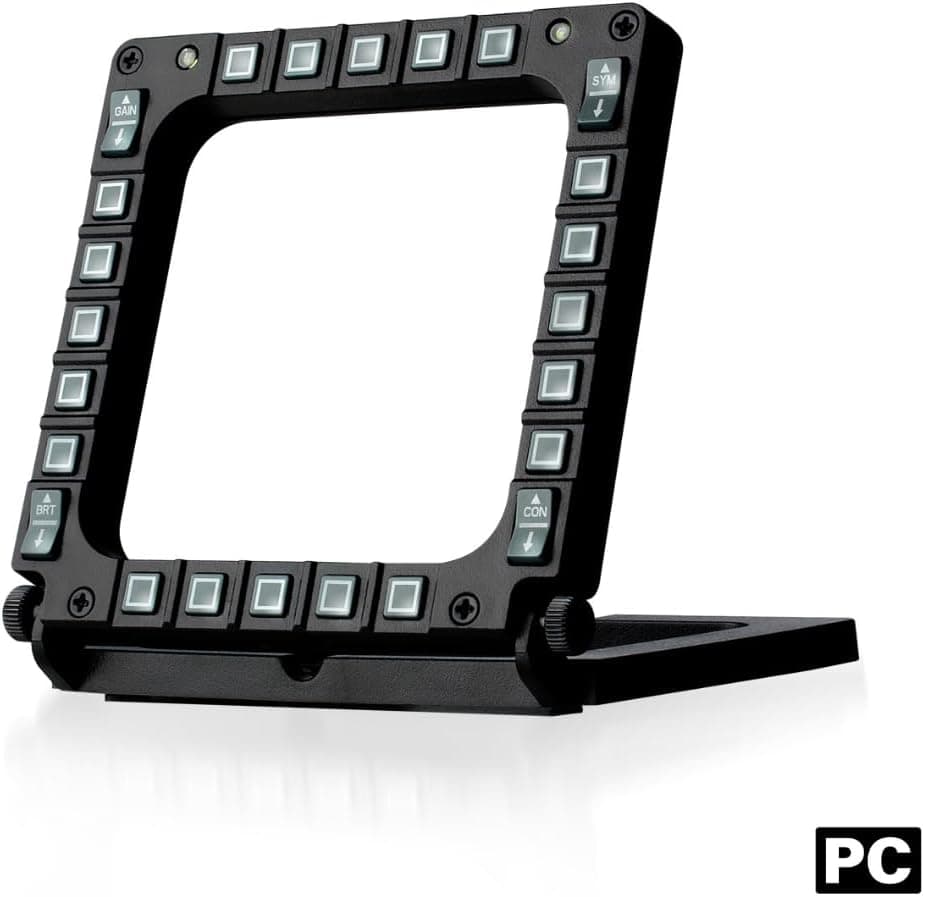
The headline "48" breaks down as 20 buttons plus 4 switches per panel, doubled. Most of those buttons are bezel keys arranged around a rectangular cut-out, mirroring a real MFCD: you press next to the label shown on screen.
They are not meant to be meaningful in isolation — the panel only comes alive when overlaid against an in-game MFD display.
Each panel measures 32.99 × 6.5 × 15.01 cm.
A 33 cm width is close to a 15-inch laptop, so a pair occupies around 66 cm. Add a stick, a throttle and a 24-inch monitor and desk planning becomes a real exercise.
Backlighting is LED with adjustable brightness, white only. Each panel holds two plexiglass windows, and the three included cardboard layout sheets slide underneath to relabel the keys for titles such as Microsoft Flight Simulator X.
Compatibility Guide
Connection is USB, and supported operating systems are Windows and macOS. The panels enumerate as standard HID game controllers with no driver install, and work with any simulator that accepts multiple USB input devices, military or civilian.
Button and switch assignment plus testing is handled in Thrustmaster's TARGET software.
The usual failure point is not performance but ports and desk space. Running both panels consumes two USB ports.
Add a stick, throttle, rudder pedals, headset and head tracker and your rear-panel ports vanish fast. A self-powered USB hub is the cheap insurance here; bus-powered hubs often work, but daisy-chaining many input devices can make enumeration flaky.
One more thing worth checking is your sim's per-device button ceiling. Many titles handle 32 buttons per device comfortably, and at 24 controls per panel you stay well under that.
What does bite people is device ordering: with several controllers attached, the recognition order can shuffle between launches and shift your bindings. Consolidating devices in TARGET is the standard way to avoid that.
Versus the Alternatives
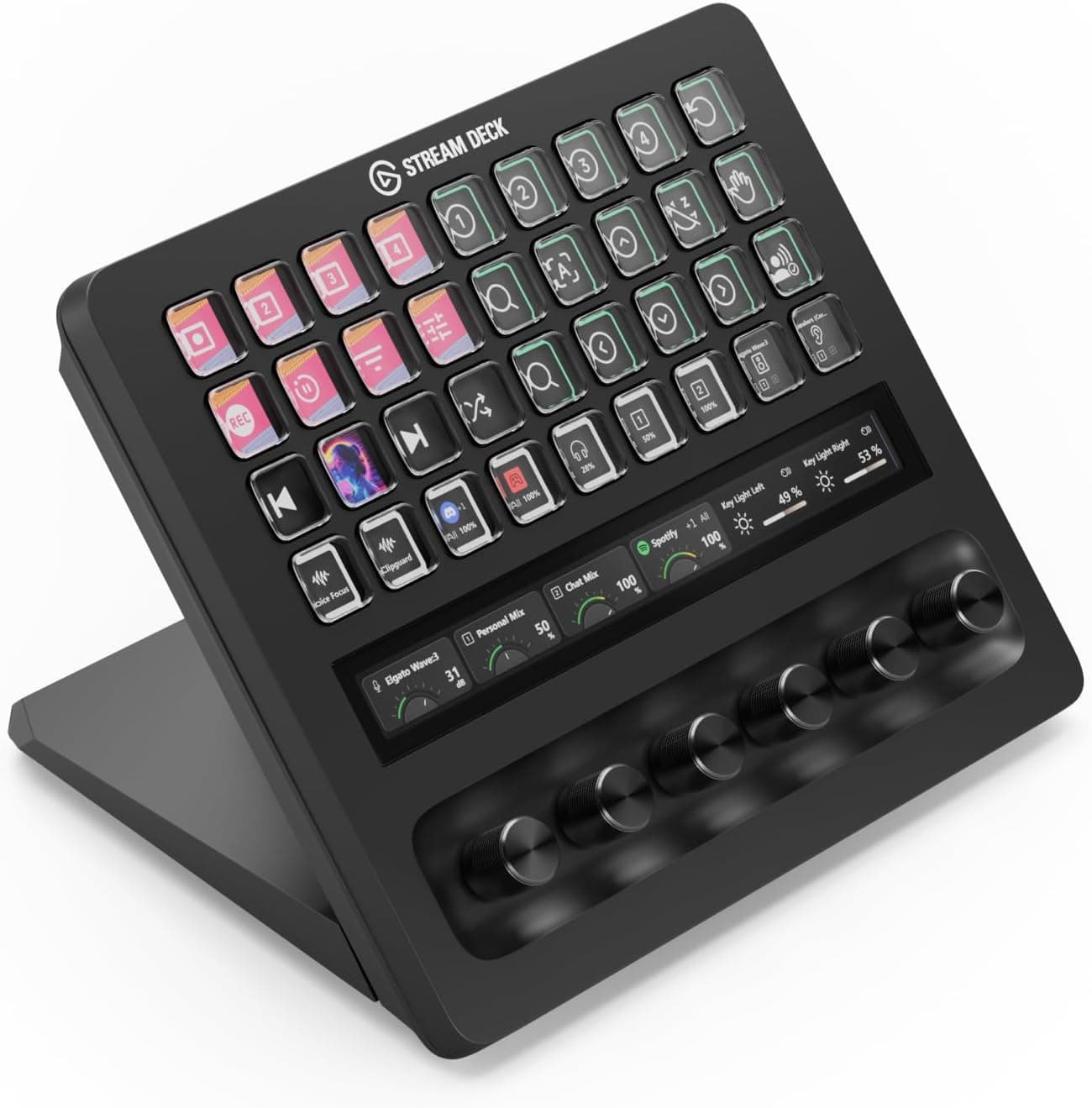
People often line this up against the Elgato Stream Deck family, but the two solve different problems. A Stream Deck gives every key an LCD so the function is self-evident, making it a general-purpose shortcut box.
The MFD Cougar has no screens; instead it is designed to physically frame an MFD rendered on your monitor.
So if the goal is scene switching, OBS control or application shortcuts, a Stream Deck is the straightforward answer. If the goal is working an A-10C MFCD in DCS World, icons are irrelevant and positional alignment with the on-screen page is everything.
That single distinction decides the purchase. Plenty of people run both and split the duties.
Product Info
Pricing on Amazon.co.jp was ¥18,800 as captured on 10 September 2026, and a separate Amazon capture on 20 July 2026 showed the same ¥18,800.
On the marketplace side, an eBay listing showed $89.95 as captured on 18 August 2026.
All of these are point-in-time figures that move with sales, exchange rates and seller turnover, so check the current price on the listing before buying. Overseas listings that look cheaper often close the gap once shipping, import tax and the cost of a return shipment are included.
The box contains two MFD panels, four plexiglass windows, three pre-printed cardboard layouts, USB cabling and a quick-start guide. Warranty is the standard two years.
The listing gives a 30 June 2021 availability date, but the MFD Cougar has been supplied for many years; that date most likely reflects when the listing or stock was registered rather than the product's debut.
Setup in Practice
Decide where the panels will physically sit before you bind a single key. In sims that draw the MFD on screen, a panel misaligned with its on-screen counterpart loses most of its value.
Most users stand the panels at the lower left and right of the monitor, or mount them on a bracket flanking the display.
With placement settled, plug in the USB, confirm the OS sees them as game controllers, then use TARGET to assign keystrokes or macros and verify input with the built-in test tool before launching the sim. TARGET's scripting layer is powerful, but the GUI covers most needs.
Start with the GUI and bind only the keys you actually reach for — trying to script everything on day one is the common route to abandoning the setup.
Best Use Cases
- Military sim pilots (DCS, Falcon-family) — the biggest single win, moving MFCD work off the mouse so your eyes stay outside the cockpit.
- Home cockpit builders — a natural next purchase once stick, throttle and pedals are in place, and manageable alongside other Thrustmaster gear in TARGET.
- Pilots who fly one airframe deeply — the muscle memory investment pays back over months on a single aircraft, far less so if you hop between types weekly.
- Streamers wanting an authentic-looking rig — visually convincing, though that alone is a thin reason given the desk cost.
If you launch a flight sim a few times a month, this is overkill on price, footprint and setup time alike. That money buys a much bigger experience jump if it goes toward a HOTAS instead.
Things to Consider
The biggest misconception is that this pack lets you fly. It is a cockpit panel only; the joystick and throttle needed to actually control the aircraft are separate purchases.
The sensible order is stick, then throttle, then pedals, then MFD panels. Buying the MFDs first is hard to recommend.
Take the footprint seriously. Two 33 cm panels claim roughly 66 cm of prime desk real estate directly in front of the monitor, and plenty of desks lose their keyboard space as a result.
Measure before you order. Budget two USB ports as well.
Understand the labelling system too. There is no LCD: you slide printed cardboard beneath plexiglass.
Only three sheets are included, so if your airframe is not covered you will be designing and printing your own. Backlighting is white only, with brightness adjustment but no RGB colour coding.
TARGET carries a learning curve. The GUI is usable, but consolidating devices or layering modal bindings will consume real time — plan for a weekend rather than an evening.
Finally, a note on listing data. The specification field records the weight as 1.17 g, which cannot be right for a metal-and-plastic panel of this size; a unit entry error (almost certainly kilograms) is the obvious explanation.
Brand fields and availability dates on retail pages can drift from reality in the same way. Retail listing metadata is not always accurate, so confirm from the product images and title that you are buying the two-panel MFD Cougar set — on overseas marketplaces, single-panel listings can look nearly identical to the pack.
FAQ
Q: Does it work on PS4 or PS5? A: Officially it targets PC and Mac.
Some users report PS4 recognition, but full functionality is not guaranteed. Assume a PC if you need certainty.
Q: Can I use it with another brand's flight stick? A: Yes.
It coexists with USB joysticks and throttles, and TARGET can manage them together. Restart the sim after binding to confirm device order has not shifted your assignments.
Q: Can the backlight change colour?
A: No — white only, with adjustable brightness.
Q: Can I run just one panel?
A: Yes. If you are short on USB ports or desk width, a single panel works fine and gives you 24 controls.
Q: I already own a Stream Deck. Do I still need this? A: Different jobs.
Stream Deck handles app and stream shortcuts; it cannot replicate a physical bezel framing an on-screen MFD.
Q: Can I make my own layout sheets? A: Yes.
Paper slides under the plexiglass, so print to the right dimensions — tracing an included sheet is the reliable method.