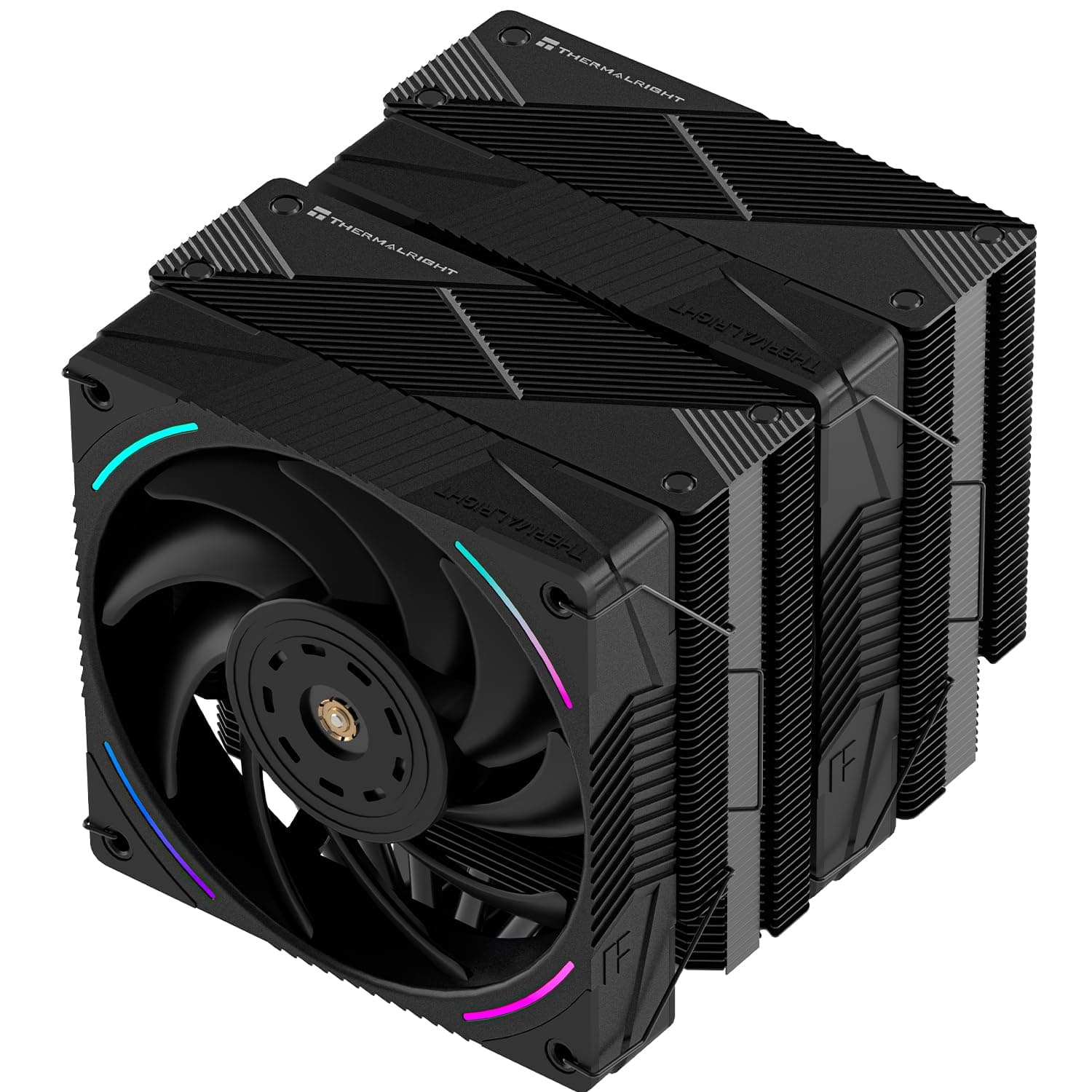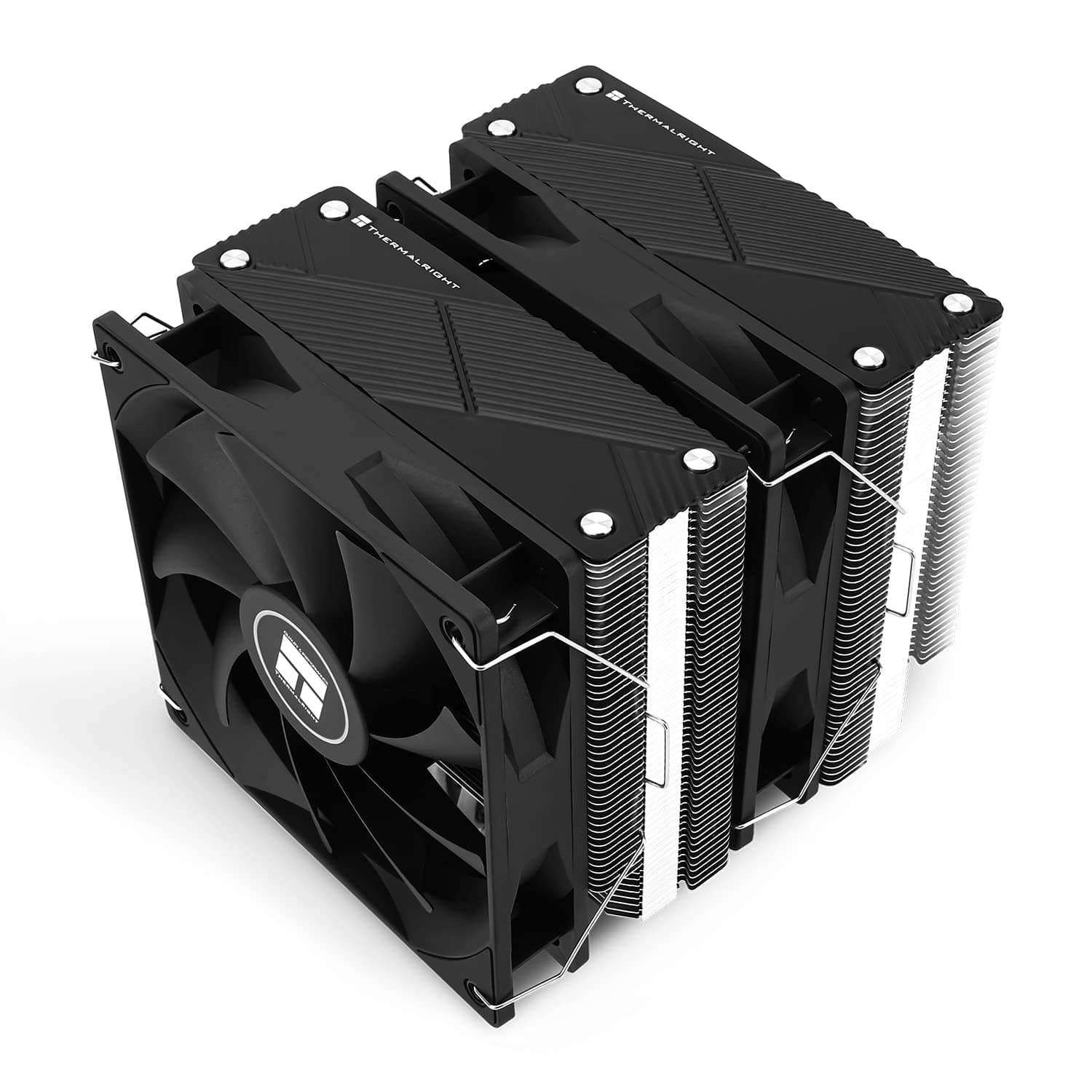
This article takes a close look at the Thermalright Phantom Spirit 120 CPU Air Cooler (PS120), covering case and RAM fit, how it compares to similar coolers, and who should skip it. The short answer: for anyone who wants to cool a Core i7 or Ryzen 7 class CPU quietly, it delivers unusually strong cooling for the money.
Its 157mm height, though, and its limits under sustained all-core loads on a Core i9 or Ryzen 9, mean you should check a few things before buying.
Overview
The Thermalright Phantom Spirit 120 PS120 is a dual-tower CPU air cooler with seven heat pipes and AGHP 4.0 technology.
It ships with two 120mm TL-C12 V2 PWM fans whose S-FDB bearings are designed for quiet operation and long-term durability. Supported sockets are Intel LGA1700/1200/1151/1150/2011 and AMD AM4/AM5, so it fits both older builds and current platforms.
Its cooling performance is described as close to high-end air coolers, and it is marketed as able to handle CPUs in the 260W TDP class. Real temperatures, however, depend heavily on case airflow, room temperature, and your CPU power settings.
On Amazon.co.Check the retailer's page for the latest user reviews.
That isn't a huge number of reviews, but the ratings are tightly grouped, which points to consistently satisfied buyers.
In one line, it is the go-to air cooler for builders who need more than a stock or compact cooler but don't want an AIO. There is no pump noise and no risk of leaks, and the simple design tends to last.
That advantage doesn't show up in spec sheets, but it matters.
Compatibility Guide
Physical size causes more failed builds than socket support does. Check the points below in order.
Supported Sockets
Officially supported sockets are AMD AM4/AM5 and Intel LGA1700/1200/1151/1150/2011. AM5 uses the same cooler mounting holes as AM4, so moving from AM4 to AM5 will very likely let you reuse the cooler.
The included mounting kit covers both Intel and AMD.
LGA1851, used by the Core Ultra 200S series, does not appear in the supported socket list for this listing. It is often said to share LGA1700's hole spacing, but we won't state that as fact here.
If you plan to use LGA1851, check the manufacturer's compatibility list or the product page first.
Case Clearance (Most Important)
The cooler measures 125 x 135 x 157 mm (L × W × H), so it is 157mm tall. The compatibility notes call for at least 160mm of CPU cooler clearance in your case.
Many mid-towers offer roughly 160 to 170mm, but slim mid-towers and cases with thick glass panels can come up a few millimeters short, leaving a side panel that won't close.
The clearance figure in a case spec sheet is the distance from the motherboard to the inside of the side panel. With a 157mm cooler and a rated 160mm limit, you have only 3mm to spare.
Cable bundles or protruding fans on the side panel can eat up even that margin.
RAM Clearance
The heatsink itself is shaped to avoid the memory slots. The front fan, however, can hang over the DIMM slot closest to the CPU.
With tall heat-spreader or RGB memory, you raise the front fan on its clips to clear it. That adds to the total height and cuts further into the case clearance discussed above.
The safest approach is to check RAM height and case clearance together, not separately. Choosing low-profile memory lets you keep the fan in its standard position and avoids most height problems.
Fan Connection and Power
The fans use 4-pin PWM and connect to the motherboard's CPU_FAN header. They run on 12V DC, and the two fans draw 4.8W combined.
Even with a splitter on a single header, that is within the rating of most fan headers, but check your motherboard manual to be sure. Maximum speed is 1500 RPM, which leaves plenty of room to set a quieter fan curve in the BIOS (UEFI).
Motherboard Area and Case Fans
At 135 mm wide, this dual-tower cooler can make installation cramped on boards with tall VRM heatsinks or in cases where the rear exhaust or top fans sit close by. This is especially true for ITX and smaller Micro-ATX builds, so plan where the cooler will sit before you assemble.
Product Info
| Item | Details |
|---|---|
| Cooling method | Air (dual tower) |
| Sockets | AMD AM4/AM5, Intel 1700/1150/1151/1200/2011 |
| Fans | 120mm × 2 (4-pin PWM) |
| Max fan speed | 1500 RPM |
| Noise level | 25.6 dBA |
| Heat pipes | 7 |
| Dimensions | 125 x 135 x 157 mm |
| Material | Aluminum |
| Voltage / power | 12V DC / 4.8W (2 fans) |
The cooler was released in 2023.Check the retailer's page for the latest price.co.jp as of September 1, 2026**. Prices shift with sales, exchange rates, and stock, so check the product page for the current price before you buy. The warranty is described as a standard 2-year manufacturer warranty (proof of purchase required), but the support contact and terms can vary by retailer, so it's worth confirming when you buy.
The box includes Intel and AMD mounting kits, fan clips, and TF7 thermal paste, so you don't need to buy paste for the first install. It sits in the mid-to-high tier of air coolers and covers a wide range of CPUs, from entry-level up to hot-running Core i7/i9 and Ryzen 7/9 chips.
Cooling Performance and Noise
The key question with a cooler in this class is which CPUs it can handle with headroom to spare. Popular gaming CPUs such as the Core i7-13700K and Ryzen 7 7800X3D are a good match: it keeps temperatures in check during play and helps sustain boost clocks.
The 7800X3D draws relatively little power to begin with, so it runs comfortably even with a quiet, low-RPM fan curve.
With flagship CPUs like the Core i9-13900K or Ryzen 9 7950X, long all-core workloads such as rendering will push temperatures higher. That is a limit of air cooling in general, not a flaw specific to this cooler.
Lowering the power limit slightly in the BIOS often drops temperatures a lot while costing little performance, so consider it if you pair a flagship CPU with an air cooler.
The rated noise level is 25.6 dBA, quiet enough not to bother you during long video editing or 3D rendering sessions.
The S-FDB bearings are meant to keep noise from creeping up over time. Keep in mind that overall system noise also includes your case and GPU fans, so a quiet cooler alone won't make a whole PC quiet.
Comparison with Competing Coolers
Here is how it stacks up against the alternatives buyers most often weigh in this price range.
| Option | Best for | Difference from Phantom Spirit 120 |
|---|---|---|
| Thermalright Phantom Spirit 120 SE | Tighter budgets | A separate model with a similar name; check its article for spec and accessory differences |
| Thermalright PA120 | A proven, low-cost build | 6 heat pipes (Phantom Spirit 120 has 7) |
| NZXT T120 | Matching an NZXT-themed build | Chosen more for brand consistency and design |
| 360mm AIO (e.g. Elite Vision 360) | Heavy Core i9 / Ryzen 9 loads | More cooling headroom, but needs radiator space and a pump |
Within Thermalright's air lineup, the choice comes down to whether you want the headroom of one extra heat pipe or the lower price. For Core i5 or Ryzen 5 class CPUs, the PA120 or SE is often enough.
The Phantom Spirit 120's extra headroom pays off with Core i7 or Ryzen 7 and above, or when you want to keep the fans at low RPM for quiet operation.
Against AIOs, a 360mm liquid cooler has the higher ceiling. In exchange you take on pump lifespan and noise, radiator placement, and a higher price.
If you don't plan to push a Core i9 or Ryzen 9 to its limits, air cooling means less hassle and fewer things that can fail.
Installation Tips
- Check your motherboard manual to see which backplate and mounting parts to use.
Intel and AMD use different hardware. 2.
Fit the mounting hardware to the motherboard before it goes into the case. It is much easier that way.
Apply the TF7 paste, set the heatsink in place, and tighten the screws a little at a time in a diagonal pattern.
Clip on the fans.
If you use tall RAM, set the front fan height at this step. 5.
Connect the fan cable to CPU_FAN and confirm in the BIOS (UEFI) that the fan speed is reported.
A common mistake with large coolers is finding that, once the heatsink is on, you can no longer reach the RAM slots or the EPS power connector at the top of the board. Install the RAM and plug in the EPS cable before the cooler. Also remember to peel the protective film off the heatsink base.
Recommended Users
High-end gaming builders: With a Core i7-13700K or Ryzen 7 7800X3D, the Phantom Spirit 120 has plenty of cooling. It keeps temperatures in check during play and helps sustain boost clocks.
Creators who value quiet: At a rated 25.6 dBA, it stays quiet through long video editing and 3D rendering sessions.
The S-FDB bearings also help keep noise from creeping up over the years.
Value-focused first-time builders: At under ¥10,000 as of September 1, 2026, it offers cooling close to high-end air coolers. Paste is included and the mounting process is standard, making it a good fit for a first build.
Owners of cases with 160mm+ cooler clearance: If your case meets that requirement, it fits without trouble. At 157mm it is close to the mid-tower limit, so always check your case specs.
Anyone wary of AIO pump noise or lifespan: As a simple air cooler, it is a low-maintenance option that holds up well over years of use.
Things to Check Before Buying
Skip it if your case clearance is under 160mm. The 157mm height is this cooler's biggest constraint.
In compact or slim cases, side panels that won't close are a real risk. A few millimeters short means it won't fit, so don't buy on the assumption that it will probably fit.
Tall RAM adds to the total height. Raising the front fan pushes the total height above 157mm.
If you plan to use tall RGB memory, check RAM height, fan offset, and case clearance together.
Limited headroom for sustained all-core loads on Core i9 or Ryzen 9. It is fine for gaming, but if you render or encode for hours every day, a 360mm AIO or a lower power limit is the realistic choice.
LGA1851 isn't on the support list. If you are building on the Core Ultra 200S series, check the manufacturer's compatibility list first.
Even where it is supported, the mounting hardware may be handled differently.
It is easy to mix up similarly named models. The Phantom Spirit 120 has variants such as the SE, and it is also sold in different colors and lighting versions.
Check the product name and images before ordering to make sure you have the model you want.
Some listing and pricing details are inconsistent. In the collected data, a price labeled Amazon US for the global market actually links to the Amazon Japan page, and the seller field in the product details also reads Amazon US.
Confirm the actual seller and shipper at checkout. Listing details can be wrong, so verify the product by its images and title.
Take care when shipping a built PC. Large air coolers are heavy, so remove the cooler or brace it with packing material before shipping a built PC to reduce strain on the motherboard.
FAQ
Q. Can I move my Phantom Spirit 120 from AM4 to AM5? A.
Both AM4 and AM5 are supported sockets. AM5 uses the same mounting hole standard as AM4, so you can move it over with the included mounting kit.
Q. Will it fit in a case with 158mm of cooler clearance? A.
The cooler is 157mm tall, but the compatibility guideline is 160mm or more. With only 1mm to spare, the side panel may not close depending on its shape and where the fan sits to clear your RAM, so we don't recommend it.
Q. Do I need to buy thermal paste? A.
No. TF7 paste is included for the first install.
If you expect to remount the cooler, keeping a spare tube is a good idea.
Q. Where do the two fans connect? A.
They are 4-pin PWM fans and connect to the CPU_FAN header. The two fans draw 4.8W combined.
If you join them on one header with a splitter, check the header rating in your motherboard manual.
Q. Should I get an AIO instead? A.
Up to Core i7 or Ryzen 7 class CPUs, the Thermalright Phantom Spirit 120 CPU Air Cooler wins on noise, simplicity, and price. If you run a Core i9 or Ryzen 9 at full load for long periods, a 360mm AIO gives you more headroom.
Product Disclosure (Amazon)
- Manufacturer: THERMALRIGHT(サーマルライト)
- Seller: Amazon US
- Fulfilled by: Amazon US
- ASIN: B0C4HCGQR1
- Note: This article covers a manufacturer-made product based on Amazon listing details.