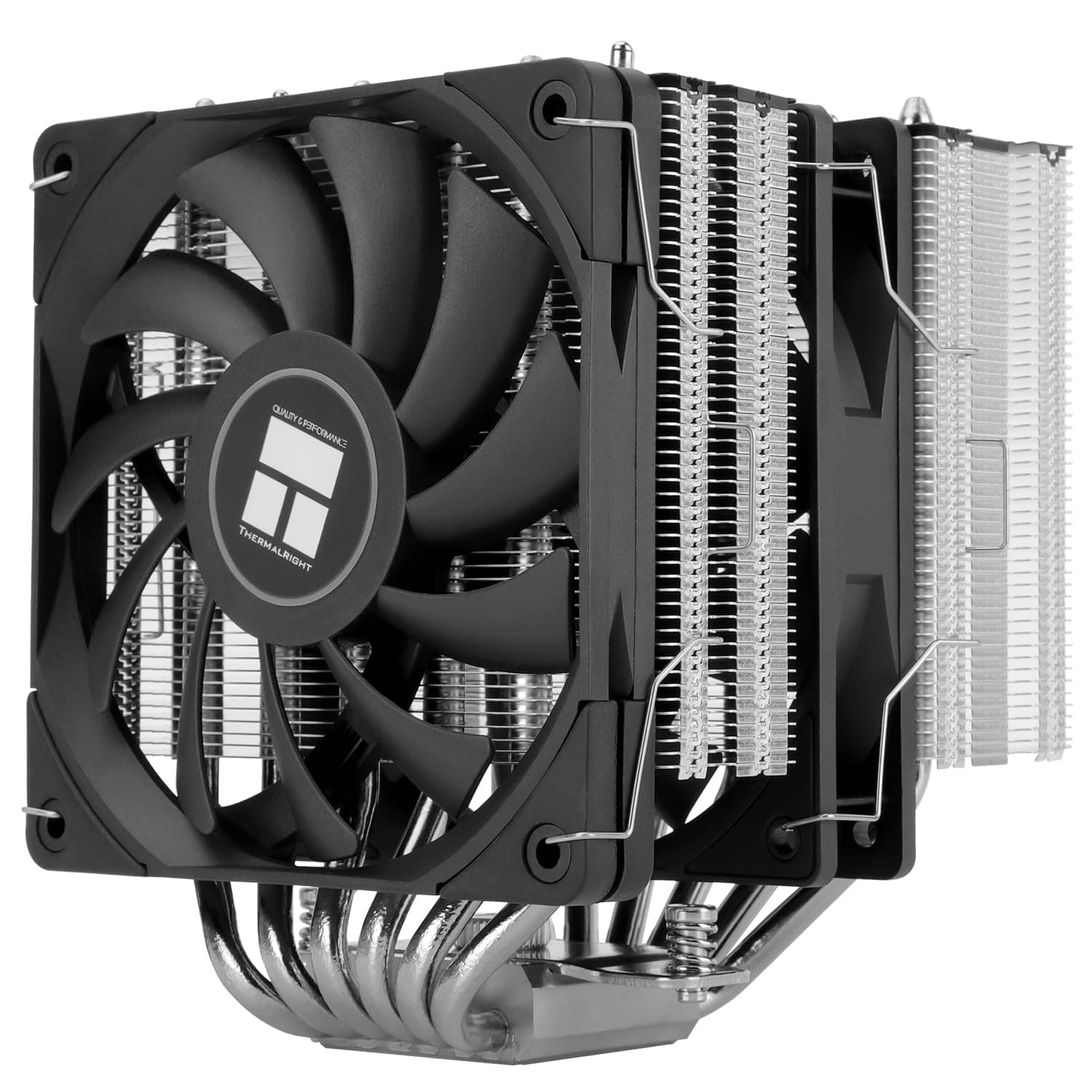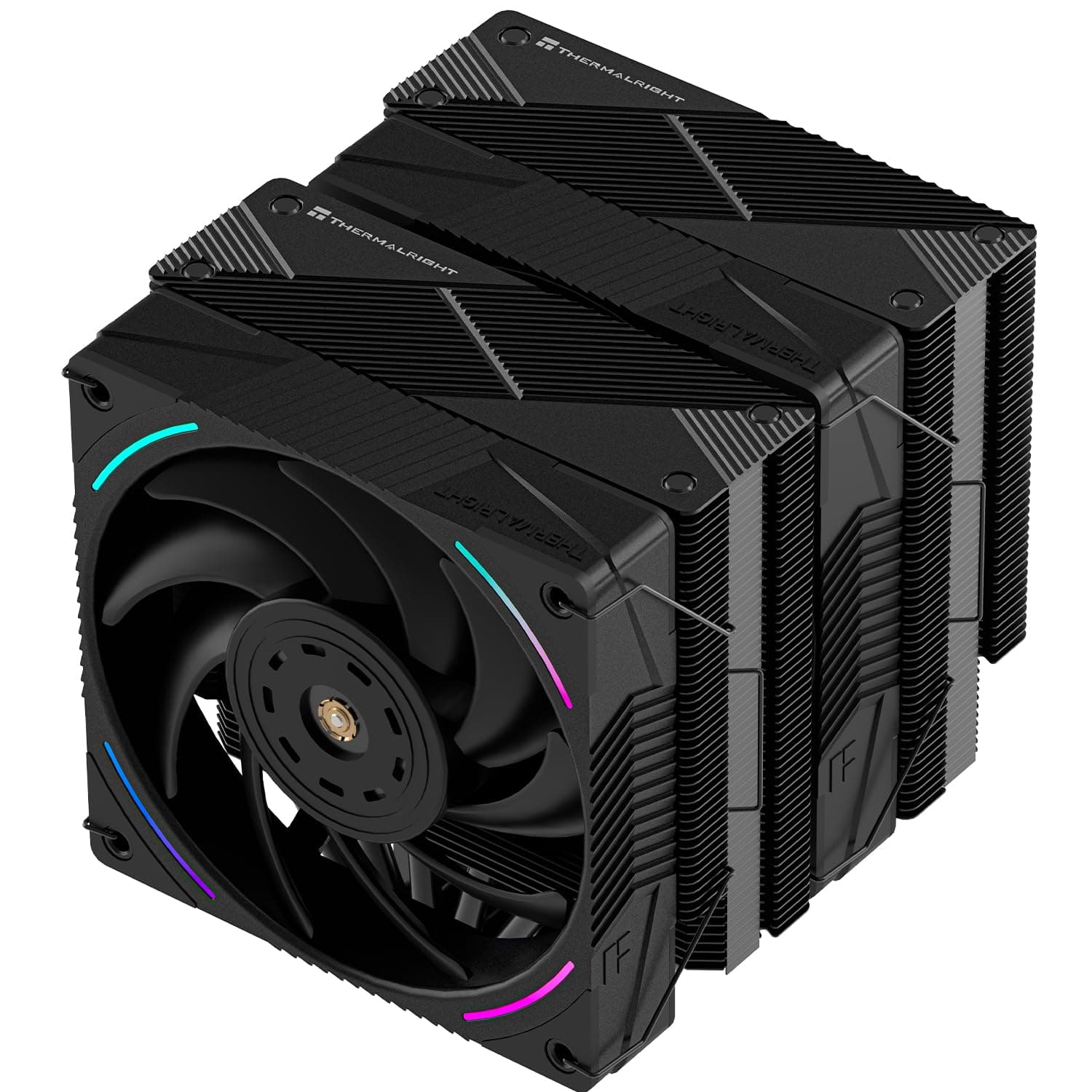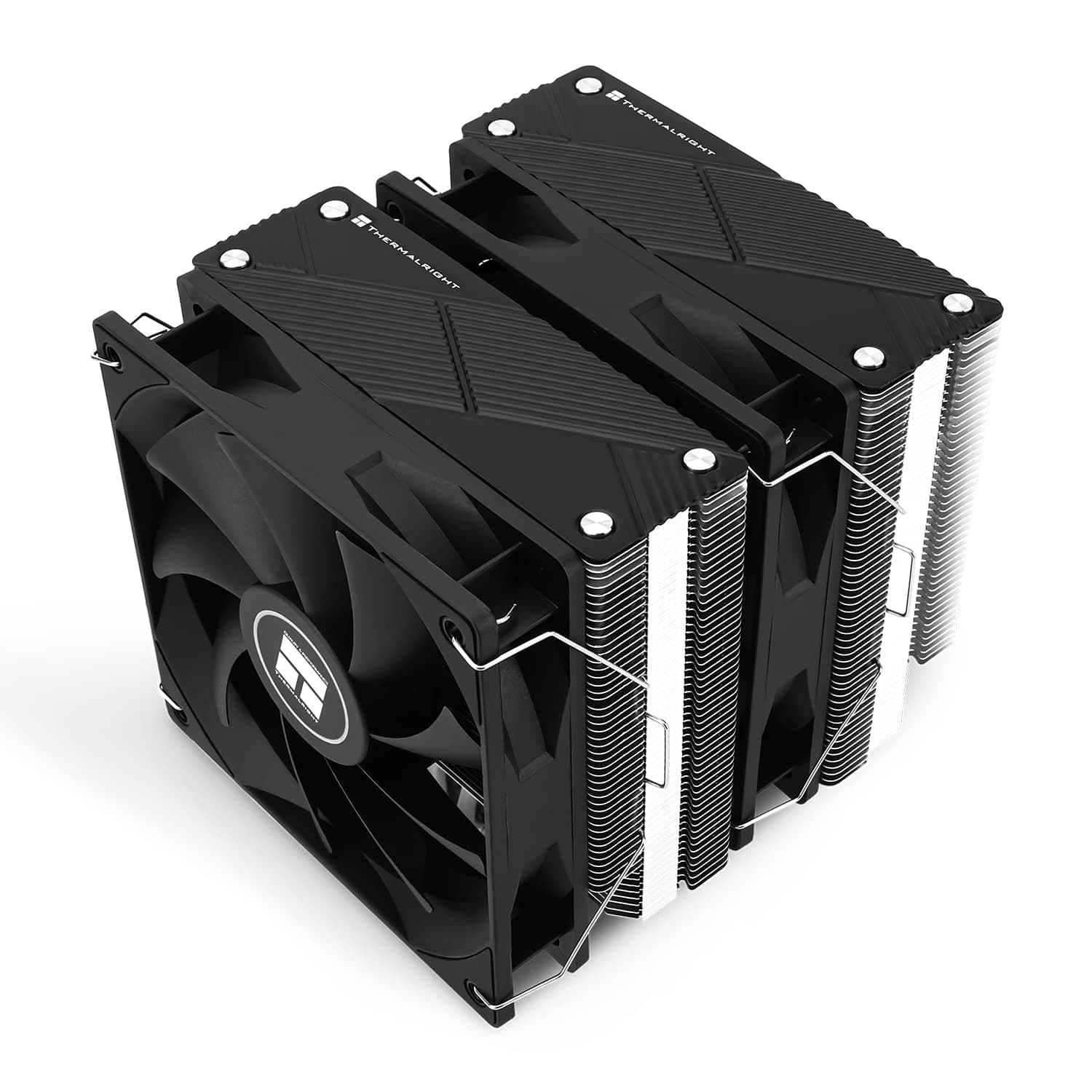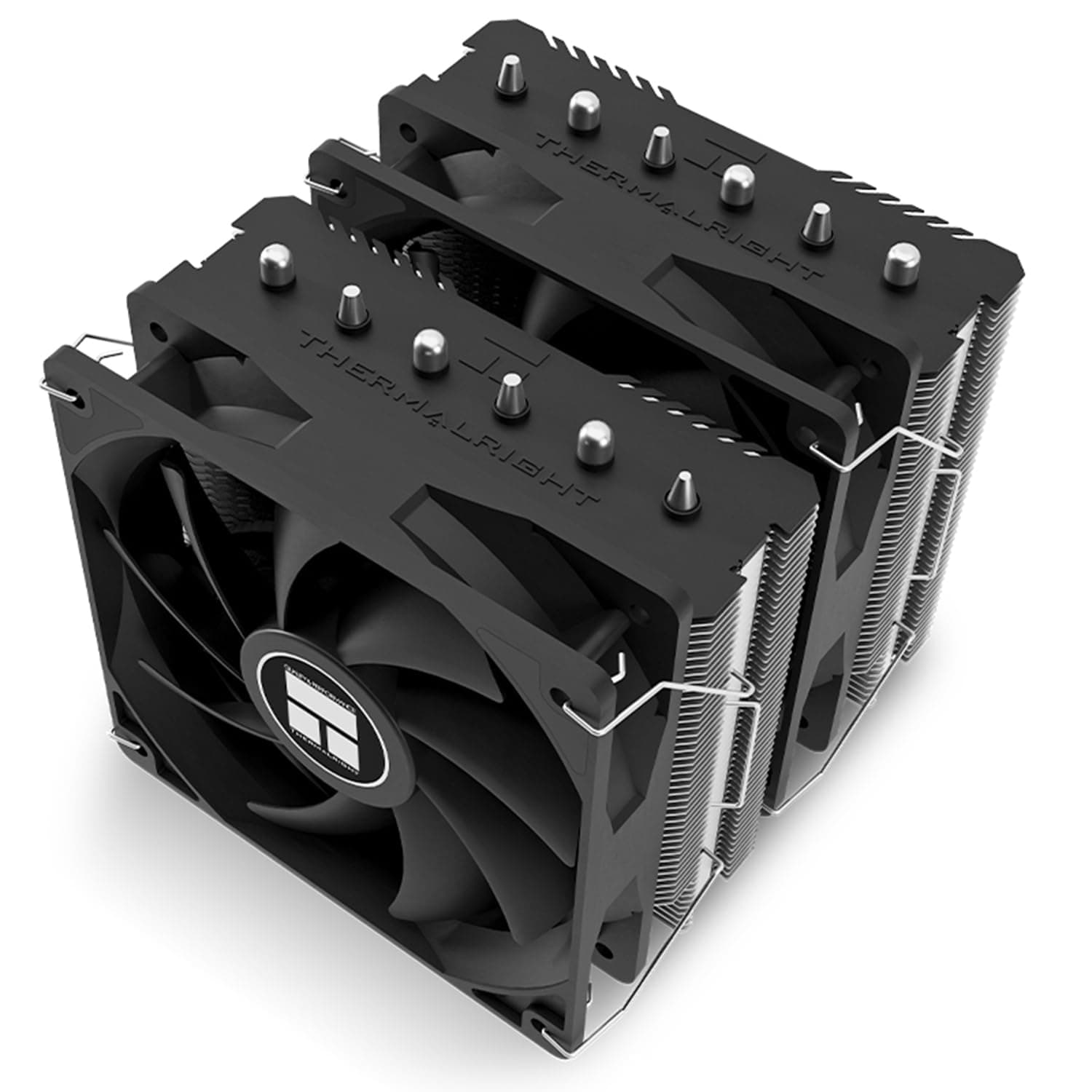
This article covers the Thermalright Peerless Assassin 120 SE Extrem CPUエアクーラー 6本のヒートパイプ付きデュアルPWMファン AGHPヒートパイプテクノロジー 154mm高冷却 AM5, focusing on the dimensions, noise figures and mounting conditions that actually decide whether it works in your build.
Overview
The Thermalright Peerless Assassin 120 SE Extrem is a dual-tower air cooler built around six AGHP heat pipes, a copper base, aluminium fins and two 120mm PWM fans. Its target audience is specific: builders who find the boxed cooler too hot and too loud, but who do not want to add a pump and its service life to the system.
The heatsink measures 125 x 135 x 154 mm, which is modest for a twin-tower design. Socket support spans Intel LGA1851/1700/1200/115x and AMD AM4/AM5, so it fits essentially every current mainstream platform.
| Intended use | Verdict | Why |
|---|---|---|
| Ryzen 5 / 7, non-K Core i5 / i7 (roughly 65-125W) | Excellent | Thermal headroom to spare, so fans can stay slow and quiet |
| Unlocked Core i7 or Ryzen 9 at stock power limits | Good | Usable daily, but expect higher fan speeds |
| Core i9 with power limits removed, sustained full load | Marginal | The ceiling of air cooling; expect to sit at thermal limits |
| Cases with under 155mm cooler clearance | No | It physically will not fit; pick a low-profile model or an AIO |
The table makes the positioning clear. This is not a cooler bought to raise a ceiling; it is bought to meet a sensible requirement cheaply and quietly.
Mount it on a mid-range CPU and the headroom converts directly into silence.
Reading the Spec Sheet
The fans are rated at 1850 RPM +/-10%, 82 CFM, 2.1 mmH2O static pressure, 29.6 dBA or less, on standard 4-pin PWM headers.
For a dense fin stack the static pressure figure matters more than raw airflow: 2.1 mmH2O is what pushes air through the resistance of the fins.
The 82 CFM number is measured in free air, so effective flow through the towers is lower.
The 29.6 dBA figure is also a maximum, measured at full speed.
In practice PWM control keeps the fans well below that during everyday loads, where they disappear under case and drive noise. One tip: leaving the motherboard fan curve at its default often causes the fans to surge up and down with momentary temperature spikes, which is more noticeable than a steady higher speed.
Adding a few seconds of step-up and step-down smoothing usually sounds quieter.
AGHP stands for Anti-Gravity Heat Pipe, an internal structure intended to reduce the performance loss a heat pipe suffers when it is mounted horizontally or inverted. The rest of the construction is textbook for the price class: aluminium fins over a copper base.
Compatibility Guide
Supported sockets are Intel LGA1851/1700/1150/1151/1155/1156/1200 and AMD AM4/AM5. On AMD you reuse the motherboard's stock backplate; on Intel you fit the included backplate from behind the board.
For a fresh AM5 build that removes a whole step from the installation.
Height needs care. The heatsink is listed at 125 x 135 x 154 mm, but the spec table also carries an auto-extracted height of 160 mm, and the two disagree.
The safe reading is to require 160 mm of cooler clearance in your case before buying. In a case rated at exactly 155 mm, cable bulk behind the side panel or a raised fan position can be enough to cause contact.
Memory interference is the most common failure point here. The lower fins are cut away to clear standard-height DIMMs, which is enough for most kits.
With tall heatspreaders you raise the front fan to clear them, and that raises the effective height above 154 mm. A build that is tight on both cooler clearance and memory height cannot satisfy both at once.
Both fans use 4-pin PWM. Connect one to CPU_FAN and one to CPU_OPT, or combine them with a splitter.
If you use CPU_OPT, check in UEFI that the header follows CPU temperature rather than a different sensor, since mismatched fan speeds can produce a low-frequency beat.
Graphics card clearance is a non-issue because both towers sit above the socket. The real risk is a tall VRM heatsink or I/O cover on mini-ITX and some microATX boards, which can meet the front tower.
The airflow direction lines up with the rear exhaust fan, making a clean front-to-back path easy to build.
Product Info
Key specifications: model Peerless Assassin 120 SE Extrem, heatsink 125 x 135 x 154 mm, two 120 x 120 x 25 mm fans, 1850 RPM +/-10%, 82 CFM, 2.1 mmH2O, 29.6 dBA or less, six AGHP heat pipes, aluminium fins with a copper base.
In the box: two 120mm PWM fans, Intel and AMD mounting kits, fan clips, thermal grease and a manual. Warranty is the manufacturer's standard cover; confirm terms with your retailer.
As captured on 26 August 2026, the Amazon.co.jp listing price was 7,771 yen.
Air cooler pricing moves with exchange rates and sales, so treat that as a snapshot rather than a current figure and check the product page before buying. The eBay entry is a search link only, with no confirmed listing price at capture time.
Ratings stood at 4.7 out of 5 (94% positive) from 22 reviews as of 21 June 2026.
The score is high, but 22 is a very small sample. Issues such as early-unit variation or interference in specific cases do not show up in an average that size.
Read it as 'not enough reviews yet for problems to surface' rather than as proof of reliability.
How It Compares
Within Thermalright's own range, the single-tower Assassin Spirit 120 EVO sits below it. It costs less, but with roughly half the fin area it must spin faster for the same temperature, and that difference shows up as noise.
If your case is short on height, a low-profile dual tower such as the 110mm Peerless Assassin 90 SE is the more sensible alternative; forcing a 154mm cooler into a tight case rarely ends well.
From other brands, six-pipe dual towers like the Cooler Master Hyper 622 HALO occupy the same ground. The cooling approach is similar, and the differences come down to lighting, fan acoustics and how easy the mounting hardware is to work with.
Against a 240mm or 360mm AIO, this cooler cannot match radiator area, but it has no pump, fewer parts to degrade over time, and it can be carried across motherboard upgrades.
Installation Notes
Fit the cooler before the motherboard goes into the case. On a twin-tower design the mounting screws sit between the fin stacks, and there is rarely enough room to angle a screwdriver inside a case.
The reliable order is: install memory, fit the backplate and standoffs, apply grease, seat the heatsink and tighten diagonally in small steps, then clip the fans on last.
A grain-of-rice dot in the centre or a thin spread both work. Too much grease squeezes out around the socket.
The fan clips hook into holes in the fins, so forcing them bends the fins, which blocks airflow and can cause resonance.
On AM5 there is ongoing discussion about socket flex and mounting pressure, but this product's specification sheet says nothing about offset mounting. Check the product page and manual before attempting any mounting method other than the supplied kit.
Best Use Cases
It suits builders who want quiet cooling on a budget: Ryzen 5 / 7 or non-K Core i5 / i7 chips in the 65-125W range, used for gaming, media and occasional encoding. In that band the fans never need their full 1850 RPM, so the headroom becomes silence instead of speed.
It is also a sound first upgrade from a boxed cooler. Stock coolers are designed to keep the CPU within limits, not to be comfortable, and swapping to a twin tower with two 120mm fans audibly lowers load noise on the same chip.
Anyone who wants to keep pump failure and coolant out of the system, or who plans to reuse the cooler across several builds, has a good case for air.
Finally, it suits people who want simple case airflow. Front intake to cooler to rear exhaust is a single straight path with no radiator placement to plan, and the towers also move air across the VRM and memory area.
Before You Buy
Start with the listing itself. The Amazon product data names Palit as the manufacturer, but Palit makes graphics cards and is not the maker of this cooler, which is a Thermalright product.
The ASIN shown in that block also does not match the ASIN in the product URL this article references. Listing metadata errors like this are common, so confirm the product from the images, the title and the model number on the box.
We have removed that block from this article rather than repeat incorrect manufacturer information.
Next, height. The spec sheet carries both 154 mm and 160 mm, and the two conflict.
In a build with only a few millimetres of margin, that difference decides the outcome. When in doubt, plan around 160 mm; if that does not fit, choose a low-profile cooler from the start rather than discovering the fan rubs the side panel after assembly.
Understand the ceiling too. This class of cooler is aimed at roughly 200W.
With power limits removed on a Core i9, or under sustained all-core load, it will run pinned at the thermal limit. That is a selection error rather than a product fault, and a large AIO is the right answer for those builds.
Finally, a twin tower has real mass, so think about motherboard stress if you transport the machine often or lay the case on its side. The spec sheet lists no lighting, so check the product page if RGB matters to you.
The Peerless Assassin family also includes several variants in different sizes and finishes; match the full model name, not just the series.
FAQ
Q. It says 154mm. Will it fit a case rated for 155mm? A.
On paper yes, with 1mm to spare. But the spec table also lists 160mm, and raising the fan to clear tall memory adds height.
Avoid builds that are this marginal.
Q. Will it clash with memory heatspreaders? A.
Standard-height DIMMs clear the cut-away lower fins. Tall kits require raising the front fan, which increases the total height you need.
Q. Where do I connect the two fans? A.
One to CPU_FAN and one to CPU_OPT, or both via a splitter. If you use CPU_OPT, verify in UEFI that it follows CPU temperature.
Q. Can I use it with a Ryzen 9 or Core i9? A.
It works, but not for sustained full load with power limits removed. With sensible power limits it is fine for daily use; heavy sustained workloads want an AIO.
Q. What does it cost? A.
The Amazon.co.jp listing showed 7,771 yen when captured on 26 August 2026.
Prices move often, so check the product page for the current figure.
Q. How much weight should I give the 4.7 rating? A.
It came from 22 reviews as of 21 June 2026. The score is high, but the sample is small enough that a few opinions move the average considerably.