Overview
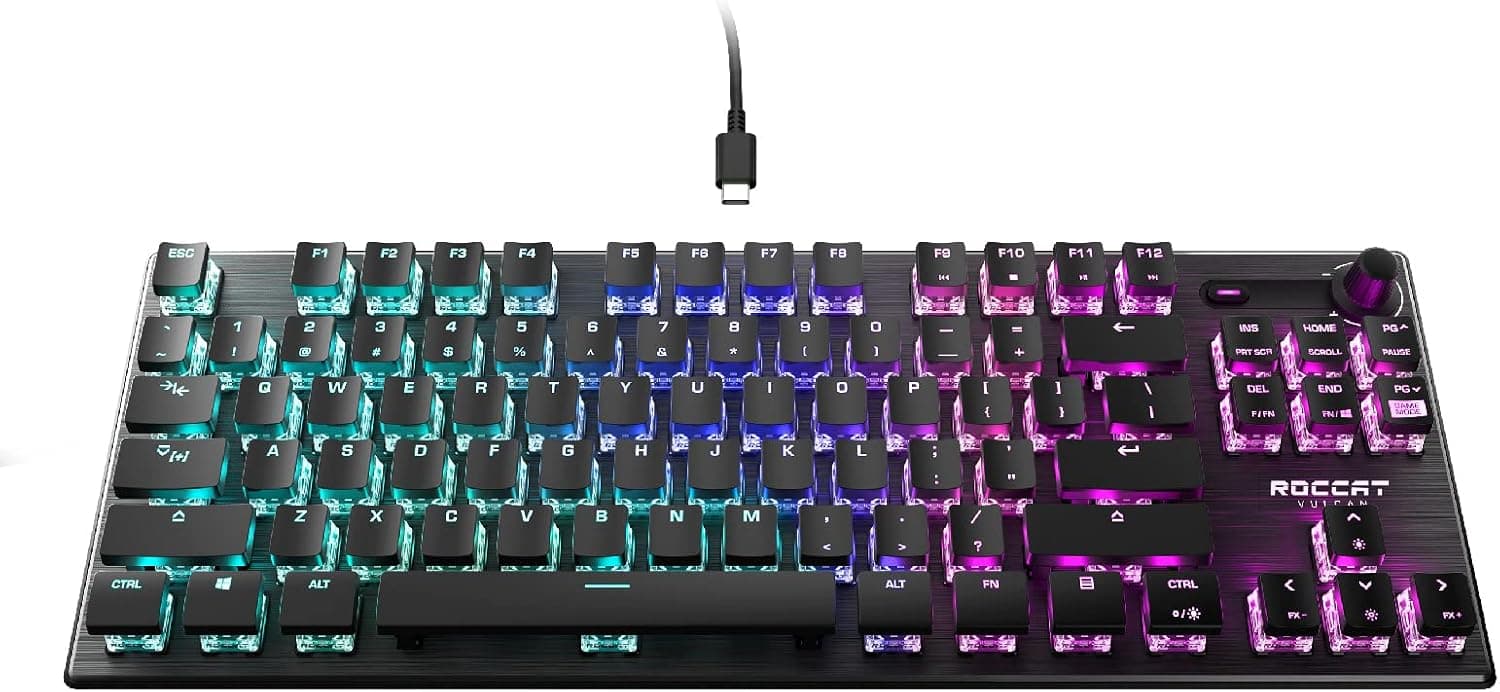
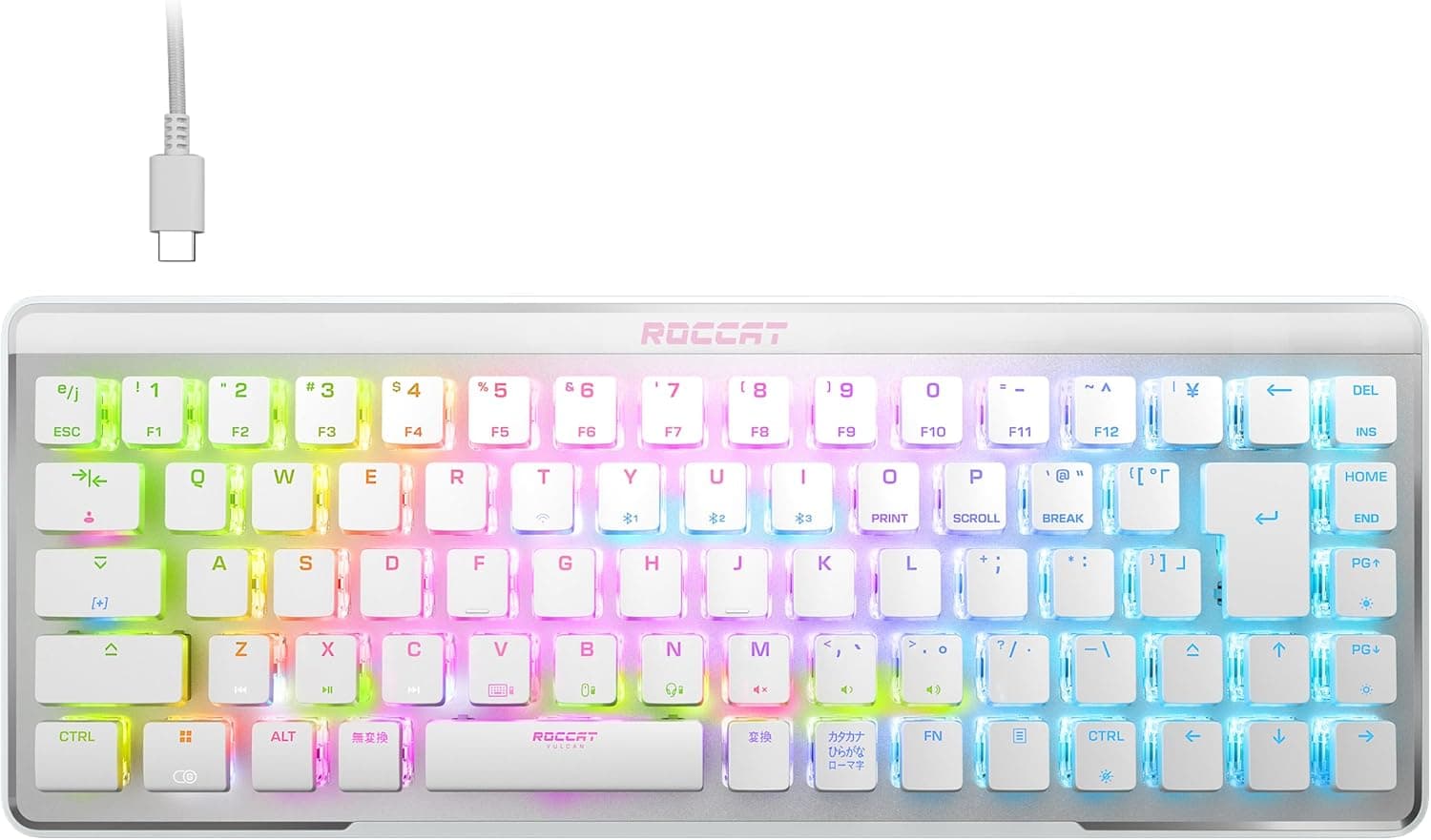
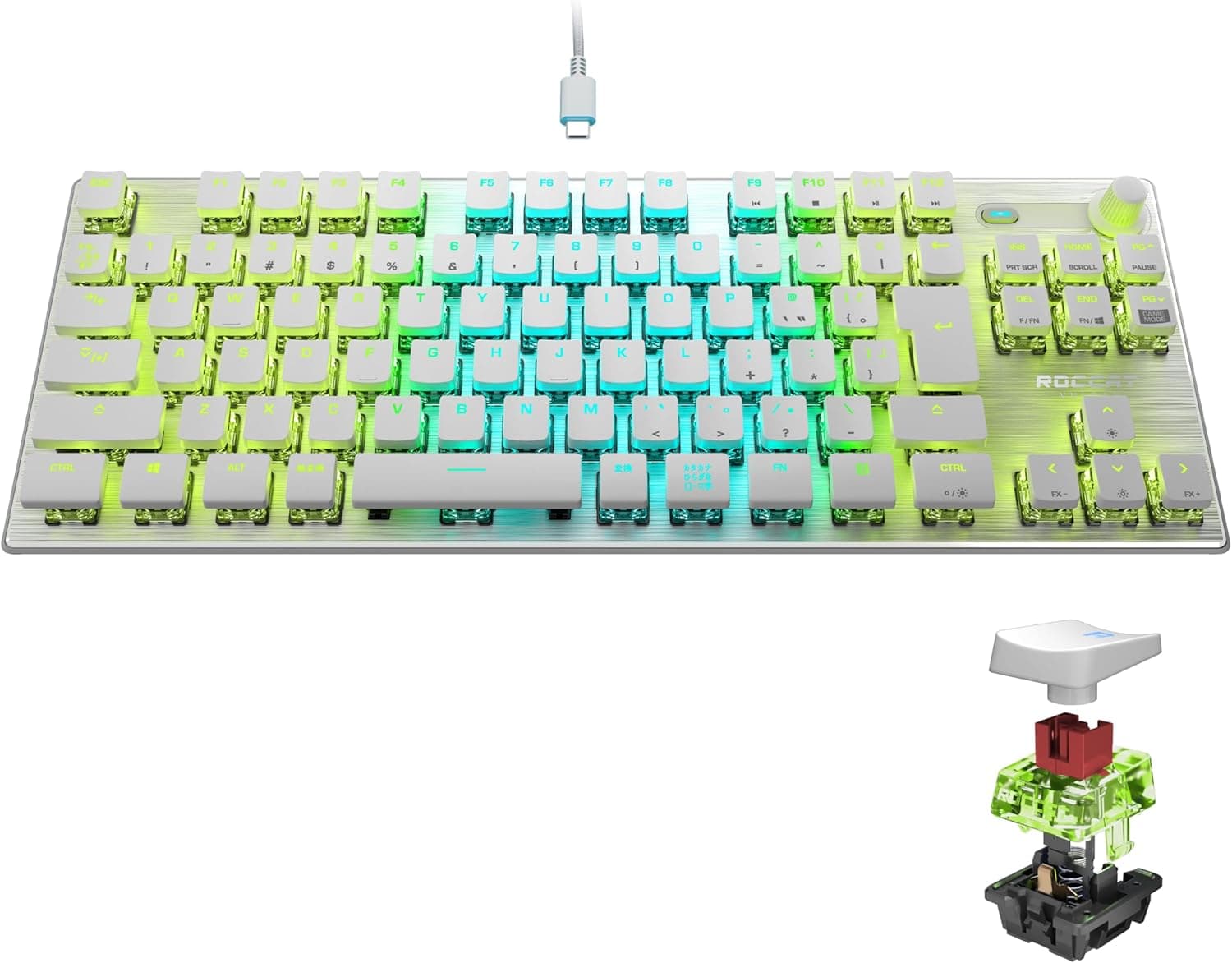
This article covers the ROCCAT VULCAN TKL Pro — White Tenkeyless Optical Gaming Keyboard, sold in Japan as a JIS (Japanese) layout, linear optical, white model through the authorized Japanese distributor. It is a tenkeyless (TKL) keyboard from the German gaming brand ROCCAT.
It suits people who want an optical linear TKL in the Japanese layout, and few products meet that combination. On Amazon.co.jp it holds 4.3 out of 5 stars from 492 reviews (as of June 2026).
On the other hand, it has no adjustable actuation, no rapid trigger and no wireless mode. If you are comparing it against the newer magnetic-switch boards with rapid trigger, it is not the right pick.
It is a solid wired keyboard for people who put JIS typing comfort and optical durability first.
The switch is ROCCAT's own Titan Switch Optical (linear). It detects each press with light and has no metal contacts, so contact wear and key chatter are less of a concern.
The switches are rated for 100 million keystrokes. Dropping the number pad frees up the right side of the desk for wider mouse movements.
How Optical Linear Switches Differ
A typical mechanical switch registers a press when two metal contacts touch. An optical switch registers it when the stem blocks or lets through a beam of light.
With no physical contact, response tends to stay the same over time, and chatter (one press registering twice) is less likely.
'Linear' means there is no bump and no click: the key goes straight down. That makes rapid tapping and quick releases easy, which fits strafing in FPS games, where you press and release the same keys over and over.
However, the actuation point (how far down a key must go before it registers) is fixed. Unlike magnetic Hall-effect switches, you cannot adjust it or use rapid trigger, which cuts off input the moment a key starts to rise.
Buying it on the belief that optical means the fastest possible will set the wrong expectations.
Compatibility Guide
The keyboard connects over wired USB (USB-A) and supports Windows 7 or later and macOS. As a keyboard, it has no PC-part constraints such as CPU sockets or memory types.
A few things still commonly trip people up.
| Item | Spec | What to watch for |
|---|---|---|
| Connector | Wired USB (USB-A) | USB-C-only laptops and Macs need an adapter or hub |
| Layout | Japanese (JIS) | Set the OS keyboard layout to Japanese or symbols will be misplaced |
| Supported OS | Windows 7+ / macOS | Configuration software support differs by OS (see below) |
| Weight | 980g (listed value) | Stays put on the desk, but not made for travel |
The ROCCAT Swarm software handles key remapping, lighting and macros. However, Swarm has been Windows software.
On macOS, plan to use the keyboard for basic typing without the configuration app, and check the official support pages for current status.
Because this is a JIS layout, users coming from US layout will find symbols such as @ and brackets in different places. On a Mac there are no Eisu/Kana keys, so decide how you will switch input modes before you start.
Product Info
| Item | Detail |
|---|---|
| Switch | Titan Switch Optical (linear) |
| Keys | 87 (tenkeyless) — listed value; see the cautions below |
| Keystroke lifespan | 100 million |
| Interface | Wired USB (USB-A) |
| Weight | 980g |
| Supported OS | Windows 7+ / macOS |
| Color | White |
On Amazon.co.jp the price was ¥8,980 on June 21, 2026 and ¥22,480 on August 26, 2026.
The same listing changed by a factor of about 2.5 in two months.
Expect big swings depending on sales, stock and seller. The prices in this article are as of those dates, so check the current price on the product page.
Under ¥10,000, this is good value for an optical JIS tenkeyless board. Above ¥20,000, wireless models and rapid-trigger magnetic boards enter the same price range.
Buy it only if the JIS layout and optical durability are clearly the reasons you want it.
As of June 2026 it has 4.3 out of 5 stars from 492 reviews, with a positive score of 86%.
Holding a low-4 rating across several hundred reviews suggests early defects are not a notable problem. It is sold through the authorized Japanese distributor, so domestic distributor warranty coverage is expected, but confirm the warranty length and support contact on the product page when you buy.
Comparison with Competitors
How good this keyboard looks depends on what you compare it with, so here are the main types.
| Type | Examples | Best for |
|---|---|---|
| Optical linear, JIS, wired TKL | ROCCAT VULCAN TKL Pro (this model) | JIS layout, durability, a plain linear feel |
| Magnetic switch (rapid trigger) | Keychron K10 HE, AULA Hero 68 HE | Adjustable actuation and rapid trigger for competitive play |
| Low-profile wireless | Logicool G915 X LIGHTSPEED, CORSAIR K100 AIR | No cables, low-profile typing feel |
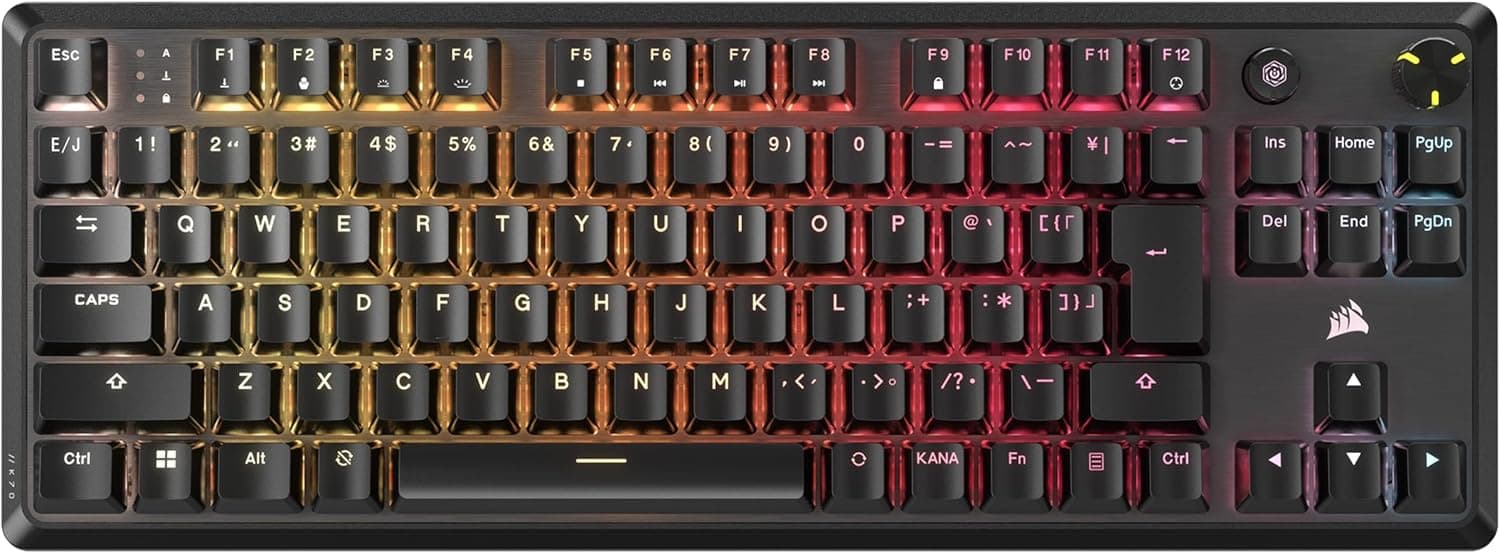
| Classic mechanical | CORSAIR K70 RGB MK.2 SE | A proven, conventional mechanical board |
If you care about millisecond margins in competitive shooters such as VALORANT or Counter-Strike, a magnetic-switch board is probably the better fit. However, those boards mostly come in non-JIS layouts; the Keychron K10 HE, for example, is sold in a US layout.
For people who type a lot of Japanese or also use the keyboard for work, this JIS model has the advantage.
Best Use Cases
1. FPS/TPS players who want to keep a Japanese layout Optical linear switches have no bump, which makes rapid tapping and releasing easy.
The board is not as specialized as a rapid-trigger model, but coming from a regular mechanical keyboard it will feel natural. Players who want clicky feedback may find it lacking.
2. Players who never use the number pad and want more desk space The number pad is gone, but the arrow keys and function row remain.
Low-sensitivity players who sweep the mouse widely benefit directly from the free space on the right. For spreadsheet work with lots of number entry, the missing number pad is a real drawback.
3. Buyers who put durability first The switches are rated for 100 million keystrokes.
Many mechanical switches are rated for 50 million, so this is a comfortable margin. With no contacts to wear down, feel and response should stay consistent over long use.
4. White desk setups
The white color matches white mice and monitor arms, which suits people who care about how the desk looks.
Before You Buy
The price swings a lot. As noted above, the price was ¥8,980 at one check and ¥22,480 at another, more than double.
Buying at the high point can mean paying the same as a more advanced type of keyboard. Check the price before deciding.
'Silent' does not mean no sound. The product name says 'silent', but a linear switch only lacks the click.
Bottoming out and key return still make noise. If you type during online meetings or late at night, consider your typing style or a desk mat to keep the noise down.
Check the listed key count against the photos. The specs list 87 keys, which is the usual count for a US-layout tenkeyless board.
A JIS layout adds keys such as Henkan, Muhenkan and Kana, so a JIS tenkeyless board normally has more than 87. Some of the listing data may come from another layout variant.
Use the product photos to confirm it really is the JIS layout, by checking the legends and the shape of the Enter key. If the 980g weight matters to you, confirm it on the product page as well.
No rapid trigger. The actuation point is fixed even though the switches are optical.
Anyone buying it as the fastest possible keyboard will be disappointed next to magnetic-switch models.
Proprietary switches, so do not plan on swapping them. Titan Switch Optical is ROCCAT's own switch.
Do not count on replacing them with off-the-shelf mechanical switches to change the feel. If you plan to replace the keycaps, make sure the set fits the JIS-specific spacebar and conversion keys.
Check brand and software support. ROCCAT has been owned by Turtle Beach since 2019, and the brand has since been merging into Turtle Beach.
Where you download the software, what it is called and which support desk handles it may have changed, so check before you buy.
The white body shows dirt. Your most-used keys will show skin oils sooner than on a black model.
Consider whether you are willing to wipe it down regularly.
FAQ
Q. Does it work with a Mac? A.
macOS is listed as supported, so typing works. However, the ROCCAT Swarm configuration software is for Windows, so assume you will need a Windows PC for detailed lighting and key-remapping setup.
Q. Does it have rapid trigger? A.
No. The switches are optical, but the actuation point is fixed.
If you need rapid trigger, choose a magnetic Hall-effect board.
Q. How quiet is it?
A. It has no clicking sound, but bottoming out still makes noise. 'No clack' is a realistic expectation.
Q. What does it cost? A.
On Amazon.co.jp it was ¥8,980 in June 2026 and ¥22,480 in August 2026, a large swing.
Check the product page for the current price.
Q. How durable is it? A.
The switches are rated for 100 million keystrokes. With no contacts to wear down, response should stay consistent over long use.