This article covers the Redragon M730 有線RGBゲーミングマウス 10K DPI 軽量リマッピングキー, looking at its published specs, its review data, and the details that trip people up before they buy.
Overview
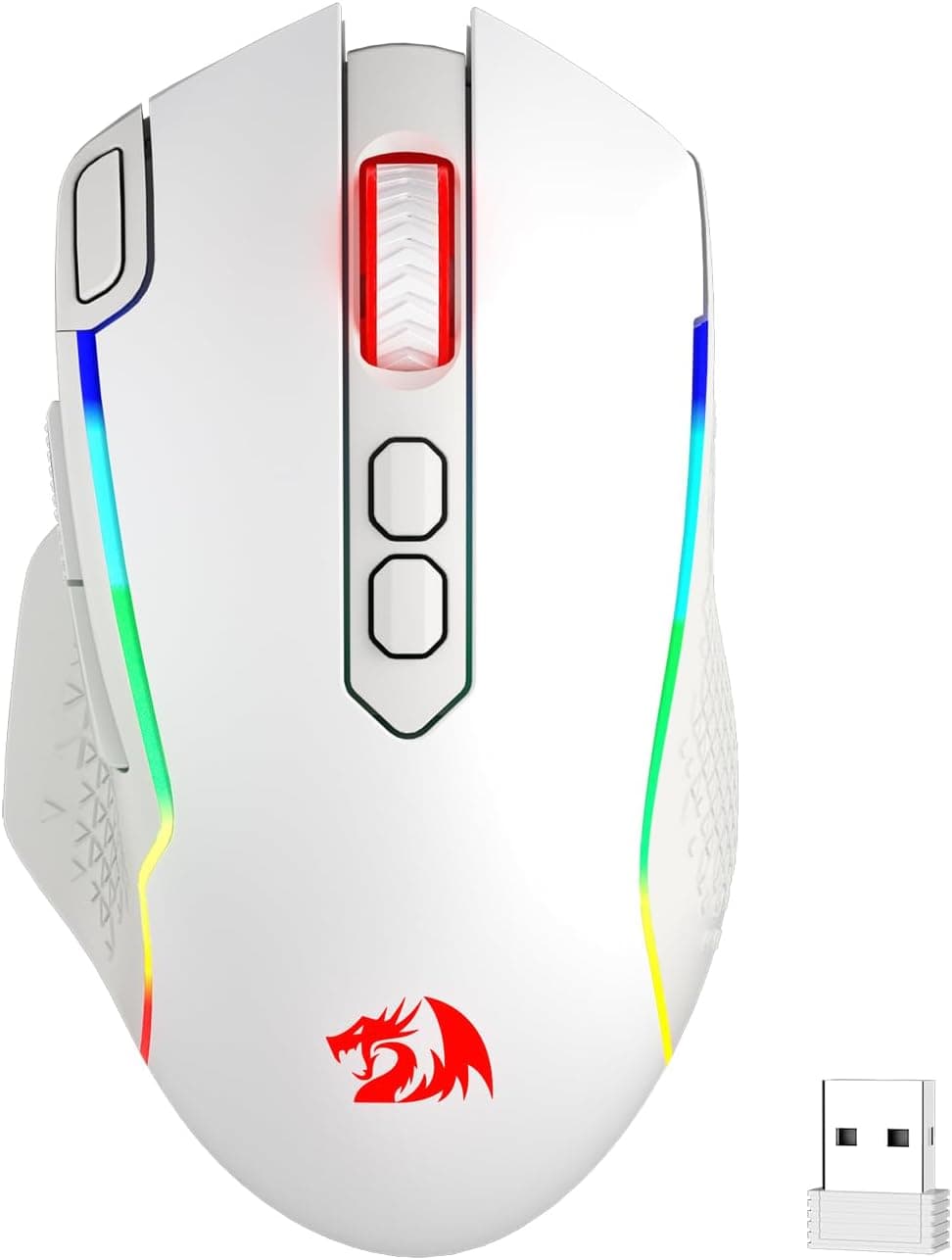
The Redragon M730 is a USB wired gaming mouse built around a 100–10,000 DPI optical sensor and six programmable buttons. In practice you cycle through five on-board presets — 800 / 1200 / 1600 / 2400 / 10000 — with a single button press.
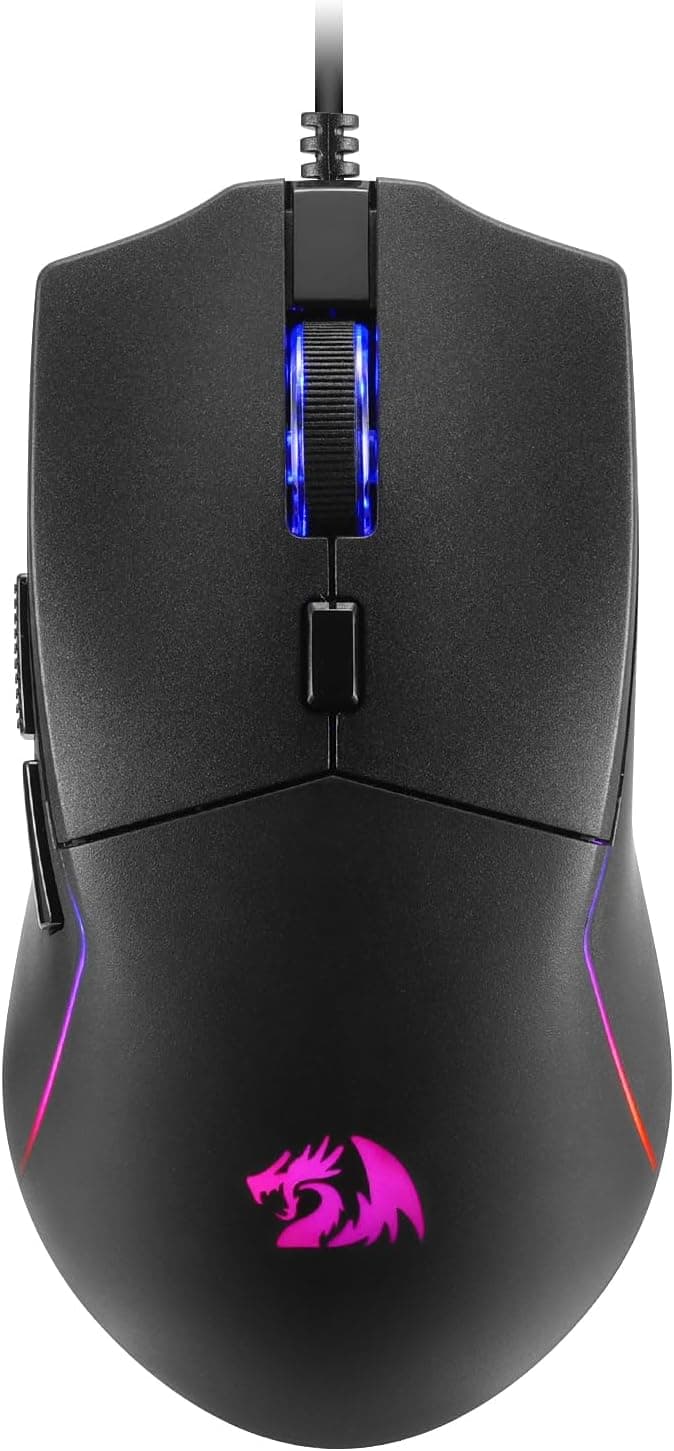
It carries eight RGB lighting modes, a matte main shell with a rubberized left-side grip for longer sessions, and a 1.8 m cable.Check the retailer's page for the latest user reviews.
The short version: this is not a competition-grade ultralight. It is a practical mouse for people who want extra remappable buttons and lighting without spending much.
If your goal is to move frequent actions off the keyboard, or to keep a dependable spare on the desk, it fits. If you are chasing gram-level weight savings or flagship sensor tracking, start at a different price tier instead.
Compatibility Guide
Connection is USB-A wired, full stop. With one free USB-A port, basic operation — cursor movement, left/right click, scroll wheel, forward/back — works driver-free on Windows, macOS and Linux via standard HID support.
If your laptop or Mac only has USB-C, you will need a hub or adapter. Cheap hubs are a common source of flaky input-device behavior, so if the mouse acts up, plug it directly into the machine first to isolate the problem.
The software is where the caveat lives. Button remapping, macros, fine DPI tuning and detailed RGB control all run through Windows-only software.
On macOS and Linux you can still use whatever the mouse handles on-board, such as DPI switching, but advanced macro programming is out. The published specs do not say whether settings are stored in on-board memory, so if you plan to configure on a Windows PC and then use the mouse elsewhere, confirm the storage behavior on the product page before buying.
Physically, 1.8 m is a comfortable length for both desktop and laptop setups, with enough slack to route behind or under a desk.
Because it is wired, cable drag affects feel: the cable material is not listed in the specs, so if snagging bothers you, a mouse bungee or cable holder will stabilize large swipes. As for consoles, the original product description says it works with some game machines, but that depends entirely on the console and the title supporting mice, and DPI switching or macros are unlikely to carry over.
Don't buy it specifically for console use.
Product Info
rmation
Check the retailer's page for the latest price. Every figure here is a captured-at-that-moment price, so check the listing for the current one.
The overseas marketplace entry (eBay) only resolves to a search, with no confirmed listing price.
The seller and shipper is Y-USshop, a marketplace seller. Under the same ASIN, a different seller means different pricing, stock and shipping speed, and the seller is usually your first contact for defective units.
The original description lists a one-year manufacturer warranty with the mouse, a quick start guide and Redragon stickers in the box; warranty terms and bundled items can vary by sales channel, so verify them on the listing.
Read it as "no widespread complaints so far" rather than as proof of zero unit variance.
DPI and Polling Rate in Practice
The 10,000 DPI figure is a ceiling, not a working value. Most FPS players settle somewhere around 800–1600 DPI and fine-tune with in-game sensitivity (effective DPI).
At 1080p–1440p, three of the five presets — 800, 1200 and 1600 — cover real use. The 2400 step helps for desk work or 4K screens, and 10000 is best understood as a spec-sheet maximum.
No polling rate is published in the available data. 1000 Hz is the common baseline for wired gaming mice, but it cannot be confirmed for this model, so check the product page if polling rate is part of your decision.
At this price tier, this product is simply not competing with 4000 Hz or 8000 Hz models.
How It Compares
A 6,000-yen multi-button wired mouse, a 10,000-yen lightweight wired mouse and a 20,000-yen lightweight wireless mouse chase different goals. Here is where this one lands.
| What you value | Where the M730 sits |
|---|---|
| Buttons | Six, all remappable, macros supported |
| Weight | Not published — treat it as separate from the sub-70 g class |
| Connection | USB-A wired only; no wireless or Bluetooth |
| Lighting | Eight RGB modes |
| Software | Windows only; basics only on macOS and Linux |
The strength is clear: buttons and configurability per yen spent. The gap is equally clear.
With no published weight, you cannot honestly compare it against models that state 61 g or 63 g on the box. If low weight is your main goal, buy something that publishes the number.
What the Specs Suggest About Daily Use
This mouse pays off in convenience rather than raw speed. Mapping weapon swaps, build actions, copy/paste or browser navigation to the six buttons noticeably cuts how often your hand leaves the mouse.
The matte shell plus rubberized left grip is a combination aimed at holding steady through long sessions.
Shape figures — length, width, height, weight — are absent from the published data. Since mouse comfort depends heavily on hand size and grip style (palm, claw, fingertip), check the product images and any listed dimensions before committing.
At this price the cost of a mismatch is low, but if this will be your daily driver, don't skip that check.
Recommended Users
Casual FPS and battle-royale players. The sensor is precise enough for 1080p–1440p play, and six buttons let you offload weapon swaps, building edits or heals from the keyboard.
Once you start seriously grinding ranks you'll want a lighter mouse, but as a first step into multi-button control it earns its price.
Creative and office users who want shortcuts. Assign brush size, copy/paste or app switching to the extra buttons and everyday workflows speed up.
The switches are not silent, but they are unremarkable in a normal shared office.
Anyone who needs a reliable backup. Wired means no battery anxiety and consistent behavior.
Keeping one in a drawer for the day your main mouse dies is a reasonable use of this budget, and with eight lighting modes you can tone the RGB down if you prefer.
Before You Buy
"Lightweight" appears in the name, but no weight is published. This is the single biggest caveat.
Without a gram figure, there is no basis for comparing it to sub-70 g mice. If weight drives your decision, choose a model that states it.
Watch for inconsistent price labeling. In the captured data, an entry labeled "Amazon US" is tied to a yen price and the Japanese product page — the label and the reality disagree.
The amounts themselves (¥6,420 / ¥5,895) are plausible for this class, but always open the listing yourself to see which store and currency you are actually looking at.
Listing metadata is sometimes wrong. Manufacturer, model number and compatibility fields depend on seller input, and details from other products do occasionally leak in.
Cross-check the product images, the title and the seller name to confirm you are buying what you think you are. With a marketplace listing (here, Y-USshop), the seller under a given ASIN can change.
Lower your expectations if you are not on Windows. With Windows-only configuration software, macOS and Linux users are effectively buying a plain six-button mouse — which weakens the case for this model specifically.
Accept the trade-offs of a cable. Cable drag never fully goes away, and low-sensitivity players who make big arm swipes will feel it most; plan on a bungee.
And don't let the 10,000 DPI number decide the purchase — a DPI ceiling has almost nothing to do with day-to-day comfort.
FAQ
Q. Can I actually use 10,000 DPI? A.
Realistically, no. At 1080p–1440p, 800–1600 DPI is the practical range; 10,000 is a spec ceiling.
Pick two or three presets you'll actually cycle between.
Q. Does it work on macOS? A.
Basic functions work with a USB-A port and no drivers. Remapping and macros require the Windows-only software, so configuration options are limited on macOS.
Q. Are button settings saved to the mouse itself? A.
On-board memory is not mentioned in the published specs. If you plan to move the mouse between PCs with the same profile, confirm this on the product page first.
Q. It says lightweight — how many grams? A.
No weight figure is published in the available data. If weight matters to you, compare against models that state it.
Q. Will it work on a game console? A.
The description mentions some game machines, but support depends on the console and the specific title. With no published compatibility list, buying it primarily for console use is risky.
Q. What about warranty? A.
The original description cites a one-year manufacturer warranty, though the first point of contact is often the seller. Check both the warranty note and the seller on the listing before buying.
Product Disclosure (Amazon)
- Manufacturer: Redragon
- Seller: Y-USshop
- Fulfilled by: Y-USshop
- ASIN: B0G3952546
- Note: This article covers a manufacturer-made product based on Amazon listing details.