Overview
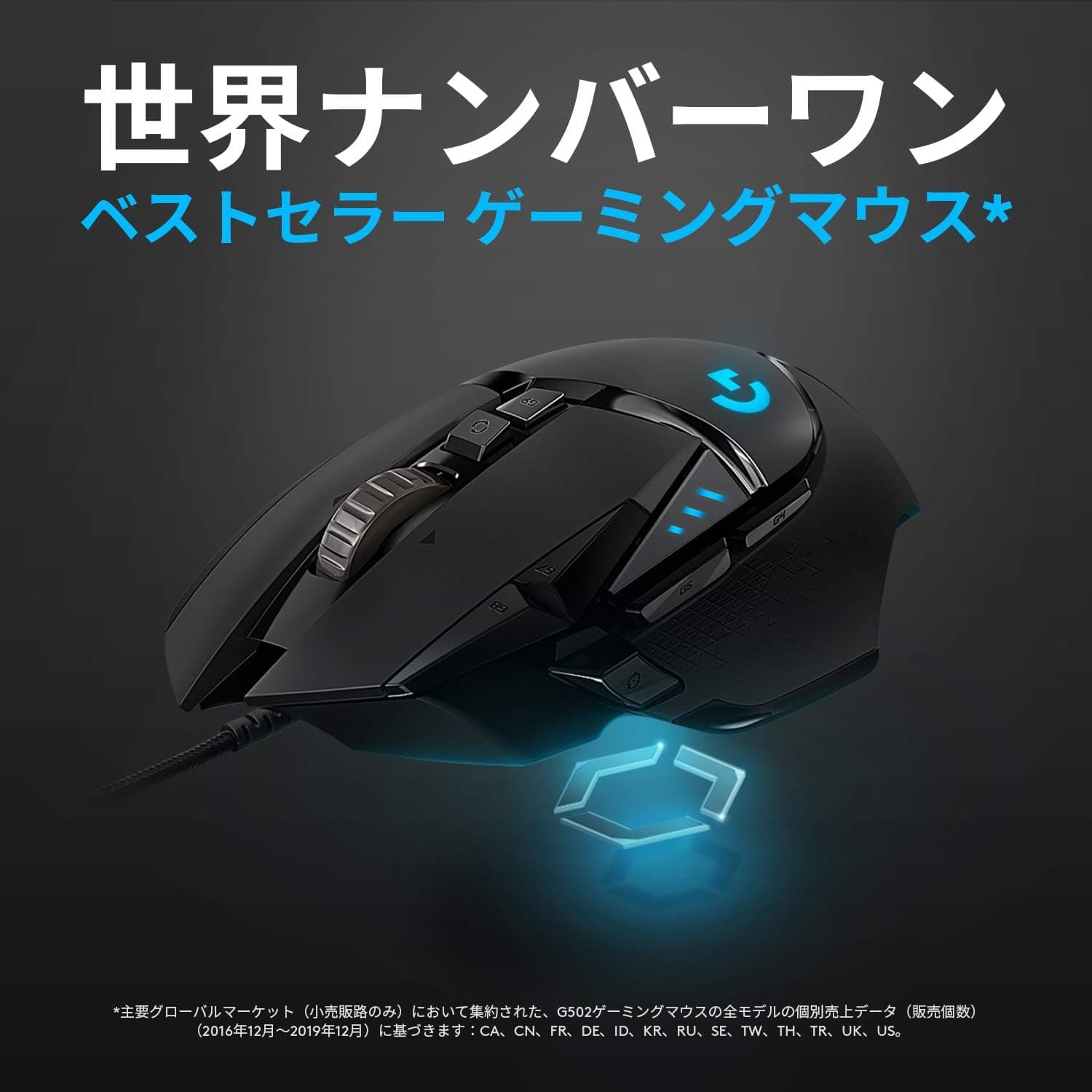
Logicool G ゲーミングマウス有線 G502 HEROセンサー 11個プログラムボタン LIGHTSYNC RGB 高速スクロールウエイト調整システム G502RGBh 国内正規品 — sold internationally as the Logitech G G502 HERO — is a wired gaming mouse built around Logitech's in-house HERO 16K optical sensor. It pairs up to 16,000 DPI with 11 programmable buttons, a six-piece weight-tuning system (two 4g and four 2g weights), and LIGHTSYNC RGB lighting across roughly 16.8 million colors.
The short verdict: this mouse suits people who actually use many buttons and who want to dial in the mouse's mass and balance themselves. If you have adapted to the modern 60g ultralight class, the G502 HERO will feel large and heavy, and no amount of weight removal changes that.
Understanding this before you buy is the difference between satisfaction and regret.
On Amazon.co.jp it holds 4.3 out of 5 stars across 978 reviews (86% positive, captured June 2026).
Sustaining that score over nearly a thousand reviews says something about both build consistency and the shape itself.
The Three Features That Define It
HERO 16K sensor. Logitech's own optical sensor tops out at 16,000 DPI.
Competitive players generally sit somewhere between 400 and 1,600 DPI, so the 16K figure is headroom rather than a usable setting. Comparing mice by peak DPI is close to meaningless in practice — treat it as a spec-sheet number, not a buying criterion.
Weight tuning. Six weights (two 4g, four 2g — up to 16g total) drop into the chassis in any arrangement you like.
The real point is not added mass but shifted balance: front-loaded for fingertip precision, rear-loaded if you pivot from the wrist. Note the asymmetry — you can remove weight you added, but you cannot go below the base chassis weight.
Hyper-fast scroll wheel. One click toggles between notched scrolling and a free-spinning flywheel mode.
For long documents, video-editing timelines, and large spreadsheets, this is arguably the feature that earns the purchase for non-gamers.
Connectivity & Compatibility
Connection is wired USB-A only — no receiver, no Bluetooth pairing. It works out of the box under Windows 7 and later, macOS 10.11 and later, and Chrome OS.
The 2.1m cable gives you enough slack to route from a floor-standing tower or around a monitor arm without strain.
Two things to check first. USB-A availability: thin laptops and some Macs ship USB-C only, so you may need a hub or adapter.
It works fine through an adapter, but confirm you have the port budget. G HUB software: button mapping, DPI stages, and RGB are configured there, and downloading it needs an internet connection.
Crucially, settings save to onboard memory, so once configured you can carry your profile to a shared PC, an internet cafe, or a tournament machine — G HUB does not need to be running for the mouse to behave as you set it.
As for surfaces, the HERO sensor tracks reliably on both cloth and hard pads. Like most optical sensors, highly reflective glass desktops can cause inconsistency.
Product Info
Launched in 2018, the G502 HERO remains a current model. Pricing captured on Amazon was ¥11,980 in June 2026 and ¥9,500 in August 2026 — a spread of over ¥2,000 depending on when it was checked.
Always confirm the current price on the product page; the figures here are snapshots from the dates noted, and sales and point promotions move this product frequently.
It carries a 2-year manufacturer warranty, and as a domestic-authorized (国内正規品) unit, Japanese-language support applies. The box contains the mouse, six weights (two 4g, four 2g) with a storage case, a manual, and the warranty card.
| Spec | Value |
|---|---|
| Sensor | HERO 16K optical |
| Max DPI | 16,000 |
| Programmable buttons | 11 |
| Weight tuning | 6 pieces (4g x2, 2g x4) |
| RGB lighting | LIGHTSYNC (~16.8M colors) |
| Connection | USB-A wired |
| Cable length | Approx. 2.1m |
| Supported OS | Windows 7+, macOS 10.11+, Chrome OS |
It sits in the mid-to-high tier: sensor performance adequate for competitive play at an entry-to-mid price. Weight tuning combined with this button count remains uncommon in the bracket.
How It Compares
The gaming mouse market has split into two camps — ultralight and feature-dense. The G502 HERO is firmly the latter, so your verdict depends entirely on what you compare it against.
Versus ultralight wireless mice. Plenty of 50–60g wireless options exist now, and they genuinely suit high-sensitivity flick styles or anyone trying to reduce arm fatigue over long sessions.
Stripped of every weight, the G502 HERO still does not reach that class. If lightness is your top priority, this is not your mouse.
Versus other multi-button wired mice. Few competitors in this price range offer both the button count and the weight tuning.
The G502 shape has also had years to prove itself, which the 978-review, 4.3-star record reflects.
Versus its own wireless siblings (G502 X LIGHTSPEED and similar). You lose the cable but pay more and take on charging.
For a desktop machine where the mouse never moves, the wired drawback is smaller in practice than it sounds.
Getting the Most From It
Assigning something to all 11 buttons usually backfires. Start with four or five you can hit reliably — the two thumb side buttons, the DPI-shift paddle, and wheel tilt left/right — and leave the rest unmapped until you actually run out.
The DPI-shift paddle is best bound to a hold-to-lower-DPI function. Dropping sensitivity only while a sniper scope is up is a genuinely effective FPS mapping.
Building a separate productivity profile pays off too. Low DPI for games, higher for desktop work, switched automatically per application in G HUB, turns this into a credible single mouse for both work and play.
Best Use Cases
FPS players. Weight tuning lets you move the center of gravity to stabilize aim, and the mass itself damps small wrist tremors — good if you are the type who tracks better with a heavier mouse.
If you are used to ~60g ultralights, expect it to feel heavy.
MMO / RPG players. Eleven programmable buttons cover skills, items, and macros without reaching for the keyboard.
The side buttons sit where the thumb naturally rests, which keeps misclicks down over long sessions.
Creative and office users. The hyper-fast scroll wheel is excellent for long documents and timelines, and toggling back to notched scrolling takes one click.
This alone justifies the purchase for many non-gamers.
First-time gaming mouse buyers. A strong sensor and deep feature set around the ¥10,000 mark, plus an enormous amount of community documentation if you get stuck configuring it.
Larger hands and palm-grip users. The body is on the big side with a pronounced slope, and it is clearly designed for resting the whole palm on it.
Key Considerations Before Buying
Adjustable does not mean light. This is the single most common misunderstanding.
The tuning system adds and removes the six supplied weights; fully unloaded is the floor. It will never compete with 50–60g mice.
Buying it expecting to make it light will disappoint you.
Small hands and fingertip grips, be careful. The shell is large with a pronounced thumb ledge.
A fingertip grip can struggle to reach the side buttons and DPI paddle, or brush them unintentionally. Handling one in a store first is the safest route.
More buttons is not automatically better. Few people use all 11.
Unused buttons are potential misclicks, so if you know five is enough, a simpler mouse will likely make you happier.
The cable is still a cable. Drag across the desk never fully disappears.
A mouse bungee helps considerably, but that is an extra purchase. If you cannot accept that, look at the wireless models.
This is a 2018 design. The sensor and switches are from that generation.
Nothing about it is deficient in use, but buyers chasing the newest optical or hybrid switches may want more. Concerns about click chatter over years of use do circulate, which makes the 2-year manufacturer warranty worth factoring into your decision.
About the listing details. The Amazon page may show a seller other than Logitech itself (in our captured data the seller was a third party).
That is normal for authorized distribution, but verify that the listing states 国内正規品 and the 2-year manufacturer warranty before buying. Listing metadata such as manufacturer and model number is occasionally wrong, so cross-check the images, the title, and the model code G502RGBh to confirm you are looking at the right product.
Check the price yourself. As noted, captures ranged from ¥11,980 to ¥9,500.
Do not decide based on the numbers in this article — look at the product page immediately before purchase.
FAQ
Q. Do I need to install G HUB? A.
No. It works as a standard mouse the moment you plug it in.
G HUB is only needed to remap buttons, set DPI stages, or change RGB — and once saved to onboard memory, those settings travel to any PC without the software.
Q. How heavy is it, and can I make it lighter? A.
The six supplied weights total 16g (two 4g, four 2g) and can be added or removed freely. Fully unloaded is the lightest it gets; you cannot go below that.
Look elsewhere for an ultralight.
Q. Does it work on a Mac? A.
Yes, macOS 10.11 and later.
A hub or adapter is required on machines without USB-A. G HUB has a macOS build.
Q. Wired or the wireless version? A.
For a mouse that lives on one desk, wired loses nothing and costs less. Choose wireless if you travel with it, clear your desk often, or are sensitive to cable drag.
Q. Are 11 buttons too many? A.
You never have to map them all — leave the extras unassigned. The buttons physically exist regardless, though, so certain grips may trigger them by accident.
Q. How trustworthy is the rating? A.
4.3 out of 5 stars across 978 Amazon.co.jp reviews as of the June 2026 capture.
With a sample that size, the overall trend is reasonably reliable.
Product Disclosure (Amazon)
- Manufacturer: Logicool G(ロジクール G)
- Seller: Astrolabe Works
- Fulfilled by: Amazon
- ASIN: B07HYFTQJ6
- Note: This article covers a manufacturer-made product based on Amazon listing details.