This article takes a closer look at the Logicool G ゲーミングマウス G600t 有線ゲーミングマウス USB 接続 LIGHTSYNC RGB MMO ゲーム向け多ボタン 20個プログラムボタン PC windows mac ブラック PC window mac G600 国内正規品 【 ファイナルファンタジー XIV 推奨モデル 】, using its measured specs and review data to explain who it fits and who should skip it.
Overview
The Logicool G G600t is a wired, button-heavy mouse built squarely for MMO play. The short version: if you want a large number of skills and macros under your thumb, it is still a first-choice option; if portability and low weight matter most to you, it is the wrong tool.
The deciding factors are its 133 g weight and the 12-button thumb panel.
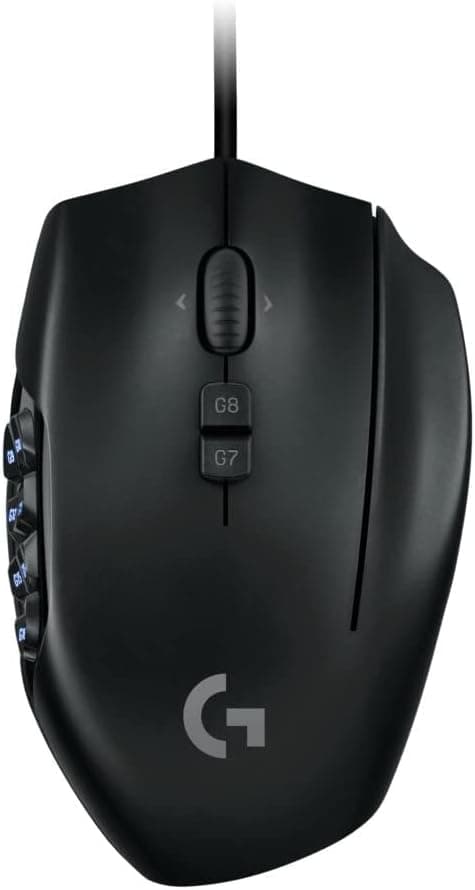
It carries 20 programmable buttons in total, 12 of them on the thumb panel. Combined with G-Shift — a modifier that swaps the whole button set while held — the practical command count nearly doubles.
The sensor is optical and the connection is USB wired, so there is no latency anxiety or battery to charge, but the cable is always part of the experience.
Measured dimensions are 118 × 75 × 41 mm, which is large for a gaming mouse in both width and height, and clearly designed around a palm grip. LIGHTSYNC RGB lighting is supported and configurable in software.
On Amazon.co.jp the mouse holds 4.3 out of 5 stars across 1,937 reviews (86% positive, as captured in June 2026) — a stable record for a model that has been on sale for years.
Compatibility Guide
All you need is one free USB port. Plug-and-play covers the main clicks, wheel and basic buttons with no software.
Supported operating systems are Windows 7 and later, macOS 10.11 and later, and Chrome OS.
The important distinction is between "it works" and "you can actually exploit it."
Giving meaning to all 20 buttons requires the Logitech G HUB application, and installing it needs an internet connection. On managed machines where you cannot install software, most of this mouse's value is unavailable.
The flip side is that onboard memory lets you store profiles on the mouse itself, so mappings follow you to a PC without G HUB installed — useful if you move between a laptop and a desktop.
The real physical hurdle is hand size and grip style. At 118 × 75 × 41 mm and 133 g, this is not a claw- or fingertip-grip mouse.
With a palm grip, the question is whether your thumb naturally reaches the far column of the panel. Smaller hands may only comfortably reach 6 to 8 of the 12 thumb buttons.
A note on surfaces: given the weight, low-sensitivity players who make large arm sweeps will want a reasonably sized mousepad. On a cramped desk, the extra mass is felt immediately.
Product Info
The core specifications are as follows.
| Item | Value |
|---|---|
| Connection Type | USB Wired |
| Number of Buttons | 20 (programmable) |
| Sensor Type | Optical |
| Weight | 133 g |
| Dimensions (W×D×H) | 118 × 75 × 41 mm |
| RGB Lighting | LIGHTSYNC supported |
| Compatible OS | Windows 7+, macOS 10.11+, Chrome OS |
| Onboard Memory | Yes (profile storage) |
Weight and size are the two numbers that decide the purchase. At 133 g this is roughly double a modern ultralight mouse, and that is structural rather than dated design: you cannot fit a 12-button thumb panel and stay featherweight.
Decide which of the two you value first, and the choice becomes easy.
The listed price on Amazon.co.jp is ¥3,727, captured in June and August 2026.
Prices move often and sales push them lower, so check the product page for the current figure before buying. Few products in this bracket combine 20 buttons, onboard memory and RGB lighting.
It is sold as a domestic authorized model, and the 1,937 accumulated reviews are a useful sanity check before ordering.
Best Use Cases
Long-session MMO players are the primary audience. In titles such as Final Fantasy XIV or World of Warcraft, where you rotate through a dozen or more abilities, mapping the core rotation to the 12 thumb buttons and parking secondary skills behind G-Shift works extremely well.
Reaching for the number row less often also keeps your posture steadier.
Macro-heavy desk workers benefit too. In photo editing or data entry, where the same keystroke fires hundreds of times a day, collapsing each into a single button changes how the work feels.
G HUB can record multi-step macros, so the payback is not limited to gaming.
First-time multi-button mouse buyers get a low-risk entry point. At the captured price, the downside of discovering it is not for you is small, and you learn how many buttons you can really use.
How It Compares
The usual rivals are the Razer Naga and Corsair Scimitar families. The G600t's signature is its dual-dish thumb panel: the 12 buttons sit in two rows at slightly different heights, so you can feel the boundary between rows without looking.
A flat grid layout is harder to distinguish blind. The Scimitar line, by contrast, lets you slide the whole panel forward or back, which is the better answer if your hand size is unusual.
Within Logitech's own range, the G502 X family trades button count (around 13) for a better weight and versatility balance, while the PRO X Superlight line goes all-in on low mass. If you also play shooters, ask honestly whether you will use all 20 buttons.
Things to Check Before Buying
The biggest pitfall is having more buttons than you can memorize. Trying to use all 20 on day one usually ends in misclicks and frustration.
A realistic approach is to map only the six near-row thumb buttons to your most-used skills, then add the far row once muscle memory forms. Writing the layout down helps when you return after a break.
Weight and size are the compromise. 133 g at 118 × 75 × 41 mm is a clear disadvantage for fast flick aiming and may simply be too big for smaller hands.
If you can handle one in a store, check that your thumb reaches the far column — that single test predicts most of your satisfaction.
Being wired is a trade-off too. No battery to manage, but constant cable drag.
If you want a cord-free desk, look elsewhere from the start.
Without G HUB, the mouse underperforms. Initial setup also needs internet access.
If you plan to use it on a second machine, build your profile on your main PC first and save it to onboard memory.
Treat listing metadata with care. Amazon product pages occasionally show manufacturer, model number or compatibility fields that do not match the physical item.
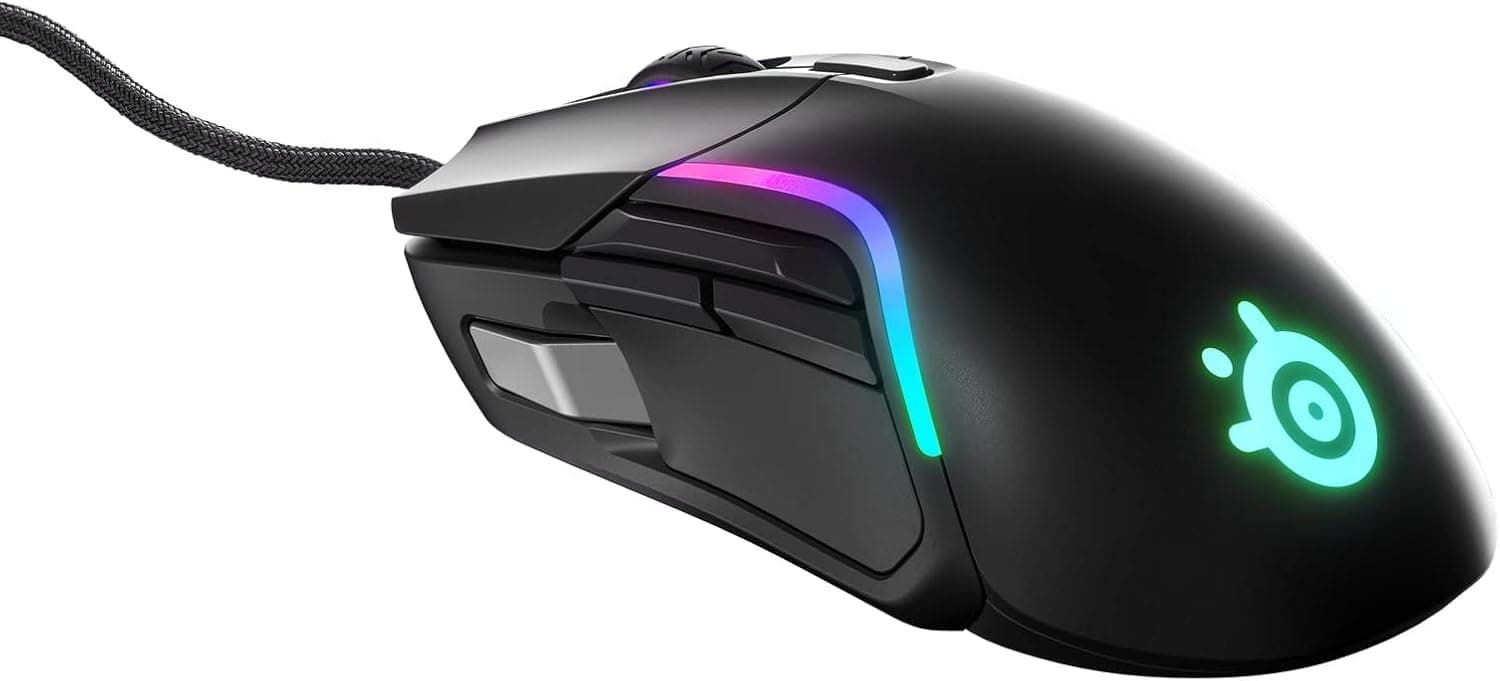
This article is about the Logicool G G600t (the domestic authorized G600 model). Before ordering, confirm from the product images and title that you are looking at the right item, and check both the price and the seller, since third-party listings can appear at different prices.
FAQ
Q. Does it work without drivers? A.
Yes. Clicks, wheel and basic buttons work as soon as you plug it in.
Remapping the 20 buttons and changing RGB require Logitech G HUB.
Q. Does it work on a Mac?
A. Yes, macOS 10.11 and later is supported, for shortcuts as well as games.
Q. Is 133 g too heavy? A.
It will feel heavy if you are used to ultralights. With a palm grip and low-to-mid sensitivity it is fine; for fingertip flicking it is not.
Q. Can I carry my settings to another PC?
A. Yes. Profiles stored in onboard memory follow the mouse even without G HUB installed.
Q. Can I use it for FPS? A.
You can, but it is not optimal. The large thumb panel and weight work against fast turns; a lighter model suits shooters better.
Q. When was the price captured? A.
The ¥3,727 figure reflects captures from June to August 2026. Check the product page for the current price.
Product Disclosure (Amazon)
- Manufacturer: Logicool G(ロジクール G)
- ASIN: B01D45U6LA
- Note: This article covers a manufacturer-made product based on Amazon listing details.