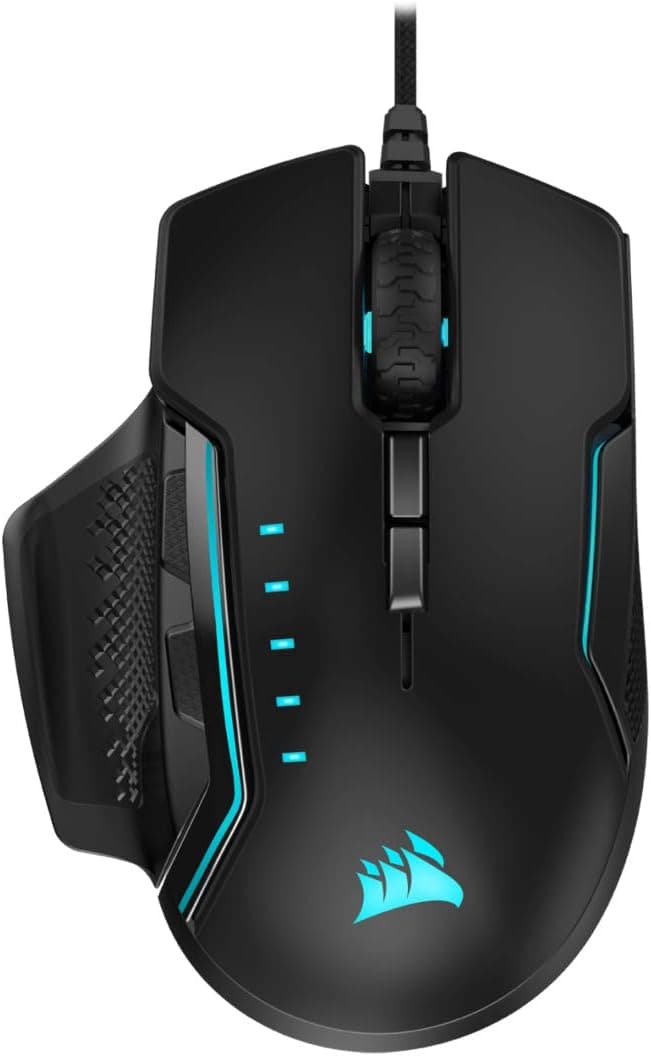
Overview
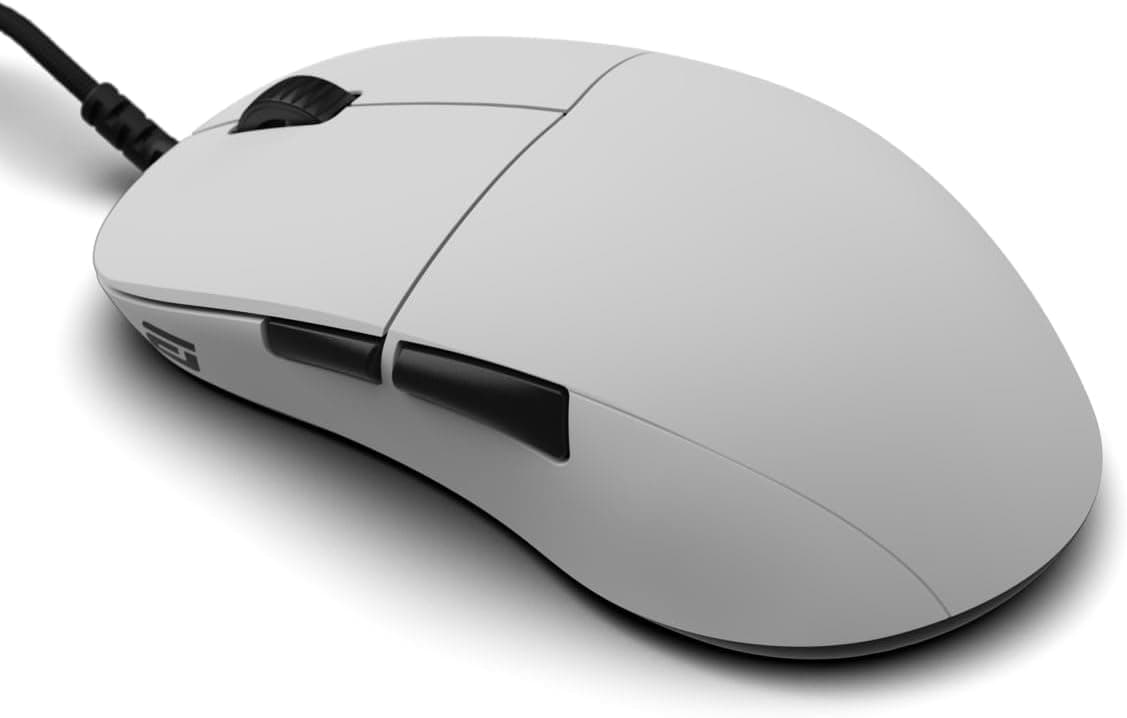
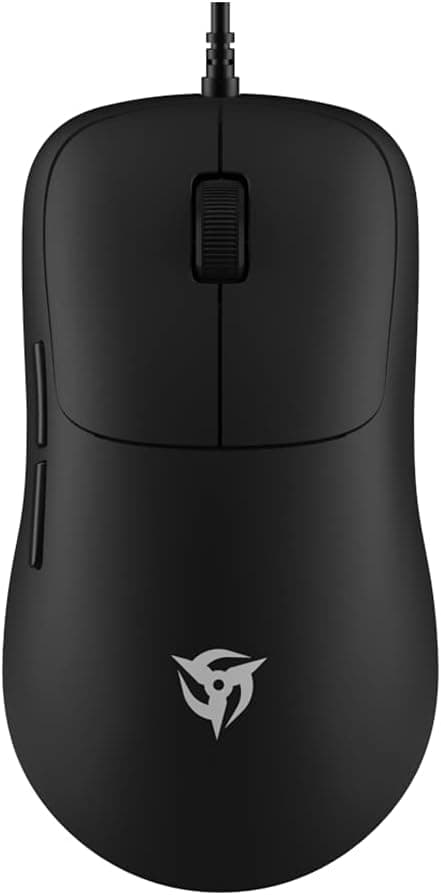
The CORSAIR Glaive Pro is a right-handed wired RGB gaming mouse built around an optical sensor rated up to 18,000 DPI and a set of three interchangeable thumb grips. The short version: this is a mouse you pick for fit and planted stability, not for low weight.
Palm-grip users who rest the whole hand on the shell will get the most out of it, while anyone evaluating it against today's 60 g ultralight class will come away disappointed for the wrong reasons.
It weighs 122 g without the cable — roughly double a modern 58 g lightweight mouse. That single number splits the audience more cleanly than any other spec, so this article spends its space on when the design works and what you have to accept, rather than on restating the spec sheet.
How to Read the Key Specs
| Spec | Value | What it actually means |
|---|---|---|
| Max DPI | 18000 | Most people run 800–1600 DPI. Treat the ceiling as headroom, not a feature |
| Buttons | 7 | Standard layout with side buttons and DPI toggle. Not an MMO mouse |
| Interface | USB 2.0 Type-A | Needs one free Type-A port, or an adapter |
| Tracking | Optical | Behaves consistently on both cloth and hard pads |
| Grip style | Adjustable (3 swappable thumb grips) | Thumb flare can be tuned to hand size |
| Hand orientation | Right-handed | Not usable left-handed |
| Cable | Braided USB | Durable but stiff; a bungee is close to mandatory |
| Weight | 122 g (excl. cable) | About 2× current lightweight mice |
The 18,000 DPI figure is the least useful number in that table. Competitive players almost universally lock to 800 or 1600 DPI and tune sensitivity in-game.
High DPI matters for large 4K desktops or for momentary sniper-button drops, not for aim quality. What actually defines this mouse is the 122 g weight, the right-handed asymmetric shell, and the swappable grips.
Compatibility Guide
The mouse supports Windows 10 and later and macOS 10.14 and later, and needs a single USB 2.0 Type-A port.
Being wired, there is no pairing, no dongle to lose, and no battery to manage. Basic cursor movement and clicks work driverless, so it functions in BIOS and on a freshly installed OS.
Port shape is the practical catch. Many thin laptops and MacBooks now ship with only USB Type-C, so you will need a C adapter or a hub.
The mouse runs on bus power, but an underpowered hub can cause flickering RGB or failure to re-enumerate after sleep. If you must use a hub, prefer a self-powered one with its own AC adapter.
DPI stages, button remapping, lighting, and onboard profiles are handled through Corsair iCUE, which is most fully featured on Windows; macOS coverage may be narrower. If your main machine is a Mac, the reliable workflow is to configure the mouse on a Windows PC, save the profile onboard, then use it on the Mac.
Console use is not a supported scenario, so treat any PS5 or Switch behavior as unsupported even in titles that accept USB mice.
One physical compatibility item gets overlooked: the cable. Braided cable is durable but stiffer than modern paracord, and any drag at the desk edge transmits straight into the cursor.
Plan on using a mouse bungee — that advice applies to wired mice of this generation generally, not just this one.
Product Info
As captured on 6 September 2026, the Amazon.co.jp listing price was ¥22,997.
Do not take that figure at face value. The Glaive Pro launched in 2019 as a mid-to-high-end product, and that price is clearly steep for what it is today.
It looks like the familiar pattern of thin domestic distribution and low-stock or parallel-import listings pulling the price up. Prices move often, so check the current price and the seller on the product page before buying.
At that budget, several newer-generation mice are on the table.
Worth noting: the captured pricing data lists the same yen figure under an "Amazon US" label, which suggests regional pricing was not resolved correctly. Don't use it as an overseas price reference; check marketplace prices yourself.
Review sentiment is strong. At capture time the listing showed 4.6 out of 5 stars across 1,176 reviews, roughly 92% positive.
A 4.6 average over a four-figure sample points to low defect rates and no fundamental design flaw.
Keep in mind, though, that much of that feedback accumulated from launch onward and reflects the 2019 competitive field. High ratings vouch for build quality, not for the 2026 price.
The box includes the mouse, the interchangeable thumb grips, and a quick-start guide, with a stated two-year warranty. Parallel-import units may fall outside domestic manufacturer support, so confirm warranty terms with the seller if that matters to you.
How It Compares
Buyers considering this mouse are usually weighing three alternatives.
Against ultralights. Versus a 58 g wired mouse, the Glaive Pro is more than twice the weight.
For low-sensitivity FPS players who sweep the arm, that difference shows up directly as wrist and forearm fatigue. If you want a light first movement, buy an ultralight.
But mass also damps unintended micro-movement, so players with shaky hands or a slow, deliberate aiming style often prefer the planted feel. Weight is a characteristic, not a defect.
Against MMO mice. Seven buttons is not enough for an MMO or MOBA skill bar; a 12-button side panel is the honest answer there.
For shooters and action games, seven is exactly enough, and fewer buttons means fewer misclicks.
Against other ergonomic mice. Tuning fit through swappable grips remains a genuinely distinctive approach, even if newer mice win on scroll wheel features.
Whether it justifies paying as much as or more than a current-generation ergonomic mouse depends entirely on how well the shape suits your hand.
Setup and Real-World Use
The first thing to do is try all three thumb grips. Most people never swap from the pre-installed one, which throws away half the reason to buy this mouse.
As a rough guide, larger hands that seat the thumb base fully tend to prefer the more pronounced flare, while claw-grip users with more upright fingers usually prefer the smaller one. Give each a full day.
Next, clean up your DPI stages in iCUE. Factory defaults often enable several stages, so an accidental DPI press mid-game changes your sensitivity.
Cutting the list down to just the one or two you actually use removes a whole category of mistakes. RGB is taste, but many long-term users settle on a single low-brightness color rather than full-saturation cycling.
Finally, sort the cable routing once, properly. Braided cable takes a set, so run it from the back of the desk and lift it with a bungee.
That one change does more for the feel of a wired mouse than any software setting.
Best Use Cases
- Palm-grip users — the 122 g mass and contoured shell suit a hand-on-top style and stay stable over long sessions. Fingertip-grip users will find it too heavy.
- People whose hands don't fit stock mice — three swappable grips are one of the few real fixes when a shell is "almost right" but the thumb never settles.
- Anyone fine with a cable — no charging, no pairing, no battery degradation. For a desktop that never moves, wired is still a rational choice.
- Mid-to-high sensitivity FPS/TPS players — if you don't sweep the arm, the weight penalty is small and the stability gain is real.
- Existing Corsair owners — iCUE unifies lighting across Corsair gear, so the value grows when it's part of a set.
Before You Buy
Start with the price. ¥22,997 as captured on 6 September 2026 is steep for a 2019 mid-to-high-end mouse.
When domestic distribution thins out, low-stock listings drag prices upward. Unless you specifically want this shell and the grip system, question the price first and compare current-generation options.
Prices change frequently — always confirm the live figure on the product page.
Buy the 122 g weight deliberately. This is the main compromise.
Most current coverage assumes lighter is better, and a low-sensitivity player expecting an ultralight feel will find this heavy — reliably so. If you can, handle a comparable-weight mouse in a store before ordering.
Left-handed users should look elsewhere. The asymmetric right-handed shell presses the thumb flare into the little finger when held in the left hand.
Choose an ambidextrous design instead.
Don't buy it for the 18,000 DPI. The usable range is roughly 800–1600 DPI.
A high DPI ceiling is a marketing artifact and says nothing about aim performance.
Check the seller. In the captured data the seller and shipper are a third-party retailer rather than the manufacturer.
That's common enough, but warranty handling, bundled accessories, and package language may differ from domestic retail stock. Confirm warranty terms before ordering if that matters.
Verify the listing details themselves. Marketplace listings aggregate data automatically, and inconsistencies creep into price, region, and spec fields — the captured data here showed a yen price filed under an overseas listing.
You may hit the same mismatch when you open the page, so confirm the product against the images, title, and the manufacturer's official specifications.
FAQ
Q. Is 122 g too heavy? A.
It depends on your style. Palm-grip and mid-to-high sensitivity players generally won't mind.
Low-sensitivity players who move the whole arm will. Weigh your current mouse and compare before deciding.
Q. Do I need iCUE? A.
No, for basic movement, clicks, and scrolling. You need it for DPI stages, remapping, lighting, and onboard profiles.
Once saved to the mouse, those settings travel to PCs without iCUE.
Q. Does it work on a Mac? A.
macOS 10.14 and later are supported.
Since iCUE is richer on Windows, configure it there, save onboard, then use it on the Mac.
Q. Can I buy replacement grips later? A.
Plan around the three in the box. Spare-part availability depends on distribution, so keep the unused grips rather than discarding them.
Q. What are the downsides of being wired? A.
Cable drag translates into feel, and the braided cable is fairly stiff — use a bungee or route it clear of the desk edge. In exchange you get zero latency concerns, no charging, and no battery wear.
Q. Is it still worth buying for FPS today? A.
If the shape fits your hand, it works fine. But the 2026 lightweight market is deep and the captured price is high, so compare current-generation options unless this specific shell is what you want.
Product Disclosure (Amazon)
- Manufacturer: CORSAIR
- Seller: クリエイトハマダ
- Fulfilled by: クリエイトハマダ
- ASIN: B07PWJ43MB
- Note: This article covers a manufacturer-made product based on Amazon listing details.