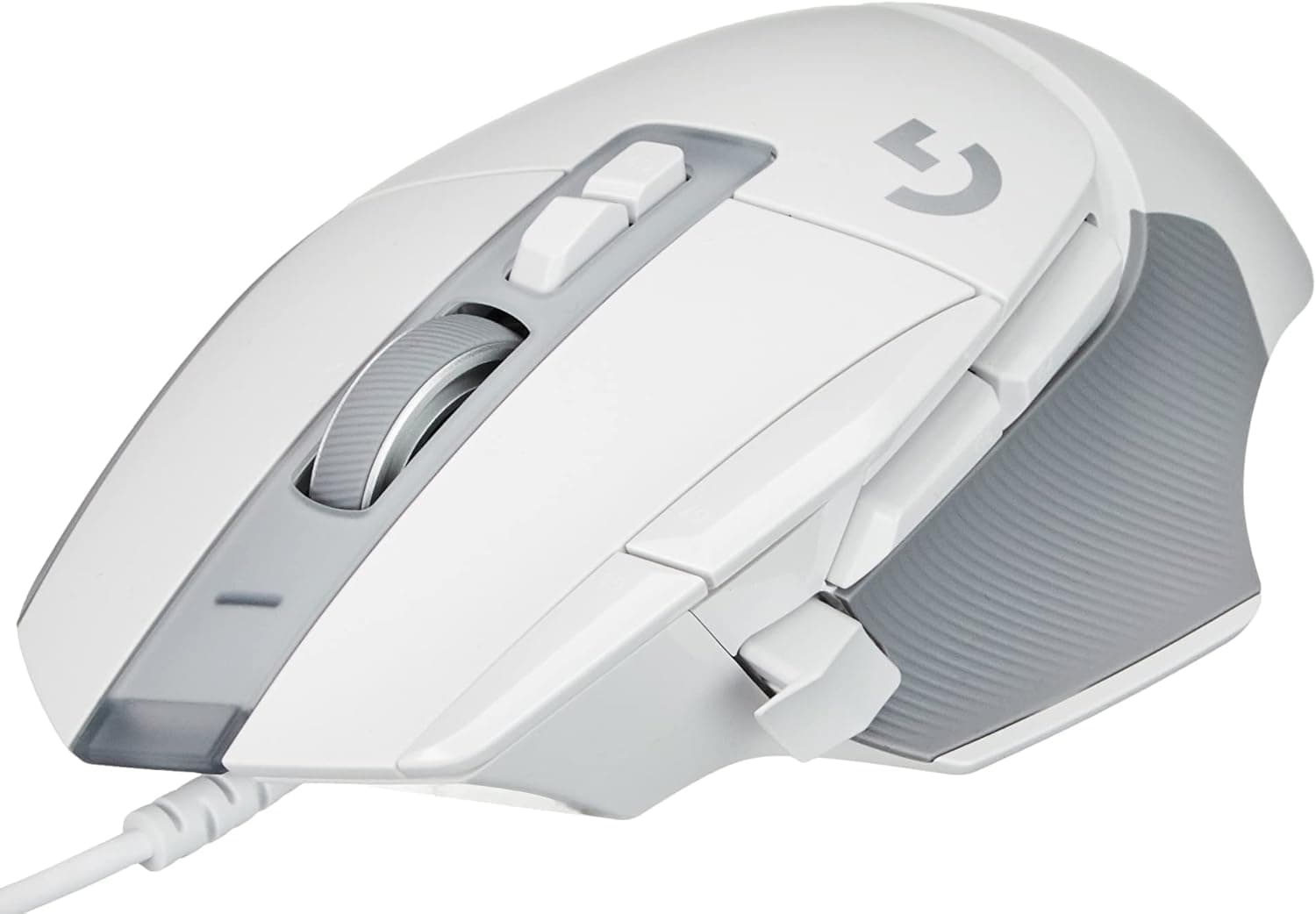
This article looks at the Logitech G G502 X wired gaming mouse from the angle of who should actually buy it.
Overview
The G502 X is a wired gaming mouse in the long-running G502 line. The short version: it suits people who genuinely use a lot of buttons, and it is not the right pick for anyone chasing minimum weight or needing a left-handed shape.
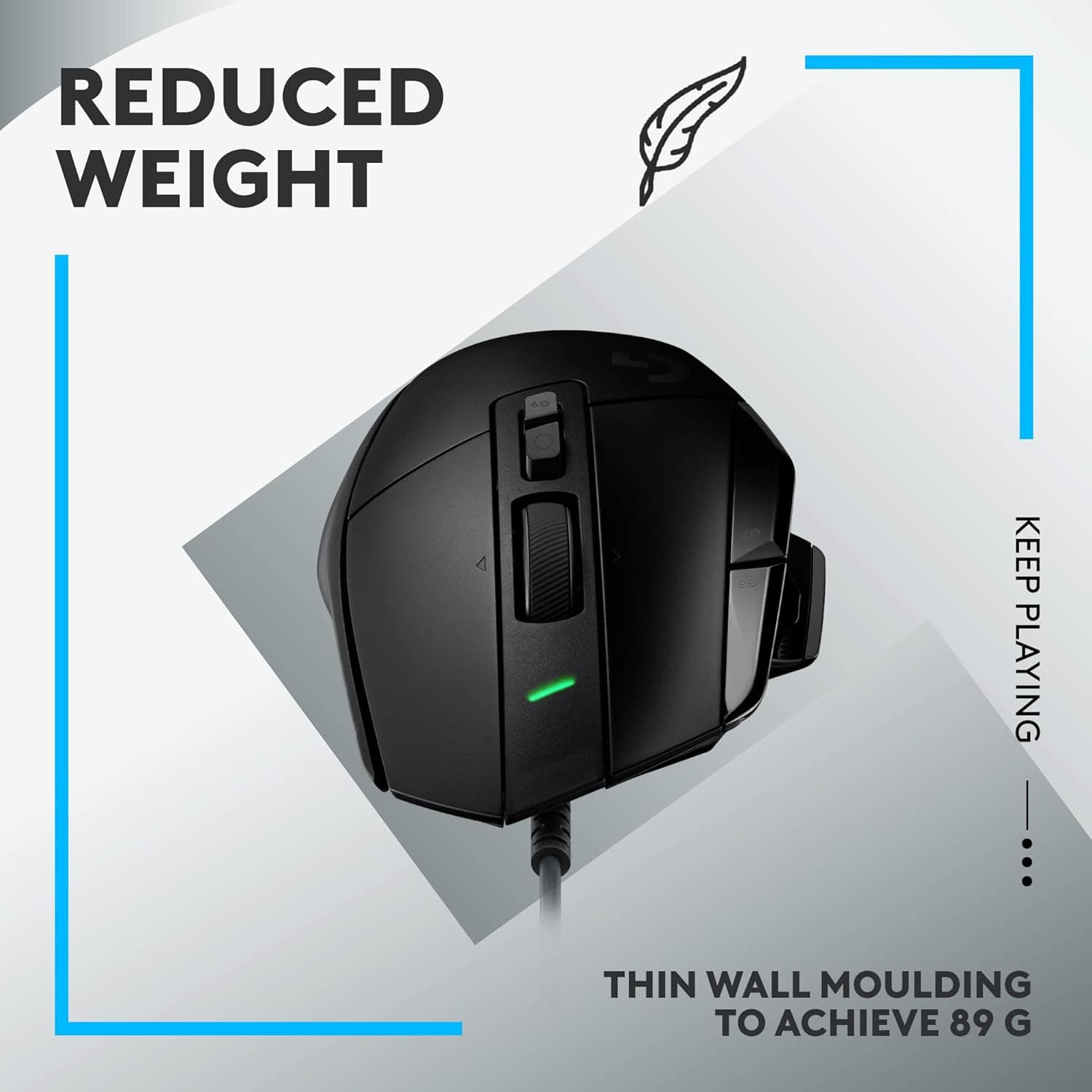
Key specs are LIGHTFORCE hybrid optical-mechanical primary switches, a HERO 25K optical sensor (up to 25,600 DPI), 13 programmable buttons, 89 g of weight, and a fixed USB-A cable of roughly 2.1 m.
On Amazon.co.Check the retailer's page for the latest user reviews.
The tunable weight system that older G502 models were known for is not included here. This model trades weight tuning for a lighter starting mass, so set your expectations accordingly.
What LIGHTFORCE and HERO 25K Actually Buy You
LIGHTFORCE is a hybrid design meant to combine optical actuation speed with mechanical click feel. Two practical benefits follow.
First, click signalling does not need to wait out contact bounce. Second, the worn-contact failure mode — the mouse registering double clicks on its own after a couple of years — is far less likely.
If you have replaced a mouse for exactly that reason, this is the concrete upgrade argument.
The 25,600 DPI figure is well past what anyone uses. Most FPS players sit between 400 and 1,600 DPI.
What matters in a sensor is clean tracking at low DPI and minimal acceleration or smoothing, not the headline number.
Compatibility Guide
It supports Windows 10 or later and macOS 10.14 or later, and needs one free USB-A port.
The cable is fixed and about 2.1 m long, so check the following before buying.
- Do you have a USB-A port? Many thin laptops and mini PCs are USB-C only. An adapter or hub works, but pick one with solid power delivery — cheap hubs can make polling unstable.
- Is 2.1 m enough? Fine for a typical desk. If your PC sits on the floor or you route cables behind a monitor arm, you may need an extension; the cable cannot be swapped.
- Mouse pad surface. The optical sensor may misbehave on glass or highly reflective surfaces. Cloth and hard plastic pads are fine.
- Logitech G HUB is effectively required. Basic movement works on stock drivers, but the 13 buttons only pay off with software configuration. G HUB runs on both Windows and macOS, and profiles can be stored onboard so settings follow the mouse to another PC. Check the product page for how many profiles the current firmware stores.
- Consoles. Some PS5/Xbox titles accept mouse input, but this is not an officially supported use case. Do not buy it primarily for console play.
Product Info
rmation
Prices below are point-in-time captures and will change. The Amazon.co.jp listing showed ¥16,932 as of 15 July 2026 and ¥17,064 as of 24 August 2026.
That is a modest move over roughly a month, but sales and stock levels shift it. Always check the current price on the product page.
That figure is toward the upper end for a gaming mouse. Comparable wired mice with strong sensors sell for meaningfully less, so the deciding question is whether the 13 buttons and the dual-mode wheel are worth the premium to you.
If you only ever use five buttons, they are not.
The box contains the mouse and a quick-start guide; no add-on weights. The standard manufacturer warranty is two years, though the seller matters — see the cautions below.
| Item | Value |
|---|---|
| Connection | USB-A (wired) |
| Sensor | HERO 25K (optical) |
| Max DPI | 25,600 DPI |
| Buttons | 13 (programmable) |
| Weight | 89 g |
| Cable length | approx. 2.1 m |
| Switch type | LIGHTFORCE hybrid optical-mechanical |
Of those rows, weight and button count are the two you will feel daily. At 89 g this is not a lightweight mouse next to the 50–70 g class; the fair reading is that it packs 13 buttons and a fixed cable into a respectable figure.
How It Compares
These are manufacturer figures, offered as a map of design philosophies rather than a hands-on comparison.
- Ultralight, minimal buttons (Razer Viper at 71 g, ASUS TUF Gaming M3 Gen II at 59 g). Better for low-sensitivity FPS players who make large arm sweeps. Against these, 89 g feels clearly heavier.
- Ergonomic classics (Razer DeathAdder Elite / V2, BenQ ZOWIE EC1-C). Shape-first, button-count-second. Pick these if comfort matters more than features.
- Budget tier (Logitech G203 LIGHTSYNC, G300s, TECKNET 12800 DPI). Sensor and switch quality differ, but casual players may not feel it.
- Wireless options (Redragon M916 at 49 g, M693 LIT). For people who hate cable drag; check review counts, since quality varies widely here.
The G502 X wins where you want to offload many bindings — MMO, MOBA, RPG — or where a mouse doubles as a shortcut pad for editing work. If your only goal is better aim, a lighter mouse serves that goal more directly.
Setup and Day-to-Day Feel
Setup is three steps: plug into USB-A, install Logitech G HUB, build a profile. Three settings are worth doing immediately.
- Map the DPI-shift button to drop sensitivity while held.
Scoped aiming gets noticeably steadier at no extra cost. 2.
Use both scroll wheel modes. Free-spin for long inventories and web pages, ratcheted for weapon switching where each step must land.
Switching between them is where the wheel earns its keep. 3.
Disable buttons you don't use. You do not have to fill all 13.
Turning off easily mis-hit thumb buttons often improves comfort.
The shape targets right-handed palm and claw grips. Fingertip users will find it large, and 89 g is a lot to carry on fingertips alone.
If you can try one in a store, do.
Best Use Cases
- Players who really use many buttons — MMO, MOBA and RPG players offloading skills and items onto the mouse. This is where the price premium returns value.
- Anyone burned by double-click failure. The hybrid switch design is the clearest reason to upgrade from a worn mechanical-switch mouse.
- People who dislike managing wireless. No charging, no pairing, no latency debate.
- Dual-purpose work and play users. Shortcut bindings help in editing and spreadsheet work too.
It is a poor fit for left-handed users or anyone needing an ambidextrous shape, for people who want 50–70 g, for RGB enthusiasts (this model is not built around lighting), and for anyone who refuses to run a cable across the desk.
Before You Buy
Check the retailer's page for the latest price. Gaming mouse prices swing by thousands of yen between sales and normal periods, so do not treat any single day's price as the going rate. The figures here are snapshots from the dates given, nothing more.
On the seller: as the disclosure block shows, the listed seller and shipper at capture time was an import store rather than the manufacturer.
On listing metadata: Amazon product pages sometimes carry manufacturer, model or ASIN details that do not match the item shipped, and series with wired, wireless and premium variants make it easy to select the wrong one.
Other things buyers notice after the fact:
- The cable is not detachable. A damaged cable means replacing the whole mouse.
- No tuning weights are included. If you loved that about older G502 models, this is a change.
- 89 g is not lightweight. Coming from a 50-gram mouse, you will feel it.
- Software is part of the product. Without G HUB you are not using what you paid for. If you plan to use it on a locked-down work PC, configure onboard profiles first.
- It runs large. Smaller hands may struggle to reach the thumb buttons comfortably.
FAQ
Q. Do I need 25,600 DPI? A.
Almost certainly not. Most FPS play happens between 400 and 1,600 DPI.
Low-DPI stability matters more than the ceiling.
Q. Wired or wireless? A.
Wired if you want zero charging, pairing or latency worries. Wireless if cable drag bothers you.
This model is wired only.
Q. Does it work on a Mac?
A. Yes, on macOS 10.14 or later with a USB-A port or adapter. Configure buttons in the Mac version of G HUB.
Q. Can left-handed users use it?
A. Not comfortably — it is an asymmetric right-handed shape. Choose an ambidextrous mouse instead.
Q. Does it have RGB lighting?
A. This model is not built around lighting. Look at higher-tier variants or other brands if RGB matters.
Q. Can a failed switch be repaired? A.
User replacement is not intended. Contact the seller or manufacturer within the warranty period; aftermarket switch boards are model-specific, so verify compatibility carefully.
Product Disclosure (Amazon)
- Manufacturer: Logitech G
- Seller: ABC IMPORT STORE
- Fulfilled by: ABC IMPORT STORE
- ASIN: B07W6HSTNR
- Note: This article covers a manufacturer-made product based on Amazon listing details.