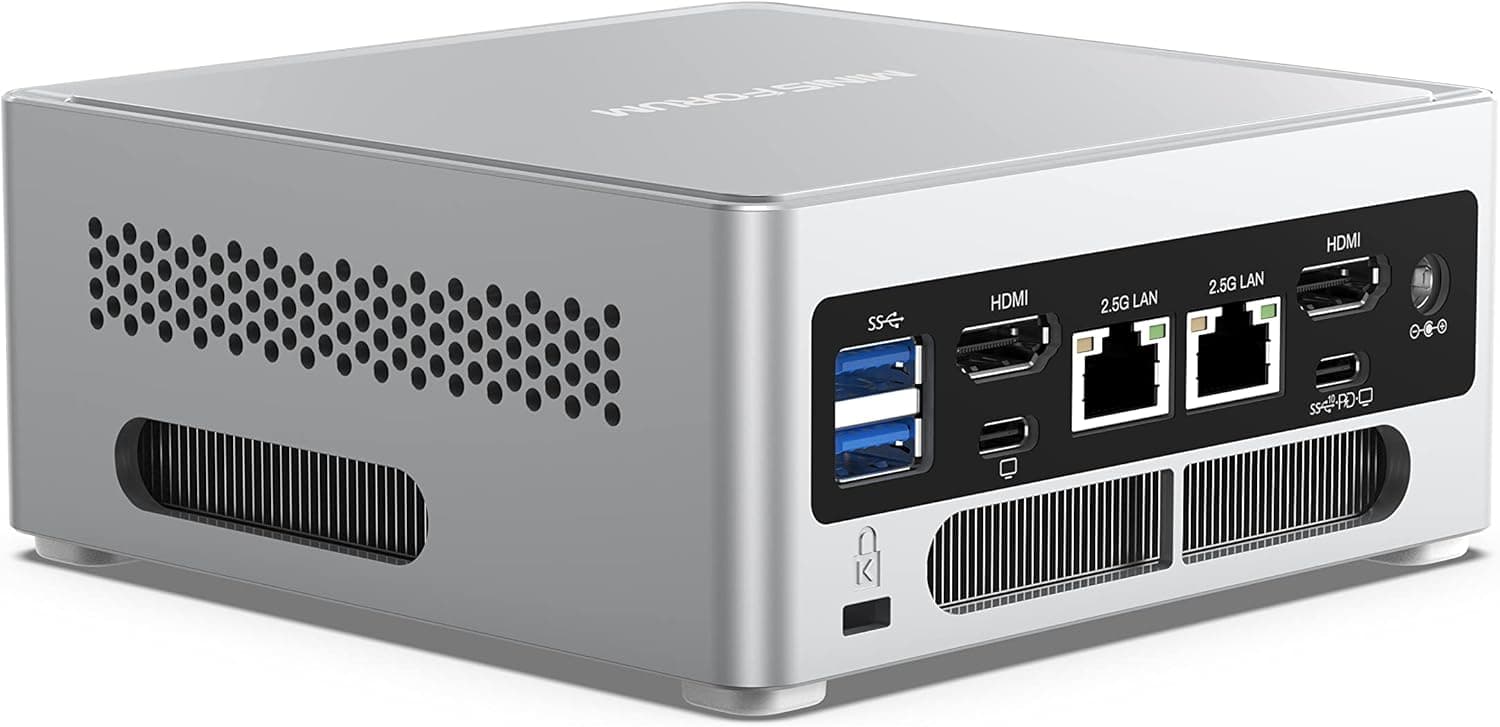
This article covers the MINISFORUM M2 Pro 358H ミニPC (MINISFORUM M2 Pro 358H mini PC). It focuses on how to read the spec sheet and what to check before buying.
Overview
In short, the MINISFORUM M2 Pro 358H is a high-end mini PC for people who want 10GbE networking and three M.2 slots in a small box.
It runs an Intel Core Ultra X7 358H (16 cores / 16 threads, up to 4.8 GHz).
It comes with 32GB of soldered LPDDR5x memory at 7467 MT/s and a 1TB PCIe 4.0 SSD.
The manufacturer rates its combined CPU, GPU and NPU AI performance at up to 180 TOPS.
For networking it has two wired ports (10GbE x1 and 2.5GbE x1), plus Wi-Fi 7 and Bluetooth 6.0.
Three USB4 (40Gbps) ports, HDMI 2.1 and DisplayPort 2.1 drive up to four displays at 8K/60Hz or 4K/144Hz.
The power supply is built in, so there is no external brick on your desk. Windows 11 Pro comes pre-installed.
The memory cannot be upgraded, though, and the integrated GPU is not built for AAA gaming at high settings. When this machine is called expandable, that means storage and networking.
You should plan to live with the memory and GPU it ships with.
Compatibility Guide
Port Layout
On the front are two USB4 (40Gbps) ports, one USB-A 3.2 Gen2 port and a 3.5mm audio jack.
On the back are one USB4 port, HDMI 2.1, DisplayPort 2.1, 10GbE LAN, 2.5GbE LAN, two USB-A 2.0 ports and the power inlet.
There is only one fast USB-A port, so the rear USB-A 2.0 ports are best kept for slow devices such as a keyboard and mouse.
Common Pitfalls at a Glance
| Item | Spec | What to check |
|---|---|---|
| Memory | 32GB LPDDR5x 7467 MT/s (soldered) | Cannot be added to or replaced. Decide whether 32GB is enough before you buy |
| Storage | 1TB PCIe 4.0 SSD (M.2 2280), three M.2 slots (PCIe 4.0 x4) | Use M.2 2280 NVMe SSDs for upgrades |
| Wired LAN | 10GbE x1, 2.5GbE x1 | 10GbE needs a 10GbE switch or NAS and suitable cabling |
| Wireless | Wi-Fi 7 (802.11be), Bluetooth 6.0 | Full speed needs a Wi-Fi 7 router |
| Video | HDMI 2.1, DisplayPort 2.1, USB4 (up to 4 displays) | 8K/60Hz or 4K/144Hz also needs a monitor and cables that support it |
| Power | Internal PSU (C14 inlet) | Uses the same kind of power cord as a desktop PC |
Soldered Memory Shared with the GPU
The memory is LPDDR5x soldered to the board, so you cannot add to it or replace it. The integrated GPU has no dedicated video memory and uses part of this 32GB instead.
Running AI models on the GPU or NPU, or editing photos and video, means the OS, your apps and the GPU all share the same 32GB. If you work with large datasets, work out whether 32GB is enough first.
Storage Expansion
There are three M.2 slots, all PCIe 4.0 x4.
The original listing quotes a maximum of 24TB, which matches three 8TB drives, so the bundled 1TB SSD most likely sits in one of the three slots. Plan on two free slots and check the layout when you open the bottom panel.
Thick heatsink-equipped SSDs often do not fit inside mini PCs, so choose slim drives or check the manufacturer's clearance guidance.
eGPU (External GPU)
You can use an eGPU over USB4. USB4 has less bandwidth than a desktop PCIe slot, though, so the same graphics card will not reach its desktop performance.
You also have to buy the enclosure and the card separately, which raises the total cost a lot.
Product Info
As of September 30, 2026, Amazon.co.jp listed it at ¥265,299.
Prices change often with sales and stock, so check the product page for the current price. At the same point, Amazon reviews averaged 4.4 out of 5 stars from 35 reviews.
That rating is strong, but the sample is still too small to judge unit-to-unit variation or long-term durability.
The original listing gives a 1-year manufacturer warranty with an optional extension. It also lists a power cord, a VESA mount bracket and documentation in the box.
Warranty terms and accessories can change over time, so confirm them on the product page when you buy.
| Key spec | Detail |
|---|---|
| CPU | Intel Core Ultra X7 358H (16C/16T, up to 4.8 GHz) |
| Memory | 32GB LPDDR5x 7467 MT/s (soldered) |
| Storage | 1TB PCIe 4.0 SSD (M.2 2280) |
| Expansion | Three M.2 slots (PCIe 4.0 x4) |
| Wired LAN | 10GbE x1, 2.5GbE x1 |
| Wireless | Wi-Fi 7, Bluetooth 6.0 |
| USB | USB4 (40Gbps) x3, USB-A 3.2 Gen2 x1, USB-A 2.0 x2 |
| Video | HDMI 2.1, DisplayPort 2.1, USB4 (up to 4 displays, 8K/60Hz or 4K/144Hz) |
| OS | Windows 11 Pro |
This is a high-end mini PC. Most of the price goes to connection and storage features rather than raw CPU power: 10GbE, three M.2 slots, three USB4 ports and the internal PSU.
Comparison with Competitors
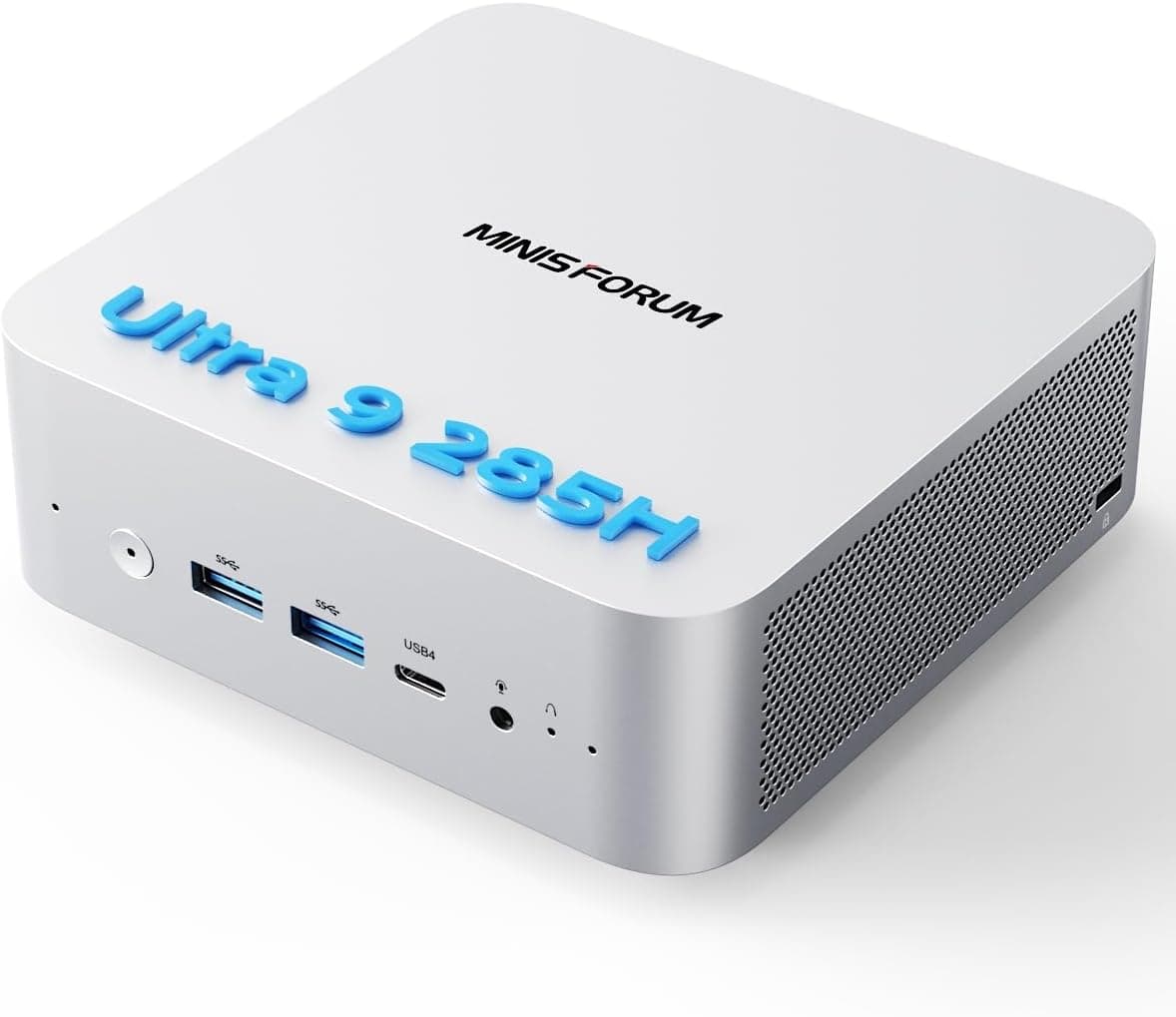
Other options in this price range include Intel and ASUS NUC models, MINISFORUM's own Core Ultra 9 285H machine, and the Beelink GTi14 with a Core Ultra 9 185H. On CPU performance alone they can look similar.
What sets the M2 Pro 358H apart is having 10GbE LAN, three M.2 slots and an internal PSU in the same box.
If you need neither 10GbE nor several SSDs, those three features are just extra cost. If you want to upgrade memory later, look for a model that uses replaceable SO-DIMMs (and check each product, even when its listing says DDR5).
If you want lots of bulk storage on hard drives, a 4-bay NAS-style machine is a better fit. This PC holds only M.2 SSDs, which cost more per terabyte than HDDs.
Use-Case Guide
| Use case | Fit | Why |
|---|---|---|
| Video editing from a NAS | Good | 10GbE lets you work on footage stored on the NAS, and up to four displays leave room for a wide timeline |
| Home lab / virtualization | Good | Two wired networks, and three M.2 slots let you give each workload its own disk |
| Local AI testing / inference | Conditional | 180 TOPS (rated) is attractive, but the 32GB shared with the GPU rules out large models |
| Office work / web browsing | Overkill | You will not use 2.5GbE, 10GbE or three M.2 slots. A cheaper model is enough |
| AAA gaming at high settings | Poor | The integrated GPU is too weak, and an eGPU brings bandwidth limits and extra cost |
Best Use Cases
- Creators who work with a NAS: People who already have, or plan to add, a 10GbE NAS or switch. Up to four displays and fast storage let you fit a video or 3D workstation into a small footprint.
- Home lab and server users: You can split the 10GbE and 2.5GbE ports between, for example, management and data traffic. Three M.2 drives make it a solid virtualization host or file server, and the internal PSU keeps shelf and rack cabling tidy.
- Developers who want to try AI without sending data out: The rated 180 TOPS lets you test inference locally without uploading sensitive data to the cloud. Model size is capped by the 32GB of memory, which the GPU also shares.
For office work and web browsing it is clearly overkill. It is also hard to recommend if gaming is your main use.
Before You Buy
Decide whether 32GB is enough first. Memory is the one thing you cannot change later.
It is soldered, so if it turns out to be too little, your only fix is to buy another machine. The integrated GPU also draws from this 32GB, so for local AI models or heavy video editing you get less usable memory than the number suggests.
If you want to run large language models seriously, also compare configurations with more memory and desktops with a graphics card.
10GbE only helps if the rest of your network supports it. If your router or switch is still 1GbE, the 10GbE port will run at 1GbE.
You will need a 10GbE switch or NAS, and Cat6A or better cabling is the safe choice. If you have no plans to upgrade your network to 10GbE, you will not get the full value of this machine's main strength.
Gaming needs realistic expectations. As a rough guide, the integrated GPU handles light to moderately demanding games at reduced settings.
An eGPU is an option, but between the USB4 bandwidth loss and the cost of an enclosure and card, a desktop is the more sensible choice if gaming is your main goal.
SSD heat and height. PCIe 4.0 SSDs get hot under sustained load.
With all three slots filled and long write sessions, heat may slow the drives down. Thick heatsink drives may not physically fit, so choose slim models.
The downside of an internal PSU. No external brick is convenient, but if the power supply fails you cannot just buy a new adapter.
Repairs will likely have to go through the manufacturer, so check the warranty length and support contact when you buy.
Reading the price and listings. There were only 35 Amazon reviews (as of September 30, 2026), so the 4.4 rating may shift as more come in.
eBay search results often mix in other configurations or models, so make sure the 358H model number and the memory and SSD configuration match. Also, the original listing mentions RAID 0/1/5 support but does not say whether that is a BIOS feature or software RAID in the OS.
If you are buying with RAID in mind, confirm it on the product page or with the manufacturer's support.
FAQ
Q. Can I upgrade the memory? A.
No. The 32GB of LPDDR5x is soldered.
Keep in mind that the integrated GPU shares it when you decide whether it is enough.
Q. How many SSDs can I add? A.
There are three M.2 slots (PCIe 4.0 x4, 2280 size).
The bundled 1TB SSD most likely uses one of them, so plan on two free slots.
Q. What do I need to use 10GbE? A.
Plan on a 10GbE switch or NAS, a 10GbE device on the other end, and Cat6A or better cabling. Plugging into a 1GbE router will not make anything faster.
Q. Can it play games? A.
The integrated GPU can run lighter titles, depending on settings. AAA games at high settings need an eGPU over USB4, which costs extra and loses some performance.
Q. How many monitors can I connect? A.
Up to four, using HDMI 2.1, DisplayPort 2.1 and USB4 together.
8K/60Hz or 4K/144Hz output also needs a monitor and cables that support it.
Product Disclosure (Amazon)
- Manufacturer: MINISFORUM
- Seller: MINISFORUM JP直営店
- Fulfilled by: Amazon
- ASIN: B0HGQQ6XJR
- Note: This article covers a manufacturer-made product based on Amazon listing details.