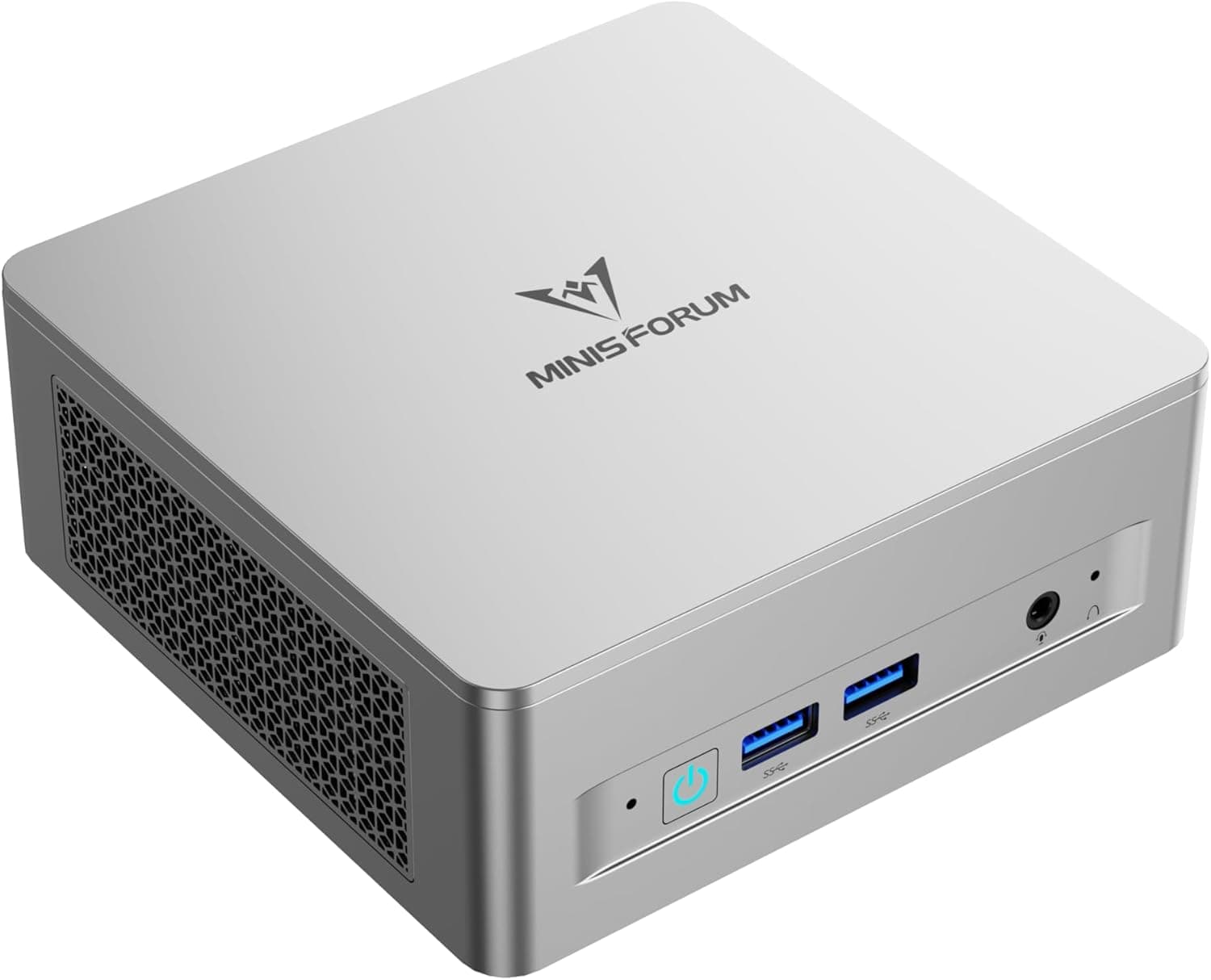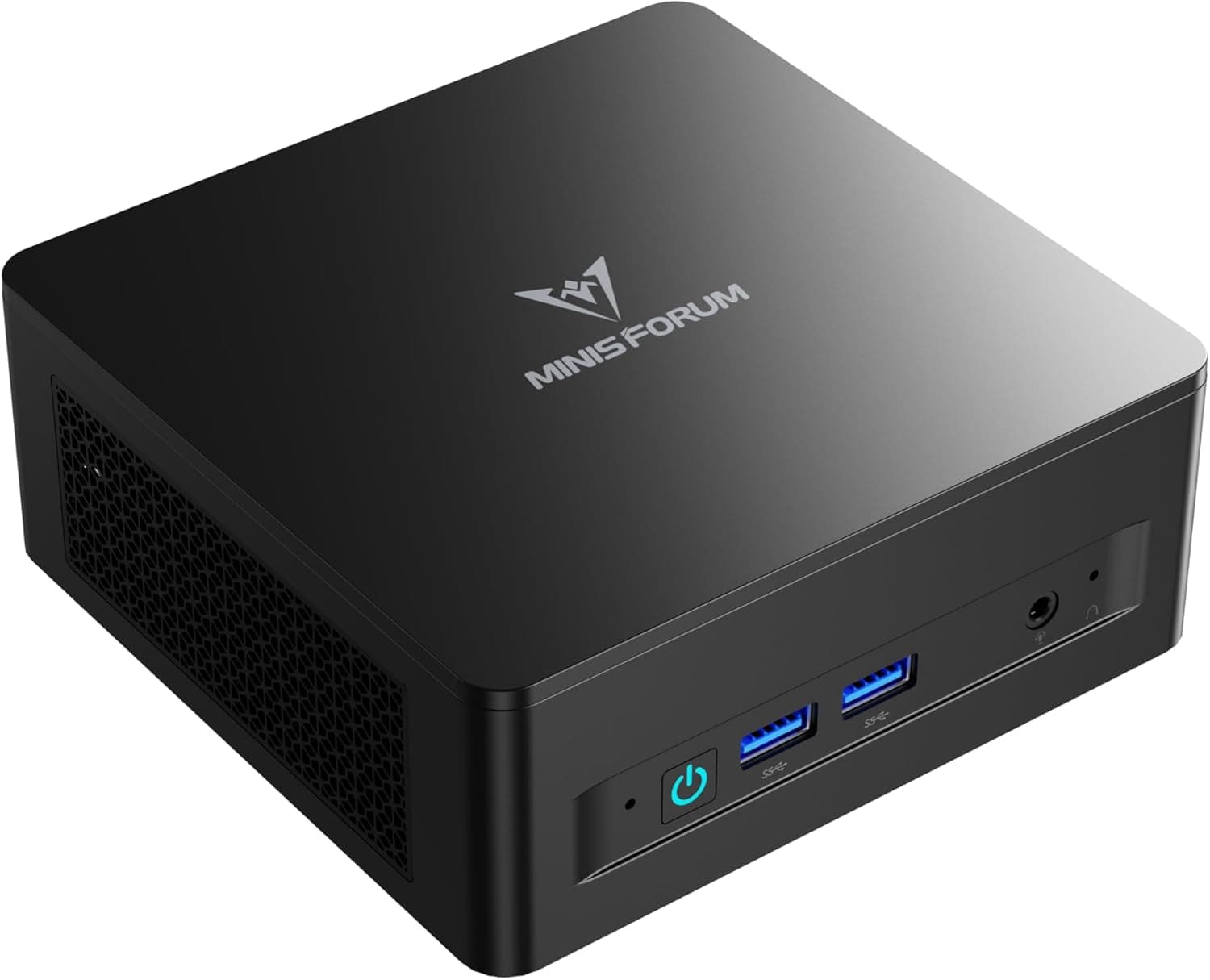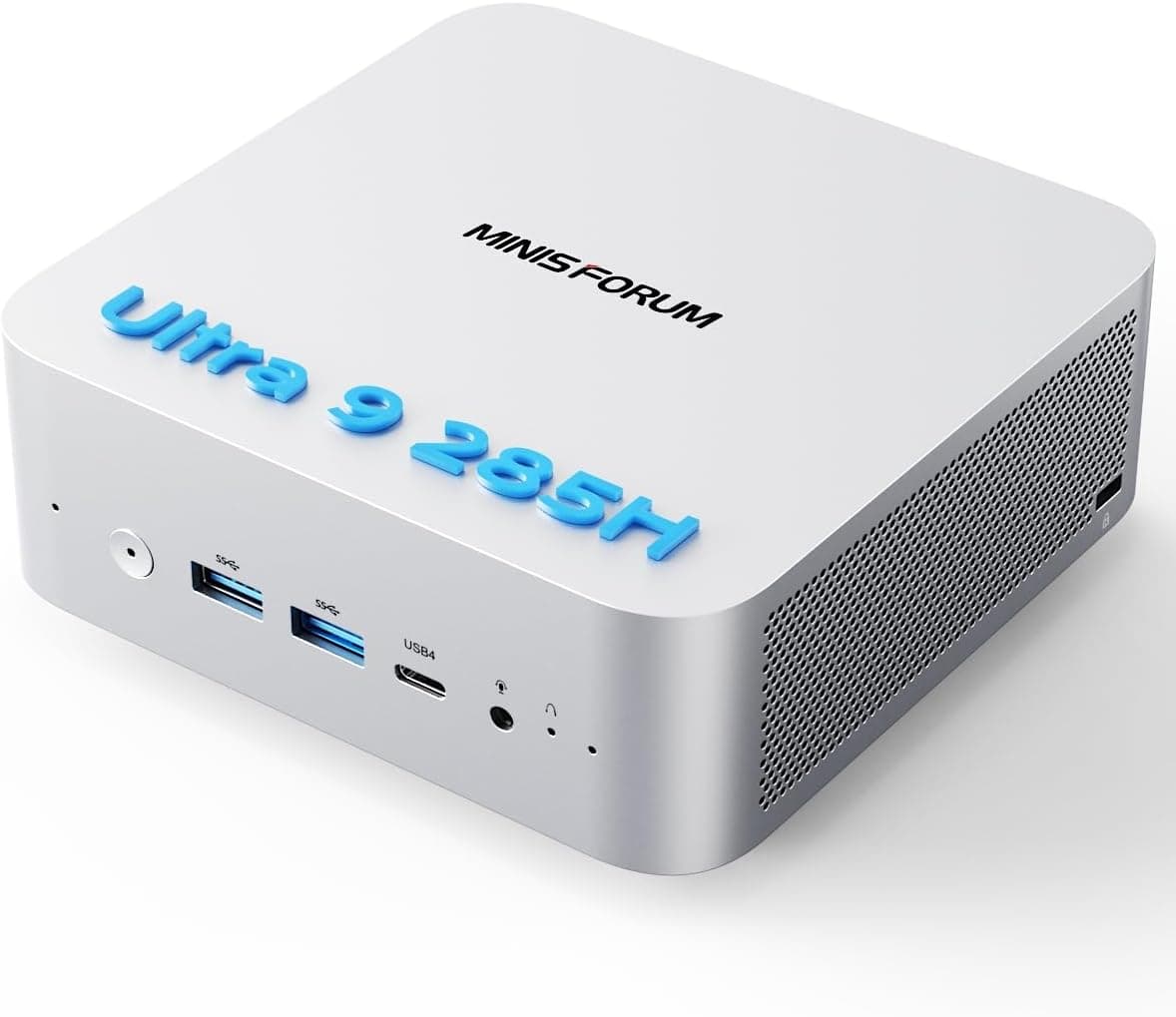
This article takes a close look at the MINISFORUM M1 Pro AI Mini PC Intel Core Ultra 9 285H (16C). It focuses on how to read the spec sheet and what to check before you buy.
Overview
In short, the MINISFORUM M1 Pro is a high-end mini PC that fits strong CPU performance and room for expansion into a very small case. It pairs the Intel Core Ultra 9 285H (16 cores: 6P+8E+2LPE, 16 threads, up to 5.4 GHz) with 32GB of DDR5 memory and a 1TB NVMe SSD, so it is ready for serious work out of the box.
With two USB4 ports and an OCuLink port, you can add an external GPU later. That is the main thing that sets it apart from typical mini PCs.
The CPU is a top model in the Core Ultra 200H series (codename Arrow Lake-H), built on a 3nm process. The listing says single-thread performance is up to 28% higher than the previous generation.
Its PassMark CPU score is 34,192. It has 24MB of Intel Smart Cache, a 2.9 GHz base clock and a 45W TDP, so you are getting a high-performance laptop-class chip in a desktop.
The integrated Intel Arc 140T GPU speeds up video encoding and decoding and is fine for light gaming. The 'AI' in the product name refers to a 99 TOPS AI performance figure, which needs careful reading (see the next section).
If local AI is your main reason for buying, check what this number actually means first.
What 99 TOPS Really Means
The spec sheet lists 'NPU performance: 99 TOPS.' However, the 99 TOPS that Intel quotes for the Core Ultra 9 285H is generally described as a platform total that adds up the CPU, GPU and NPU.
The NPU on its own is much smaller, roughly in the low teens of TOPS. Check Intel's product specifications for the exact breakdown.
This matters if you want Windows Copilot+ PC features. Copilot+ PCs are said to need at least 40 TOPS from the NPU alone, so confirm on the product page whether this model qualifies before you buy.
Assuming that 99 TOPS unlocks every Copilot+ feature is a common mistake.
GPU-based inference, such as local LLMs or image generation, can run on the Arc 140T using shared system memory. Unlike a graphics card with its own VRAM, though, it shares the 32GB of RAM with the OS and your apps, which limits how large a model you can run.
Small to mid-sized quantized models are a realistic target. For serious training or large models, an OCuLink eGPU or a desktop is the safer choice.
Compatibility Guide
Most setup problems with the M1 Pro come from the devices you connect to it, not from the CPU. The table below lists what to check, based on the spec data available.
| Item | Spec | What to check |
|---|---|---|
| Memory | 32GB DDR5 (up to 64GB, depends on configuration) | Slot count and module type on the product page |
| Storage | 1TB M.2 NVMe | Whether there is a second M.2 slot |
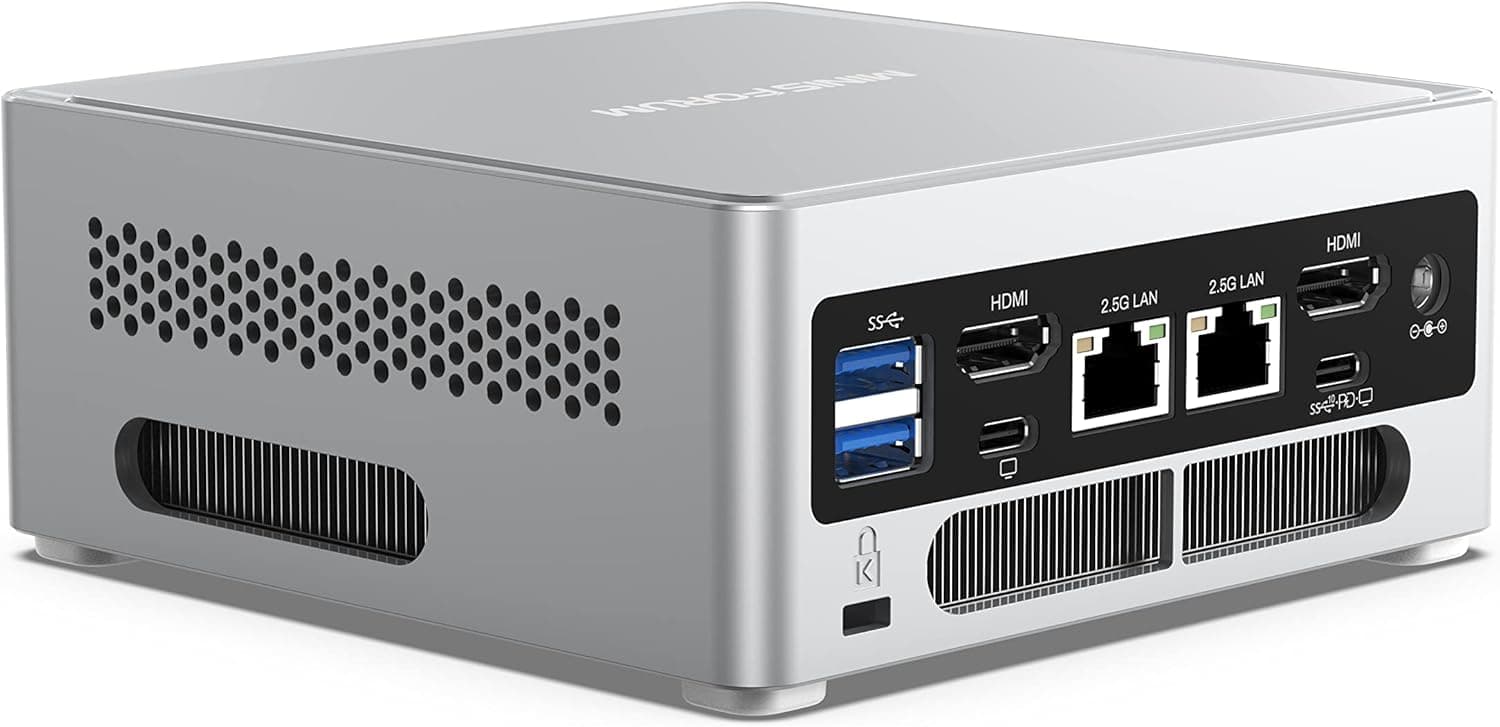
| Display | 2x USB4 + 1x HDMI 2.0 + 1x DP 1.4 (up to 4 screens) | Use DP or USB4 for high-refresh 4K |
| External GPU | OCuLink | A GPU dock, power supply and graphics card are sold separately |
| Wired LAN | 1x 2.5GbE | Your router or switch also needs 2.5G support, or you get 1 Gbps |
| Wireless | Wi-Fi 7 / Bluetooth 5.4 | Wi-Fi 7 speeds require a Wi-Fi 7 router |
| CPU | BGA 2049 (soldered) | The CPU cannot be replaced or upgraded |
Note that the HDMI port is version 2.0, which generally tops out at 4K 60Hz.
For a 4K monitor at 120Hz or higher, connect it to DisplayPort 1.4 or USB4 (DisplayPort Alt Mode).
Four-screen output is supported, but the USB4 outputs need monitors with USB-C input or an adapter.
Memory is listed as supporting up to 64GB, but the compatibility data adds 'depending on configuration.' Also, the Arc 140T's performance tends to depend heavily on whether memory runs in dual-channel mode.
If you upgrade or replace memory, the safe choice is a matched pair of modules with the same capacity and type.
OCuLink sends the PCI Express signal straight out of the machine, so it loses less bandwidth than an eGPU over USB4. It generally does not support hot-plugging, though, and you need a separate GPU dock, graphics card and dock power supply.
Keep in mind that adding an eGPU largely cancels out the space-saving benefit of a mini PC.
Product Info
rmation
The main specs are:
| Item | Detail |
|---|---|
| CPU | Intel Core Ultra 9 285H (16C/16T, 2.9 GHz / up to 5.4 GHz, 24MB cache, 45W TDP, 3nm) |
| iGPU | Intel Arc 140T |
| AI performance | 99 TOPS (listed value) |
| Memory | 32GB DDR5 |
| Storage | 1TB NVMe SSD |
| Ports | 2x USB4 (up to 40Gbps), 1x HDMI 2.0, 1x DP 1.4, 1x 2.5GbE, 4x USB-A, audio, OCuLink |
| Wireless | Wi-Fi 7 (802.11be), Bluetooth 5.4 |
| PassMark (CPU) | 34,192 |
Check the retailer's page for the latest price. Prices change a lot with sales and stock levels, so treat these numbers as snapshots and check the product page for the current price.
Check the retailer's page for the latest user reviews. That is too few to judge heat, noise or defect rates.
Also, the seller and shipper on this listing is a third-party seller called 'Hello Gardenia Room,' not MINISFORUM itself (see the disclosure block below).
How It Compares With Similar Mini PCs
Compared with machines using the previous-generation Core Ultra 9 185H, the 285H has no Hyper-Threading, so it has fewer threads at 16C/16T. It makes up for this with better per-core performance and efficiency.
Do not judge it on thread count alone. Benchmarks like PassMark give a fairer comparison.
Against Ryzen-based mini PCs, integrated GPU performance is roughly comparable depending on the model, and Ryzen machines are often cheaper. The reason to choose the M1 Pro is Core Ultra 9 CPU performance combined with both dual USB4 and OCuLink.
If you never plan to use an eGPU and mostly do office work, a cheaper mini PC will likely serve you just as well.
Recommended Users
Video editors and photographers
The 16-core CPU and Arc 140T encoding support suit Full HD to 4K editing and RAW processing on a small desk. With large projects, a USB4 external SSD works well as a scratch drive.
People who may add a GPU later
You can start with it as a plain mini PC and add an eGPU through OCuLink when you need one. If you might get serious about gaming or GPU inference later, this flexibility is worth paying for.
Multi-monitor office workers
Up to four displays and 2.5GbE make it a good fit for working across many documents at once or moving large files to and from a NAS.
Developers exploring AI
It handles entry-level to intermediate work, such as running small to mid-sized models locally or testing NPU-enabled apps. Large-scale training requires an eGPU or a workstation.
Before You Buy
Check the price and the seller. The listing we checked is sold and shipped by a third-party seller, not the manufacturer.
Warranty and support may go through that seller, so confirm the warranty period and who to contact before buying. Compare prices with the MINISFORUM official store and other retailers as well.
99 TOPS is not the NPU alone. As explained above, it is generally a CPU + GPU + NPU total.
If you want Copilot+ PC features, confirm that this model qualifies first.
The iGPU cannot handle demanding new games. The Arc 140T manages light games and older titles, but not current 3D games at high settings.
If gaming is the goal, include the full cost of an eGPU setup in your budget. The total can end up close to the price of a comparable desktop.
Noise and heat under heavy load are unknown. Cooling a 45W CPU in a small case usually means louder fans during long exports, as with mini PCs in general.
If quiet operation matters to you, read several hands-on reviews first.
Check the OS and the included accessories. The data available here does not mention the OS, the license type or the AC adapter's wattage.
Check the Windows edition and power adapter specs on the product page.
HDMI is version 2.0. A 4K 120Hz monitor or TV will generally run at only 60Hz over HDMI. Use DP or USB4 for high refresh rates.
FAQ
Q. Can I add more memory? A.
The compatibility data lists support for up to 64GB, with the note 'depending on configuration.' Check the slot count and supported modules on the product page before buying.
Q. How do I connect an external GPU? A.
Plug an OCuLink-compatible GPU dock into the OCuLink port. The dock, graphics card and dock power supply are sold separately.
Connect and disconnect it only with the power off.
Q. What do I need for four displays? A.
Use the two USB4 ports, the HDMI 2.0 port and the DP 1.4 port.
For the USB4 outputs, you need monitors with USB-C input or USB-C to DP/HDMI adapters.
Q. Can it work as a gaming PC? A.
With the built-in Arc 140T, it is mainly for light games. For serious gaming, plan on adding an eGPU through OCuLink.
Q. How much does it cost? A.
It was ¥258,884 on Amazon Japan as of August 18, 2026. Prices change often, so check the product page for the current price.
Product Disclosure (Amazon)
- Manufacturer: MINISFORUM
- Seller: Hello Gardenia Room
- ASIN: B0FWQ13KXW
- Note: This article covers a manufacturer-made product based on Amazon listing details.