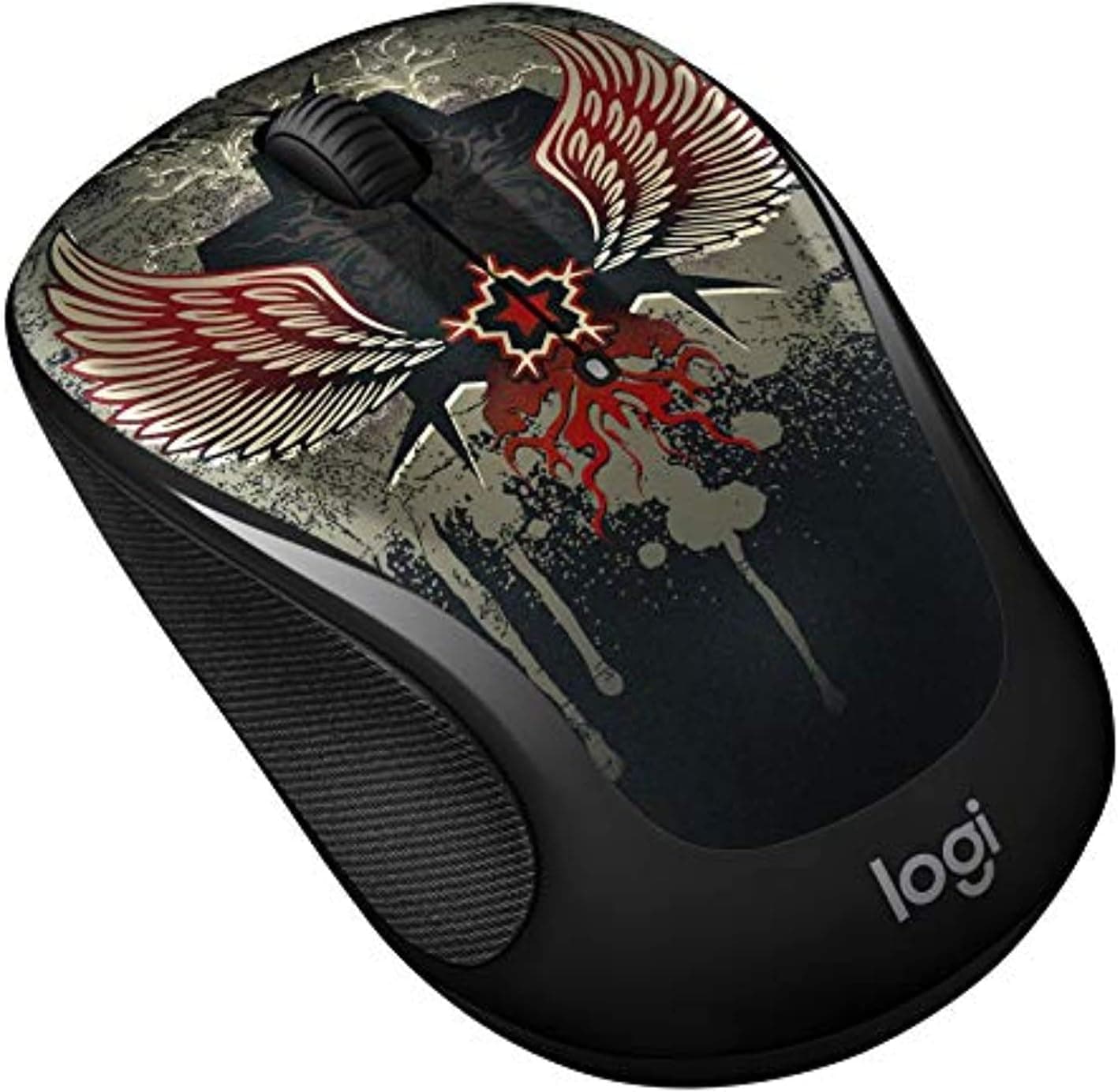
This article takes a closer look at the Logitech M325 ワイヤレス光学マウス ブラック — what its specs actually mean, where it works, and where buyers end up disappointed.
Overview
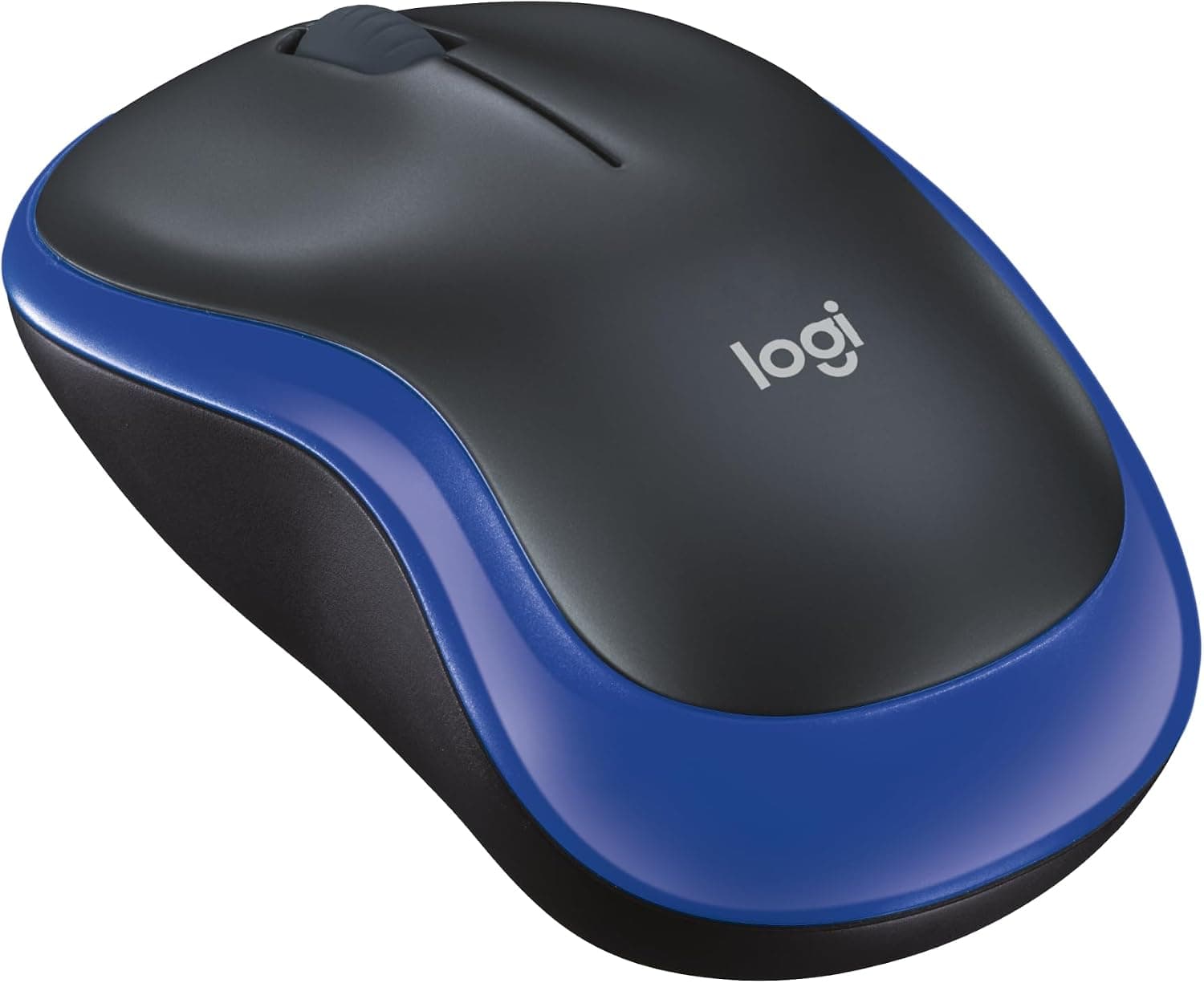
The short version: the Logitech M325 wireless optical mouse in black is for office users who want a cheap wireless mouse with a tilt wheel. A 1000dpi optical sensor, five buttons and roughly 18 months on a single AA battery are choices tuned for spreadsheets and browsers, not for gaming or high-resolution photo editing.
On Amazon.co.jp it holds 4.7 out of 5 stars across 139 reviews (94% positive, captured September 2026), which is strong for an entry-level product.
The reason the rating is so stable is simple: there is very little to go wrong. Products built around configuration software and many programmable buttons have more surface area for bugs and setup friction.
The M325 plugs in and works.
Reading the Specs
| Item | Value | What it means in use |
|---|---|---|
| Sensor | Optical / 1000 dpi | Fine for office work; more hand travel on high-res screens |
| Connection | 2.4GHz wireless | Needs one free USB-A port. No Bluetooth |
| Buttons | 5 | Left, right, wheel click, tilt left/right |
| Power | 1× AA, approx. 18 months | Not rechargeable; roughly one swap a year |
| Weight | Approx. 75g with battery | Heavier than esports mice, still easy on the wrist |
| Dimensions | 99×60×39mm | Compact; cramped for large hands |
The combination of 1000dpi and those dimensions matters most. On a 4K or WQHD display, 1000dpi means repeatedly lifting and repositioning your hand to cross the screen.
There is no on-the-fly dpi switch here, so you are expected to raise pointer speed in the OS — mouse properties on Windows, tracking speed on macOS.
At 99×60×39mm the shell sits between travel size and full size. Large hands using a flat palm grip will find the ring and little fingers hanging off the edge, while claw and fingertip grips suit it well.
Compatibility Guide
It connects over 2.4GHz using the bundled nano USB receiver — plug it into a USB port and you are done.
Windows, macOS and Chrome OS are supported with no driver install, and the receiver stows inside the battery compartment so you are less likely to lose the dongle in a bag.
Three things actually trip people up:
- No USB-A port. Many recent thin laptops and tablets are USB-C only. You will need a USB-C adapter or hub, and without one the mouse is unusable on arrival.
- Bluetooth-only setups. The M325 has no Bluetooth radio. If you refuse to give up a port, or want to pair with an iPad, buy a Bluetooth model from the start.
- Expecting to share a receiver. Some Logitech small-receiver products can share one dongle across devices, but support varies by generation and unit. Check the packaging or product page before assuming your keyboard's receiver will work.
One note on surfaces: as an optical sensor it struggles on glass and mirror-finish desks. A mousepad — or even a sheet of paper — fixes it.
Cloth pads pose no issues.
In Everyday Use
The tilt wheel is the headline feature. Tipping the wheel sideways scrolls horizontally, which visibly saves time in wide Excel sheets, long Gantt charts and pages that scroll sideways.
Most mice at this price omit it, and that is the main reason the M325 is still being bought.
The wheel is a conventional notched type — no free-spin or electromagnetic ratchet like premium models. If you race through long PDFs, you will want more.
Click noise is also ordinary; if you need quiet, choose a model that explicitly advertises silent switches.
Roughly 18 months on one AA battery means, in practice, forgetting the battery exists. The tradeoff is that there is no cable to top up — when it dies you need a spare AA on hand.
Keep one in a drawer and it's a non-issue; run out mid-trip and you are shopping locally.
Compared With Alternatives
Logitech's entry tier includes models like the M185, M310 and M317 at similar prices. The meaningful differences are the tilt wheel and button count: the most basic models are often three-button designs with no horizontal scroll, so anyone who lives in spreadsheets gains real value from the M325.
If you only read mail and browse, a simpler model is enough.
Moving up, MX Master-class mice add Bluetooth, rechargeable batteries, a thumb wheel and per-application button mapping — and sit in a completely different price bracket. If you hold a mouse all day and want to reduce wrist and shoulder strain, look there.
The M325 is best understood as a tool for doing the basic 80% of input cheaply and durably.
Comparing it to gaming mice is almost beside the point. Lightweight shells, high polling rates and high dpi serve a different purpose than a 1000dpi, ~75g, single-AA office mouse.
For FPS play, buy a dedicated gaming mouse.
Product Info
Published specifications: optical 1000dpi sensor, 2.4GHz wireless, five buttons, one AA battery with roughly 18 months of life, about 75g including the battery, and 99×60×39mm.
A standard manufacturer warranty applies, though the term can differ by region and sales channel — check the listing. The box typically contains the mouse, nano receiver, a test AA battery and a quick-start guide.
An important caveat on price: the figure captured from the source listing is implausibly high for a wireless mouse in this class, most likely a collection error or an inflated grey-market/resale listing. For that reason no specific amount appears in this article.
Prices move a lot, so confirm the current price and the seller on the product page before buying. If the number is far above what an entry-level wireless mouse normally costs, compare other sellers or another model.
As of the September 2026 capture, the rating stands at 4.7 out of 5 across 139 reviews (94% positive).
The review count is not enormous, but a high, stable average is typical of products whose limited feature set leaves little gap between expectation and reality.
Best Use Cases
- Office staff and students working in spreadsheets and browsers. Horizontal scrolling pays off daily, and five buttons let you map browser back/forward.
- Anyone decluttering a desk. Plug in the receiver and you're done; no resident software required.
- People who hate managing charge cycles. With ~18 months per battery, there is no routine to maintain.
- Workplaces stocking spares or loaners. Durable and inexpensive enough to keep in a drawer.
- Travellers wanting a second mouse. 99×60×39mm, ~75g, receiver stores in the body.
If your day centres on gaming, photo or video editing, or CAD, skip it — precision and adjustability are not what this product sells.
Before You Buy
The most common mistake is not checking for a USB-A port. Buyers with USB-C-only laptops discover the mouse won't connect and have to buy an adapter.
Check your machine first, and note the lack of Bluetooth at the same time.
The second is expecting dpi options. 1000dpi is fixed with no software stepping.
On 4K or multi-monitor setups you will be raising OS pointer speed; most complaints about "imprecise" feel trace back to this.
Check your hand size. At 99×60×39mm this is a small shell.
Larger hands using a palm grip will feel cramped and tire over long sessions. If you can hold a similar-sized mouse in a store first, do.
Don't expect quiet clicks. This is not marketed as a silent mouse.
For shared quiet spaces, a model with stated silent switches will satisfy more.
Verify price and seller. Long-running staples mix domestic stock, parallel imports and resale listings, so the same model number can appear at wildly different prices — and the listing we referenced was clearly above this product class.
Listing metadata (seller, fulfiller, stated accessories) can also disagree with what actually ships. Cross-check the product images, title and seller yourself before ordering; warranty handling differs between authorised and parallel-import units.
Finally, the receiver. The nano dongle is tiny and the mouse is useless without it. Use the in-body storage whenever you travel.
FAQ
Q. Can it connect over Bluetooth? A.
No. It works only with the bundled 2.4GHz nano USB receiver, so you'll need an adapter or hub if no USB-A port is free.
Q. Does it work with MacBooks and Chromebooks? A.
Windows, macOS and Chrome OS are supported with no driver install — but USB-C-only machines need an adapter.
Q. Is it usable left-handed? A.
The shell is close to symmetrical and you can swap button roles in the OS. That said, the tilt wheel and five-button layout were designed with right-hand use in mind.
Q. Can I use a rechargeable NiMH AA? A.
Any AA fits, but rechargeables run at slightly lower voltage, so runtime and battery indication may not match spec. Treat the ~18-month figure as an alkaline estimate.
Q. Is it okay for games? A.
Casual titles are fine; FPS and fighting games where latency and precision decide matches are not. Given the fixed 1000dpi and general-purpose 2.4GHz link, choose a gaming mouse if games come first.
Q. Can I remap buttons beyond the tilt actions? A.
Remapping may be possible where Logitech's configuration software is supported, but coverage varies by software version and OS. Confirm on the product page or with manufacturer support.
Product Disclosure (Amazon)
- Manufacturer: Logitech
- Seller: ABC IMPORT STORE
- Fulfilled by: ABC IMPORT STORE
- ASIN: B07B4V4PX6
- Note: This article covers a manufacturer-made product based on Amazon listing details.
![Logitech G29 Driving Force Race Wheel [並行輸入品]](/_next/image?url=https%3A%2F%2Fm.media-amazon.com%2Fimages%2FI%2F61FO1Q3eNdL._AC_SL1000_.jpg&w=1920&q=75)