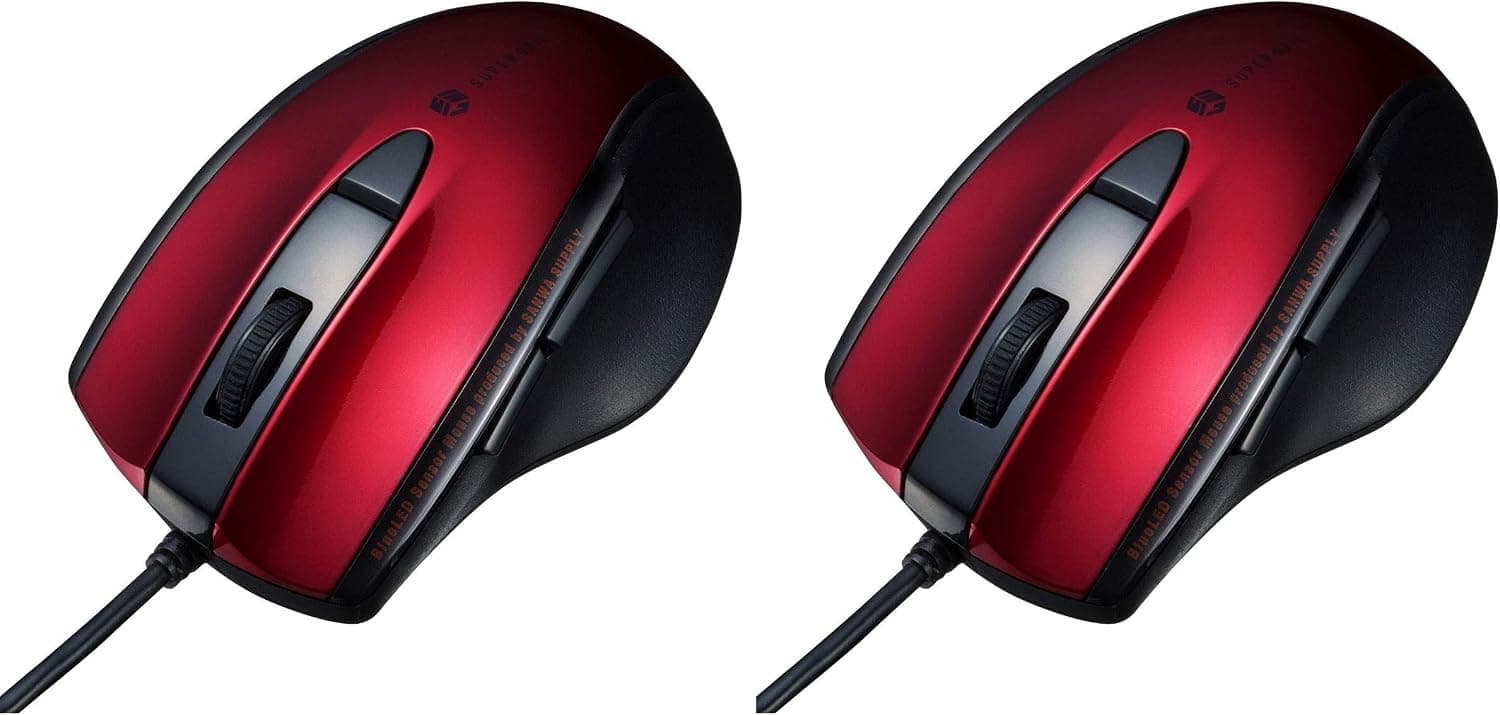
This article takes a closer look at サンワサプライ(Sanwa Supply) マウス 有線 USB接続 静音 ブルーLED 5ボタン(戻る・進むボタン搭載) 中型 レッド MA-BL168R (× 2) — the Sanwa Supply MA-BL168R silent wired mouse — from both the spec sheet and the practical side.
Overview
The Sanwa Supply MA-BL168R is a USB wired mouse with silent switches on the left and right buttons. The short verdict: it is the cheapest practical option for a Windows user who wants quiet clicks in an office or on video calls, with zero battery or pairing worries. On Amazon.co.Check the retailer's page for the latest price.
Prices move, so check the product page for the current figure.
It has five buttons: left, right, wheel click, back and forward. The sensor is a blue LED type, which tracks fine on ordinary desks and cloth pads but struggles on mirrored or clear glass.
The color is red, a useful accent on an otherwise all-black desk, and the "(× 2)" in the product name indicates a twin-pack listing, which pushes the effective per-unit cost down further.
What Silent Switches Actually Change
"Silent" means the sharp click becomes a muted thud — not silence. The high-frequency component that draws other people's attention is suppressed, which is why these switches work well in shared rooms.
The MA-BL168R applies this to the left and right buttons.
Note that only those two buttons are quieted. Wheel scrolling, wheel click and the two side buttons use normal mechanisms, and the spec explicitly limits the silent treatment to the main buttons.
On a video call, rapid scrolling is often the noise your microphone actually picks up. Buy this expecting quiet clicks, not a silent mouse.
Silent switches also blur the tactile snap slightly. For precise drag work in image editors, where you want to feel whether the button is engaged, a conventional switch can feel better.
Compatibility Guide
Compatibility is simple, and the one caveat is a big one.
| Item | Value | What it means in practice |
|---|---|---|
| Connection | USB wired | No drivers, no pairing, no batteries |
| OS support | Windows (no Mac) | Not supported on macOS — the main limitation |
| Sensor | Blue LED | Fine on desks and cloth pads; poor on glass |
| Buttons | 5 (L/R, wheel, back, forward) | Back/forward work with standard Windows behavior |
| Silent switches | Yes (main buttons) | Wheel and side-button noise remain |
The manufacturer states Windows only, not usable with Mac systems. It will draw power over USB-A on any machine, but side-button behavior is outside the supported scope, so Mac-first users should rule it out immediately.
On a USB-C-only laptop you will need a hub or adapter.
Being wired is both the limitation and the appeal: no 2.4GHz interference, no lost dongle, no Bluetooth wake-up delay.
The trade-off is cable routing. Cable length is not published in the available data, so if your PC sits far from the desk surface, confirm the dimension on the product page before ordering.
Product Info
The key specs, exactly as listed in the product data:
- Connection: USB wired
- Sensor: Blue LED
- Buttons: 5 (left, right, wheel, back, forward)
- Silent switches: Yes (main buttons)
- OS: Windows (Mac not supported)
- Listed weight: approx. 221 g
co.jp as captured on 2026-07-02.
Given the twin-pack listing, that works out to roughly ¥1,000 per mouse — very cheap for anything with silent switches. Treat that number as a snapshot; sales and stock shift it.
The eBay entry is a search link only, with no confirmed figure.
A 4.0 on a three-digit review count is the classic commodity distribution: no serious defect, but nothing anyone raves about.
That is fair for the price. If you are expecting a 4.5-class experience, you will be disappointed.
How It Compares
"Quiet mouse" splits into three buying lanes.
| Type | Example | Strength | Weakness |
|---|---|---|---|
| Wired silent (this one) | MA-BL168R | Cheapest, no batteries, zero latency | Cable, Windows only |
| Premium wireless silent | MX Master class | Horizontal scroll, multi-device | Roughly ten times the price |
| Entry wireless | M325 / M185 class | Cable-free and cheap | Battery swaps; often not silent |
What the MA-BL168R wins on is price and the certainty of doing nothing clever. No configuration app, no profiles — plug it in and it works, which genuinely matters on a locked-down work PC where you cannot install software.
If you want horizontal scrolling, remappable buttons or multi-PC switching, spend the money on a higher-tier wireless model instead.
Best Use Cases
- Workers in quiet offices or shared spaces: muted main clicks reduce the noise you push onto the desk next to you, and back/forward speed up browsing long documents and intranet pages.
- Remote workers on frequent video calls: being wired, it cannot die mid-meeting, and there is no dongle to lose or pairing to drop right before a call.
- Anyone buying spares: the twin pack covers one at the office and one at home, or a backup in the drawer. At ¥1,946 as captured on 2026-07-02, keeping a spare is an easy decision.
- Bulk deployments and family PCs: plug-and-play with no driver install means setup time stays flat as the unit count grows.
Before You Buy
1. Not an option on Mac. This is the clearest disqualifier.
The stated OS support is Windows only, with Mac systems listed as unsupported. If you switch between platforms, pick a multi-OS mouse rather than keeping two on the desk.
2. Not for gaming. There is no mention of a DPI switch, polling-rate control or macro assignment.
For FPS-style flicks and on-the-fly sensitivity changes it is underpowered; a dedicated lightweight gaming mouse is the better spend.
3. Only the main clicks are quiet. The wheel and side buttons still make noise. It cannot deliver a completely silent mouse experience.
4. The 221 g weight figure comes straight from the listing. That is clearly heavy for a single mid-size wired mouse, and it may reflect packaged or twin-pack weight.
If hand feel matters to you, do not take it as the bare weight of one unit — check the spec section on the product page.
5. Listing data itself is sometimes wrong. Pack quantity, color and weight fields on Amazon pages do not always match the physical item.
Because "(× 2)" is part of this product name, cross-check the images, title and quantity before ordering. Receiving two when you expected one (or the reverse) is the most common complaint with this kind of listing.
6. It is shaped for right hands. Back/forward buttons sit on the left flank in this class of design, which makes them awkward for left-handed use.
Left-handed buyers should look at symmetrical models.
**7." Expect some unit-to-unit variation in click feel and you will be happier with it.
FAQ
Q. Does it work on a Mac?
A. No. The supported OS is Windows only; Mac systems are explicitly listed as unsupported.
Q. Do I need to install drivers? A.
No. Plug it into a USB-A port and Windows recognizes it, including standard back/forward behavior — useful on work PCs where you cannot install software.
Q. How quiet is it really? A.
Not silent. The sharp click of the main buttons is muted so it is less likely to carry across a room or into a call microphone.
Wheel and side-button noise remains.
Q. Can I change the DPI?
A. There is no documented DPI switch on the body. Adjust pointer speed in Windows mouse settings instead.
Q. Is it really a two-pack? A.
The "(× 2)" indicates a twin pack, but listing configurations change. Confirm quantity and images before ordering.
Q. Can I game with it?
A. Casual games are fine; competitive titles that need DPI control or macros are not a good fit.
Product Disclosure (Amazon)
- Manufacturer: サンワサプライ(Sanwa Supply)
- Seller: Amazon.co.jp
- Fulfilled by: Amazon.co.jp
- ASIN: B0H6NS7NKM
- Note: This article covers a manufacturer-made product based on Amazon listing details.