Overview
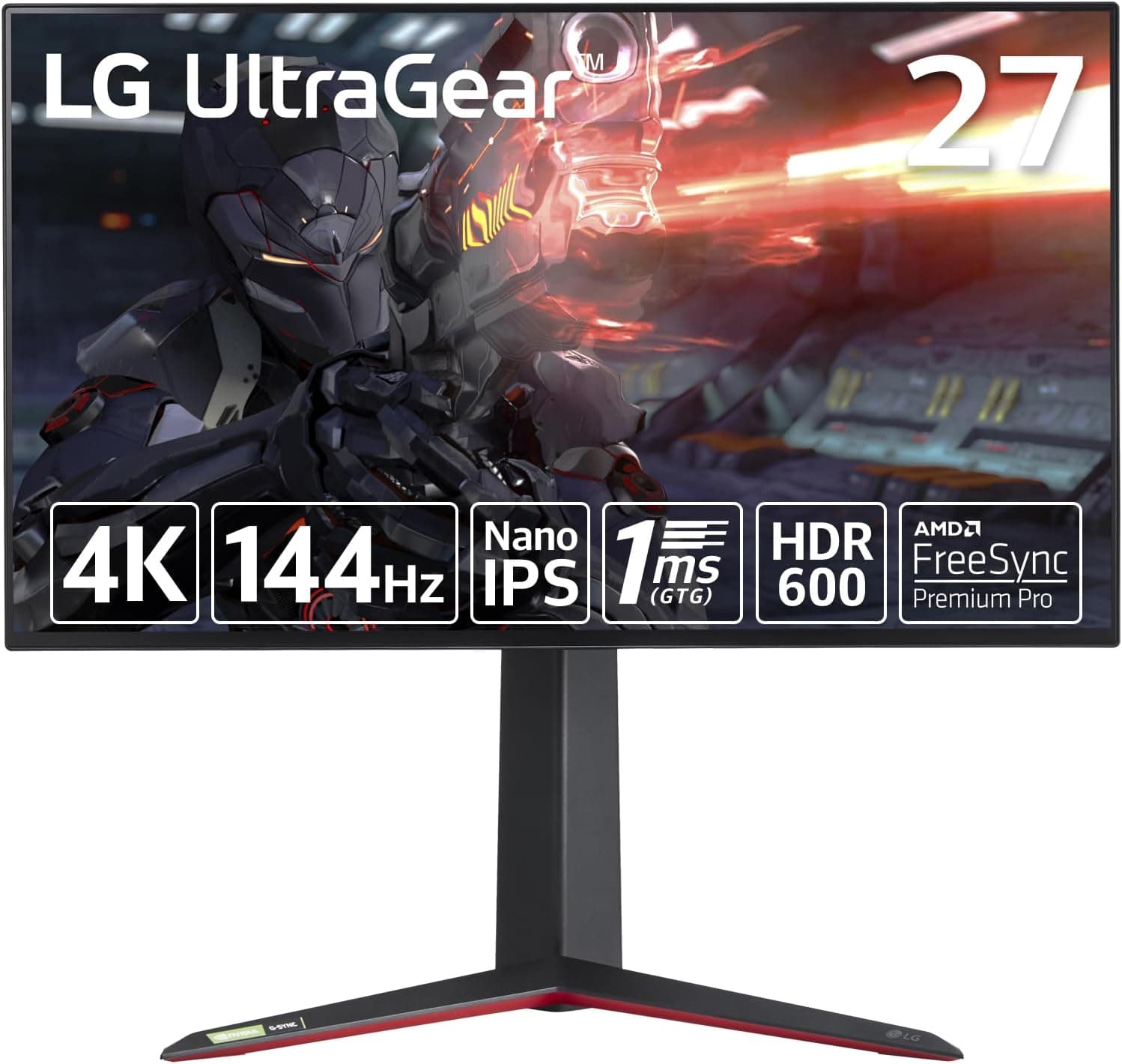
The LG UltraGear 27GP95RP-B pairs a 27-inch 4K UHD (3840×2160) Nano IPS panel with a 144Hz refresh rate and a 1ms GTG response time. The short version: this is the monitor for someone who wants a single screen that serves both a 4K/120Hz console and a high-refresh gaming PC. Two HDMI 2.1 inputs are the real reason it exists — a PS5 or Xbox Series X can run 4K at 120Hz with VRR — while DisplayPort pushes a PC up to 4K/144Hz.
That focus cuts both ways. Everything here is spent on "4K, but fast." If you chase 240Hz+ for competitive shooters, or you care most about deep blacks, this is not the optimal answer.
Decide which side of that line you're on first.
What 4K at 144Hz Actually Means
At 27 inches, 4K works out to roughly 163ppi. Text and textures are visibly crisper than a 27-inch 1440p panel, but you'll be running 125–150% OS scaling in practice.
If you plan to use it at 100%, sit around 60–70cm away.
More importantly, 4K/144Hz is not something the monitor delivers on its own. Reaching triple-digit frame rates at native 4K takes real GPU headroom.
Heavy titles at native 4K assume an upper-tier card; on a mid-range GPU, upscaling like DLSS or FSR is the realistic path. Getting this wrong produces the classic disappointment: a 144Hz monitor running at 60fps.
This monitor supports both G-SYNC Compatible and FreeSync Premium Pro, and adaptive sync matters most exactly when you can't hold 144fps. Think of VRR as a way to make variable frame rates look smooth — not as a reward for high-end hardware.
Compatibility Guide
There are three video inputs: 2× HDMI 2.1 and 1× DisplayPort.
| Connection | Typical device | Spec ceiling |
|---|---|---|
| HDMI 2.1 | PS5 / Xbox Series X / HDMI 2.1 GPU | 4K/120Hz, VRR |
| DisplayPort | Desktop GPU | 4K/144Hz |
| USB 3.0 hub | Keyboard, mouse, etc. | 1 upstream / 2 downstream |
As the table shows, the full 144Hz is a DisplayPort figure. Plenty of people wire a PC over HDMI and then wonder why they're capped at 120Hz.
The standard layout is: PC on DisplayPort, consoles on HDMI 2.1.
Power, HDMI, DisplayPort, and USB upstream cables are all in the box, so a typical setup needs no extra purchases.
To actually get 4K/120Hz over HDMI, check the source device too — the video output settings on PS5, the 120Hz toggle on Xbox Series X. Reusing an old "High Speed" HDMI cable from a TV often lacks the bandwidth, and you'll silently lose either resolution or refresh rate.
Use the bundled cable or an Ultra High Speed certified one.
Mounting is VESA 100×100mm, so arms and wall brackets fit. The included stand already covers tilt, swivel, height, and pivot (portrait), so an arm is only necessary for layout reasons — a shallow desk, or a multi-monitor row.
If you do switch to an arm, confirm its load rating covers a 27-inch 4K panel.
Product Info
Core specs: 27 inches, 3840×2160, Nano IPS, 144Hz, 1ms GTG, VESA DisplayHDR600, DCI-P3 98%. It launched in September 2023 and sits in the 4K/144Hz gaming class.
Warranty is three years, with a zero-bright-dot policy (exchange if even one bright pixel appears within the first month). The box includes power, HDMI, DisplayPort, and USB upstream cables plus a quick setup guide.
The listed price was ¥49,800 as captured on 12 June 2026 — reasonable for this class, but monitor pricing swings hard with sales and stock. Check the product page for the current figure before buying.
Note also that in this article's data the international price field repeats the same yen amount and the same Japanese product page, so it isn't usable as an overseas price; buyers outside Japan should check a local listing.
On reviews: as captured on 9 June 2026, 17 total reviews averaging 4.0 out of 5 stars (80% positive).
That's a decent score, but 17 is a very small sample where a couple of bad units move the average sharply. Read the individual reviews — whether complaints are about DOA units or about the feature set — rather than treating "4.0" as a quality index.
How It Compares
- Refresh rate above all (competitive FPS) — a 24.5-inch 1080p 240Hz panel is the cleaner answer, and it asks far less of your GPU.
- Black depth and pixel response — LG's own OLED models are the alternative. As an IPS panel, this one has the usual IPS black glow. DisplayHDR600 means HDR is watchable, not that contrast rivals mini-LED or OLED.
- Size and immersion — a 32-inch curved model may satisfy more. 27 inches fits a small desk but doesn't wrap around you.
- Portable/secondary use — mobile monitors serve a different purpose entirely and don't compete here.
This monitor's position is the middle ground: keep 4K detail without giving up practical gaming speed. If you want to max out any single axis, a specialist panel fits better.
Best Use Cases
- Sharing one screen between a console and a PC. Two HDMI 2.1 ports mean two consoles (or a console plus a laptop) stay plugged in while the PC keeps DisplayPort and its 144Hz. Not swapping cables daily matters more than it sounds.
- PC gamers unwilling to drop to 1440p. Open-world and racing titles — the ones you look at — benefit most from resolution, and adaptive sync keeps things smooth when frame rates wander.
- Mixed gaming and creative work. DCI-P3 98% coverage and IPS viewing angles are genuinely usable for video editing and photo retouching, and pivot mode handles code or long documents in portrait.
- People who care about placement. Height, tilt, swivel, and pivot come standard, so no arm purchase is needed to dial in posture.
Before You Buy
Without enough GPU, 144Hz is wasted. This is the most common mistake.
If native 4K is already a struggle on your card, a 1440p high-refresh monitor at a similar price may feel better day to day. Running upscaling permanently is a valid plan — just make that decision before you buy, not after.
IPS means visible black glow. DisplayHDR600 certifies peak brightness, not contrast.
If grey-looking blacks in dark horror games or night scenes bother you, look at OLED instead. This is panel physics, not something a settings menu fixes.
"1ms GTG" is a manufacturer-condition figure. It assumes aggressive overdrive, which isn't necessarily what you'll run.
Pushing overdrive too far introduces overshoot artifacts around moving edges, so start from a middle setting and judge with your own eyes rather than pinning it to maximum.
Plan for scaling. At 100%, 27-inch 4K text is small.
Gaming is unaffected, but for long work sessions 125–150% scaling is realistic, and some apps still render softly when scaled.
Watch the small review count and the listing details. Reviews numbered 17 at capture time, and in this data the international pricing field carried a yen amount and a Japanese product page.
Retail listings sometimes have prices, regions, or bundled accessories recorded incorrectly. Confirm from the product images and title that the model is exactly 27GP95RP-B before ordering — UltraGear model numbers run close together, and a suffix change can mean a different panel or refresh ceiling.
The zero-bright-dot guarantee expires. The window is one month from purchase, so unbox and immediately display full-screen black, white, red, green, and blue to check for dead or bright pixels.
Put it off and the coverage lapses.
FAQ
Q. Does PS5 really run 4K/120Hz here? A.
Per spec, yes — 4K/120Hz with VRR over HDMI 2.1.
Check the PS5 video output settings and use the bundled cable or an Ultra High Speed certified one; older cables often can't offer 120Hz.
Q. Can I get 144Hz over HDMI?
A. The 4K/144Hz figure is for DisplayPort. Put the PC on DisplayPort and consoles on HDMI 2.1.
Q. What GPU do I need? A.
To genuinely saturate 144Hz, an upper-tier card. Mid-range GPUs should target around 100fps using DLSS/FSR and tuned settings; adaptive sync keeps the result smooth as frame rates move.
Q. Can I use a monitor arm? A.
Yes, VESA 100×100mm. Most people won't need one since the stand adjusts height, tilt, swivel, and pivot.
If you mount it, verify the arm's weight rating for a 27-inch 4K panel.
Q. Is it good as a primary work monitor? A.
Yes. The DCI-P3 98% gamut and IPS viewing angles suit creative work, and pivot gives you portrait mode — just expect to use OS scaling.
Q. What if I get a dead pixel? A.
Three-year warranty plus the zero-bright-dot policy: exchange if a bright pixel appears within one month of purchase. Check right after delivery.