This article covers ASUS モバイルモニター ProArt PA148CTV 14インチ.
Overview
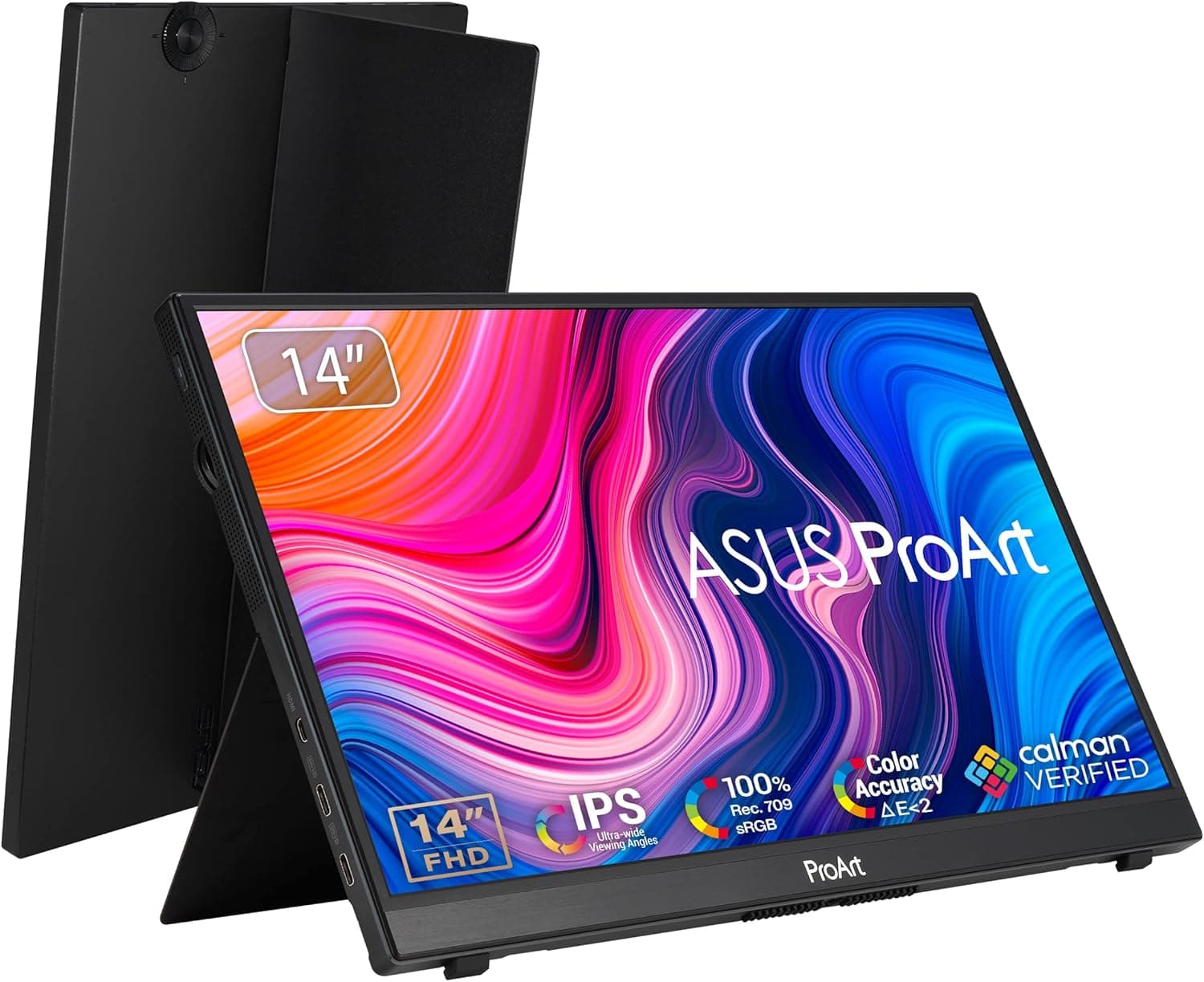
The ASUS ProArt PA148CTV is a 14-inch portable monitor designed for creative professionals who need color accuracy on the go. It features a Full HD (1920×1080) IPS panel with 100% sRGB and 100% Rec. 709 coverage, plus Delta E < 2 factory calibration. This means photo editors and video editors can trust the colors they see, even when working away from their main studio setup. What sets this monitor apart is its 10-point capacitive touch support. You can pinch, zoom, swipe, and tap just like on a tablet, making it a natural companion for Adobe Creative Cloud apps or interactive presentations. The chassis is only 13.08mm thick and weighs about 0.74kg, so it slips easily into a laptop bag alongside the included protective sleeve.
Connectivity & Compatibility
Connectivity is handled by two USB-C ports and one Micro HDMI input. The USB-C ports support both video and power delivery, so a single cable from a compatible laptop is all you need to get a second screen running. ASUS also includes a USB-C to A adapter and a USB-C to A cable, ensuring older laptops with only USB-A ports can still connect without extra dongles. Touch functionality works natively on Windows 10 and 11. macOS users can use the display for video output, but touch gestures are not supported. The monitor also includes ASUS Quick Fit, which overlays grid lines and rulers on screen — a handy feature for layout and DTP work.
Product Info
Released in September 2021, the PA148CTV sits in the upper-mid price tier for portable monitors, typically retailing around ¥60,000–¥65,000. The premium is justified by factory-per-panel calibration with Calman Verified certification and a three-year zero-bright-dot warranty (LCD ZBD). These are rare guarantees in the portable monitor space and speak directly to the needs of color-critical work. In the box you get a Micro HDMI to HDMI cable, USB-C to A adapter, USB-C cable, USB-C to A cable, protective sleeve, and warranty card. The monitor also features ASUS ASCR technology, Trace Free technology, and a blue-light filter for comfortable long sessions.
Best Use Cases
First and foremost, photographers and videographers who need reliable color accuracy on location. The sRGB 100% coverage and Delta E < 2 calibration mean you can edit RAW files and grade footage with confidence, without second-guessing your laptop's built-in display. Second, business professionals who give presentations or demos. The 10-point touch makes it easy to zoom into maps, swipe through slides, or annotate documents directly on screen. It turns any laptop into a more interactive presentation tool. Third, remote workers who want a dual-monitor setup without the bulk. The single USB-C connection and 0.74kg weight make it practical for coffee shops, co-working spaces, or even airplane tray tables. You get a second screen wherever you go. ## Alternatives
A direct competitor is the Wacom One 13 (DTC133), which focuses on pen input for drawing and note-taking. Its color gamut is limited to about 70% sRGB, and it lacks touch support. The ProArt PA148CTV wins on color accuracy and touch interactivity, but if you need a pen for illustration, the Wacom One is the better choice. Another option is the ASUS ZenScreen MB14AC, a non-touch portable monitor at a lower price point. If you don't need touch, the ZenScreen offers similar portability for less money. But for creative work that demands both color precision and touch, the PA148CTV is the clear pick.
Things to Consider
Touch functionality is Windows-only. Mac users will get a high-quality display but lose all touch gestures. Also, the 60Hz refresh rate and 5ms response time mean this is not a gaming monitor — stick to productivity and creative tasks. Brightness is rated at 300 cd/m², which is fine for indoor use but struggles under direct sunlight. Plan to use it indoors or in shaded outdoor areas. The Micro HDMI port may require an adapter for some setups, so check your cable inventory before heading out. Finally, the price premium over non-touch portable monitors is about ¥20,000–¥30,000. If you rarely use touch, you might be better off with a simpler model. But if color accuracy and touch are both essential to your workflow, the PA148CTV delivers a combination that few competitors can match.
Product Disclosure (Amazon)
- Manufacturer: CORSAIR
- ASIN: B09BPWK7S4
- Note: This article covers a manufacturer-made product based on Amazon listing details.