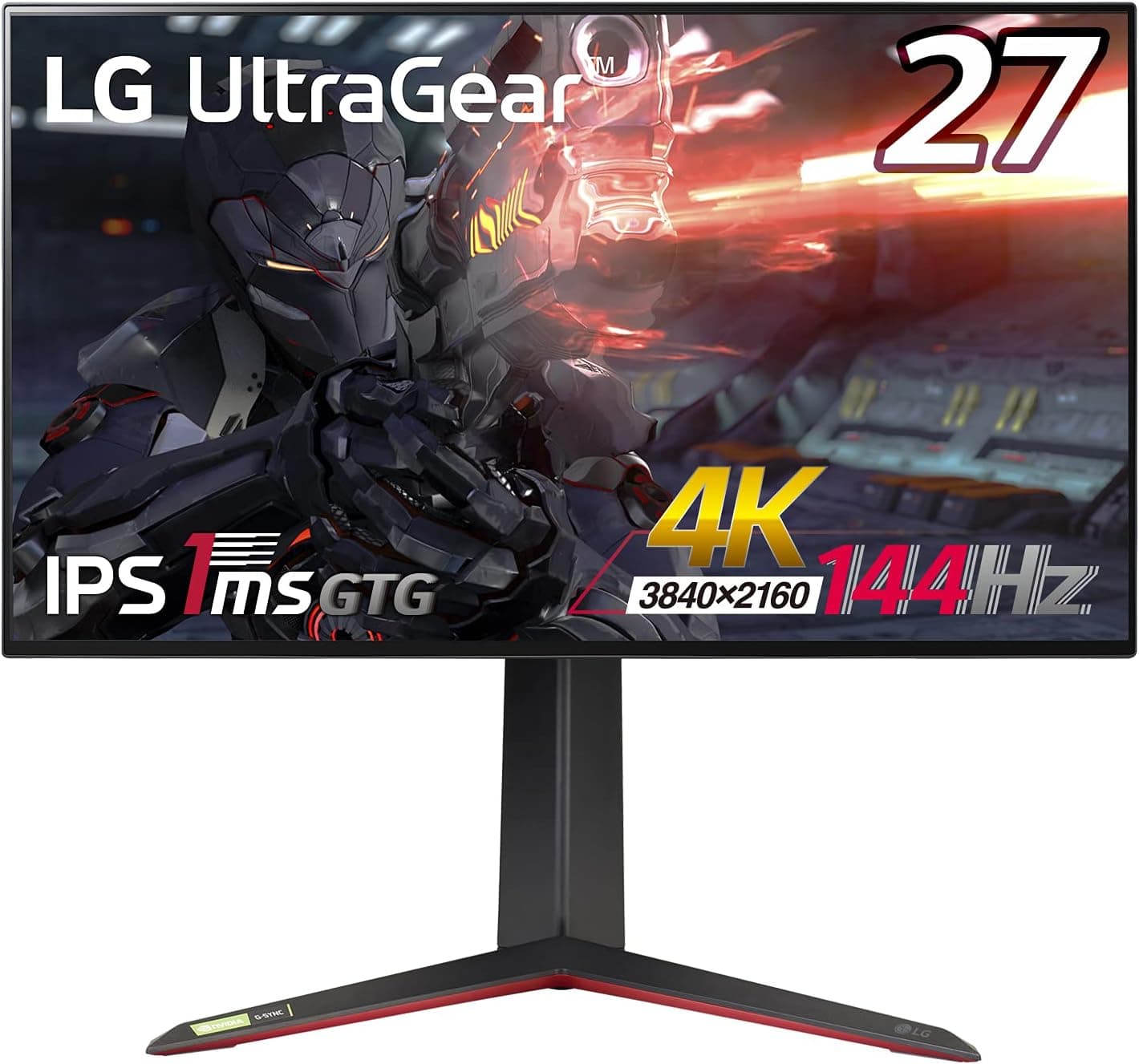
Overview
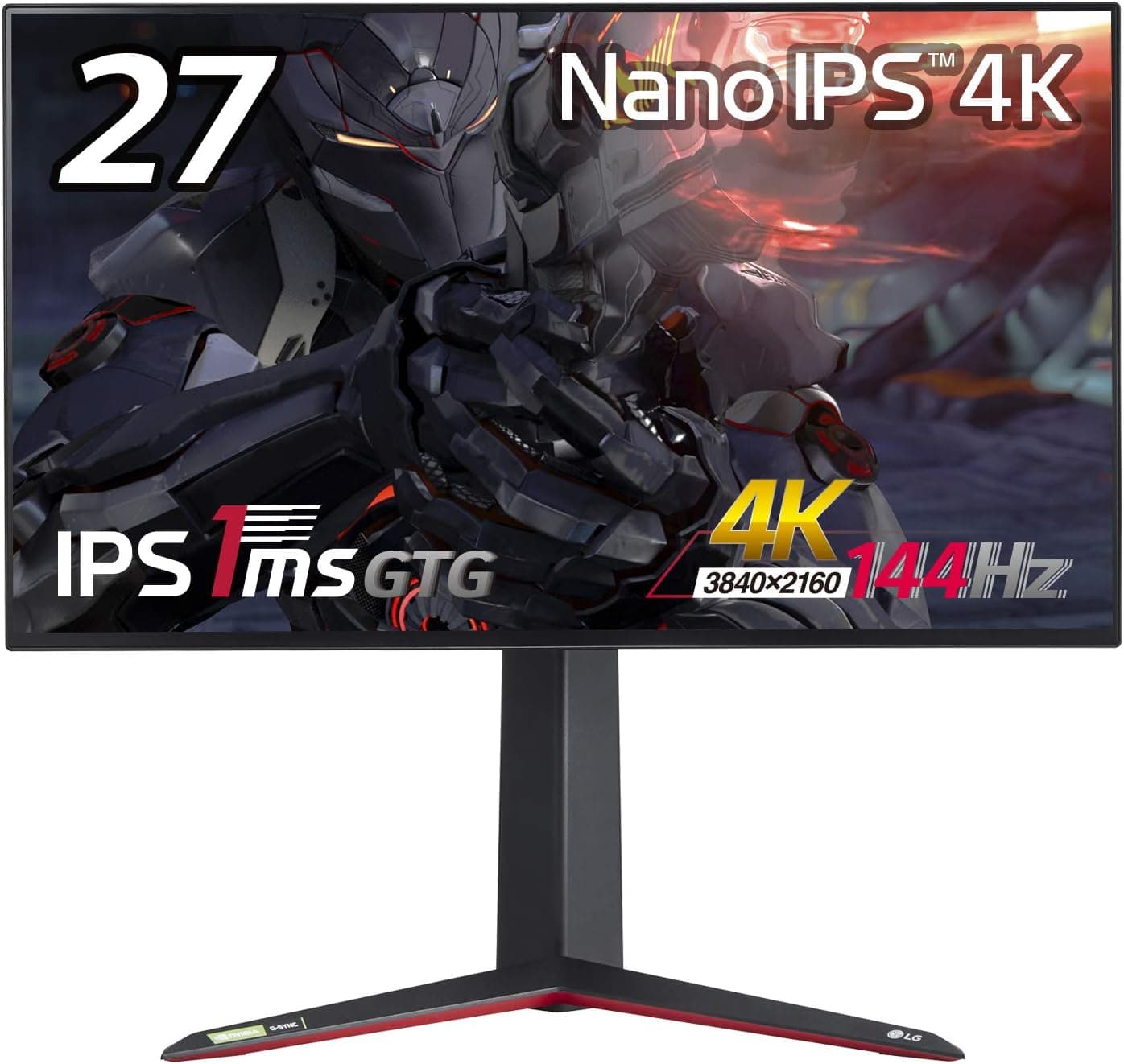
At 27 inches, 3840×2160 works out to roughly 163 ppi, which makes text edges and distant textures look fundamentally different from a 27-inch 1080p screen.
The panel is Nano IPS, covering 98% of DCI-P3, certified to VESA DisplayHDR600, and driving 10-bit color (8-bit+FRC). On Amazon.co.Check the retailer's page for the latest user reviews.
| If you are… | Verdict |
|---|---|
| Running a high-end GPU for 4K gaming | Buy it. Resolution and refresh in one panel |
| Prioritizing deep HDR blacks | Compromise required. HDR600 is not OLED black |
| Editing video/photos on the same screen | Yes, with caveats. 98% DCI-P3 is enough; calibrate separately |
Market position is unambiguously high-end. The catch, covered below, is that the GPU behind it costs more than the monitor.
Compatibility Guide
Broadly, DSC arrived with GeForce RTX 20-series, Radeon RX 5000-series and Intel Arc, but there are model-level exceptions — check your GPU's own spec sheet rather than trusting the generation. Also separate two questions: can the GPU send the signal, and can it render the frames?
Locking native 4K at 144fps in current titles is unrealistic, so plan around DLSS/FSR upscaling and settings tuning. Framed that way, even a mid-to-upper card benefits meaningfully.
Variable refresh is covered by both NVIDIA G-Sync Compatible and AMD FreeSync Premium Pro, so VRR works on either side.
Cables are an easy miss. The box contains a DisplayPort cable, a USB cable, a power cable, the stand base and documentation — no HDMI cable is listed.
PS5 and Xbox Series X ship with a suitable cable, but if you connect a PC over HDMI, buy an Ultra High Speed certified cable. For DisplayPort, stick with the bundled or a certified cable when DSC is in play.
Swivel is not listed in the spec data, so if you re-angle your screen often, budget for a monitor arm. Panel weight and outer dimensions are not in this data set either — verify them on the product page before matching an arm's load rating.
USB is a hub: two Type-A downstream ports and one Type-B upstream. Only the hub function is documented; there is no mention of KVM switching for sharing a keyboard and mouse between a PC and a console.
Input switching itself is handled by the rear joystick, so swapping video sources is quick.
Product Details
The 27GP950-B launched in June 2021 at roughly ¥100,000.Check the retailer's page for the latest price.
Prices move constantly with sales and stock while articles like this stay frozen, so check the product page for the current figure. LG backs it with a 3-year warranty including a zero-bright-dot policy — free repair if even one bright pixel appears — though warranty handling can depend on where you buy.
The key specs read better when framed by what they change in practice.
| Spec | What it actually affects |
|---|---|
| 4K UHD (3840×2160), 27-inch | ~163 ppi; display scaling is mandatory for desktop use |
| Nano IPS | Wide viewing angles and gamut; IPS glow remains in dark rooms |
| DisplayHDR600 / 98% DCI-P3 | Usable for both HDR gaming and color work |
| 10-bit (8-bit+FRC) | Smoother gradients, less banding |
Included accessories are the DisplayPort cable, USB cable, power cable, stand base and manuals. The marketplace entry is an eBay search link with no fixed price, so used or grey-import buyers need to check price and warranty per listing.
How It Compares
** If your main titles reward every millisecond, dropping resolution to maximize refresh is the rational choice, and this monitor's 4K strength goes unused.
** Same size, same refresh, but 4K demands a tier more GPU. If your card is mid-range and you are not upgrading soon, a 1080p or 1440p high-refresh panel plus better peripherals will feel better day to day.
If immersion is the priority, look at a large ultrawide; if black depth is, look at OLED. Ultrawides win on peripheral information and that wrapped-in feeling, at the cost of desk width.
OLED clearly wins on contrast and black level, but static UI for long hours calls for burn-in discipline. This Nano IPS sits between them, strongest as a bright-room, all-day, work-and-play display.
Living With It: Setup Notes
The first hurdle with 4K at 27 inches is scaling. In Windows, around 150% is the practical baseline; at 100% the text is too small for most people to use all day.
Older applications that ignore scaling can look soft, so check your critical work software first. Games run fullscreen and are unaffected.
Do not leave HDR switched on permanently. DisplayHDR600 pays off with real HDR content, but an SDR desktop rendered through HDR often looks washed out.
Enabling it only for HDR games and video is the easier routine. As for overdrive, maxing the setting tends to introduce inverse ghosting on LCDs in general — start from a middle setting and judge from there.
Nano IPS does not eliminate IPS glow. In a fully dark room, shadow detail in horror titles can look lifted.
Separately, flicker near the bottom of the VRR window is a widely reported LCD phenomenon; if you notice it, capping your frame rate to narrow the swing usually settles things down.
Best Use Cases
Enthusiast PC gamers — Ideal if you already run, or plan to build, a system capable of high frame rates at 4K.
Creators who also game — 98% DCI-P3 and 10-bit (8-bit+FRC) are enough for video editing and photo work, so you do not need a second display or more desk space.
Before You Buy
**The real pitfall is that the GPU costs more than the monitor. If your current card cannot manage 4K, you will effectively own a very sharp 4K/60–90fps monitor.
Do not expect OLED blacks from DisplayHDR600. Bright HDR highlights land well, but black depth and pinpoint specular control belong to emissive panels.
If shadow contrast in HDR is your top requirement, shop a different category.
Mind the design vintage. This is a June 2021 product, and by 2026 you can buy 27-inch 4K OLEDs running at far higher refresh rates.
**Watch for listing inconsistencies. The marketplace field is a search link with no fixed price. Listing metadata (manufacturer, model number, price) is sometimes registered incorrectly, so confirm from the images and title that you are buying the 27GP950-B.
Finally, the spec data lists neither speakers nor swivel. Plan on external speakers or a headset, and on an arm if you need horizontal rotation.
Used and grey-import units may not carry the 3-year or zero-bright-dot coverage, so buy through official channels if the warranty matters to you.
FAQ
Q.
A.
Q.
A. Whether a given game actually renders 120fps depends on that title's support.
Q. Is text too small at 4K on 27 inches? A.
It is fine around 150% display scaling. Running at 100% all day is hard for most people, and scaling-unaware legacy apps may look blurry.
Q. Can I use a monitor arm? A.
Panel weight and dimensions are not in this data set, so verify them against your arm's load rating on the product page.
Q. Does it have built-in speakers? A.
The spec data does not say. Check the product page and assume external speakers or a headset by default.
Q. Does the warranty apply to a used unit? A.
The 3-year and zero-bright-dot coverage can differ by purchase channel. The eBay field is a search link with no fixed price, so verify warranty and condition listing by listing.
Product Disclosure (Amazon)
- Manufacturer: LG
- ASIN: B09573CT5Y
- Note: This article covers a manufacturer-made product based on Amazon listing details.