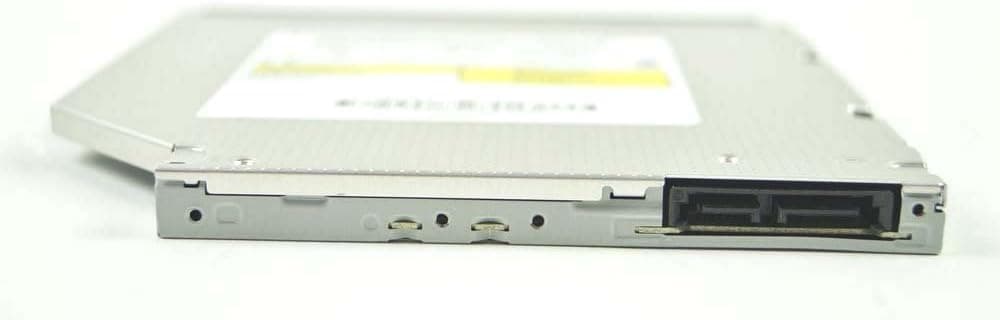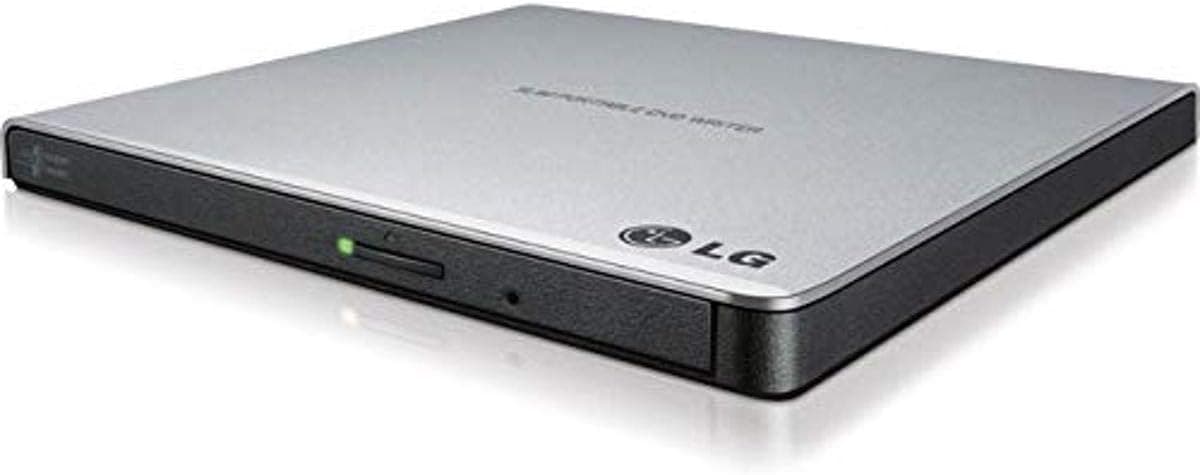
The LG GP65NS60 DVD-Writer - 1 x 小売パック - シルバー is a slim USB 2.0 external DVD writer aimed at one job: adding DVD/CD read-write capability to a laptop that no longer ships with an optical drive.
This article goes beyond the spec sheet into what the write speeds actually mean, how the USB 2.0 interface affects real use, and where buyers most often regret the purchase.
Overview
The LG GP65NS60 is a slim external DVD writer with a silver bezel, connecting via USB 2.0 for easy addition to any laptop or desktop.
It writes DVD±R at 8x, DVD±R DL at 6x, DVD-RAM at 5x, and CD-R/CD-RW at 24x, and reads DVD at 8x and CD at 24x — the full set of basics for optical media.
The honest verdict: this suits people who touch a disc a few times a month at most. Installing legacy software, ripping a photo CD from a relative, playing a rented DVD, pulling data off an old backup disc.
For that, the performance is plenty, and bus power means no AC adapter to manage. Anyone who needs Blu-ray, or burns discs daily in volume, should look elsewhere from the start.
Amazon.co.jp reviews stood at 69 ratings and 4.4 out of 5 (roughly 88% positive) as of the September 2026 capture.
That is a modest sample, but external optical drives are a category where "not recognized" and "stalls mid-burn" complaints are common, so holding 4.4 is a genuine point in its favor.
Included CyberLink software allows immediate burning and playback, though the manual may not be in Japanese. The compact, lightweight design makes it portable, and the silver finish matches most PC setups.
Compatibility Guide
The interface is USB 2.0 and works with the USB-A port on nearly any PC; USB 3.0/3.2 ports run it in backward-compatible mode.
Power comes from the USB bus, so no AC adapter is required. Windows and macOS are both supported, but the bundled software is Windows-only — on a Mac you burn with the standard Disk Utility.
Supported media covers DVD+R/RW, DVD-R/RW, DVD+R DL, DVD-R DL, DVD-RAM, and CD-R/RW, including playback of commercial DVD video and audio CDs. Blu-ray (BD-R, BD-RE, UHD BD) is not supported at all.
That line cannot be crossed with firmware or software, so if BD media is even a possibility, choose a different class of drive.
| Common pitfall | Symptom | Fix |
|---|---|---|
| Connected through a hub | Not detected, or burn errors | Plug into a port on the PC itself |
| Insufficient power | Spins up but won't read | Try another port, or a Y-cable |
| USB-C-only laptop | No port to plug into | A USB-A to USB-C adapter is needed |
| Aggressive power saving | Disappears after sleep | Disable USB selective suspend |
Bus-powered drives draw current in bursts as the spindle and laser engage, which is why monitor-built-in hubs and unpowered USB hubs cause trouble. Many current laptops have dropped USB-A entirely, so check your ports before buying.
As for speed, 8x DVD writing means roughly ten minutes for a single-layer 4.7GB disc.
USB 2.0's 480Mbps is comfortably above the ~11MB/s that 8x burning needs, so the ceiling here is the drive mechanism, not the cable.
The interface does become the limit when you rip large amounts of data off a disc to the PC.
Product Details
Released around 2015, it is still available from online retailers. Accessories include a USB cable, CyberLink software CD, and quick start guide, with the standard one-year warranty.
| Item | Value |
|---|---|
| Interface | USB 2.0 |
| DVD+R / DVD-R write | 8x |
| DVD+R DL / DVD-R DL write | 6x |
| DVD+RW write | 8x |
| DVD-RW write | 6x |
| DVD-RAM write | 5x |
| CD-R / CD-RW write | 24x |
| Read | DVD 8x / CD 24x |
| Form factor | External slim |
Price deserves a caveat. Amazon.co.jp listed ¥11,950 at the September 2026 capture, which is clearly high for an entry-class USB 2.0 external DVD drive.
A 2015-era product surviving as a marketplace listing often carries a scarcity premium. Optical drive pricing moves a lot, so check the current price on the product page and compare it against current-generation equivalents before buying.
The eBay entry is a search link only, with no fixed price captured.
Market position is entry-mid tier. It lacks Blu-ray support, but the narrow feature set keeps the mechanism simple.
The slim silver design suits business and home users.
How It Compares
LG's own GP60NS60 is an 8x USB 2.0 slim external DVD-RW in a silver shell too — practically a sibling.
If you are weighing those two, buy whichever is cheaper on the day.
On a desktop with a free 5.25-inch bay, an internal SATA drive is the better deal: internal units commonly write at 24x class speeds and get stable power from the PSU.
Pick external only if you have no bay, share the drive across machines, or carry it around.
If Blu-ray or UHD BD is on your horizon, the category changes entirely. A USB 3.x BD drive handles DVD burning as a matter of course, so buying a DVD-only unit while BD is still a maybe usually means buying twice.
In Practice
An optical drive is the classic low-frequency, high-stakes accessory: rarely used, but nothing substitutes for it on the day a disc arrives. Government CD-Rs, old installer discs, DVD-RAM burned by a camcorder.
The 5x DVD-RAM support is unglamorous but matters if recorder-era media is in your life.
Because it sits idle for months, test it once right after purchase. Burn a single DVD-R and confirm another PC can read it — that way a dead-on-arrival unit surfaces now, not on the day you actually need it.
Best Use Cases
- Owners of laptops with no optical drive: Most new laptops omit them. Plug this in over USB and DVD/CD reading and writing come back, which covers data backup and software installation. Not an option if you need Blu-ray.
- Light users, a few discs a month: The narrowed feature set keeps it simple, and 8x/24x speeds are fine for everyday work. Volume burners will find it slow.
- People sharing one drive across several PCs: One cable, bus powered, no adapter — easy to move between desks. The silver bezel blends with most setups; choose another model if you want black.
Before You Buy
Price is the biggest issue. The ¥11,950 shown at the September 2026 capture is above the usual range for a USB 2.0 DVD-only external drive, and similar money may reach a USB 3.x Blu-ray unit.
Decide first whether you truly will never need BD, then look at the price.
No Blu-ray, ever. This is a DVD-class drive; BD-R, BD-RE, and UHD BD are outside its capability.
If there is any chance you will need BD later, the BD drive is cheaper overall.
USB-A is required. Thin laptops and MacBooks are often USB-C only, and adapters or hubs invite the power instability described above.
A self-powered hub is the safer route.
The bundled software is Windows-only. macOS burns through Disk Utility, but CyberLink authoring and commercial DVD video playback are not included; budget for separate playback software on a Mac.
Remember it is a 2015-era product. Long-tail listings can mean shelf-aged stock or non-standard sellers.
Amazon listing metadata — manufacturer, seller, model number — sometimes carries details belonging to a different product. Check the product image and title yourself and confirm you are ordering the silver slim external DVD drive.
FAQ
Q. Can it read Blu-ray discs?
A. No. Media support ends at DVD±R/RW, DVD±R DL, DVD-RAM, and CD-R/RW.
Q. Is USB 2.0 a bottleneck for burning? A.
Not for burning — 480Mbps exceeds what 8x DVD writing needs, so expect about ten minutes for a 4.7GB single-layer disc.
It does limit bulk ripping to the PC.
Q. Do I need an AC adapter?
A. No, it runs on USB bus power. Plug it into a port on the PC itself for stability.
Q. Does it work on a Mac?
A. Yes, using macOS Disk Utility for burning. The bundled CyberLink software is Windows-only.
Q. Can it play commercial DVD video? A.
The drive reads them; playback requires compatible software, which you may need to supply separately.
Q. Does it handle DVD-RAM?
A. Yes, writing at 5x — useful for camcorder and recorder-era media.
Product Disclosure (Amazon)
- Manufacturer: LG
- Seller: ここね
- Fulfilled by: ここね
- ASIN: B00RKMNHKG
- Note: This article covers a manufacturer-made product based on Amazon listing details.