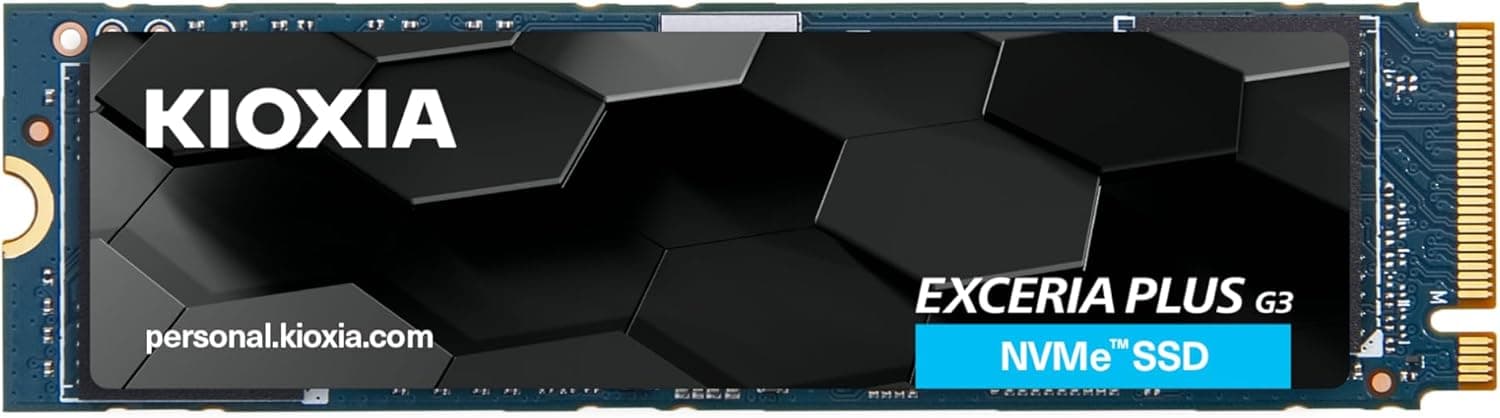
This article covers the KIOXIA EXCERIA PRO NVMe SSD M.2 2280 1TB — High-performance PCIe 4.0 storage for gamers.
It walks through how to read the specs, compatibility, heat, and lifespan.
Overview
The KIOXIA EXCERIA PRO NVMe SSD M.2 2280 1TB is a high-end internal SSD from KIOXIA, a company with roots in Toshiba Memory.
It launched in July 2021 and connects over PCI Express 4.0 x4.
Rated figures are up to 7,300MB/s sequential read, 6,400MB/s sequential write, and 800,000 IOPS random read, which put it in the upper tier of PCIe 4.0 drives.
In short, if you have a desktop with a PCIe 4.0 M.2 slot, it is still plenty fast as a system or game drive.
Under the hood are a Phison E18 controller and KIOXIA's own BiCS FLASH 3D TLC NAND (112-layer). The 1TB model also has 1GB of DRAM cache.
The Phison E18 was a common controller in high-end Gen4 SSDs of its era. The DRAM cache helps the drive keep its speed during heavy random access and long workloads.
The NAND and controller largely decide how an SSD behaves, and many drives from other brands use the same pairing, so this one is easy to compare.
The drive is no longer new, though. By 2026 the ways it is sold and its pricing differ from launch.
This article looks at performance and also at whether it still makes sense to buy today.
Reading the Specs
| Item | Value | What it means |
|---|---|---|
| Interface | PCIe 4.0 x4 / NVMe 1.4 | Works in PCIe 3.0 slots, capped near 3,500MB/s |
| Capacity | 1TB | Roughly an OS plus a handful of large games |
| NAND | BiCS FLASH 3D TLC, 112-layer | Better write endurance and sustained speed than QLC |
| Controller | Phison E18 | A standard choice for high-end Gen4 SSDs |
| DRAM cache | 1GB | The usual ratio for 1TB |
| Read / Write | Up to 7,300MB/s / up to 6,400MB/s | Both are rated maximums |
| Random read | Up to 800,000 IOPS | No random write figure in the data provided |
| TBW | 400TB | Total writes covered by the warranty |
Every number above is a best-case maximum. Sequential speed matters when you install games or copy large video files.
How fast the OS boots and apps open depends more on random access and latency. So moving from a fast PCIe 3.0 SSD will not feel twice as fast, even though the numbers roughly double.
TLC NAND plus a DRAM cache is what separates this drive from cheap DRAM-less or QLC SSDs. You notice the difference in how far speed drops during long writes and in how stable the drive stays over years of use.
Compatibility Guide
The EXCERIA PRO uses the M.2 2280 form factor, supports NVMe 1.4, and connects over PCI Express 4.0 x4.
It also works in PCIe 3.0 slots, but speed tops out around 3,500MB/s.
- Does the M.2 slot support NVMe (PCIe)? Some older motherboards and notebooks have M.2 slots that only support SATA. The drive will not be detected in those.
- Is the slot PCIe 4.0 or 3.0? On many boards, the slot wired to the CPU runs at Gen4 and the one wired through the chipset runs at Gen3. Use a Gen4 slot to get the full 7,300MB/s.
- Does the CPU support it? PCIe 4.0 needs support from both the CPU and the motherboard. Some CPUs on the same socket run the slot at Gen3, so check the per-slot specs in your motherboard manual.
- Is bandwidth shared? On some boards, using a particular M.2 slot turns off certain SATA ports or PCIe slots. Watch out if you run many hard drives.
- Will it fit? You need a 2280 slot (22mm wide, 80mm long). Some thin notebooks and compact PCs only take 2230 or 2242 drives.
In a notebook, check thickness as well as length. Thin machines have little room around the M.2 slot, and thermal pads or other parts can decide whether the drive fits.
The drive also works as PS5 expansion storage. It has no heatsink, so you need to add one.
The PS5 limits the total height with a heatsink attached, so choose a heatsink sold as PS5-compatible.
Heat and Cooling
Gen4 SSDs with the Phison E18 tend to run hot under sustained load. This drive ships as a bare board with no heatsink.
During long, heavy writes it may get hot enough to slow itself down (thermal throttling).
Many current mid-range and higher motherboards include an M.2 heatsink (M.2 shield).
If yours does, the included heatsink and thermal pad are enough. If the slot has no heatsink or your case has weak airflow, adding an aftermarket M.2 heatsink is a safe choice.
Short loads like game loading rarely cause trouble. The more often you export video or copy large batches of files, the more cooling matters.
TBW and Lifespan
The drive is rated for 400TB TBW (Total Bytes Written). The dataset's endurance estimate of about 1.1 years assumes 1TB of writes every day.
That is an extreme case and not a useful guide for normal use.
Here is the same 400TB with other assumptions. At 50GB of writes a day it lasts about 8,000 days (around 22 years), and at 100GB a day about 4,000 days (around 11 years).
To use up the TBW within the 5-year warranty, you would need to write about 219GB every day. Game installs and everyday use almost never get close.
If you use it as a video-editing cache that takes hundreds of gigabytes a day, though, the TBW limit is worth watching.
Product Info
As of June 1, 2026, the Amazon.co.jp listing (ASIN: B09MJN35SL) showed ¥48,762.
That listing is sold and shipped by ReAL, a marketplace seller, so the price is not the same kind as a manufacturer or major retailer price. Older models often have less stock in circulation, and marketplace prices can climb.
Do not treat this figure as the going rate for a 1TB Gen4 SSD. Prices change often with sales and stock, so check the current listing before you buy.
For reference, an eBay US listing showed $249.00 as of July 15, 2026.
Here too, the seller, whether the drive is new or used, and shipping can change what you actually pay.
As of June 1, 2026, the Amazon.co.Check the retailer's page for the latest user reviews.
That is not a large number of reviews, but the rating is high. The manufacturer warranty lasts 5 years or until 400TB TBW is reached, whichever comes first.
If you buy through a marketplace seller, also check the seller's warranty terms.
At launch, the EXCERIA PRO was one of the fastest PCIe 4.0 drives.
Newer generations have since arrived, so it has shifted from a drive you pick for top speed to a proven Gen4 drive with a known configuration.
Comparison with Competitors
At launch its direct rivals were the Samsung 980 PRO and the WD SN850 series. All are PCIe 4.0 x4 drives rated for around 7,000MB/s reads.
| Factor | What to check |
|---|---|
| Price | Current price at the same capacity; older models often cost more from marketplace sellers |
| Endurance | TBW rating and warranty length |
| Cooling | Whether a heatsink version exists, or your motherboard has cooling |
| Availability | Whether you can buy it new through official channels |
Other brands also sell drives that pair a Phison E18 with KIOXIA BiCS NAND, and you can expect them to perform much the same. Those are sometimes easier to find and cheaper.
Compare by configuration and pick whichever offers the better price and warranty. Random performance and firmware maturity results can swap order depending on test conditions, so we do not rank them here.
Best Use Cases
- Gamers with a PCIe 4.0 desktop: Map loading, level changes, and big game installs get faster. Games that support DirectStorage benefit even more from a fast NVMe SSD.
- Video editors and photographers: As a working drive for 4K footage or large RAW libraries, the 6,400MB/s write rating and DRAM cache cut export and import waits.
- Anyone who wants a faster system drive: The TLC and DRAM design makes it a steady main drive for the OS and apps. Coming from a SATA SSD or HDD, faster boots and app launches will be obvious.
- Buyers who want a drive with a known configuration: The controller, NAND, and DRAM are public, and many drives share the same setup, so performance is easy to predict.
Things to Consider
On PCIe 3.0 you get roughly half the performance. A PCIe 3.0 slot caps it near 3,500MB/s.
If the drive is going into a PCIe 3.0 PC, you will not get your money's worth from a high-end Gen4 model, and a PCIe 3.0 SSD or a cheaper Gen4 drive is better value.
If you plan to move to a Gen4 motherboard soon, buying ahead can still make sense.
No heatsink is included. If your motherboard has no M.2 heatsink or your case airflow is weak, get one separately.
For the PS5 a heatsink is required.
The listed price may not be the market rate. The Amazon.co.jp price at capture time came from a marketplace seller and is high for a 1TB SSD.
Similar Gen4 drives can cost much less, so unless you need this exact model, compare first. Price and warranty handling can also differ between sellers on the same ASIN.
Watch the TBW if you write a lot. 400TB is plenty for typical use.
For a cache or recording drive that takes hundreds of gigabytes a day, a drive with a higher TBW is safer.
If you want the fastest drive, check the generation. It was top tier at launch, but faster drives now exist, including PCIe 5.0 models.
Those need a compatible motherboard and run hotter. For gaming the real-world difference is often small, and Gen4 is enough for many people.
Also, marketplace listings sometimes mix in images or descriptions from other capacities or models. Before you buy, check the images and title to confirm it is the EXCERIA PRO 1TB, and do not confuse it with other series that also use the EXCERIA name.
FAQ
Q. Does it work on a PCIe 3.0 motherboard? A.
Yes, but speed is limited to around 3,500MB/s. Detection and normal operation are not affected.
Q. Can I use it as PS5 expansion storage? A.
Yes. Its rated read speed is above the 5,500MB/s Sony recommends.
It has no heatsink, though, so add one that fits the PS5's M.2 bay.
Q. Do I have to add a heatsink? A.
In a PC, the M.2 heatsink that comes with your motherboard is often enough.
If the slot has no cooling and you run long writes, adding one is recommended.
Q. Is 400TB TBW enough? A.
At 50GB of writes per day it works out to about 22 years. With typical use you are very unlikely to reach the TBW before the 5-year warranty ends.
Q. Can I install it in a notebook? A.
Yes, if the notebook has an M.2 2280 NVMe (PCIe) slot.
It will not work in machines that only fit 2230 or 2242 drives or that have SATA-only slots, so check the maker's specs first.
Product Disclosure (Amazon)
- Manufacturer: KIOXIA
- Seller: ReAL
- Fulfilled by: ReAL
- ASIN: B09MJN35SL
- Note: This article covers a manufacturer-made product based on Amazon listing details.