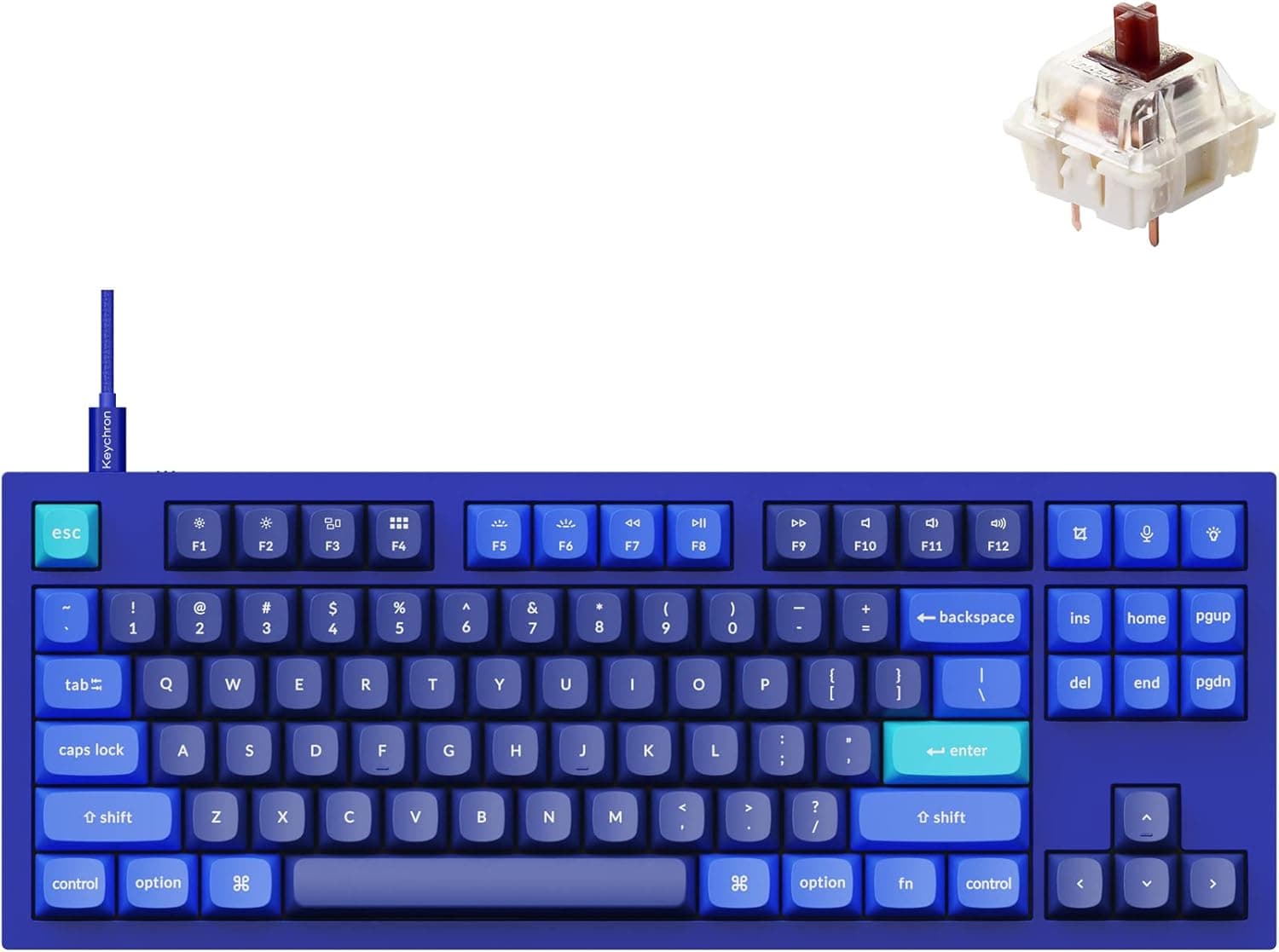
This article examines the Keychron Q3 QMK using its published specifications along with the captured pricing and review data, focusing on what it does well and what you have to give up.
Overview
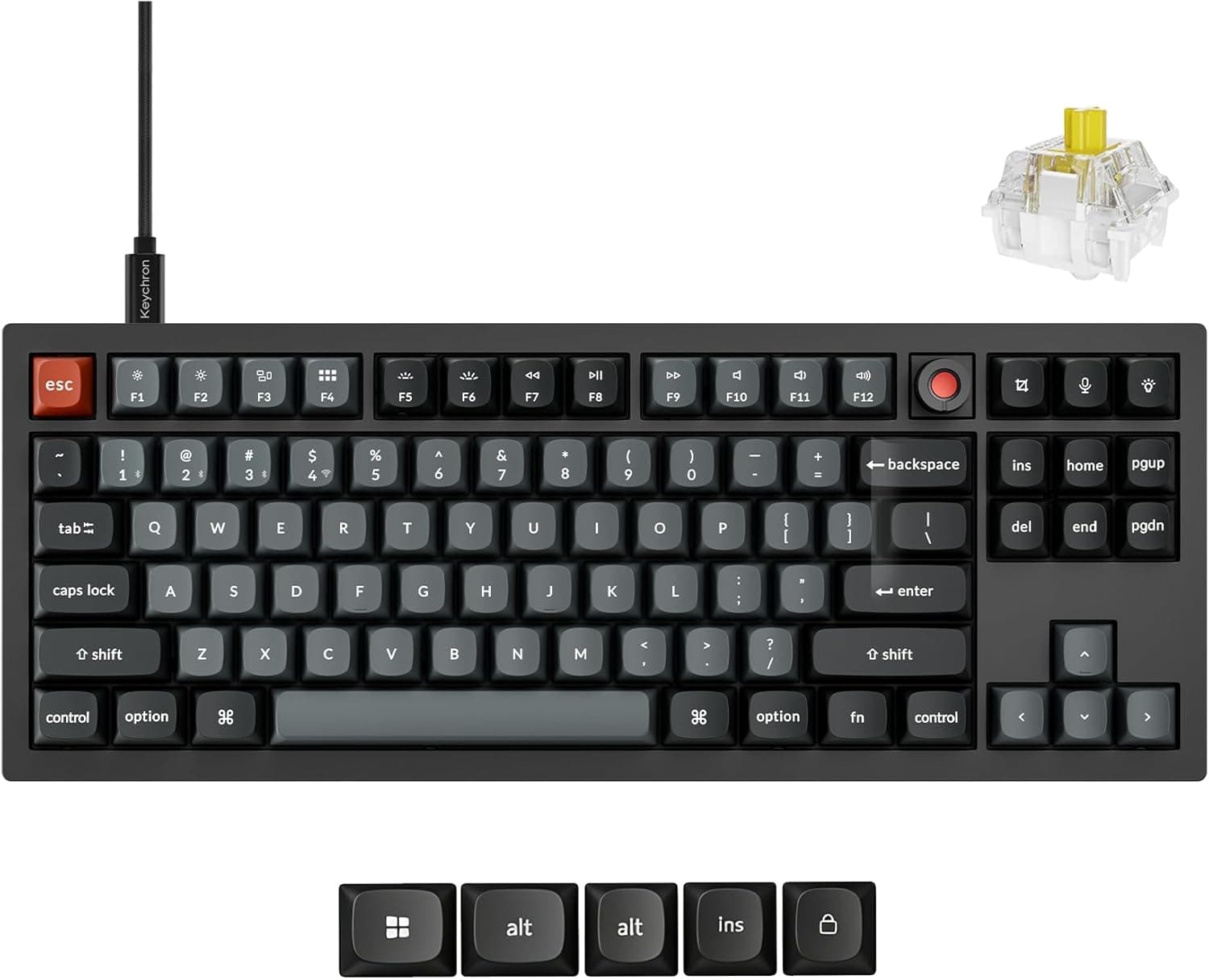
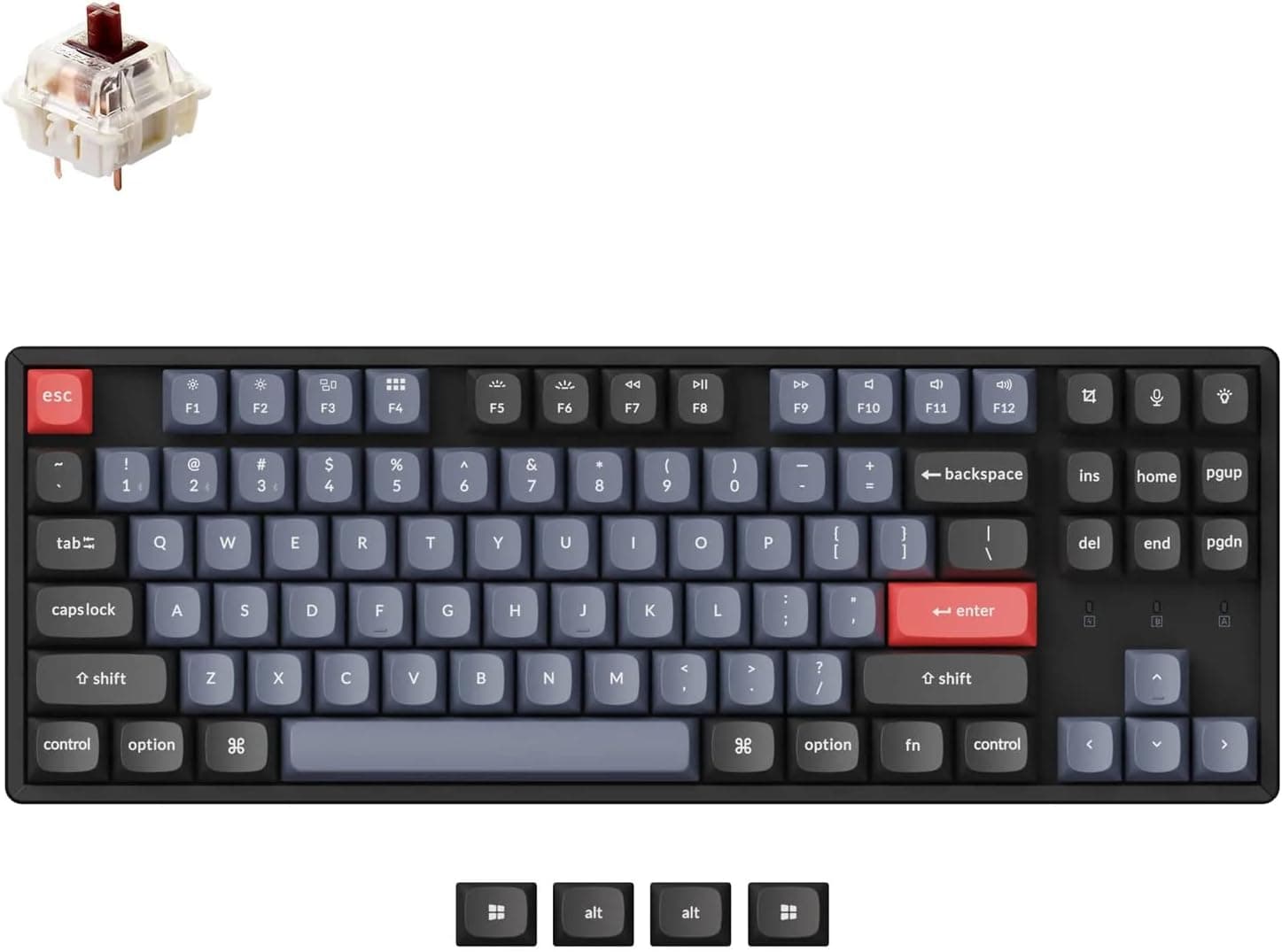
The Keychron Q3 QMK is a tenkeyless (TKL) custom mechanical keyboard built around a full-aluminum CNC-machined case. Its core value is simple: it arrives fully assembled, yet it is designed from the start to be modified.
QMK and VIA give you complete control over the keymap, and the hot-swap PCB lets you change switches without a soldering iron.
It ships with Gateron G Pro Brown (tactile) switches. The hot-swap sockets accept MX-style 3-pin and 5-pin switches, and the double-gasket construction tames the metallic ring that aluminum cases often produce.
The south-facing RGB LEDs sit where they clear Cherry-profile keycaps. It works with Windows, macOS, and Linux.
This board suits people who treat a keyboard as a tool to keep tuning rather than a consumable. It does not suit people who need wireless, require a Japanese JIS layout, or carry a keyboard between locations.
At 365 x 137 x 35 mm it frees roughly 70-80 mm of desk width compared with a full-size board, but 35 mm of height feels thicker in practice than the number suggests.
Compatibility Guide
Connectivity is USB-C wired only. The cable is detachable and a USB-A to USB-C cable is included.
There is no Bluetooth and no 2.4 GHz receiver, so pairing with a tablet or console is off the table.
If your PC only has USB-C ports, a separate USB-C to USB-C cable makes cable routing cleaner.
Windows, macOS, and Linux are all supported. VIA lets you remap keys in real time and build layers and macros.
Modifier order for Mac versus Windows is handled through layer switching; check the included manual for the exact procedure, since it can differ by configuration and firmware revision. One practical benefit: QMK stores the configuration on the keyboard itself, so on locked-down work machines where you cannot install resident software, your layout travels with the board once it is flashed.
Switch compatibility is the heart of this product. Both MX-style 3-pin (plate-mount) and 5-pin (PCB-mount) switches fit, covering most retail mechanical switches from Cherry, Kailh, Gateron, and others.
Low-profile switches such as Kailh Choc, optical switches, and capacitive switches will not fit. If your plan is to make the board slimmer later with low-profile switches, that plan does not work here.
The most common physical problem is the desk, not the PC. This is a 35 mm tall, 137 mm deep block of aluminum, so sliding keyboard trays may leave too little room in front of it.
The solid aluminum body also makes it heavy for a TKL, which is both a strength (it does not shift while typing) and a nuisance (moving and cleaning take effort). Check the exact weight on the product page.
Product Info
rmation
Key specifications: tenkeyless (TKL) layout, Gateron G Pro Brown (tactile) switches, full-aluminum CNC-machined case, 365 x 137 x 35 mm, USB-C wired connection, QMK/VIA firmware, south-facing RGB backlighting, and hot-swap support for MX-compatible 3-pin and 5-pin switches. The keycaps are Cherry-profile PBT double-shot, so legends resist wear and the surface resists shine over time.
On pricing, Amazon.co.jp showed ¥27,151 as captured in August 2026, and eBay US showed $91.01 as captured in July 2026.
Both are point-in-time figures that move with sales and stock. The eBay figure is less than half the Japanese price, which should make you suspicious: the listing may be a barebones kit (no switches or keycaps), a used unit, or a different configuration.
Confirm on the listing whether it is fully assembled and whether switches and keycaps are included, then compare against the domestic price including shipping, duties, and warranty coverage.
Reviews on Amazon.co.Check the retailer's page for the latest user reviews.
A perfect score looks great, but eight reviews is a small sample. It tells you no one has posted a serious complaint; it does not tell you quality is statistically proven.
Custom boards like this simply do not accumulate reviews the way mass-market keyboards do, so a low count is not itself a red flag — just do not overweight the score.
The Q3 launched in late 2021 as part of Keychron's high-end Q series. Accessories include a USB cable, keycap puller, switch puller, hex key, and spare gasket strips.
Several color options exist, and configurations can differ depending on whether a rotary knob is included, so confirm exactly which variant you are ordering.
How It Compares
In its price band, the Keychron Q3 QMK's advantage is packaging CNC aluminum, gasket mounting, and QMK/VIA into a product you can buy finished. Assembling the same feature set yourself means sourcing case, PCB, plate, switches, and keycaps separately and absorbing the build effort and the risk of getting it wrong.
If that process is not the part you enjoy, buying it pre-built is a reasonable trade.
Meanwhile, magnetic Hall-effect keyboards with rapid trigger are increasingly common at similar prices. If raw FPS responsiveness is your priority, those match the goal better.
What this board does well is long typing sessions, sound tuning, and long-term modifiability — not the fastest possible actuation for competitive play. Confusing the two is the main path to disappointment.
Living With It
Use it stock for the first week and decide whether the Gateron G Pro Brown tactility and sound suit you. If not, change only the switches: silent tactiles (for example, silent switches in the 50gf range) if you want it quieter, pre-lubed linears if you want smoothness.
Because it is hot-swap, you pull and insert with the included puller — swapping all 87-odd keys takes about half an hour.
Grow the keymap gradually in VIA. Build an elaborate layer scheme on day one and you will not remember it.
Start with one or two changes — Caps Lock to Ctrl or Esc, an unused key near the bottom right for input switching — and add more only when something annoys you.
Recommended Users
First, people investing in typing feel and build quality. The rigidity of machined aluminum combined with the give of a gasket mount keeps long sessions from feeling harsh.
Second, programmers and writers who want to shape the layout: QMK/VIA let you assign macros, shortcuts, and layer toggles to any key.
Third, people curious about custom keyboards who do not want to solder. Being pre-built with hot-swap sockets means you can try the single highest-impact modification safely.
Fourth, owners of several mechanical boards who want a platform for testing switches, since MX-style 3-pin and 5-pin switches drop straight in. The south-facing RGB LEDs also appeal to anyone who cares about lighting.
Before You Buy
The biggest trade-off is the lack of wireless. It is USB-C wired only, with no battery.
That is fine for a fixed desk setup, but wrong for anyone reducing cable clutter or switching between multiple devices. Settle this point first, because it alone rules the board out for many readers.
Next, layout. The Q series is ANSI (US) by default and no JIS layout option is offered.
Japanese input keys have to be reproduced through VIA remapping or OS settings. That is workable, but if you have only ever used JIS, the switching cost is real.
Verify the layout on the product page before ordering.
Weight and height get overlooked. With a solid aluminum body 35 mm tall, treat a wrist rest as effectively mandatory; without one your wrists stay extended and long sessions get tiring.
This is also not a travel board, so sharing one unit between home and office is impractical.
Switch compatibility is another common misunderstanding. Only MX-style 3-pin and 5-pin switches fit — low-profile, optical, and capacitive switches do not.
Hot-swap does not mean anything fits.
Finally, a note on listings.Check the retailer's page for the latest price.
Overseas marketplaces list used units, barebones kits, and alternate configurations under the same product name, and that is where most such gaps come from. Product page metadata (manufacturer, model number, compatibility claims) is also sometimes simply wrong, so judge by the listing images, title, and stated accessories rather than by price alone.
FAQ
Q. Is a Japanese (JIS) layout available? A.
Japanese input switching is handled via VIA remapping or OS settings. Confirm the layout on the product page first.
Q. Which switches can I use? A.
MX-style 3-pin (plate-mount) and 5-pin (PCB-mount) switches, covering most retail mechanicals from Cherry, Kailh, Gateron, and similar brands. Low-profile, optical, and capacitive switches do not fit.
Q. Does it work with a Mac? A.
Modifier arrangement is adjusted through layer switching or VIA remapping; see the included manual for the exact procedure.
Q. Is it quiet? A.
The double-gasket construction suppresses the high-pitched ring typical of aluminum cases, but the stock Gateron G Pro Brown is a tactile switch and is not silent. For maximum quiet, swap in silent tactiles or silent linears.
Q. Is it good for gaming? A.
It handles general PC gaming fine, but there is no analog input or rapid trigger. If competitive FPS responsiveness is the priority, a magnetic Hall-effect keyboard fits that goal better.