Overview
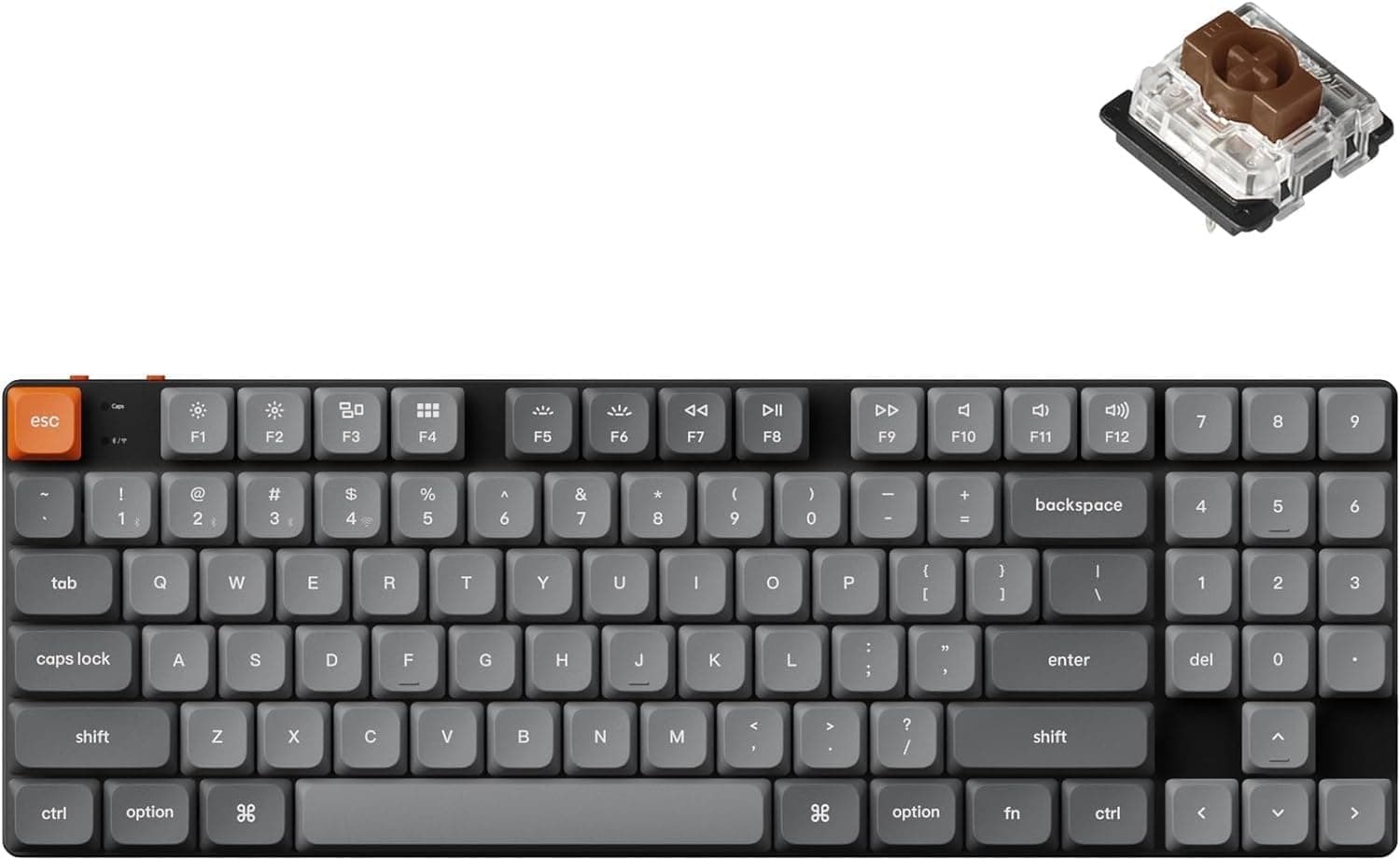
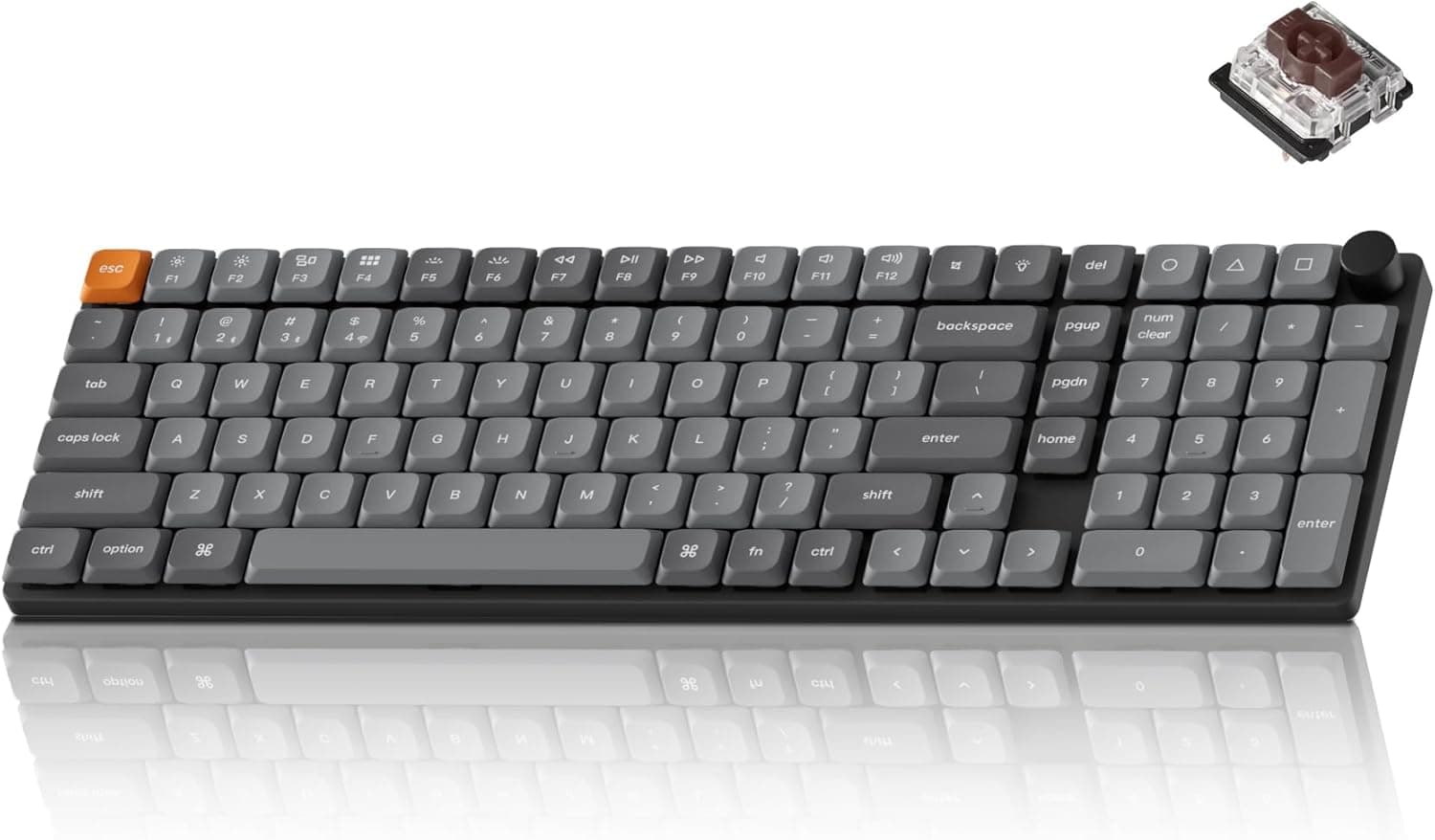
The Keychron K17 Max QMK is a low-profile wireless mechanical keyboard with a 96% layout that keeps the numpad. The short verdict: it is for people who need a numpad but don't want the full width or height of a full-size board. It connects over 2.4GHz (1000Hz), Bluetooth 5.1, or USB-C wired, and you can remap keys and build macros through QMK open-source firmware and the Keychron Launcher web app.
It is not for people who want RGB lighting or who plan to swap in standard-height keycaps.
The chassis uses an aluminum frame, with Gateron low-profile mechanical Red (linear) switches and double-shot PBT keycaps. Keychron describes the switches as roughly 31% thinner than standard switches.
They feel smooth and linear from the first touch to bottom-out. The backlight is single-color white LED, chosen to keep legends readable in a dark room rather than for show.
On Amazon.co.Check the retailer's page for the latest user reviews.
That is a good score, but a small sample, so long-term durability and unit-to-unit consistency are not fully settled yet.
Compatibility Guide
The keyboard works with macOS, Windows, and Linux, and the box includes keycaps for each OS. Mac and Windows place their modifier keys (Command/Option vs.
Windows/Alt) differently, so you swap keycaps to match your main OS and switch the OS mode on the keyboard. Check the included manual for the exact switching method.
| Connection | What you need | Best for |
|---|---|---|
| 2.4GHz (up to 1000Hz) | The included USB receiver and a USB port for it | Gaming, main PC |
| Bluetooth 5.1 (up to 3 devices) | A Bluetooth-capable host | Switching between laptop, tablet, and phone |
| USB-C wired | USB-C cable | Use while charging, writing settings |
There are three common pitfalls. First, the receiver port: laptops with only USB-C ports may need an adapter, so check your ports and the receiver's connector before buying.
Second, Bluetooth keyboards generally don't work before the OS loads, for example in BIOS/UEFI screens. If you may need to change boot settings, keep 2.4GHz or wired mode available.
Third, the configuration tool. Keychron Launcher is a web app and usually expects a Chromium-based browser.
Writing settings over a wired connection is the most reliable option. If your work PC restricts browser device access, write your settings on another PC; they are stored on the keyboard, so you can then carry it over.
Choosing a Connection Mode
The three modes each suit different situations. 2.4GHz supports polling up to 1000Hz and is the one to use for responsive gaming.
Bluetooth 5.1 stores up to three devices and switches between them from the keyboard, which suits moving between a work laptop, an iPad, and a phone.
Bluetooth generally has more latency than 2.4GHz, though, so it is a poor choice for fast action games.
A sensible setup is 2.4GHz for the gaming PC and Bluetooth for the work laptop and tablet.
USB-C wired mode is your fallback when the battery runs out or when the keyboard sits on the desk charging. Battery life varies a lot with backlight use and connection mode, so turning the white LED off or down helps most if you want long wireless sessions.
Living With the 96% Layout and Low-Profile Switches
A 96% layout keeps the numpad but removes the gaps between key clusters to shrink the width. You gain a few centimeters of mouse space, but the arrow keys, numpad, and navigation keys end up tightly packed.
Coming from a full-size board, expect a few days of mistyped arrow and Delete-area keys. Check product images to see whether keys like Insert, Home, and End have their own keys or sit behind Fn.
This is where QMK pays off. You can swap keys you keep hitting by mistake, reassign unused keys, or build layers that trigger macros through Fn.
Being able to fix layout habits in firmware is a real difference from non-QMK boards in this price range.
Low-profile switches have shorter travel and less finger movement, and many people find them less tiring for long typing sessions. The keyboard itself sits low, so many users can rest their wrists without a palm rest.
On the other hand, people who like deep keystrokes and a heavier, thockier sound may find it lacking.
Product Info
| Item | Detail |
|---|---|
| Layout | 96% (with numpad) |
| Connectivity | 2.4GHz / Bluetooth 5.1 / USB-C wired |
| Polling rate (2.4GHz) | 1000Hz |
| Bluetooth devices | Up to 3 |
| Switches | Gateron low-profile mechanical Red (linear) |
| Keycaps | Double-shot PBT |
| Frame | Aluminum |
| Backlight | White LED (single color) |
| Firmware | QMK / Keychron Launcher |
| Supported OS | macOS / Windows / Linux |
The Keychron K17 Max was released in late 2024 and sits in the mid-to-high tier of Keychron's lineup. Its price is backed by QMK/Launcher support, the aluminum frame, double-shot PBT keycaps, and tri-mode connectivity in one package.
The box includes a USB-C cable, a keycap puller, a switch puller, and extra OS-specific keycaps. The manufacturer's standard warranty is listed as one year, but the support contact depends on the seller, so confirm it before you buy.
Prices have moved a lot. On Amazon.co.jp it was ¥25,015 as captured on May 28, 2026 and ¥18,407 as captured on August 27, 2026.
On eBay US it was $134.95 as captured on July 9, 2026.Check the retailer's page for the latest price.
Prices change constantly, so check the product page for the current price.
Comparison With Keychron Siblings and Rivals
Within Keychron's own range, the right model depends on layout and height. If you need a numpad but care more about standard height and freedom to change keycaps, a full-size board like the Keychron K10 Max QMK is the alternative.
If you can drop the numpad and want more mouse space and higher polling, the 80% Keychron K1 Ultra 8K, which advertises 8K polling, is the one to compare.
| What you want | Direction |
|---|---|
| Numpad + low profile + compact | K17 Max (this model) |
| Numpad + standard height + keycap freedom | Full-size, standard-height models |
| No numpad + high polling | 80%/75% 8K-capable models |
| Ultra-high polling for competitive FPS | 8000Hz gaming keyboards |
The Keychron K17 Max QMK stands out because few products fit the first row of that table. People who fit the other rows and pick it just because it is a newer Keychron model are more likely to be unhappy with keycap options or polling rate.
Best Use Cases
- People who type numbers often but lose too much desk space to a full-size board. It suits accounting, data entry, and heavy spreadsheet work.
- People who share one keyboard between a work laptop or tablet and a home gaming PC. Bluetooth for up to three devices plus 2.4GHz for the gaming PC works as-is.
- People who switch between Mac and Windows daily. OS-specific keycaps are included, and QMK lets you rearrange modifiers.
- Casual to mid-level gamers. 1000Hz over 2.4GHz is responsive enough for typical games.
- People whose fingers or wrists tire during long typing sessions. The short travel and low height help.
Before You Buy
The backlight is white only. There is no RGB and no game-synced lighting.
If you buy it expecting a 'glowing keyboard' from the photos, you will be disappointed.
Keycap options are limited. Low-profile switches often use a different stem shape than standard MX-compatible switches, so assume that ordinary aftermarket keycap sets will not fit.
If collecting keycaps to change the look is your goal, choose a standard-height model. This data also does not confirm whether the switches are hot-swappable, so check the product page if you want to change switches.
The 96% layout takes getting used to. The arrow keys and numpad area are packed together, so expect more mistypes right after switching from full-size.
QMK can fix this, but if you don't want to spend time on it, a full-size board will be less frustrating.
For competitive FPS, there are higher-end options. 1000Hz is fine for typical games, but some gaming keyboards advertise 8000Hz.
For players chasing frame-level differences, this is an all-rounder, not a dedicated gaming board.
Check the seller and warranty contact. On Amazon.co.jp the manufacturer is Keychron, but the item is sold and shipped by a third-party store, KING TRADING SHOP.
Before buying, check the listing and seller info to see whether it is an official Japanese-market unit and where to go for defects or warranty claims. The same ASIN has also shown large price swings, so compare prices by capture date.
FAQ
Q. How is 96% different from full-size? A.
Both keep the numpad, but 96% removes the gaps between clusters to cut width. You get more mouse space, but the arrow and navigation keys are packed tightly and take some getting used to.
Q. Is it good for gaming? A.
Over 2.4GHz it polls at up to 1000Hz, which is enough for typical games.
Bluetooth tends to have more latency, so use 2.4GHz or wired for games.
Q. Does it work with an iPad or phone? A.
Yes, over Bluetooth 5.1.
It stores up to three devices and switches between them from the keyboard, which suits using a PC and a tablet together.
Q. Can I use my existing keycaps? A.
Assume standard-height MX-compatible keycaps will not fit as-is. You need keycaps made for low-profile switches.
Q. Is QMK setup hard?
A. The Keychron Launcher web app lets you click a key and assign a new function, with no coding.
Product Disclosure (Amazon)
- Manufacturer: Keychron
- Seller: KING TRADING SHOP
- Fulfilled by: KING TRADING SHOP
- ASIN: B0DCJX5FQQ
- Note: This article covers a manufacturer-made product based on Amazon listing details.