Overview
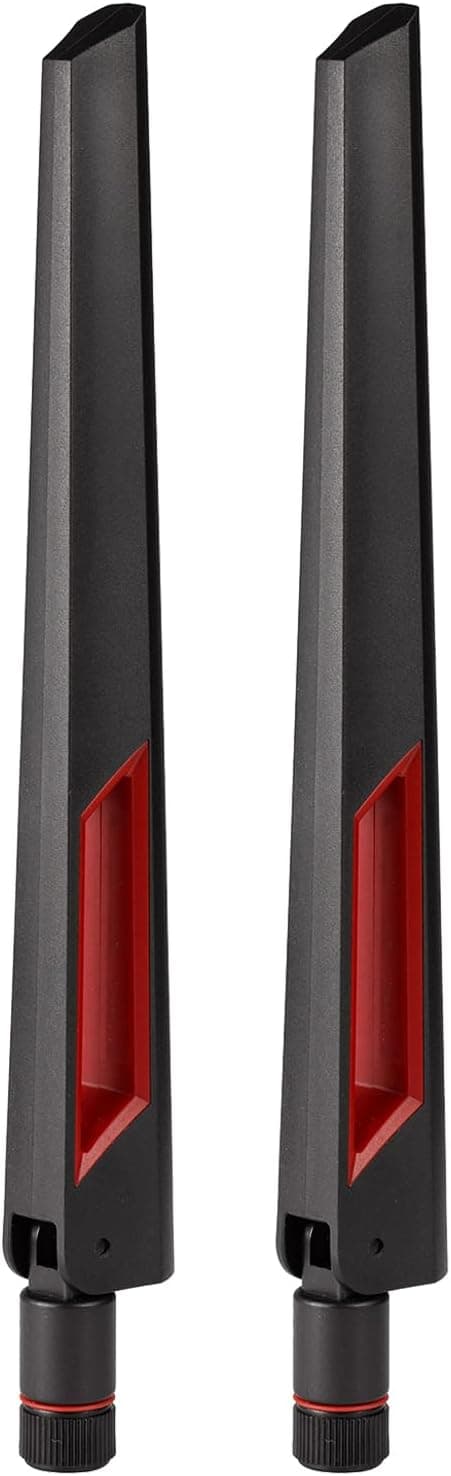
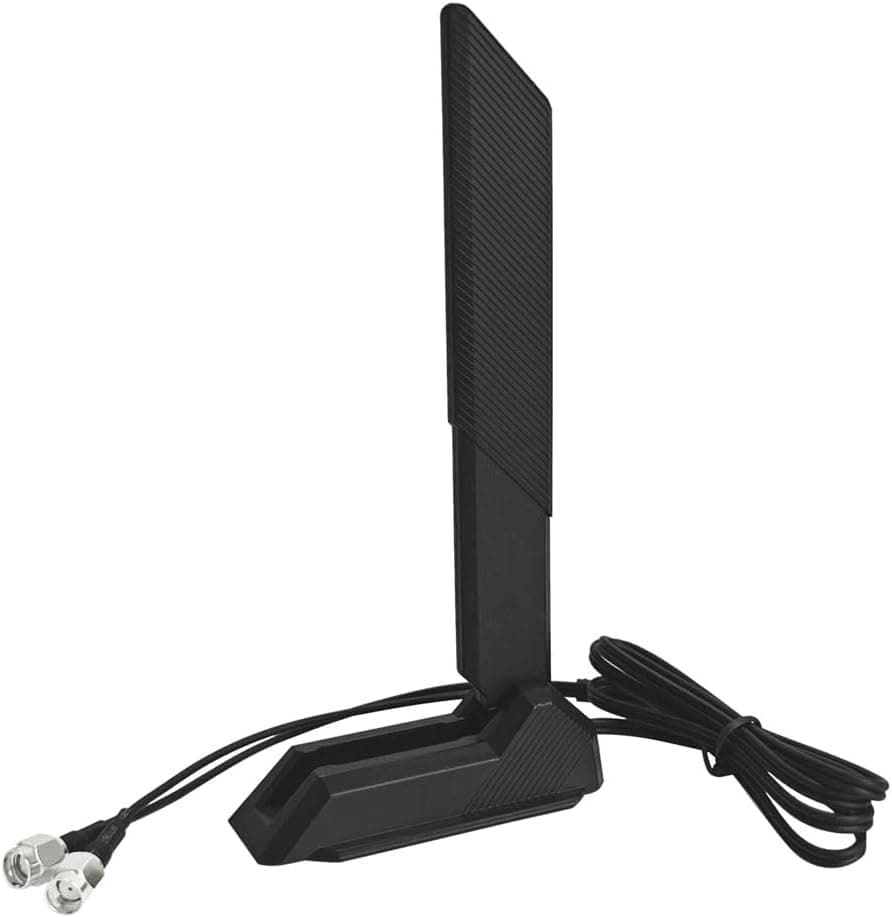
The GinTai WiFi 6E トライバンドアンテナ PC WiFiアンテナ 2.4G (GinTai WiFi 6E Tri-Band Antenna) is an external antenna for desktop PCs.
It covers the 2.4GHz, 5GHz and 6GHz bands.
It has 9dBi gain, an RP-SMA male connector and 50-ohm impedance, plus a magnetic base and a foldable design. You use it in place of the stock antennas that come with motherboards and network cards.
In other words, it upgrades only the antenna part of your Wi-Fi.
The short answer: this antenna helps when your PC's Wi-Fi module already supports WiFi 6E and reception is weak because of where the antenna sits or how it points. Swapping the antenna does not add 6GHz support.
Your PC, your OS and your router all need to support 6E first. When those conditions are met, simply moving the antenna out from behind a metal case and onto the desk with the magnetic base can make a noticeable difference.
The 6GHz band loses more signal through walls and furniture than 2.4GHz or 5GHz, so placement matters a lot.
Moving the antenna higher, or to a spot with a clear line of sight, may stabilize connections in places the stock antenna could not reach well. As of October 2026, the Amazon rating was 4.7 out of 5 from 63 reviews.
That is a small sample, but the rating is high.
How to Read the 9dBi Figure
Antenna gain (dBi) does not amplify the signal. It describes how much the antenna focuses energy in certain directions, compared with an ideal antenna that radiates equally in all directions.
For omnidirectional stick antennas, higher gain generally means a flatter, more horizontal pattern, with weaker coverage straight above and below.
So 9dBi suits reaching a router in a distant room on the same floor. If the router is on the floor directly above, or the access point sits right above or below the PC, the high-gain antenna may actually do worse than a low-gain stock one.
A bigger number is not always better.
An antenna upgrade mainly improves reception sensitivity and stability. It will not fix your internet line speed, a weak router, or interference on a crowded 2.4GHz band.
Compatibility Guide
Connector Type: Don't Confuse RP-SMA with SMA
This antenna has an RP-SMA male connector. Most Wi-Fi motherboards and PCIe wireless cards use RP-SMA female ports, so it screws right on.
However, the nearly identical SMA standard reverses the center pin. If you mix them up, the thread will tighten but there is no electrical connection.
Do not pair this antenna with SMA-only equipment, such as some radios or test gear.
Some recent motherboards also use proprietary push-in antenna connectors instead of threaded ports. Before buying, check your manual or the product page to confirm that the rear I/O uses threaded RP-SMA ports.
Example Models Listed
The listing says the antenna works with desktop motherboards, NUCs and gaming network cards that accept an RP-SMA male connector. It names the ASUS ROG STRIX B660-I, Z590-E, Z690-A and X570-E as examples.
Keep in mind that a matching connector is not the same as 6GHz support. Boards designed before WiFi 6E, such as many from the X570 generation, often carry WiFi 6 modules limited to 2.4GHz and 5GHz.
On those boards this antenna cannot enable 6GHz. It will only help 2.4GHz and 5GHz reception.
What 6GHz Requires
| Requirement | What to check |
|---|---|
| Wi-Fi module | WiFi 6E support, e.g. Intel AX210 (6GHz listed in the specs) |
| OS | Windows 11 is required on Windows; Windows 10 cannot connect on 6GHz |
| Router | WiFi 6E (or newer) with the 6GHz band enabled |
| Antenna | A 6GHz-capable antenna like this one (not enough on its own) |
If any of the first three rows is missing, a tri-band antenna will not connect you to 6GHz. When people say they bought a 6E antenna but no 6GHz network appears, the cause is almost always something other than the antenna.
Number of Ports and What's in the Box
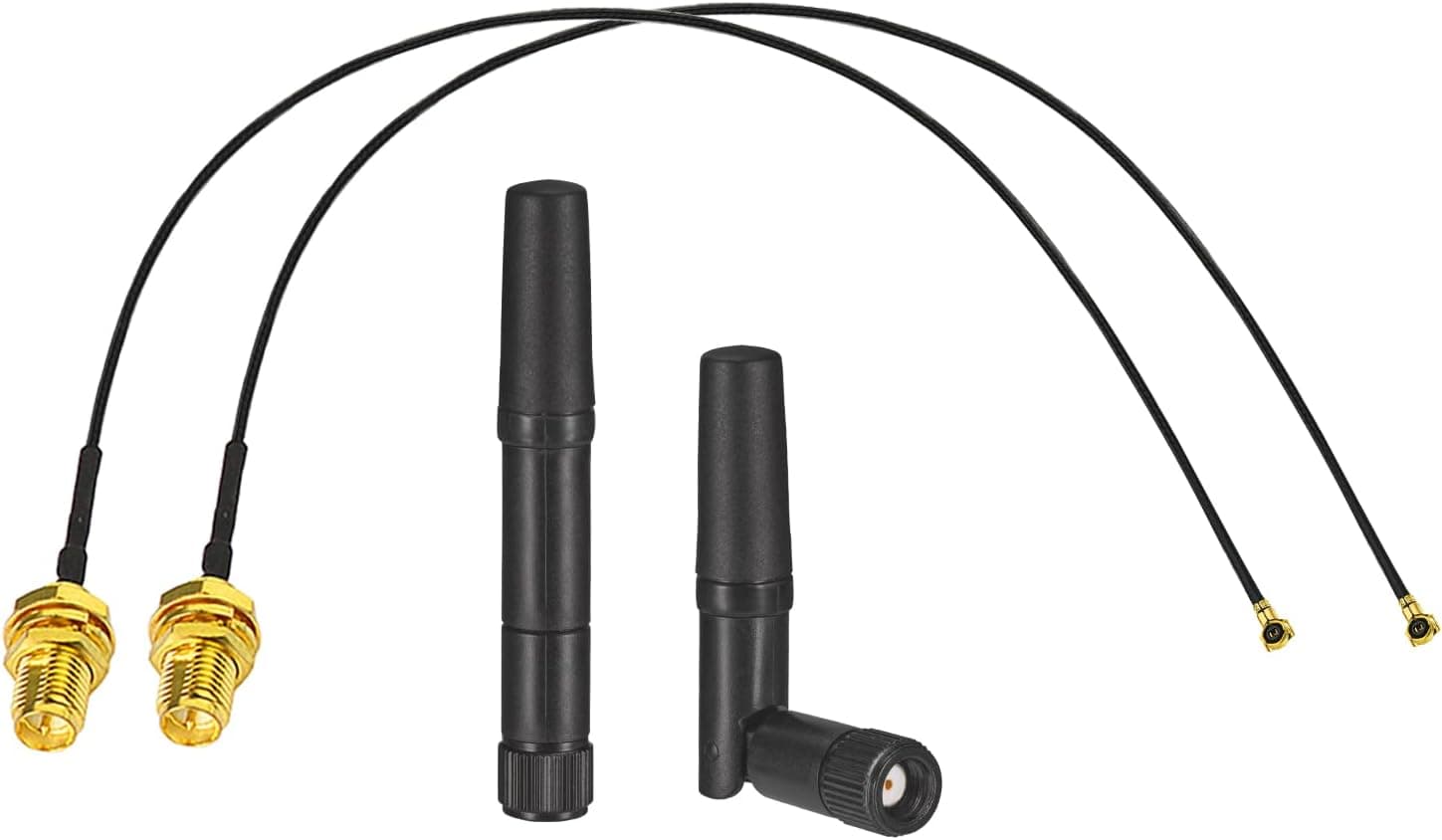
Desktop Wi-Fi modules and PCIe cards usually have two antenna ports for 2x2 MIMO. The listed unit count is 1, but many magnetic-base products combine two antenna elements and two cables in a single base.
Check the product photos and the included-items list to see how many antennas one unit actually means. Connecting only one antenna to a two-port card can limit your speeds.
Product Info
| Item | Detail |
|---|---|
| Brand | GinTai |
| Frequency bands | 2.4GHz / 5GHz / 6GHz (tri-band) |
| Gain | 9dBi |
| Connector | RP-SMA (male) |
| Impedance | 50 ohms |
| Color | Black |
| Unit count | 1 |
As of October 2026, the price on Amazon.co.jp was ¥7,390.
Prices change with sales and stock, so check the product page for the current price. The Amazon rating at the same time was 4.7 out of 5 from 63 reviews.
With so few reviews, a handful of ratings can move the average, so read it with that in mind.
The magnetic base sticks to steel desks or a metal PC case, and the foldable antenna makes it easy to adjust placement. The 50-ohm impedance matches standard wireless LAN equipment, so no adapters are needed.
The spec sheet also lists 25 channels. That is not a standard antenna metric, and the listing does not explain what it means, so don't use it to decide.
This is a replacement accessory for stock antennas. It is not essential if your bundled antenna already works well.
If your antennas are hidden behind the case, though, it is a fairly easy fix to try.
Recommended Users
- Desktop users with a WiFi 6E motherboard or PCIe card and a weak signal: Antennas screwed directly onto the back of the PC get blocked by the metal case and the desk. Moving the antenna to a clear spot on the desk with the magnetic base can help.
- WiFi 6E router owners who want a steadier 6GHz link: 6GHz loses signal quickly, so antenna position and gain make a bigger difference there. It suits setups on the same floor at some distance from the router.
- NUC or small PC owners with external antenna ports: Compact systems often have limited antenna performance. If yours has RP-SMA ports, an external antenna can make up for it.
Before You Buy
The antenna alone does not give you 6GHz. This is the most common misunderstanding.
If your module, OS or router lacks WiFi 6E support, this works only as a high-gain 2.4/5GHz antenna.
For that job, a cheaper dual-band antenna may be enough.
High gain is not a cure-all. A 9dBi omnidirectional antenna is strong horizontally and weaker straight up and down.
In a home where the router is on another floor, it could perform worse than the stock antenna. If reaching another floor is your main goal, moving the router or adding mesh Wi-Fi is the surer fix.
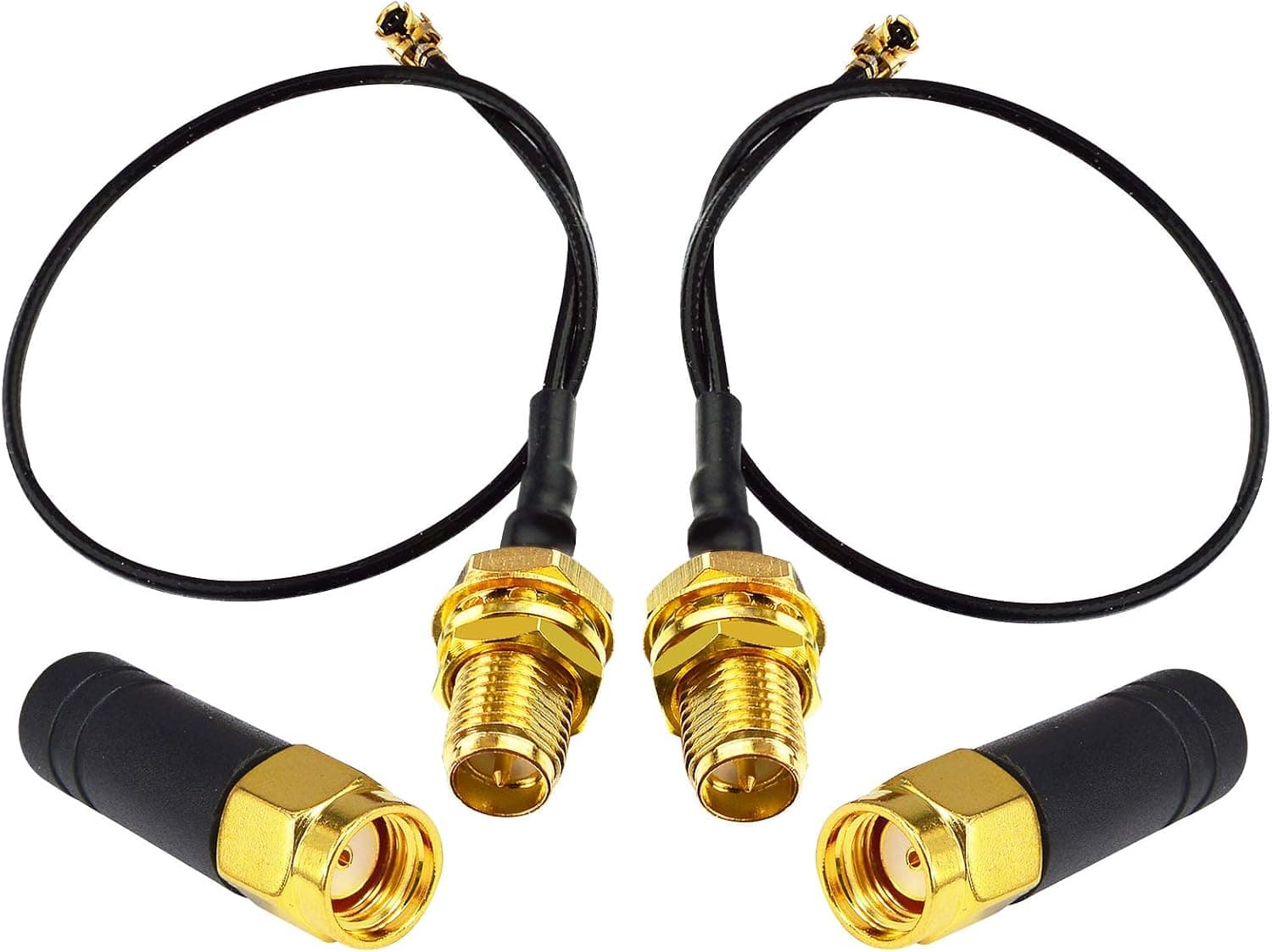
Check cable length and routing. With a magnetic base, cable length decides where the antenna can go.
Cable length is not in our data, so check the product page. You can add RP-SMA extension cables, but longer cables lose more signal, especially at 6GHz, so keep extensions as short as possible.
Radio regulations. In Japan, wireless LAN certification (Giteki) usually covers the device together with its antenna.
Whether a third-party high-gain antenna stays within that certification depends on the device. If this concerns you, ask your motherboard or card maker.
Don't overtighten. Finger-tight is enough for RP-SMA connectors. Using tools can damage the motherboard port or the cable joint.
Not for: people who can run wired Ethernet (nothing beats a cable for latency and stability), laptop users without external antenna ports, or people who already get good speeds and don't want a visible antenna.
Setup Steps
Power off the PC and remove the current antennas from the rear Wi-Fi ports.
Screw on the RP-SMA connectors by hand.
If there are two ports, connect both. 3.
Place the magnetic base where the PC case does not block it and it has a clear view toward the router. A desk is better than the floor.
Start with the antenna vertical, then adjust the angle while watching speed and signal strength.
In Windows network settings, confirm that you are on the band you expect, such as 6GHz.
FAQ
Q. Will this antenna turn a WiFi 6 PC into WiFi 6E? A.
No. The Wi-Fi module itself must support WiFi 6E to use 6GHz.
On a WiFi 6 module, you can only expect better 2.4GHz and 5GHz reception.
Q. Does 6GHz work on Windows 10?
A. No. Windows 10 does not support 6GHz Wi-Fi. You need Windows 11.
Q. Can I use it with a laptop? A.
Most laptops have no external antenna port, so not directly. If you pair it with something like a USB Wi-Fi adapter that has RP-SMA ports, check that the adapter supports it.
Q. Is 9dBi always faster than the stock antenna? A.
Not always. It helps for distant links on the same floor but can hurt links to other floors.
Expect the best results when you combine it with better placement.
Q. Is it okay to use an extension cable?
A. Yes, but longer cables weaken the signal, especially at 6GHz. Use only the length you need.
Product Disclosure (Amazon)
- Manufacturer: Gintai
- Brand: GinTai
- Seller: アウトリガー
- Fulfilled by: アウトリガー
- ASIN: B0BZS5M1ZW
- Note: This article covers a manufacturer-made product based on Amazon listing details.