Overview
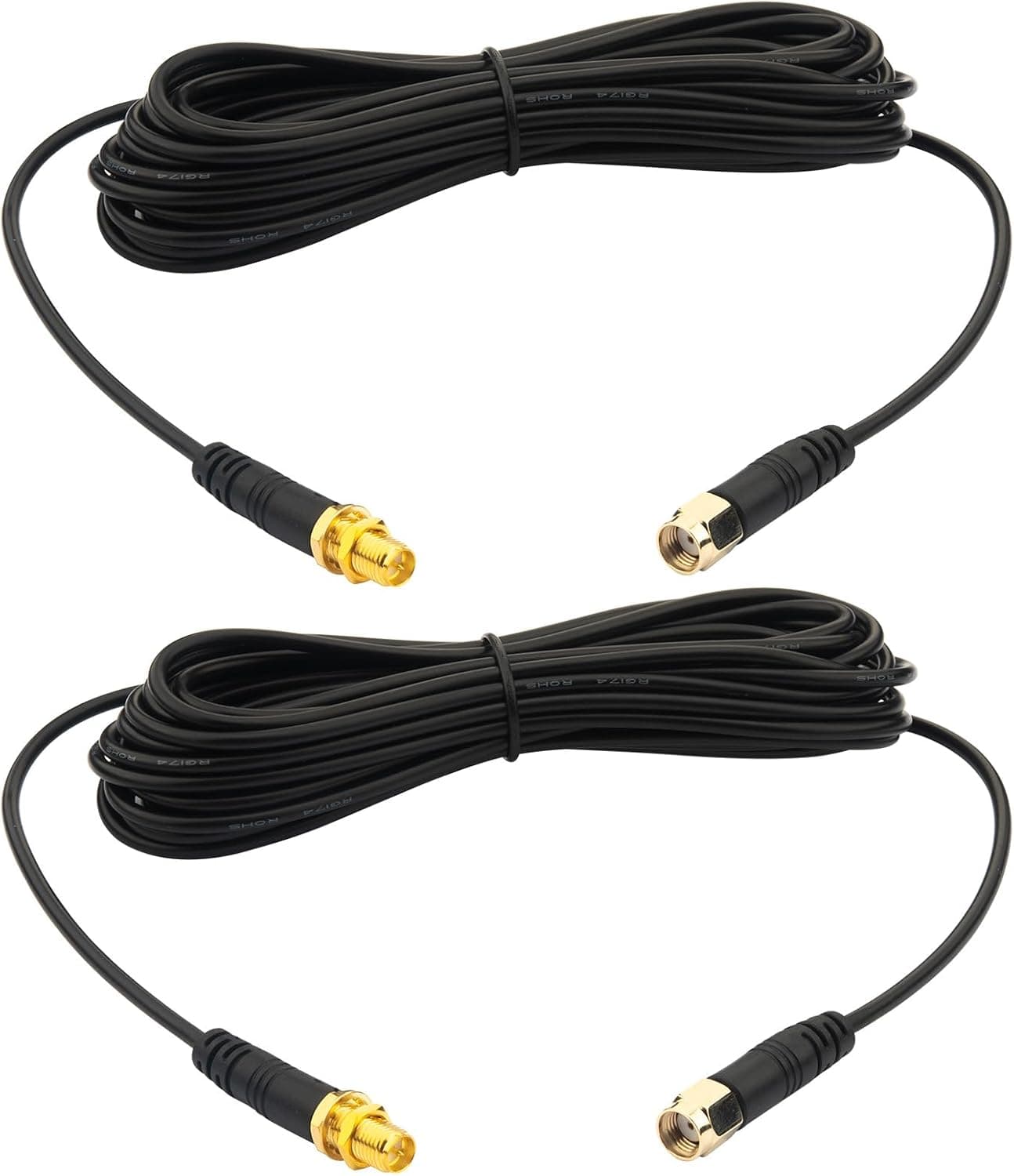
The Kaunosta WiFi Antenna Extension Cable 2-Pack (5m / 16.6 ft, RP-SMA male to RP-SMA female) is a pair of coaxial extension cables for relocating antennas.
The short answer: this is for people who cannot move the device itself but can move its antennas. A router stuck inside a metal rack, an IP camera mounted under an eave, a desktop PC whose Wi-Fi card antennas sit buried under the desk — in every case the antenna position, not the device position, is the problem.
The specs are 5m (16.4 ft) length, 50 ohm impedance, RG174 coaxial cable, heavy-duty molded connectors, and two cables in the box.
The two-pack matters: most routers and PCIe Wi-Fi cards use two or more antennas, and extending only one leaves the pair badly mismatched in position, undermining MIMO spatial diversity.
One honest caveat up front. RG174 is thin and flexible, which makes routing easy, but it is on the lossier end of coaxial cable.
At 2.4GHz and especially 5GHz, five meters of it is not a negligible loss.
Whether you are happy with this product comes down to one question: does the gain from moving the antenna to a better spot exceed the loss of five meters of cable?
Compatibility Guide
This cable works with devices that have RP-SMA female ports: consumer Wi-Fi routers, access points, USB Wi-Fi adapters, the bracket-side connectors of mini PCIe / M.2 wireless cards, and Wi-Fi IP cameras.
It does not work with standard SMA devices, and it is not for TV antennas or TV tuners.
The most common mistake is confusing SMA with RP-SMA. The threads look identical, but the center conductors are swapped.
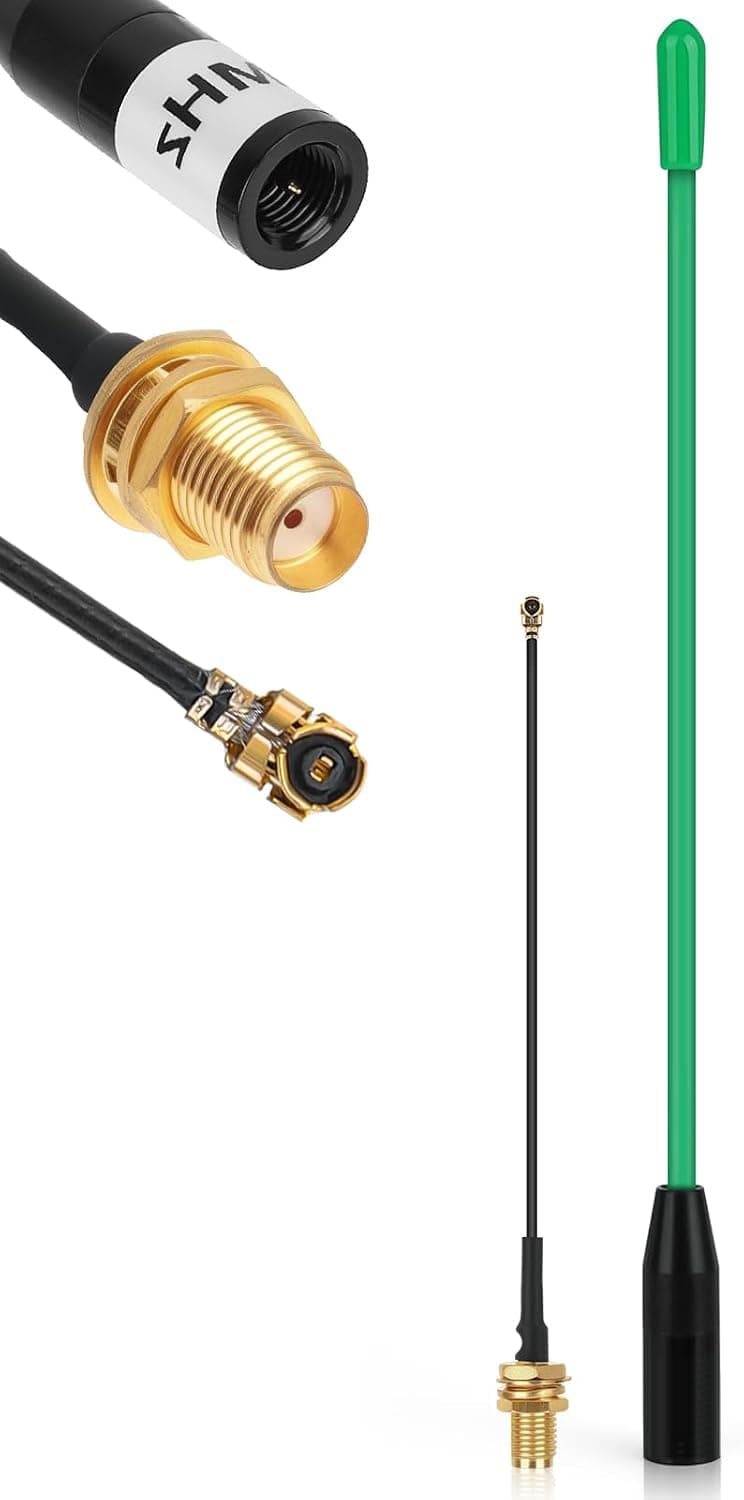
Here, Connector 1 (male) is RP-SMA male with no center pin, and Connector 2 (female) is RP-SMA female with a center pin. Remember that the outer shell and the center are "reversed" and you can identify your gear by eye.
| Connects to | Which end | How to tell |
|---|---|---|
| Device antenna port (router rear panel) | RP-SMA male end | Device side has a center pin (RP-SMA female) |
| Your original antenna | RP-SMA female end | Antenna side has a center hole (RP-SMA male) |
In other words, it inserts between the device and the antenna. Unscrew the antenna, screw the cable's male end into that port, and screw the antenna onto the other end.
Bulkhead mounting is a practical plus: you can drill a panel and secure the female connector with a nut, so the cable's weight does not hang on the connector. Measure the actual threaded barrel before drilling.
The 50 ohm impedance matches Wi-Fi standards. TV coax is 75 ohm; mixing the two causes impedance mismatch and reflection loss.
Do not substitute leftover TV coax from a parts bin — keep everything 50 ohm.
One non-compatible case worth naming: wireless cards inside laptops and mini PCs almost always use tiny IPEX / MHF4 connectors, not RP-SMA. You need an MHF4-to-RP-SMA pigtail first.
Also, no waterproof rating is stated in the given specs, so plan on weatherproofing the connectors yourself for any outdoor run.
Product Info
| Item | Value |
|---|---|
| Connector 1 (male) | RP-SMA male (no center pin) |
| Connector 2 (female) | RP-SMA female (center pin) |
| Cable length | 5m (16.4 ft) |
| Impedance | 50 ohm |
| Cable type | RG174 coaxial |
| Package contents | 2 extension cables |
RG174 is a thin coax, easy to thread through furniture gaps and cable raceways. Thicker LMR-type cable loses less but is stiff and cannot make tight bends behind a router.
RG174 signals a design that prioritizes routing flexibility and accepts loss in exchange — knowing that keeps expectations right.
As captured in September 2026, the price is ¥4,712 on both Amazon JP and Amazon US, roughly ¥2,356 per cable. That places it in the entry-to-mid accessory tier for a 5m two-pack.
Prices for this kind of cable move with sales and stock, so treat this as a snapshot and check the product page for the current figure. The eBay entry is a search link only, with no confirmed price.
Reviews stand at 10 total with a 5.0 average (100%) as of September 2026.
A perfect score on only ten reviews is not statistically strong — read it as "no widespread defect reports," not as proof of quality.
Brand is Kaunosta, ASIN B0FHPGS5GK, sold and shipped by Amazon US. The manufacturer and brand match the product covered here, with no contradiction in the listing data.
How to Use It and What to Expect
Decide with subtraction, not intuition. Coaxial loss rises with frequency, and thin cable like RG174 fares worse at 5GHz than at 2.4GHz.
Check the manufacturer's specification sheet for exact attenuation figures, but understand that five meters is not short at these frequencies.
These uses tend to pay off:
- Getting past one obstruction. The router sits in a metal rack or distribution box and the signal is trapped. Moving the antenna outside the box gains far more than the cable costs.
- From under the desk to on top of it. A desktop PC's rear antennas blocked by furniture and bodies; standing them on the desk restores line of sight.
- Bulkhead mounting on a custom chassis. Fixing a wireless card's antenna properly to a DIY NAS or custom case panel.
Conversely, extending an antenna that already has clear line of sight usually makes things worse, not better. Extension is a tool for routing around obstacles, not a general signal booster.
Also, do not run longer than you need. If only 1.5m is required, coiling the extra 3.5m keeps the loss.
For short runs, a shorter cable is electrically better. Choose this because you need the length.
Alternatives Compared
| Approach | Best when | Downside |
|---|---|---|
| This cable (5m RP-SMA) | Device is fixed, antenna can move | Five meters of cable loss |
| Higher-gain antenna | Position is fine, gain is short | Narrower beam, aiming gets fussy |
| USB extension, move the whole adapter | You use a USB Wi-Fi adapter | USB distance limits (about 5m) |
| Mesh Wi-Fi / extra AP | Whole-home coverage is the real gap | Costs an order of magnitude more |
If you use a USB Wi-Fi adapter, moving the entire adapter with a USB extension usually beats extending the antenna, because carrying a digital signal degrades less than carrying RF over the same distance. This cable wins when the device cannot move or only the antenna port is exposed.
For short runs, or pulling directly off an M.2 / mini PCIe card, an MHF4-to-RP-SMA pigtail kit or a short RP-SMA antenna is the cleaner answer.
Best Use Cases
- Routers or APs forced into metal racks, distribution boxes, or behind TV stands. The device stays put, the antenna gets out.
This is the product's core scenario. 2.
IP cameras and outdoor gear whose antennas need to face the signal side — but weatherproof the connectors. 3.
DIY PC and NAS builds where a wireless card's antenna should be bolted properly to a chassis panel via bulkhead mount. 4.
Anyone extending both antennas together. The two-pack keeps MIMO antenna placement symmetrical.
It is not for people whose weak signal comes from raw distance or too many walls. Mesh Wi-Fi or an extra access point is the reliable fix there.
Before You Buy
Do not underestimate cable loss. This is the biggest pitfall.
RG174 trades attenuation for thinness and flexibility, and 5GHz/6GHz suffer most. Buying on the assumption that longer always means better reception leads to disappointment.
Expect gains only where you can route around an obstruction.
RP-SMA vs SMA confusion. The top return reason for cables like this.
This is RP-SMA only and will not mate correctly with standard SMA gear. Check whether your port has a center pin or a center hole before ordering — threads fitting does not mean it is compatible.
No direct connection to internal laptop or mini PC cards. Those use IPEX / MHF4 connectors; you need a conversion pigtail.
5m is not always right. If you need 2m or less, buy shorter rather than coiling the excess.
Tightly coiled cable can degrade characteristics further depending on bend radius. Measure the actual run first.
Outdoor use means weatherproofing. Bulkhead mounting does not make the connector joint watertight.
Use self-amalgamating tape or weather caps, and orient connectors downward so water cannot pool.
Reading price and reviews. ¥4,712 is a September 2026 capture and will change.
The 5.0 average comes from only 10 reviews, so treat it as indicative.
Do not take the listing at face value. Accessory listings on Amazon sometimes carry mismatched metadata or inconsistent specs.
Here, the title says 16.6 feet while the spec sheet says 5m (16.4 ft) — 5m converts to about 16.4 ft, so the 5m figure is the sensible reading, but confirm exact length and connector type against both the listing images and the title.
When text and images disagree, review photos are a useful tiebreaker.
FAQ
Q. Will this definitely improve my signal? A.
No. It helps when the antenna is trapped behind an obstruction you can get past.
Extending an antenna that already has clear line of sight can make reception worse by the amount of cable loss.
Q. Can I use it with standard SMA devices? A.
No. This is RP-SMA only.
The threads look similar, but the center conductors are reversed and it will not mate properly.
Q. Which end goes into the router? A.
The RP-SMA male end (no center pin) goes into the device; your original antenna screws onto the RP-SMA female end (with center pin).
Q. Will it work with my laptop's built-in Wi-Fi card? A.
Not directly. Internal cards typically use IPEX / MHF4, so you need an MHF4-to-RP-SMA pigtail.
Q. Why two cables? A.
Most routers and PCIe Wi-Fi cards use multiple antennas. Extending only one leaves the antenna positions far apart and undercuts MIMO performance.
Q. Can I use it to extend a TV antenna?
A. No. TV systems are 75 ohm with different connectors; this is a 50 ohm RP-SMA Wi-Fi cable.
Q. Is it OK to coil the unused length? A.
Electrically it works, but the loss of the coiled section still applies. For short runs a shorter cable is better.
Product Disclosure (Amazon)
- Manufacturer: Kaunosta
- Seller: Amazon US
- Fulfilled by: Amazon US
- ASIN: B0FHPGS5GK
- Note: This article covers a manufacturer-made product based on Amazon listing details.