Overview
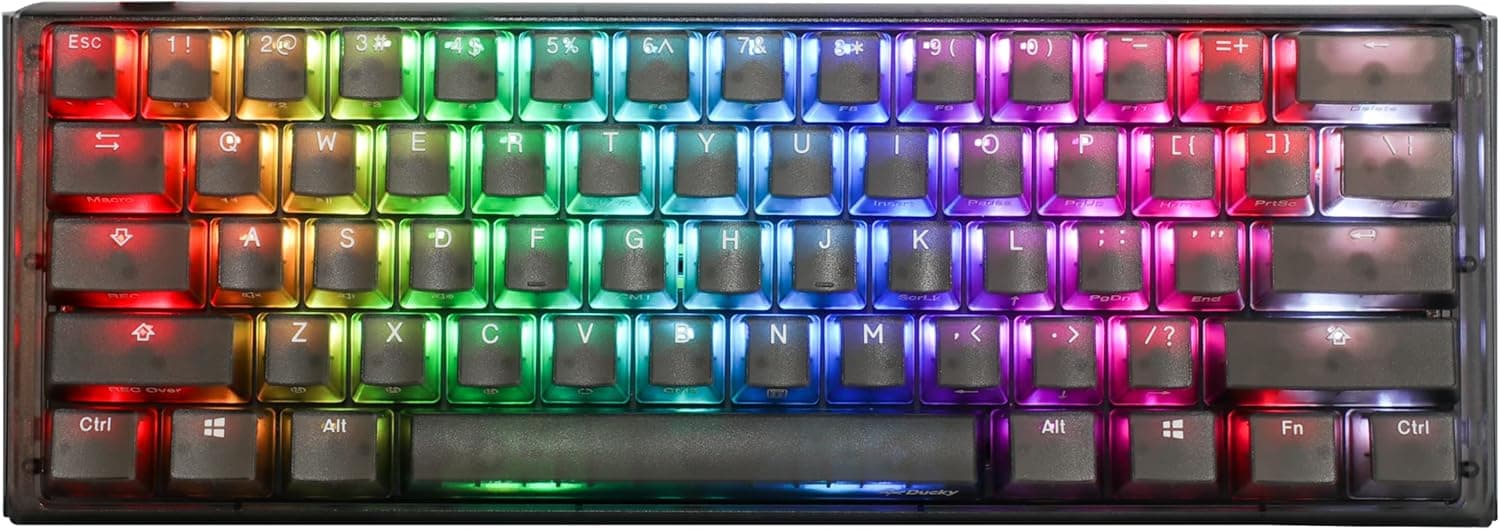
The Ducky One 3 Mini Aura is a 60% (61-key) mechanical keyboard from the Taiwanese brand Ducky. The short version: this is a board for people who want a compact keyboard with a carefully tuned typing sound, and who plan to swap switches over time.
It is not the board for anyone who reaches for arrow keys or the function row all day — for them, the first two weeks will be genuinely frustrating. It is also not a budget pick.
It ships with Cherry MX Red linear switches. MX Red is generally specified around 45g actuation force, a 2.0mm actuation point and 4.0mm total travel, with no tactile bump.
That suits fast, shallow repeated presses in FPS and MOBA titles, but if you rely on a tactile bump to stop typos, a tactile or clicky switch fits better. Because the board is hot-swappable, that decision is reversible after purchase — which is the single strongest argument for this model.
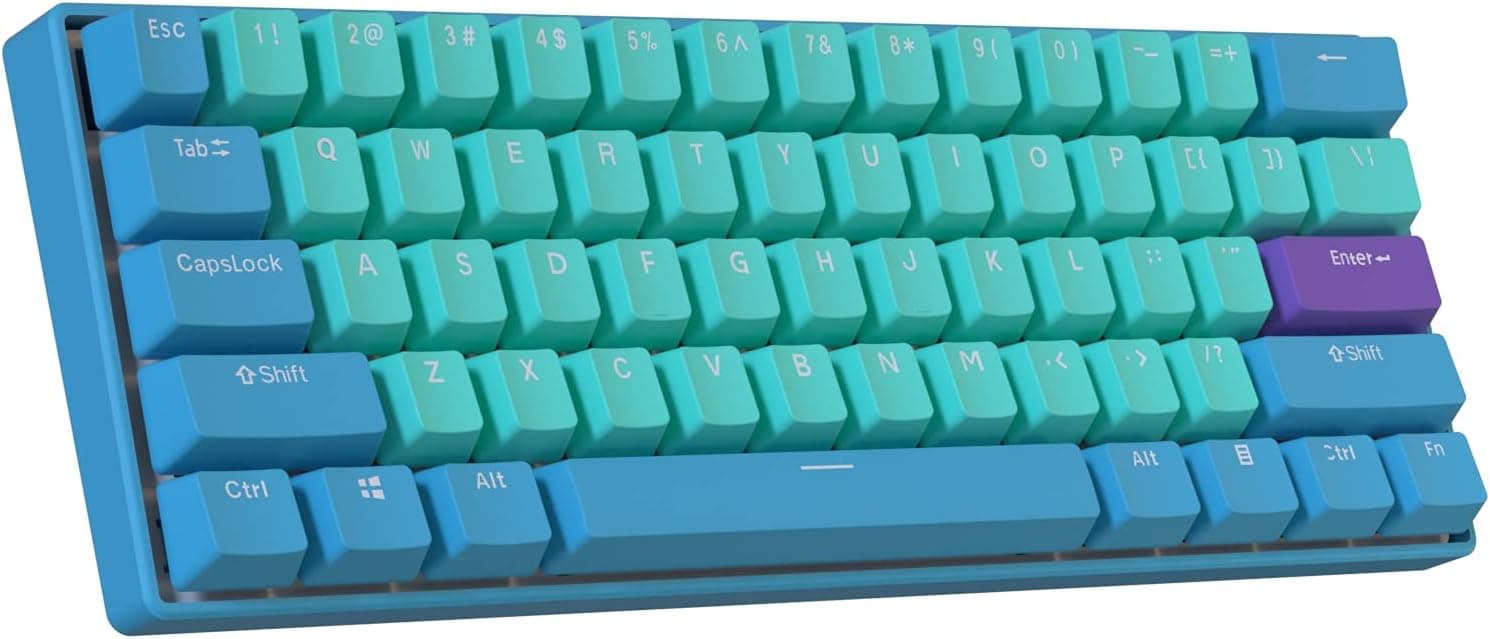
As the "Aura" name suggests, the case is clear plastic and the keycaps are PBT double-shot in pudding style, so RGB escapes through the sides of the caps and the bottom of the case. This is a board designed to be lit up.
If you want an understated all-black keyboard, look elsewhere.
What QUACK Mechanics Actually Changes
QUACK Mechanics is Ducky's term for their internal dampening approach; here it means a silicone dampener and EVA foam filling the case cavity. The hollow rattle and the disproportionately loud spacebar you hear on cheap plastic-cased boards come from that empty cavity.
Filling it removes much of the high-frequency ring and pushes the sound toward a deeper, more muted thock.
The crucial caveat: this is not silencing. Linear MX Red still makes noise when you bottom out.
If you need near-silence for a shared office or voice calls, swap in silent switches or buy a different board. QUACK Mechanics improves sound quality, not volume — understanding that up front prevents disappointment.
The PBT double-shot caps are worth noting too: they resist the shine that ABS develops, and the legends are moulded rather than printed, so they cannot wear off. Expected at this price, but it matters after a few years of use.
Connectivity & Compatibility
Windows, macOS and Linux are supported with no drivers required. The connection is a detachable braided USB-C cable, so a damaged cable does not mean a dead keyboard — a meaningful detail if you chose 60% for portability.
Hot-swap sockets are Kailh units accepting 3-pin and 5-pin MX-style switches. Two caveats: low-profile, optical and magnetic (Hall effect) switches are not compatible, and sockets wear out if you swap constantly, so this is not a weekly-rotation board.
When swapping, pull straight up with the switch puller and check that the pins are not bent before reseating — bent pins are the most common cause of a single dead key.
The board measures roughly 296 x 102 x 40mm and weighs about 590g. That is close to 15cm narrower than a full-size keyboard, which is real estate low-sensitivity mouse users will actually feel.
On the other hand, 590g is light compared to aluminium custom boards, so it can slide during aggressive play; a desk mat is the quick fix. Three-stage adjustable feet make it easy to match a wrist rest height.
If you buy aftermarket keycaps, check both that the set is 60%-compatible and that the spacebar length and bottom-right modifier layout match, using the layout diagram on the product page. Bottom-row differences between 60% boards are where most keycap purchases go wrong.
Product Info
As captured on 24 August 2026, the Amazon.co.jp listing showed ¥24,293; an earlier capture on 8 July 2026 showed ¥24,652.
Both are point-in-time figures and move with sales, stock and exchange rates — two captures alone already differ by several hundred yen, so check the listing for the current price. At this level the board sits firmly in the mid-to-high tier for 60% keyboards, where 75% and wireless models are also within reach.
The review score, captured 8 July 2026, was 4.6 out of 5 (92% positive) — but from only 11 reviews.
A 4.6 from 11 reviews is not the same signal as a 4.6 from several thousand.
Read the actual review text and look for users with a workload like yours rather than trusting the star average.
Key specifications: 60% (61-key) layout, Cherry MX Red switches, Kailh hot-swap sockets, PBT double-shot pudding keycaps, per-key RGB backlighting, N-key rollover, three-stage feet, clear plastic case. In the box: USB-C cable, keycap puller, switch puller and spare spacebar keycaps.
Warranty is stated as the standard one year. It launched in late 2022, so this is a several-year-old model rather than a current release.
60% vs 75% vs TKL
The benefits of 60% are mouse room, desk space and portability. The cost is that arrow keys, the function row, Delete and Home/End all live under an Fn layer.
If you hit F5 to quick-save, use F2 plus arrows in spreadsheets, or lean on editing shortcuts in video work, a 65%, 75% or TKL board will simply be faster.
75% is the common compromise — function row and arrows retained, width trimmed — and many recent 75% boards add gasket mounts and volume knobs. Conversely, for a touch typist who never wants to leave the home row, 60% becomes hard to give up once learned.
Decide by recalling an actual day of your work, not by the aesthetics.
Setup and Day-to-Day Use
Setup is one USB-C cable and nothing else — no software install. RGB modes and macro recording are handled through Fn key combinations on the board itself.
Assume it does not support open firmware such as QMK or VIA for graphical remapping, and confirm the specific bindings in the manual or on the product page. If your plan was to design your own layers in a GUI, this is the board's biggest weakness.
Expect to fumble the Fn-layer arrow keys for the first few days. Writing the layer map on a sticky note beside the monitor is the unglamorous but fastest fix.
After a week or two the tradeoff flips and never leaving the home row becomes the selling point.
Best Use Cases
- Desk-limited or low-sensitivity FPS/MOBA players — roughly 296mm wide leaves substantial mouse room, and games that live on the left half of the board rarely expose the 60% compromises.
- Typists who care about sound — silicone dampening and EVA foam give a calmer sound than hollow plastic boards at similar prices. Calmer, not quiet.
- People who want to experiment with switches — Kailh sockets mean no soldering; if MX Red turns out to be wrong for you, move to tactile without replacing the keyboard.
- RGB enthusiasts — pudding caps plus a translucent case are built to show off lighting.
Before You Buy
Do not underestimate the missing arrows and function row. This is the most common regret.
Spreadsheets, video editing, browser shortcuts and debugger keys (F5, F9, F11) all become two-step inputs. If you cannot relegate this to a gaming-only board, choose 65% or larger.
It is wired only. The detachable USB-C cable is convenient, but there is no Bluetooth and no 2.4GHz wireless.
If you want to share it with an iPad or clear cables off the desk, competing tri-mode boards exist at similar prices.
Do not expect free remapping. Customisation here is physical — switches and keycaps — rather than software-side layer design.
The clear plastic case shows fingerprints and fine scratches, and at ~590g the board is light enough to shift during aggressive play.
There are only 11 reviews. 4.6 is a good number, but the sample is too small to judge how often defective units appear.
Check the return window and warranty contact before ordering.
Watch the listing details. Prices in this article are point-in-time captures, and the Amazon listing may be fulfilled by a third-party seller rather than the manufacturer.
Listing metadata is sometimes wrong, so confirm the product image, the title and especially the switch colour (Red vs Brown vs Blue) before you order — 60% boards are frequently listed as near-identical switch variants and are easy to mix up.
FAQ
Q. Is there a JIS (Japanese) layout version? A.
The 61-key 60% layout is ANSI-based. If you rely on Japanese input keys, check the layout image first.
Q. Is it quiet? A.
The foam and silicone reduce case resonance, but linear MX Red still makes noise on bottom-out. Think "better sounding", not "silent".
Swap in silent switches if you need quiet.
Q. Which switches can I install? A.
3-pin and 5-pin MX-style switches. Low-profile, optical and magnetic (Hall effect) switches will not work.
Q. Does it work on a Mac? A.
Yes, driver-free on macOS, but the legends follow Windows conventions, so you will mentally remap Command/Option or buy Mac keycaps.
Q. Is it a good first mechanical keyboard? A.
The build is good, but learning mechanical switches and a 60% layout at the same time is a lot. Starting with a TKL or 75% hot-swap board to find your preferred switch is the safer path.
Q. How much does it cost? A.
¥24,293 as captured on 24 August 2026. That is a point-in-time figure; check the listing for the current price.
Product Disclosure (Amazon)
- Manufacturer: Ducky
- Seller: 笑顔あふれる
- Fulfilled by: 笑顔あふれる
- ASIN: B0BSP35VRY
- Note: This article covers a manufacturer-made product based on Amazon listing details.