Overview
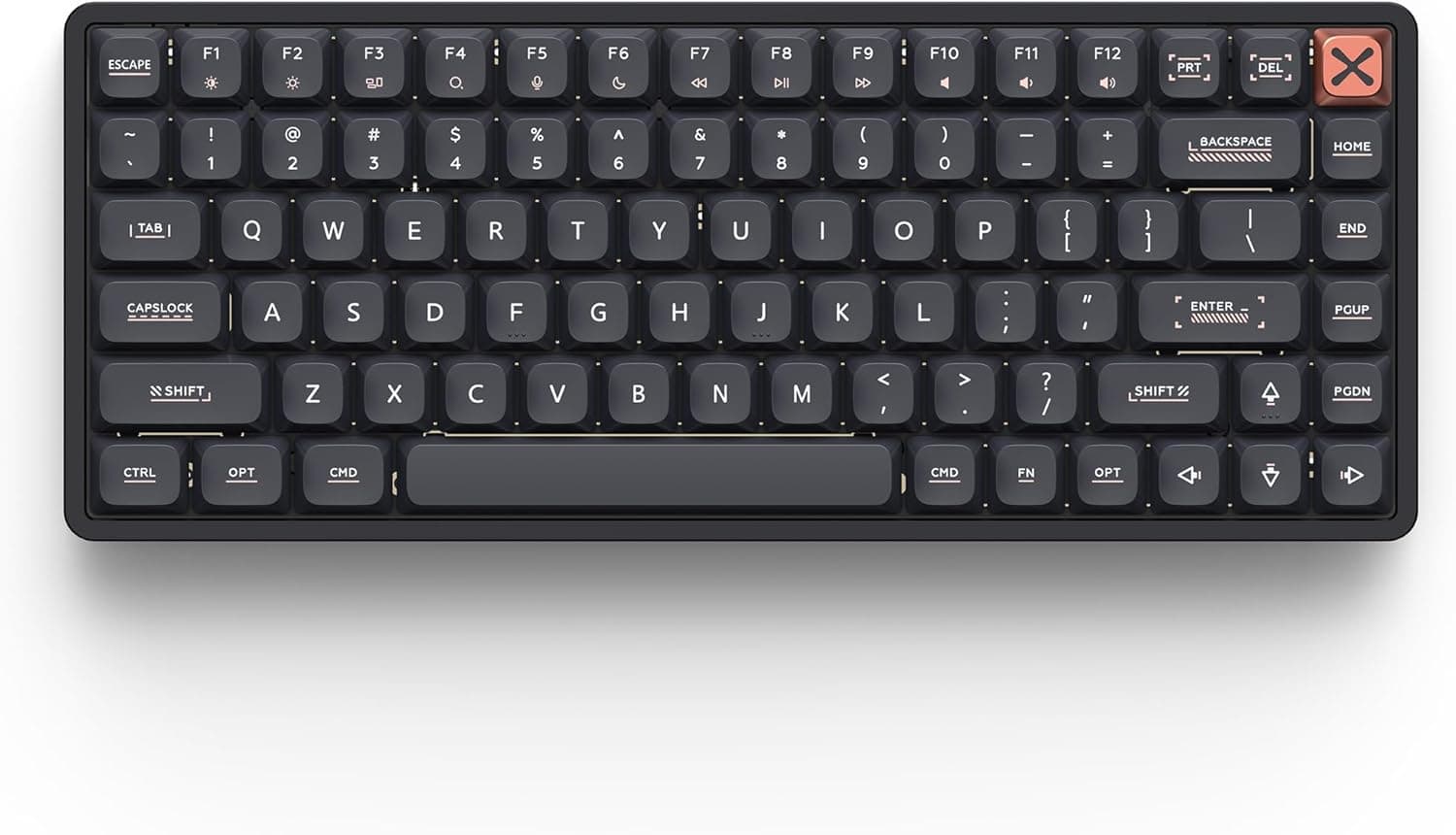
The IQUNIX Magi75 — Slim Wireless 75% Mechanical Keyboard with Aluminum Body pairs a CNC-machined, aviation-grade aluminum chassis with low-profile mechanical switches in a 75% layout. The short answer: it is a premium board for people who want a slim keyboard without giving up typing feel or chassis rigidity.
It is not a competitive-FPS speed board, and it is not a mod platform for swapping in any standard switch you already own.
The front edge is just 11mm tall, so most people can type without a wrist rest and without bending their wrists back much. It connects three ways: USB-C wired (1000Hz), 2.4GHz wireless (500Hz), and Bluetooth (125Hz).
The built-in 4000mAh battery is rated for up to 500 hours of wireless use. VIA lets you remap keys and build macros without writing code, and the switches are hot-swappable.
On Amazon.co.jp the board had 42 reviews averaging 4.2 out of 5 stars as of June 2026.
That is still a small sample, so it says little about unit-to-unit variation or long-term durability. Below, we focus on what the numbers mean and on the pitfalls people usually find only after buying.
Key Specs and What They Mean
| Item | Value | What it means |
|---|---|---|
| Layout | 75% (80 keys) | No number pad, but the function row and arrow keys stay |
| Footprint | approx. 31.7 x 12.6cm | Much narrower than full-size, leaving more room for your mouse |
| Front height | 11mm | Flatter wrist angle than standard-height mechanical boards |
| Actuation force | 30gf-50gf | Light: less fatigue, but resting fingers can trigger keys |
| Pre-travel | 1.2mm | Keys register at a shallow point with a light touch |
| Keystroke lifetime | 50 million | Plenty for everyday typing |
| Polling rate | Wired 1000Hz / 2.4GHz 500Hz / Bluetooth 125Hz | Roughly 1ms / 2ms / 8ms between reports |
| Battery | 4000mAh, up to 500 hours | A best-case figure that depends heavily on backlight use |
The row that matters most is 30-50gf actuation combined with 1.2mm pre-travel.
Standard-height mechanical switches typically have around 2mm of pre-travel, so keys on this board register noticeably earlier. Fast, light typists will like that.
If you tend to rest your fingers on the keys, expect more accidental presses. The force range most likely reflects different switch options, so check which switch the listing you are buying ships with.
The connection mode makes a real difference to polling. At 1000Hz wired or 500Hz on 2.4GHz, you will not notice any lag while typing.
Bluetooth at 125Hz (about 8ms) is fine for text, but use wired or 2.4GHz for games.
Compatibility Guide
Connections and OS
- Wired: USB-C (1000Hz)
- Wireless: 2.4GHz (500Hz), Bluetooth (125Hz)
- OS: Windows, macOS, Linux
- Customization: VIA (web and desktop versions)
The listing says it works with any USB-C equipped PC or Mac. If your PC only has USB-A ports, check which connector the bundled cable has on the PC end, and get an adapter or a USB-C to A cable if it doesn't match.
The same goes for the 2.4GHz receiver: a USB-C-only MacBook may need an adapter for it.
Hot-swap does not mean any switch fits
This is the most common misunderstanding. Low-profile switches come in several standards, with different housings and pin layouts, and they are often not interchangeable.
Standard-height MX-style switches generally do not fit a low-profile plate and socket at all. If you plan to reuse switches you already own, or buy standard ones, you will be disappointed.
Check which switch standard the board supports on the product page or in the manual before buying replacements.
Keycaps
The keycaps are low-profile too. Even if some aftermarket caps fit the stems, standard-height caps change the height and look and undo much of the benefit of the 11mm profile.
According to the original listing, the box includes a spare PBT keycap set (Windows legends) and two aluminum themed keycap sets. Trying those first is the practical route.
VIA tips
The web version of VIA talks to the keyboard through a browser feature called WebHID. Chromium-based browsers such as Chrome and Edge support it; Safari does not.
On a Mac, use Chrome or install the desktop app. VIA configuration is also usually done over a wired connection.
If the board isn't detected wirelessly, plug it in with the USB-C cable.
Product Info
On Amazon.co.jp, the same ASIN (B0FK4WM767) was ¥57,703 when captured on June 20, 2026, and ¥35,999 when captured on August 26, 2026.
That is a swing of more than ¥20,000 in about two months, so the price clearly moves with sales and stock. Treat these figures as snapshots from those dates and check the product page for the current price before you buy.
The original listing says the box includes a USB-C cable, a spare PBT keycap set (Windows legends), two aluminum themed keycap sets, a switch puller, and a keycap puller, with a one-year warranty. Contents and warranty terms can differ by batch or seller, so check what you receive.
On Amazon.co.jp the seller and shipper is クロス・ハンズ.
It sits in the upper-mid to premium tier. The one-piece aluminum chassis cuts down flex and resonance, which is what sets it apart from plastic slim keyboards.
Around ¥35,999, it is competitive among premium low-profile wireless boards. At ¥57,703, you are in the same budget as high-end full-size gaming keyboards.
How It Compares
Other low-profile wireless mechanical boards include gaming-brand models such as the Logicool G915 X LIGHTSPEED and the CORSAIR K100 AIR. Those focus on gaming features and full layouts with a number pad.
If you enter a lot of numbers or rely on gaming software integration, they are the better fit.
The Magi75 wins on compactness, the feel of its aluminum chassis, and the freedom VIA gives you over key mapping. For a clean desk, or a setup that matches Apple hardware, it is easier to live with than gaming-style slim boards.
If you want to fine-tune feel with standard-height switches, though, a regular-height 75% gasket-mount board gives you far more options and parts.
Recommended Users
Design-minded users: The aluminum finish and slim profile sit naturally next to an iMac or MacBook. If you don't like the cool, smooth feel of the aluminum keycaps, you can switch to the bundled PBT set.
Writers and office workers who type all day: The low-profile switches and 11mm front height reduce wrist strain. The light 30-50gf actuation helps with fatigue, and the quiet sound works in an open office.
There is no number pad, so heavy numeric entry means adding a separate numpad.
Casual gamers: At 500Hz (about 2ms), 2.4GHz mode is fast enough for RPGs, strategy games, and most action titles.
For serious competitive FPS play, use the 1000Hz wired mode.
People who want their own key layout: VIA handles remapping and macros, and you can tune feel within the supported low-profile switches. The rigid aluminum chassis makes a stable base for that customization.
Before You Buy
Confirm the layout. An 80-key 75% layout is typical of US (ANSI) keyboards.
If you are used to Japanese JIS layouts, symbol positions and input-switching keys will be different. Check the layout listed on the product page and the key images before buying.
Only compatible low-profile switches fit. As covered above, standard-height switches and keycaps generally won't work.
Modders especially need to know this limit up front.
500 hours is a best case. 4000mAh is a big battery, but rated battery life is usually measured with the backlight off.
Expect much shorter runtimes if you keep the RGB lighting on all the time.
Metal and wireless. Metal can block radio signals, so 2.4GHz or Bluetooth may drop out depending on where your PC sits.
Moving the receiver closer, for example with a USB extension cable, usually fixes it.
Not a travel board. It is slim, but the case is solid aluminum.
It is meant to stay on the desk, not ride in a bag every day. If weight matters, check the figure on the product page.
Light keys don't suit everyone. The 30-50gf actuation and 1.2mm pre-travel can cause typos for heavy-handed typists or anyone who rests their fingers on the keys.
If you like the deep travel of standard mechanical boards, this one may feel too shallow.
The price swings. Captured prices of ¥57,703 and ¥35,999 differ by more than ¥20,000.
If you aren't in a hurry, it can pay to watch the price for a while.
Check the listing details. Color or switch variants may share one product page, and automatically collected listing data sometimes mixes in details from another variant.
Before you buy, use the images, the title, and the selected variant name to confirm you are getting the configuration you want.
FAQ
Q. Does it work with a Mac? A.
Yes, macOS is supported. To configure it with VIA, use a Chromium browser such as Chrome (not Safari) or the VIA desktop app.
See the included manual for how to switch between Windows and Mac layout modes.
Q. Can I install standard-height mechanical switches? A.
Generally no. Hot-swap works only with low-profile switches of a compatible standard.
Q. Is it good for gaming? A.
Wired at 1000Hz and 2.4GHz at 500Hz are fine for casual gaming.
Bluetooth runs at 125Hz and isn't recommended for games.
Q. Do I need a wrist rest? A.
With an 11mm front edge, most people won't need one. Depending on your desk height and posture, a thin rest may still feel better, so try the board first and decide.
Q. How long does the battery last? A.
It is rated for up to 500 hours on 4000mAh, but that is a best case. Constant backlighting shortens it a lot, so dim or turn off the lights to stretch it.
Product Disclosure (Amazon)
- Manufacturer: IQUNIX
- Seller: クロス・ハンズ
- Fulfilled by: クロス・ハンズ
- ASIN: B0FK4WM767
- Note: This article covers a manufacturer-made product based on Amazon listing details.