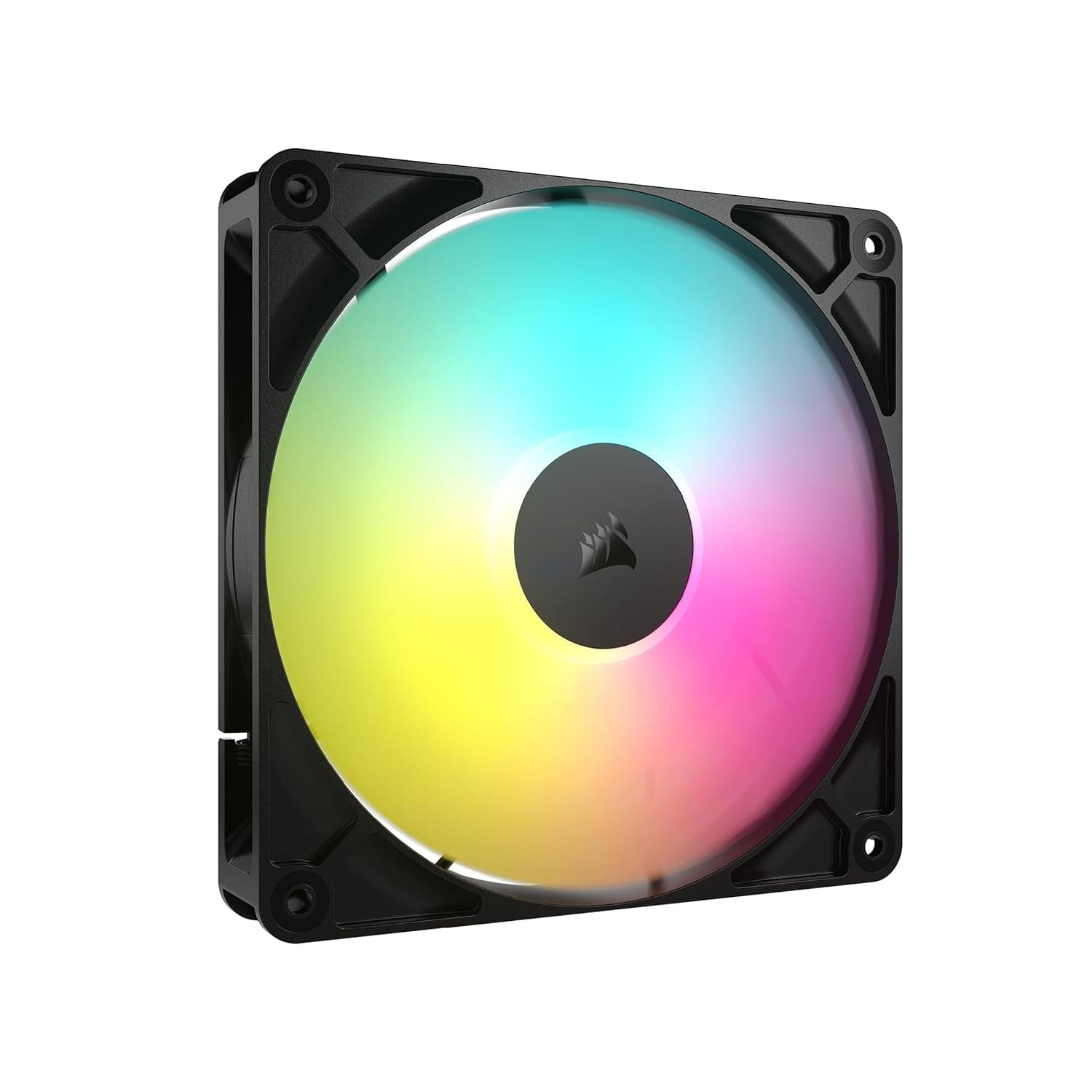
![CORSAIR iCUE AF120 ELITE RGB 120mm AFシリーズエアフロー PCファン PWM 流体動圧軸受 AirGuide テクノロジー COREコントローラー付き [トリプル] -ブラック- CO-9050154-WW](/_next/image?url=https%3A%2F%2Fm.media-amazon.com%2Fimages%2FI%2F71JHXWs4LxL._SL1500_.jpg&w=1920&q=75)
This article covers CORSAIR iCUE AF120 ELITE RGB 120mm AFシリーズ エアフロー PCファン PWM 流体動圧軸受 AirGuide テクノロジー COREコントローラー付き [トリプル] -ブラック- CO-9050154-WW.
Overview
The CORSAIR iCUE AF120 ELITE RGB is a triple pack of 120mm airflow-focused case fans sold under the model number CO-9050154-WW. Each fan spins up to 2,100 RPM and delivers up to 65.57 CFM at 2.68 mm-H2O static pressure, which is enough for chassis ventilation and even slim radiators. The pack includes a dedicated CORE controller, so all three fans' RGB lighting can be managed centrally through Corsair's iCUE software.
Noise is rated at 34.1 dBA at maximum speed, and the fans use a fluid dynamic bearing that keeps friction low and longevity high over years of use. Corsair's AirGuide technology uses anti-vortex blades to channel airflow precisely, which helps whether a fan is used as intake, exhaust, or mounted on a radiator.
Positioned in the mid-range of the RGB fan market, this bundle makes sense for DIY builders who want a cohesive RGB setup without buying fans and controllers separately.
Compatibility Guide
These fans follow the standard 120mm fan mounting pattern, so they fit any case with 120mm fan slots — front, top, and rear mounts all work. The triple pack gives you enough fans to refresh most of the chassis airflow in one go.
Each fan uses a 4-pin PWM connector for speed control. Connect them through the bundled CORE controller to a motherboard USB 2.0 header, and you can manage both rotation speed and RGB in iCUE. Power draw is just 4.56W per fan at 12V, so there is no meaningful load on the power supply.
Although the AF series prioritizes airflow, the 2.68 mm-H2O static pressure is enough for thin 240mm-class radiators. For thick, high-density radiators, a static-pressure-optimized fan will perform better, so pick according to your cooling setup.
Product Info
The AF120 ELITE RGB belongs to Corsair's AF (airflow) series of 120mm fans. Key published figures include a maximum speed of 2,100 RPM, 65.57 CFM airflow, 2.68 mm-H2O static pressure, and 34.1 dBA noise. It is sold as a triple pack with the CORE controller; at online retailers the reference price is around ¥9,613.
In the market, this sits in the mid-range of RGB fan kits. Bundling three fans plus a controller at this price point is the main draw — it suits people who want to upgrade the whole chassis to RGB at once rather than piecemeal. Products are available from major retailers and online stores with Corsair's official warranty backing the unit.
Best Use Cases
First, DIY builders who want unified RGB. With the CORE controller included, the rim lighting syncs in iCUE with supported motherboards, memory kits, and other Corsair gear, giving a cohesive look.
Second, gamers upgrading chassis cooling. Heavy loads on high-end GPUs and CPUs raise case temperatures quickly, and 65.57 CFM per fan helps push hot air out efficiently.
Third, users running slim AIO radiators. The rectified airflow from AirGuide blades reaches radiator fins consistently, so thin 240mm-class radiators cool well.
That said, if you only need one fan to fill a single empty slot, a single pack is cheaper than a triple pack. And if your priority is absolute silence at low speeds, a low-RPM-optimized fan may suit you better.
Things to Consider
At maximum speed the fans produce audible airflow noise; 34.1 dBA is the rated figure, and at 2,100 RPM the whoosh is noticeable. Since PWM allows low-speed operation down to 550 RPM, setting a custom fan curve in iCUE is a good idea for quiet environments.
The CORE controller needs a motherboard USB 2.0 header. On older boards or builds with all headers occupied, you may need a splitter or a header expansion solution.
Also keep in mind that the AF series is airflow-oriented. For thick, high-density radiators in water cooling loops, static-pressure fans will give better cooling efficiency. Check the radiator thickness and fan orientation before buying.
FAQ
Q: Can these fans connect directly to a motherboard fan header?
A: Yes. They have a 4-pin PWM connector, so you can plug them into a motherboard fan header and control speed. For RGB management in iCUE, using the bundled CORE controller is the recommended route.
Q: Can they be mounted on a radiator?
A: Yes. With 2.68 mm-H2O static pressure, they handle slim radiators up to roughly 30mm thick. For thick, high-density radiators, a static-pressure-focused fan will cool more efficiently.
Q: How loud are they?
A: The rated noise is 34.1 dBA at maximum speed, so the airflow noise is noticeable at 2,100 RPM. Lowering the speed with PWM — down to the 550 RPM floor — makes them very quiet in practice.