This article covers 【 限定】ASUSゲーミングモニター.
Overview
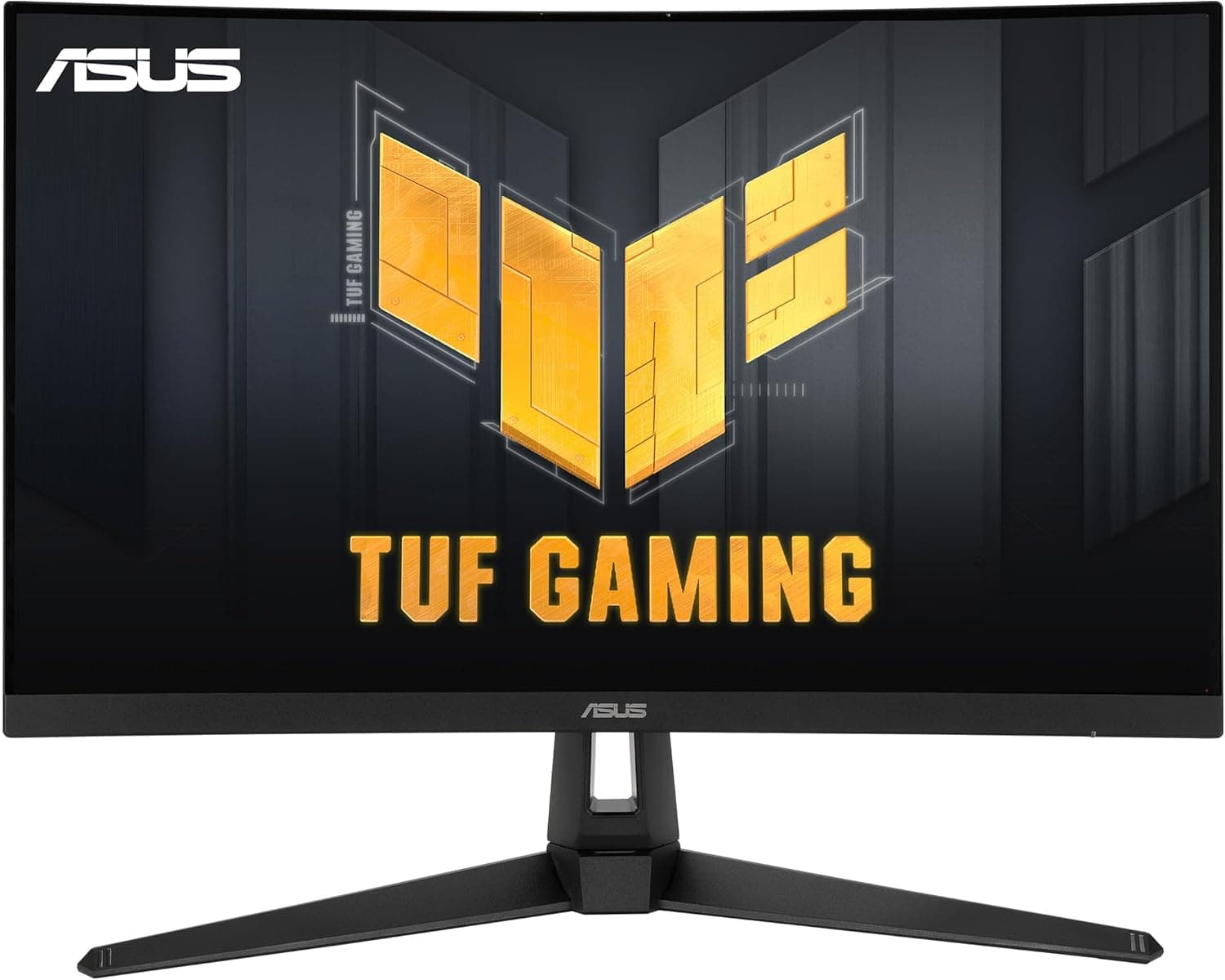
ASUS has added the VG27AQ5A to its TUF Gaming lineup, a 27-inch gaming monitor built around a QHD (2560x1440) Fast IPS panel. The headline feature is a 210Hz (OC) refresh rate, paired with a minimum 0.3ms (GTG) response time, making it a compelling option for competitive play where motion clarity and input responsiveness matter most.
This model is positioned for gamers who want a step up from Full HD without jumping to 4K. The 27-inch diagonal is a sweet spot for desk setups, and the QHD resolution offers a noticeable boost in sharpness and screen real estate over 1080p. It also supports ELMB SYNC, which allows the monitor's blur-reduction feature to work alongside variable refresh rate technology.
In terms of market positioning, the VG27AQ5A sits in the mid-range tier of gaming monitors, offering a strong balance of resolution, refresh rate, and response time. It includes a DisplayPort 1.4 input for full-bandwidth connections, along with two HDMI 2.0 ports, making it a versatile choice for both PC and console users.
Compatibility Guide
The monitor provides one DisplayPort 1.4 (HBR2) input, two HDMI (v2.0) inputs, one USB 3.2 Gen 1 Type-C port (service port only), and a 3.5mm stereo mini jack. For the full 210Hz (OC) experience at QHD resolution, a DisplayPort connection from your graphics card is the recommended path. HDMI connections may limit the achievable refresh rate depending on the source device and cable specifications.
Desktop PCs with a discrete graphics card that has a DisplayPort output will get the best results. Laptop users should note that the Type-C port is for service purposes only and does not carry a video signal, so you will need to use the DisplayPort or HDMI inputs for display output. This is an important distinction to check before purchase.
If you plan to use a monitor arm or VESA mount, the physical dimensions are 615 mm wide, 455 mm high, and 214 mm deep, with a weight of approximately 5.0kg. Verify that your mounting solution can support this size and weight.
Product Info
The VG27AQ5A was released on June 13, 2025. Key specifications include a 27-inch QHD (2560x1440) Fast IPS panel, a 210Hz (OC) refresh rate, and a minimum 0.3ms (GTG) response time. Brightness is rated at 300cd/m2, with a typical contrast ratio of 1,300:1 and 178° viewing angles in both horizontal and vertical planes. The pixel pitch is 0.233mm.
This monitor is positioned as a mid-range gaming display, designed with competitive players in mind. It emphasizes speed and responsiveness, as reflected in its high refresh rate and fast response time. It is sold as a domestic authorized product in Japan and includes a 3-year domestic warranty from the date of purchase.
Best Use Cases
- Competitive gamers who play fast-paced FPS or fighting games. The 210Hz (OC) refresh rate and 0.3ms response time deliver smooth, low-latency visuals. This is not the right choice for users who rely on a Type-C connection for video, as the port is service-only.
- Users who want a QHD monitor for both gaming and productivity. The 2560x1440 resolution provides more screen space than Full HD for work tasks while offering a detailed gaming experience. Be aware that a capable graphics card is needed to drive high frame rates at this resolution.
- ASUS ecosystem users who want to take advantage of software features like DisplayWidget Center and Gaming AI. These tools allow for easy, mouse-driven adjustments. Those who prefer a plug-and-play monitor without extra software may not need these features.
Things to Consider
The main consideration is whether your PC can actually drive this monitor. A QHD resolution at 210Hz requires a substantial amount of graphics processing power. Entry-level graphics cards will likely struggle to reach high frame rates in demanding games, meaning you may not fully utilize the monitor's refresh rate capabilities.
The Type-C port is a service port, not a video input. If you were hoping to connect a laptop or other device via USB-C for display output, this monitor will not support that. You will need to use a DisplayPort or HDMI connection instead.
Also, the HDMI ports are version 2.0. While they are fine for general use and console connections, they may not support the highest refresh rates available over DisplayPort. For the best performance, plan to use the DisplayPort input.
FAQ
Q: Can I use this monitor with a PS5 or Xbox Series X?
A: Yes, the monitor has two HDMI inputs, so you can connect game consoles. However, since the HDMI ports are version 2.0, the output resolution and refresh rate may be limited depending on the console's output settings.
Q: How do I enable the 210Hz (OC) refresh rate?
A: Connect your PC via the DisplayPort 1.4 input, then change the refresh rate in the monitor's on-screen display menu or through the DisplayWidget Center software. Ensure your graphics card and cable support DisplayPort 1.4.
Product Disclosure (Amazon)
- Manufacturer: ASUS
- Model: VG27AQ5A
- ASIN: B0F9WHRY36
- Note: This article covers a manufacturer-made product based on Amazon listing details.