The seumawe 128GB 4-in-1 USB drive is built around one idea: offload photos from your phone by plugging something in, with no app to install. On Amazon.co.jp it holds a 4.2-star rating (84% favorable) across 170 reviews — a steady score for an unbranded product in this price tier.
What it does not publish is a real write-speed figure or any detail about its controller, so buying it expecting SSD-like throughput will disappoint. Below: how to use each of the four connectors, where people get stuck, and who should skip this entirely.
Overview
The short version: this is a few-thousand-yen escape hatch for people who want to stop paying monthly for iCloud or Google One, or who move photos by hand every time they change phones. 128GB holds tens of thousands of 12MP iPhone photos, or a few hours of 4K video.
It is not suited to being a video-editing scratch drive, an OS installer, or the only copy of business data.
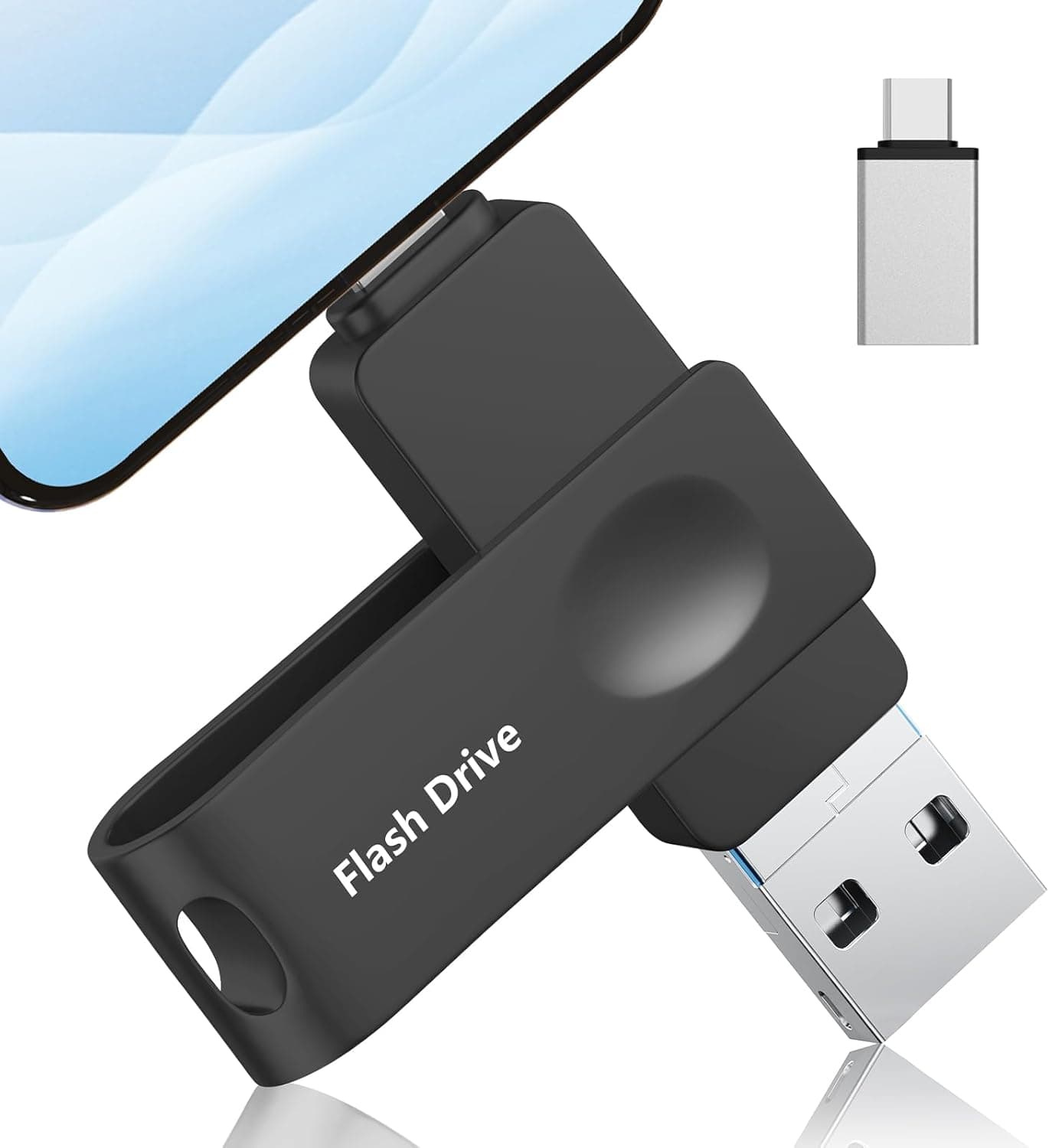
Its distinguishing feature is four connectors built into the body: Lightning, USB Type-C, USB-A, and Micro USB. You can pull it out of an iPhone and push it straight into a PC without carrying an adapter.
The no-app requirement matters too if you plan to hand it to a family member. The interface is USB 3.0, whose spec ceiling is 5Gbps (roughly 10x USB 2.0), but real throughput is capped by the flash and controller — treat the spec number as a ceiling, not a promise.
| Item | Value | How to read it |
|---|---|---|
| Capacity | 128 GB | Years of photos; only hours of 4K video |
| Interface | USB 3.0 | 5Gbps ceiling; actual speed unpublished |
| Connectors | Lightning / USB-C / USB-A / Micro USB | Four direct-plug paths, no adapter |
| Supported OS | iOS / Android / Windows / macOS | Works via native file apps |
| Color | Black | — |
One caveat on the spec sheet: the captured "write speed" field reads "1x," which is not a meaningful speed value. It looks like a data-collection artifact, so this article does not treat it as a performance figure.
If transfer speed matters to you, check the product page for an actual MB/s rating before buying.
Compatibility Guide
Four connectors is convenient, but it does not mean it plugs into everything. The failures happen at the conditions attached to each path.
- Lightning (iPhone / iPad): The vendor lists iPhone 5 and later. But the iPhone 15 series and post-2018 iPad Pro/Air use USB Type-C on the device side, so for those you use the USB-C end, not Lightning. Check which port your phone actually has first.
- USB Type-C (Android / MacBook / iPhone 15+): Reading external storage on Android requires USB OTG (On-The-Go) support. Most recent mainstream phones have it; budget tablets and older devices may not mount the drive at all.
- USB-A (PC / TV / printer): The most reliable path. Windows and macOS both handle it with native file operations. TVs and printers add their own file-format and file-system restrictions, so check the host device's spec sheet.
- Micro USB: Only relevant to the shrinking set of Android devices and tablets that still have that port. Mainstream Android moved to USB-C around 2020, so there is little reason to buy this drive for the Micro USB end.
Another overlooked issue is case interference. Thick phone cases, or cases with a deeply recessed port, can stop a one-piece connector from seating fully.
That is a structural limitation of direct-plug drives versus cable-style ones. Removing the case solves it, but budget for the hassle if you plug in often.
File system matters too. If the drive ships formatted as FAT32, no single file larger than 4GB can be stored.
Long 4K clips exceed that easily, in which case you must reformat to exFAT. exFAT reads and writes on iOS, Android, Windows, and macOS alike, and is effectively the default for drives of this type.
Product Info
Captured prices — each is a snapshot at the time shown, not the current price:
- Amazon (captured 2026-06-08): ¥4,999
- Amazon (captured 2026-08-27): ¥3,599
Roughly ¥1,400 of movement in about two and a half months, which tells you this category swings hard on sales and coupons. If you are not in a hurry, watch the price for a few days or weeks before buying.
No fixed price was available on the overseas marketplace side — only a search listing.
On ratings: 170 reviews, 4.2 stars, 84% favorable on Amazon.co.jp (captured 2026-06-08).
A sample of 170 is large enough that extreme skew is unlikely, making it more trustworthy than a product with a handful of five-star reviews. That said, 4.2 sits in the "mostly works, with real complaints" band — it is not the same animal as a 4.7–4.8 staple product.
The product launched around 2024 and carries a 12-month warranty covering initial defects and in-use failures, with an exchange service offered. Nothing is included in the box beyond the drive itself.
The body is compact and shaped for keychain carry.
Where It Sits Against Competitors
What you should buy depends on what you are optimizing for.
- If speed comes first: Type-C drives that publish a rating (such as the 450MB/s-class models) or drives from vendors with a known track record like SanDisk or IODATA are the safer pick. This drive publishes no credible speed figure, so it cannot compete here.
- If guaranteed iPhone behavior comes first: A Lightning drive that explicitly states Apple MFi certification carries less risk. Nothing in the captured specs for this product mentions MFi. Absence of a claim is not proof of non-certification, but it is a real difference when you care about surviving iOS updates.
- If cheap and multi-port comes first: This is exactly the niche for this drive and 2-in-1 alternatives. For a single job — moving photos between an iPhone and a Windows PC — the value is genuinely good.
So the positioning is: give up speed and pedigree, gain versatility, simplicity, and price. Whether that trade sits well with you is the whole purchase decision.
How to Use It Without Getting Burned
- First, plug it into a PC via USB-A and check the format.
If it is FAT32, decide whether you will handle files over 4GB and reformat to exFAT if so (reformatting erases the contents). 2.
Next, check for capacity fraud. Drives that misreport capacity do exist in this category.
The reliable test is writing tens of gigabytes of real files and reading them back. Seeing 110–120GB free after formatting is normal — that is the GB-counting difference, not fraud.
- Use the iOS Files app or your Android file manager to copy photos.
Copy, do not move; confirm the files open on a PC before deleting the originals. 4.
Eject/unmount before pulling the drive out whenever possible. Yanking it mid-write can corrupt the whole file system.
Best Use Cases
- People solving phone storage pressure without a cloud subscription: 128GB is enough to offload photos and video in bulk, trading a recurring fee for a single purchase.
- People moving between iPhone, Android, and PC: Four built-in connectors means no hunting for an adapter, and it works for passing files around a household.
- People who want zero setup, or who are buying for a family member: No app install, no account, no configuration — plug in and copy with the built-in file app. That simplicity is the main draw for less technical users.
- Travelers who dump camera roll data as they go: Offload from the phone without carrying a laptop.
Things to Check Before Buying
1. This is not a backup. If you move data to one USB stick and delete it from your phone, that stick's failure is total data loss.
Flash memory dies from physical damage, loss, and age, often without warning. Important photos belong in two places — this drive plus a PC disk or cloud copy.
Cheap storage is exactly the kind you should not make a single point of failure.
2. Do not expect speed. "USB 3.0 compatible" describes the interface standard, not guaranteed throughput.
The captured specs contain no valid write-speed number (the field holds the meaningless value "1x"). Assume moving tens of gigabytes will take longer than you hope.
3. No MFi certification is stated. Uncertified accessories plugged into an iPhone carry a theoretical risk of an "accessory not supported" message after an iOS update.
For long-term iPhone use, a drive that explicitly states MFi certification is the safer choice.
4. Verify the listing yourself. Product pages in this category sometimes carry spec values that belong to a different item or make no sense at all — this listing's write-speed field is exactly that.
Confirm the product from the page's images and title, and check capacity, connector types, and any MFi wording with your own eyes. Prices have also moved sharply, so trust the live page rather than any figure in an article.
5. Micro USB is nearly dead weight. One of the four connectors is unusable on any current phone.
Think of it as a 3-in-1 and your expectations will match reality.
6. Who should skip it. People handling business data (choose encrypted, warranty-backed drives), people wanting a video-editing work drive (that is external SSD territory), and people planning a decade of iPhone use (choose an MFi-labeled drive) should look elsewhere.
FAQ
Q. Does it work with an iPhone 15? A.
Yes, but use the USB Type-C connector, not the Lightning one — the iPhone 15 series moved to USB-C on the device side.
Q. Is it really app-free? A.
The vendor says so, and the intended workflow is copying via the iOS Files app or the native file manager on Android and PC. Exact behavior can vary by device and OS version.
Q. I can't save a video larger than 4GB. A.
The drive is likely formatted FAT32. Reformat to exFAT on a PC to lift the 4GB per-file limit.
Reformatting erases the contents, so move data off first.
Q. Why is free space less than 128GB? A.
The difference between counting a GB as 1000^3 versus 1024^3, plus file-system overhead. A reading of 110–120GB is normal.
Anything drastically lower suggests capacity fraud — write and read back large files to confirm.
Q. What does it cost? A.
¥4,999 as captured on 2026-06-08 and ¥3,599 as captured on 2026-08-27. Given that swing, always check the live product page.
Q. Will it work on an older Android tablet? A.
Only if the tablet supports USB OTG. Without it, the drive will not mount on either the Micro USB or USB-C end.
Check the device spec first.
Product Disclosure (Amazon)
- Manufacturer: seumawe
- Seller: YuJiWang
- Fulfilled by: Amazon
- ASIN: B0H45YNWLB
- Note: This article covers a manufacturer-made product based on Amazon listing details.