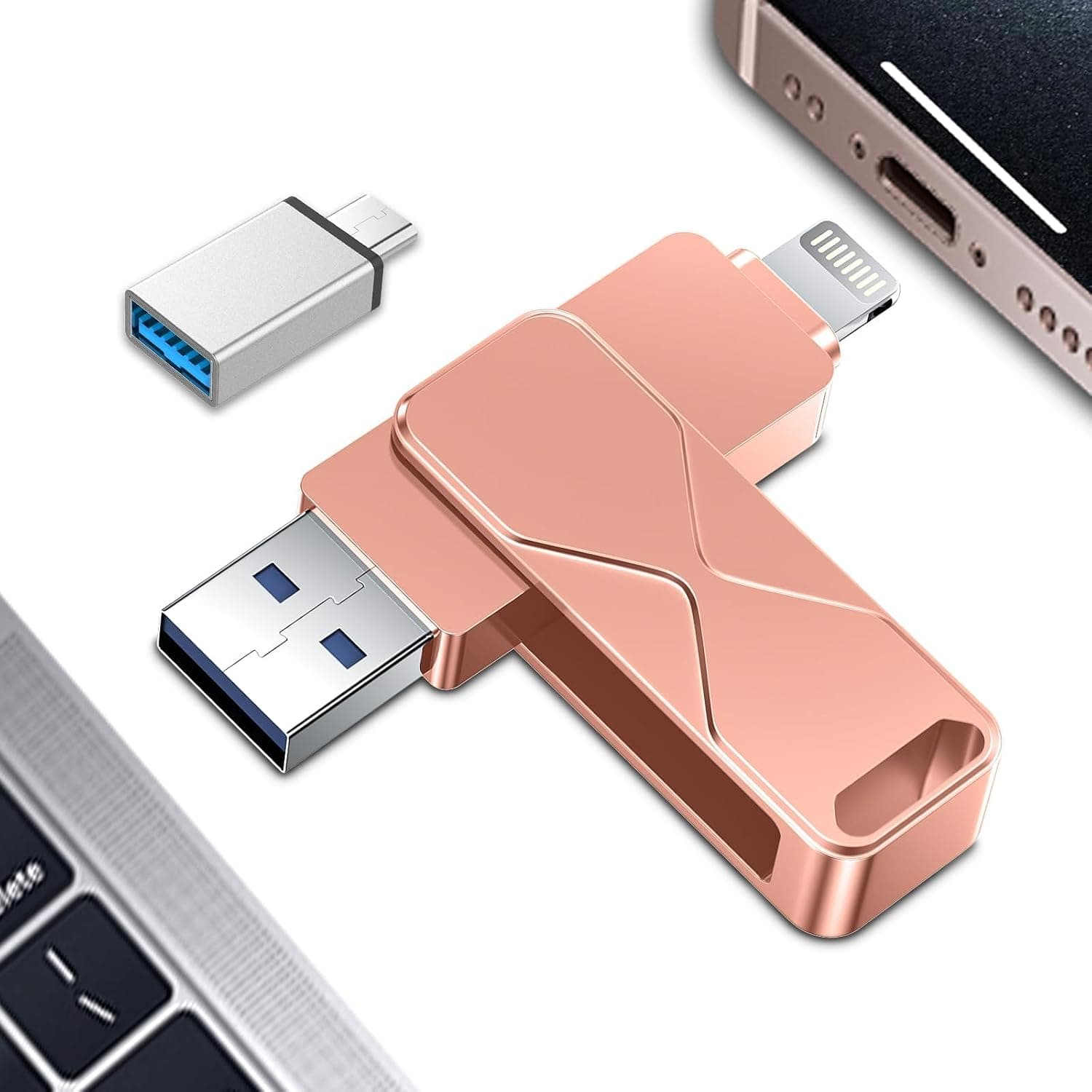
The MizuGlow 4TB USB flash drive combines a USB-A and a USB Type-C connector in a single 360-degree swivel alloy body, letting you move files directly between a phone and a PC without carrying an adapter. This article walks through where it fits, where you have to compromise, and — most importantly — how to verify that the advertised 4TB is actually there.
Overview
The short version: this is a file-shuttling device. It suits people who want to move photos, videos, or documents between a phone and a computer without going through the cloud.
It is not a working drive for video editing, and it should not be the only copy of anything that matters.
The published specs are: 4 TB capacity, USB 3.0 / USB Type-C interface, USB-A + USB-C connectors on a 360° swivel, aluminium alloy housing with water and dust resistance, a 36-month warranty, and compatibility with Windows, macOS, Android and iPadOS.
As captured on 22 June 2026, the Amazon.co.jp listing showed ¥5,699 with 13 reviews averaging 5.0 out of 5 (100% positive).
Both figures are point-in-time snapshots — check the current listing before buying.
Being straightforward about it: a 4TB-class USB stick at around ¥5,700 is very cheap relative to what NAND flash costs. And 13 reviews at 5.0 is a sample far too small to say anything about failure rates or long-term durability — 13 reviews can accumulate in a few days of sales.
The ## Before You Buy section below explains exactly how to check the drive yourself.
Compatibility Guide
Physically, the drive puts a USB-A end and a Type-C end on one body that rotates through 360 degrees. You turn it to match whichever port is in front of you — no adapter to lose.
If you frequently plug into other people's machines, this is the single most useful thing about the product.
| Host | Connector to use | Notes |
|---|---|---|
| Windows PC / desktop build | USB-A or Type-C | Driverless; use a USB 3.0 port |
| MacBook / USB-C iPad | Type-C | Readable from Files directly |
| Android phone | Type-C | Device must support USB OTG |
| iPhone (Lightning) | Not direct | Needs a Lightning-to-USB-C adapter |
| iPhone 15 and later (USB-C) | Type-C | Export from Photos directly |
The manufacturer's own compatibility note says the drive works with any smartphone, tablet or PC that has a USB Type-C port, and that iPhones need a separate Lightning adapter. The commonly missed requirement is USB OTG (USB host mode) on the Android side: having a Type-C port does not guarantee the phone can read external storage.
Budget and older handsets sometimes ship with OTG disabled. Testing with a flash drive you already own is the fastest way to find out.
The other practical issue is the file system. High-capacity drives usually ship formatted as exFAT, which Windows, macOS and recent Android read without complaint — but TVs, car head units and older appliances often accept FAT32 only.
FAT32 in turn caps individual files at 4 GB, so a single long video will not fit. Unless you specifically need a legacy device to read it, leaving exFAT alone is the safer default.
USB 3.0 tops out at 5 Gbps, but that is the interface ceiling, not the drive's speed.
Real throughput is set by the controller and the NAND, and inexpensive flash drives frequently write in the tens of MB/s. Copying thousands of small files (a phone photo library, for example) will feel far slower than the interface number suggests.
Product Info
Summarising the published specifications: 4 TB capacity; USB 3.0 / USB Type-C interface; USB-A plus USB-C connectors on a 360° swivel; aluminium alloy housing; water and dust resistance; 36-month warranty; Windows, macOS, Android and iPadOS support.
The box contains the drive and a metal case — no drivers or bundled software are needed. The warranty uses your order number as proof of purchase, so keep the order history intact.
Pricing was ¥5,699 on Amazon.co.jp as captured on 22 June 2026, and will move with sales and coupons; confirm the current figure on the product page.
The eBay entry is a search link rather than a specific listing and shows no fixed price, so if you buy through that route, check each seller's capacity claim and feedback individually — mixed capacities and parallel imports are common there.
Reviews stand at 13 with a 5.0 average (100% positive).
That looks perfect, but 13 data points tell you almost nothing about early failures or endurance. With this class of product, trouble typically appears when the drive is filled toward its stated capacity — not on day one.
Treat the rating as provisional until the review count reaches the hundreds.
Water and dust resistance is listed as supported, but no IP rating is published. Read it as a design consideration from the alloy shell rather than a certified level of protection, and do not submerge the drive.
Unrated water-resistance claims generally mean "survives splashes and dust," nothing more.
Best Use Cases
People offloading phone photos and video to physical media. If you would rather not pay for cloud storage or burn mobile data, plugging the Type-C end straight into the phone is genuinely convenient — no computer in the middle.
People who hand files to other machines on the move. The meeting-room PC has USB-A; your laptop only has USB-C.
One device covers both, and you stop getting stranded without an adapter. It is a small thing that pays off often.
People who can treat it as a carrier for expendable copies. If the original file still lives on your computer, moderate speed or a capacity shortfall is an inconvenience rather than a disaster.
It is not for you if you want to run applications or edit video directly from the drive (flash sticks have poor random-access performance), if this would be the only copy of business data (one copy is not a backup), if you need hardware encryption or fingerprint locking (neither is listed), or if you plan to trust the stated capacity and dump terabytes onto it without checking first. That last point deserves its own section.
Before You Buy
This is the part worth reading twice.
1. Measure the real capacity as soon as it arrives. Cheap drives advertising very large capacities have a long history of firmware that inflates only the reported size.
Such a unit shows up as 4 TB, accepts writes without any error, silently discards everything past the true physical capacity, and hands you corrupted files later. The dangerous part is that nothing fails during the copy, so you have no warning.
Run a full write-and-verify pass with H2testw on Windows or F3 (f3write / f3read) on Linux and macOS. A complete 4 TB pass can take many hours — potentially days at modest write speeds — but even writing and reading back a few hundred GB will expose an egregious fake.
2. Time the test against the return window. A full-capacity verification is slow, so a drive left in a drawer for a week can produce its verdict after returns have closed.
Start the test the day it arrives. The warranty is stated as 36 months with the order number serving as proof of purchase, so keep that order accessible for the whole period.
3. Do not over-expect on speed. The listing calls the drive fast, but no MB/s figure is published.
USB 3.0 support and actual speed are different claims.
When no number is given, plan as if throughput will be modest, and assume a several-hundred-GB copy may not finish overnight.
4. Verify the listing details with your own eyes. Marketplace metadata — manufacturer, model number, capacity, supported devices — can disagree with the physical product because of seller data-entry errors or another product's data bleeding into the page.
This listing shows ASIN B0H699KR1L, manufacturer MizuGlow, sold by P-ZUSB専門店. Confirm the product from the images and title, and if the page offers multiple capacities, re-check which variant is selected before you place the order.
5. Flash memory is not archival storage. This is general, not specific to this model: NAND loses charge over long unpowered periods.
A drive sealed in a safe for several years is not a reliable archive. Always keep a second copy of anything important on different media.
FAQ
Q. Can I plug it straight into an iPhone? A.
Yes on USB-C iPhones, using the Type-C end. Lightning-era iPhones need a Lightning-to-USB-C adapter; an MFi-certified one is the safer choice, since power and authentication issues can prevent recognition.
Q. Does it really hold 4TB? A.
That is the stated specification. Given the price point, verify it yourself with a full-capacity test using H2testw or F3, and act within the return window if the test fails.
Q. Will it work with my Android phone? A.
Only if the phone has a Type-C port and supports USB OTG. A matching port alone is not sufficient.
Q. Do I need to format it? A.
Usually not. Format only if a host device cannot read exFAT, or if testing reveals a capacity problem.
Note that FAT32 imposes a 4 GB per-file limit.
Q. Can I use it as a video editing scratch drive? A.
Not recommended. Flash drives fall well short of external SSDs on random access and sustained writes.
Edit on an SSD and use this for transporting finished files.
Q. It says waterproof — can it be submerged?
A. No IP rating is published. Treat it as splash and dust tolerant only.
Product Disclosure (Amazon)
- Manufacturer: MizuGlow
- Seller: P-ZUSB専門店
- Fulfilled by: Amazon
- ASIN: B0H699KR1L
- Note: This article covers a manufacturer-made product based on Amazon listing details.