Overview
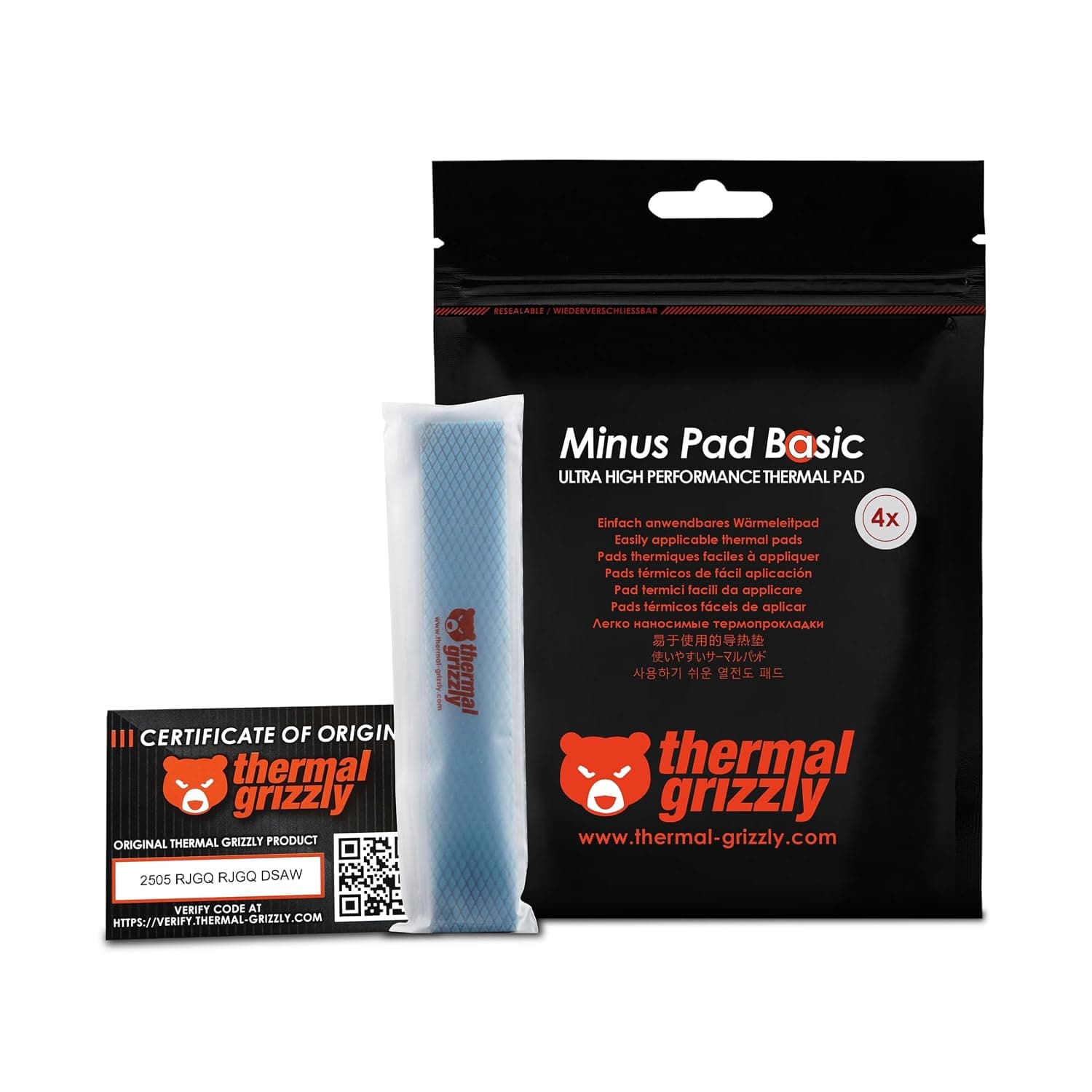
The Thermal Grizzly Minus Pad Basic – 4パックサーマルインターフェースパッド is a silicone-based thermal interface pad from the German cooling brand Thermal Grizzly. The short version: this is not a one-off part you buy for a specific slot.
It is a general-purpose 1.5mm stock you keep on hand for M.2 SSDs, GPU memory, and VRM areas.
You get four pads, each 120×20×1.5mm, 52g total — a long, narrow format meant to be cut into strips.
The practical headline is that it is electrically non-conductive (spec: Yes). Some high-performance pastes are nerve-racking to apply near densely populated VRM and memory areas; this pad can sit on top of them without any short-circuit concern.
Compatibility Guide
Thermal pads have no socket or chipset compatibility. The only thing that decides fit is gap height.
This product is a fixed 1.5mm, so the real question is always: is the gap between that component and its heatsink actually 1.5mm?
Skipping that measurement is the single most common way to waste money here.
| Application | Typical gap | Does 1.5mm fit? |
|---|---|---|
| M.2 2280 SSD ↔ motherboard heatsink | roughly 0.5–1.5mm | often too thick on single-sided drives |
| M.2 SSD ↔ add-in/external heatsink | roughly 1–2mm | usually works as-is |
| GPU memory ↔ cooler baseplate | roughly 1–2mm | card-dependent; measure the stock pad |
| GPU VRM ↔ heatsink | roughly 1–3mm | if short, buy thicker rather than stacking |
| Laptop component ↔ heat pipe | roughly 0.5–2mm | varies heavily by model; measure |
Those ranges are general guidance, not per-product figures — measure your own hardware. The reliable method is to caliper the stock pad you just removed, or compress modeling putty in the gap and measure the result.
On a GPU, the die and the memory almost never want the same thickness, so standardizing everything at 1.5mm will leave some contacts floating.
Cutting is trivial with scissors or a craft knife. The 120×20mm strip yields several pieces sized for an 80mm 2280 SSD and follows a GPU memory row neatly.
What it does not suit is covering one large continuous surface — a 100×100mm sheet is the right format for that, not this one.
Highly compressible pads conform under mounting pressure, but over-tightening puts real stress on the PCB and die. Tighten cooler screws gradually, in a diagonal pattern.
Product Info
| Item | Value |
|---|---|
| Dimensions | 120×20×1.5mm |
| Thickness | 1.5mm |
| Quantity | 4 pads |
| Weight | 52g |
| Electrically non-conductive | Yes |
Check the retailer's page for the latest price.co.jp as captured on August 27, 2026** (ASIN: B0DW9G2KN9), which works out to roughly ¥1,030 per pad. Thermal pad pricing moves with sales and exchange rates, and this article will not update itself — check the listing for the current figure before buying. Note also that the "Amazon US" entry in our data carries the same yen price and the same Japanese listing, so it is not usable as a US price reference; check your local store directly.
No thermal conductivity figure (W/mK) was supplied in the data for this article, so none is quoted here. Within Thermal Grizzly's lineup, Minus Pad Basic sits at the entry-to-standard tier, below Minus Pad 8 and Minus Pad Extreme.
If you want a hard conductivity comparison, read the official product pages for each series side by side.
Nothing ships in the box but the pads. All you need is scissors (or a knife and ruler) and some isopropyl or ethanol to degrease the contact surfaces first.
Installation Notes
It looks like a cut-and-drop product, but results vary with technique. The classic failure is forgetting a protective film — most pads are filmed on both sides, and leaving one on transfers almost no heat.
If temperatures do not improve, check this before anything else.
Cut slightly oversized rather than exact: the pad spreads sideways under compression and contact stays more consistent. But never let it ride up onto an adjacent chip or surface-mount part, or that section will lift.
Aim the overhang toward empty board area.
Disassembling a GPU cooler voids the warranty with most vendors. Decide whether the job is worth that before you break the seal.
Best Use Cases
Unlike paste, there is no application volume to judge and no spread pattern to get right — cut, place, done, with repeatable results. Non-conductivity means you are not sweating stray contact on the board either.
Gamers and creators watching M.2 NVMe temperatures are the second group.
Fast drives can throttle under sustained sequential writes, and a correctly sized pad between drive and heatsink often changes that behavior outright. The 120×20mm strip cuts along a 2280 drive with very little waste.
Anyone servicing, water-blocking, or cleaning a GPU should treat this as a consumable stock item. Removed pads rarely reinstall well, and a 4-pack you can cut to length on demand is efficient.
Laptop owners replacing hardened, degraded factory pads are a reasonable fit too.
Before You Buy
The fixed 1.5mm thickness is the main constraint. Thicker is not better: too thick adds needless thermal resistance, too thin never makes contact.
If your hardware needs 0.5mm, 1.0mm, or 2.0mm and up, this pack will simply sit unused.
Buy a multi-thickness set, or a line like Minus Pad 8 that offers thickness choices. Do not stack two pads to make up a gap — the interface between them adds resistance.
The format limits you too. 120×20mm is 2,400mm² per pad in a narrow strip.
Great for memory rows and SSDs; poor for covering a wide laptop heat spreader, where you end up patchworking and losing performance at every seam.
Extreme overclockers may find it insufficient. Basic is exactly that — a standard tier.
If you are chasing the last few degrees, step up the lineup. For ordinary use aimed at avoiding throttling, Basic does the job.
It can look expensive. ¥4,120 as captured on August 27, 2026 is above no-name pads of the same size, even for four.
Whether the brand's consistency and availability justify that is the actual buying decision.
Finally, treat the listing metadata itself with suspicion. Amazon product pages sometimes carry manufacturer names, part numbers, or dimensions belonging to a different item — and in our own data the overseas price field held a Japanese price and listing.
Before ordering, confirm from the images and title that you are getting the 1.5mm, 4-pad version.
Opened thermal pads are hard to return once you discover the thickness is wrong.
FAQ
Q. Can I use it instead of paste between CPU and cooler? A.
No. The IHS and cooler base already mate directly; a 1.5mm pad there will make temperatures dramatically worse.
Pads are only for genuine gaps.
Q. Will four pads cover one GPU's memory and VRM? A.
Usually. Four 120×20mm pads total 9,600mm², generally enough to cut the memory and VRM rows of a typical mid-to-high-end card — but confirm the required thickness per location separately.
Q. How often should pads be replaced? A.
No service life is published. Practically: replace when you have the cooler apart and see hardening, cracking, or oil separation.
Unlike paste, pads are not on a routine reapplication schedule.
Q. Can I reuse offcuts? A.
Yes, if you keep the film on and store them on the original liner. Left exposed, they collect dust, and that dust becomes a gap.
Q. Can I reposition a pad after installing it? A.
A compressed pad does not fully recover its thickness, so a second placement may contact worse than the first. Get the position right before you press down.