GadgetBite マウス用ハード保護ケース Logitech MX Master 3 — the GadgetBite Hard Protective Mouse Case — is an accessory for people who treat a premium mouse as something that travels. This article works through the published specs and ratings, and gets specific about who it helps and who should skip it.
Overview
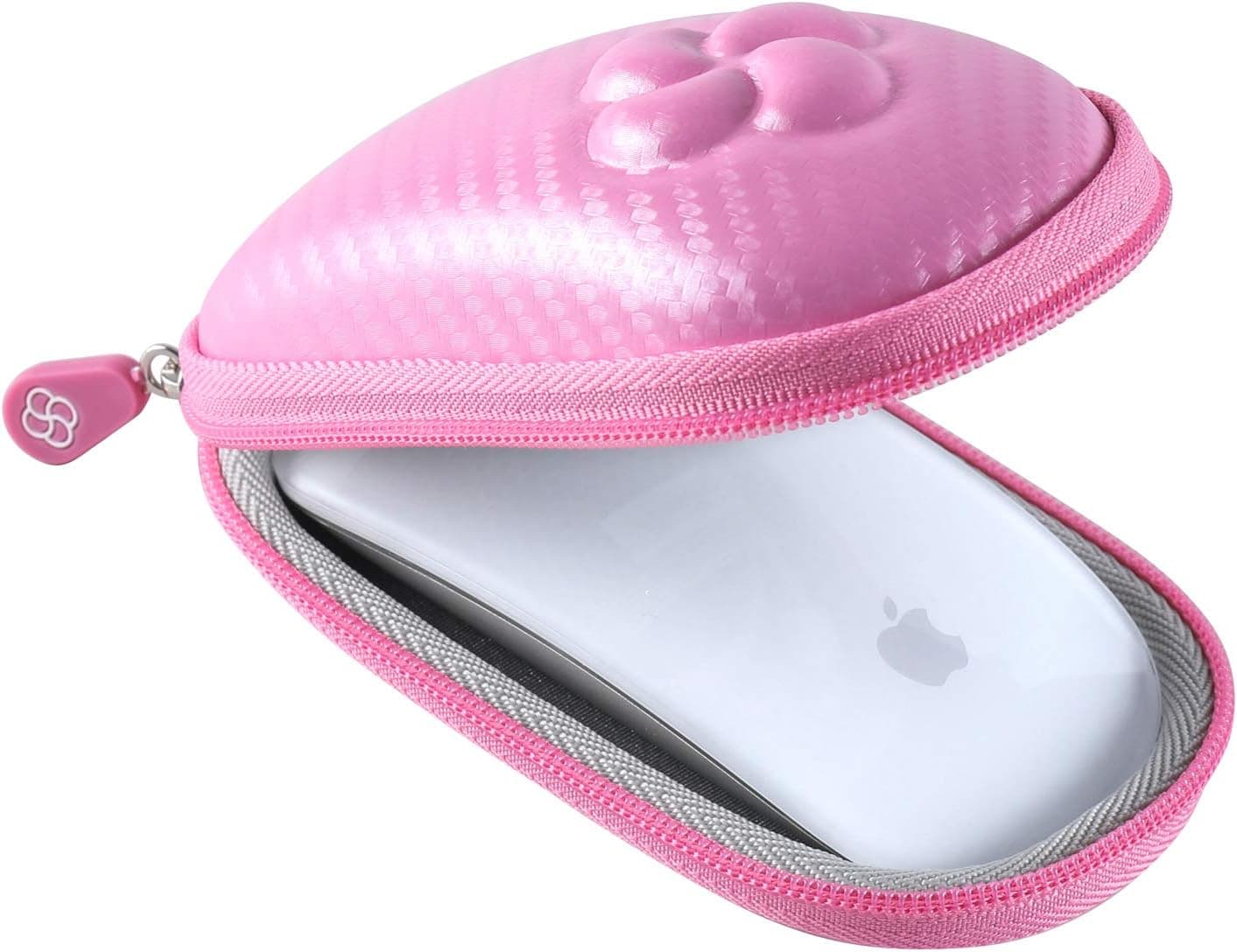
The GadgetBite hard case is molded specifically around the shape of the Logitech MX Master 3 and MX Master 3S. It combines three things: a rigid EVA outer shell, shock-absorbing interior padding, and a water-resistant exterior.
Together they protect the mouse from the crushing and abrasion that happen inside a bag.
The short verdict: this is a tool for people who move a mouse in and out of a bag several times a week. A three-digit review count also suggests consistent quality across production batches rather than a lucky sample.
That said, a case adds zero performance. What changes is peace of mind in transit and the condition of the shell a few years from now.
Whether that's worth the money is the entire question.
Connectivity & Compatibility
Supported devices are exactly two: the Logitech MX Master 3 and the MX Master 3S. Because MX Master bodies look similar across generations, it's tempting to assume anything will fit.
A molded case follows the mouse contour, so an unsupported model either won't seat properly or will rattle loosely — which defeats the point.
| Check | What to look for |
|---|---|
| Mouse model | Confirm MX Master 3 / 3S on the underside label. MX Master 2S, MX Anywhere, MX Vertical are not covered |
| Extras to carry | A USB receiver (Logi Bolt / Unifying) and a short USB-C cable are realistic. Power bricks and hubs are not |
| Bag space | A hard shell does not compress. Assume it won't fit a thin laptop-sleeve pocket |
| Mouse surface | Grip tape or skins can interfere with the tight molded interior |
The MX Master 3 and 3S share nearly identical external dimensions; the differences are mainly the sensor and the quieter click mechanism. That's why a case advertised for the 3 fits the 3S, and the maker states both explicitly.
Outside those two models, assume it won't work.
The case has no electronics or ports. You can't charge through it, so topping up on the road means taking the mouse out and plugging in USB-C.
Given how long the MX Master 3/3S runs on a short charge, this rarely matters in practice.
Product Info
| Item | Detail |
|---|---|
| Brand | GadgetBite |
| Color | Black |
| Compatible devices | Logitech MX Master 3 / MX Master 3S |
| Shell type | Hard (rigid EVA) |
| Water resistance | Water-resistant |
Check the retailer's page for the latest price.co.jp as captured on August 27, 2026**. Prices on accessories like this move with stock and sales, so check the product page for the current figure before buying — the number here is a snapshot, not a standing price.
Honestly, that is not cheap for a mouse case. Generic hard cases with the same shell-plus-padding formula sell for less.
The reason to pay for a molded one is that in a generic case the mouse slides around, and you end up stuffing in extra padding anyway. Measured against what an MX Master 3/3S itself costs, spending roughly a tenth of that on protection is a defensible call.
The box contains the case only — no mouse, no cables. The product name invites confusion here, so be careful if you're buying it as a gift.
Product Disclosure (Amazon)
- Manufacturer: GadgetBite
- Seller: ZENITY&HK
- Fulfilled by: ZENITY&HK
- ASIN: B0DMVXC21J
- Note: This article covers a manufacturer-made product based on Amazon listing details.
What It Actually Does in Daily Use
A hard shell earns its keep under load. A bare mouse in a backpack pocket takes direct pressure on the scroll wheel and side buttons when you sit down on a train or set the bag on the floor.
The MX Master 3/3S is especially exposed here, with a thumb wheel and gesture button sitting proud on the flank. The rigid shell exists to absorb that surface pressure before it reaches those parts.
Set expectations correctly on water resistance. This means it survives droplets on the outside of your bag or a few minutes of light rain — not submersion.
If a bottle tips over and soaks it, assume water finds the zipper.
The internal compartment holds a receiver and a short cable. If you switch the mouse between machines, having a fixed home for the tiny USB receiver saves more daily frustration than the protection does.
Best Use Cases
- People who transport the mouse several times a week — business travel, client sites, cafés, coworking. If the mouse routinely sits between a laptop and a folder, the spend makes sense.
- Owners who want the mouse to last — the soft-touch coating is central to how this mouse feels, and it's the part abrasion attacks first. A snug fit slows that down.
- Anyone who loses receivers and cables — the small compartment is arguably the more practical benefit.
- Resale-minded buyers — cosmetic condition drives trade-in value, so protection cost is recoverable if you plan to sell later.
Things to Know Before Buying
If the mouse never leaves your desk, this is close to pointless. Buying a hard case for a stationary mouse is insurance you'll never claim.
Carry it once a month or less, and you can skip this.
Two-model compatibility is a real constraint. Move to a future MX Master generation or a different series and this case almost certainly becomes dead weight.
If you replace mice often, a universal case is cheaper in the long run.
Hard means bulky. A rigid shell doesn't flatten into a slim sleeve or a document divider; it claims a fixed volume in your bag.
Minimalist packers will feel that.
It hides the mouse completely. The opaque black shell is the opposite of display storage, so it does nothing for a desk you like looking at.
Prices move. ¥6,195 was the figure captured on August 27, 2026.
Accessories like this swing with sales and stock, so open the product page before you commit. An eBay search listing also exists, but prices there vary wildly by seller.
About the listing data. Amazon product pages occasionally carry manufacturer, seller, or compatibility details that don't match the actual item.
When you open the page, confirm from the photos and title that it is the MX Master 3 / 3S version. Compatibility is the single easiest thing to get wrong when buying a case.
FAQ
Q. Will it fit an MX Master 2S or MX Anywhere? A.
No. Only the MX Master 3 and 3S are supported.
The molded interior either won't close or will leave the mouse loose.
Q. Is the mouse included?
A. No. The case only — no mouse, no cables.
Q. Can I store the cable and receiver inside? A.
Yes, the internal compartment fits a USB receiver and a short USB-C cable. Larger items like a power adapter are not intended.
Q. Is it waterproof?
A. It is water-resistant, not waterproof. Light rain and splashes are fine; submersion is not.
Q. How trustworthy are the ratings?
A.co. A three-digit sample is large enough not to swing on a few outliers.
Q. Does it still fit with grip tape applied? A.
Possibly not. The molded interior has little slack, so thick tape or skins may interfere.
Check for tightness the first time you close it.