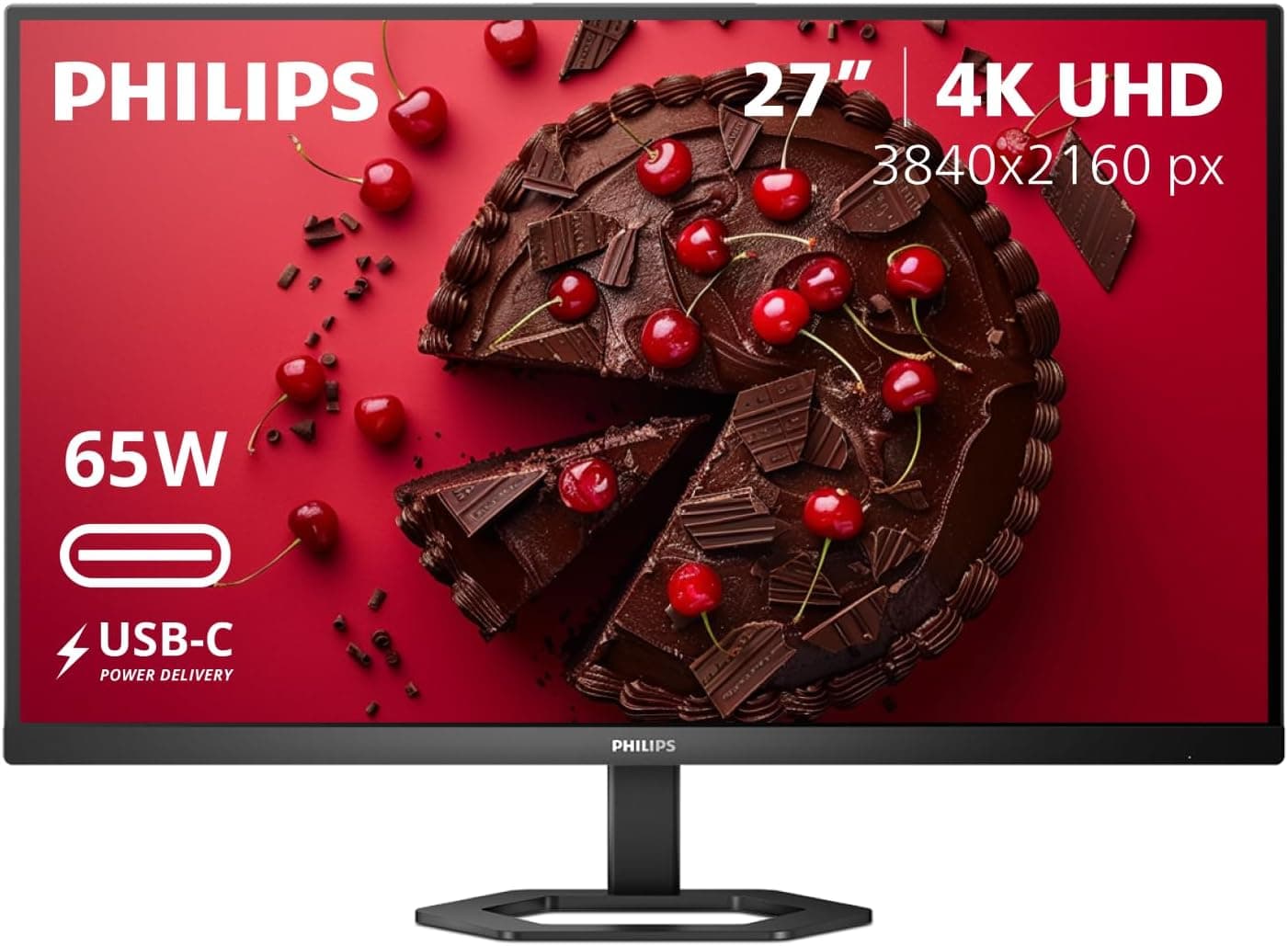
This article covers PHILIPS 27E1N5900R 27インチ 4K UHD (3840×2160) IPS モニター HDR 400 VESA PD 65W HDMI x1 VGA x1 USB-C x1 Adaptive Sync 4年間の交換保証.
Overview
The PHILIPS 27E1N5900R is a 27-inch 4K UHD (3840×2160) IPS monitor that balances image quality, connectivity, and ergonomics at a competitive price point. It supports VESA DisplayHDR 400 for enhanced brightness and contrast, and its USB-C port delivers up to 65W of Power Delivery, making it an excellent companion for modern laptops. The stand offers height adjustment, tilt, swivel, and pivot, plus built-in cable management for a clean desk setup. While it’s not a gaming monitor (60Hz native refresh), it does include Adaptive Sync to reduce tearing during casual gaming. This monitor suits office work, content consumption, and light creative tasks out of the box. The two built-in 2W speakers are basic—plan to use external speakers if audio matters. With a 4-year replacement warranty included, it’s a solid long-term investment for productivity-focused users.
Connectivity & Compatibility
Input options: 1× HDMI, 1× VGA, 1× USB-C (DisplayPort Alt Mode, 65W PD). No DisplayPort or USB-A hub onboard. If you need DisplayPort, consider an adapter or choose a different model. USB-C handles video, data, and power simultaneously with compatible laptops. Great for reducing cable clutter when used with USB-C laptops. VESA 100×100mm mount compatible. The included stand is tool-free to assemble and includes a cable management channel. Note: The HDMI port is HDMI 2.0 (supports 4K@60Hz). The VGA port is useful for legacy device connections but limited to lower resolutions.
Product Info
Released in late 2024, the PHILIPS 27E1N5900R positions itself as a mid-range 4K monitor with USB-C convenience. Its street price in Japan hovers around ¥51,600, offering strong value for a brand-name 4K IPS panel with PD 65W. The 4-year replacement warranty adds extra peace of mind. The package includes power cable, HDMI cable, USB-C cable, and quick-start guide. An optional USB hub might be needed for users who want to connect peripherals through the monitor.
Best Use Cases
Laptop users: Perfect for a single-cable setup – connect your USB-C laptop and get video, data, and up to 65W charging. Ideal for thin-and-light ultrabooks and business notebooks. For high-power gaming laptops, the 65W may not sustain charging under full load. Home office / dual-monitor setups: The 27-inch 4K size provides ample screen real estate for spreadsheets and documents. Pair it with another monitor via HDMI or USB-C (note: no DP, so use HDMI-to-DP adapter if needed). * Photo / video editing (enthusiast level): IPS panel offers wide viewing angles and decent sRGB coverage (~100% advertised). However, lack of hardware calibration and HDR400’s moderate luminance means it’s not for professional color-critical work. Not recommended for competitive gamers needing >60Hz, or users requiring multiple display inputs (DisplayPort, daisy-chaining).
Product Disclosure (Amazon)
- Manufacturer: ウエスタンデジタル(Western Digital)
- Seller: Global Storages
- Fulfilled by: Amazon
- ASIN: B0BDXQZTTV
- Note: This article covers a manufacturer-made product based on Amazon listing details.