This article covers MSI MPG 321URXW QD-OLED 32インチ 3840 x 2160 (UHD) モニター in practical terms: what it actually takes to run one, and who should walk away from it.
Overview
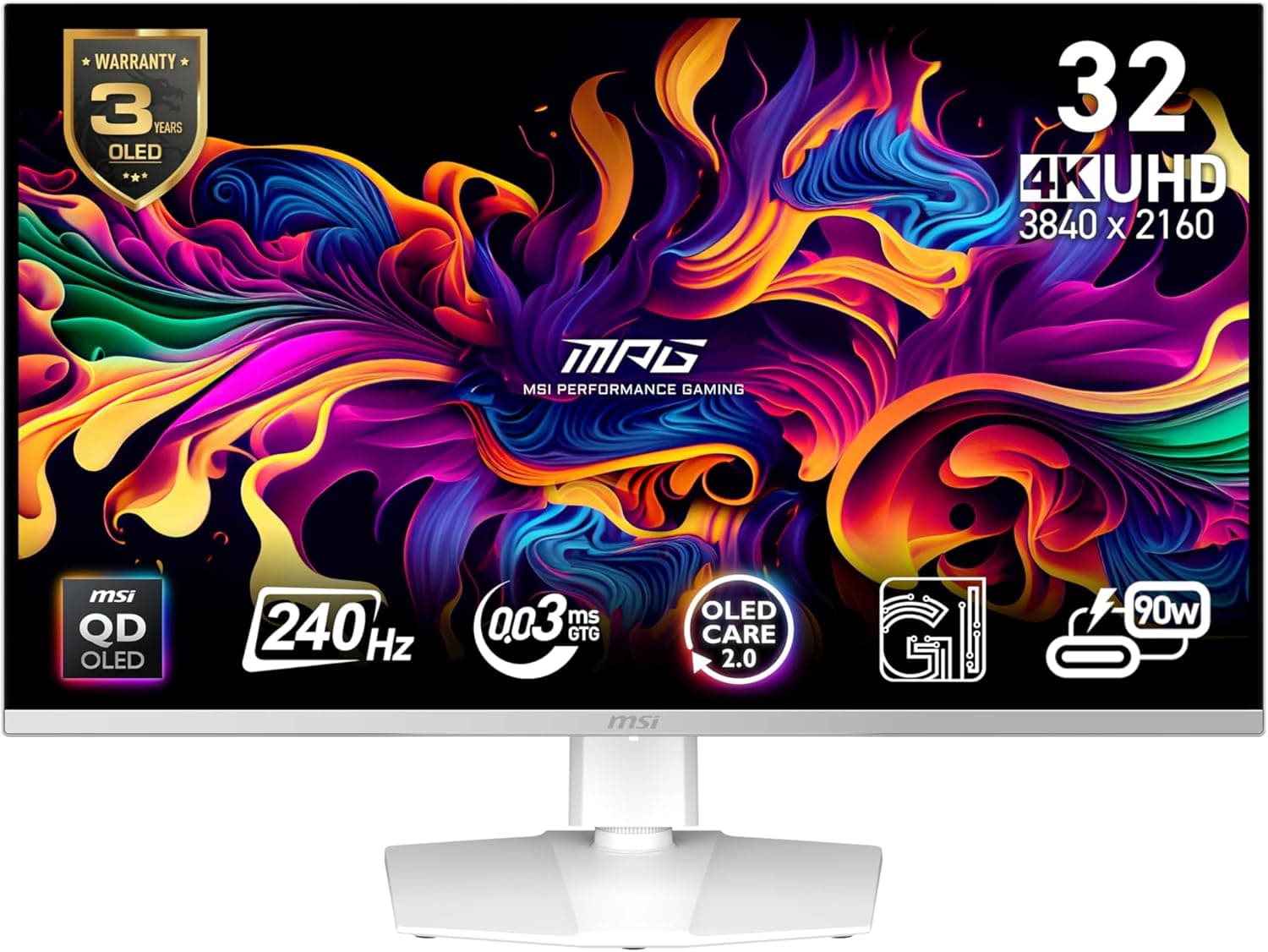
The MSI MPG 321URXW QD-OLED is a 32-inch gaming monitor that pairs 4K UHD (3840×2160) with a 240Hz refresh rate and a 0.03ms GtG response time.
The short verdict: this is a top-tier panel for people who refuse to trade 4K sharpness for high refresh, and it demands a matching GPU and a controlled lighting environment. Without both, you will experience maybe half of what the spec sheet promises.
The QD-OLED panel combines quantum dots with an OLED emissive layer, giving per-pixel black levels and a wide color gamut at the same time. Rated figures include VESA DisplayHDR True Black 400, a static contrast ratio of 1,500,000:1, color accuracy of Delta E ≤ 2, and 178°/178° viewing angles.
Brightness is 250 cd/m² for SDR and 400 cd/m² peak for HDR. Those numbers look modest next to premium LCDs, but because black is genuinely off rather than dark grey, perceived contrast is in a different class.
The flip side is that 250 nits assumes you can control the light in the room.
A 32-inch 3840×2160 panel works out to roughly 138 ppi. That is less dense than 27-inch 4K (about 163 ppi), so 125 to 150 percent scaling in Windows lands in a comfortable spot and even 100 percent remains readable.
For gaming, this is arguably the easiest size and resolution pairing to live with.
Compatibility Guide
| Input | Intended device | Realistic ceiling |
|---|---|---|
| DisplayPort 1.4a ×1 | PC with a DSC-capable GPU | 4K/240Hz 10-bit (DSC required) |
| HDMI 2.1 ×2 (48Gbps) | PC / PS5 / Xbox Series X | Consoles: 4K/120Hz with VRR and ALLM |
| USB-C (DP Alt Mode) | Laptops and tablets | Video plus USB hub, 15W charging only |
The first thing to understand is that 4K/240Hz is not a plug-and-play setting. DisplayPort 1.4a alone does not carry an uncompressed 4K/240Hz 10-bit signal, so DSC (Display Stream Compression) is assumed.
That means your GPU must support DSC as well: roughly NVIDIA RTX 20 series and newer, or AMD RX 6000 series and newer. Older GPUs, or cheap DP extenders and splitters that lack DSC, fail in a confusing way: 240Hz simply never appears in the refresh rate list.
Use the bundled DisplayPort cable and you remove one variable.
The two HDMI 2.1 ports carry the full 48Gbps.
Note, however, that the PS5 and Xbox Series X cap their own output at 4K/120Hz. A 240Hz monitor does not make a console run at 240Hz.
What you actually gain on console is VRR, ALLM, and enough bandwidth to keep HDR and color depth intact instead of trading them away. On PC, adaptive sync is covered by NVIDIA G-Sync Compatible and AMD FreeSync Premium Pro.
USB-C handles video over DP Alt Mode and feeds a hub with two USB 3.2 Gen1 Type-A ports and one USB-C upstream.
The catch is power: 15W is nowhere near enough to run a laptop. If you were planning a single-cable desk where the monitor charges the notebook, this is not that monitor.
Plan on keeping the laptop power brick connected.
Mounting is VESA 100×100mm, and the bundled stand offers tilt, swivel, and height adjustment. If you move it to an arm, pick one rated for a 32-inch class display and check the panel-only weight in the official spec sheet first.
On a shallow desk, 32 inches sits too close and you end up moving your head to read the screen edges; around 60cm of viewing distance or more is a comfortable target.
Product Info
rmation
As captured on 2026-09-22, the Amazon JP listing price was ¥159,833. Prices move constantly with sales and exchange rates, so check the product page for the current figure before buying.
Note also that the reference data lists the same yen figure under an Amazon US label, so it is not usable as an overseas price comparison, and eBay search results vary per listing rather than showing a market rate.
Reviews at the same point in time stood at 73 ratings averaging 4.4 out of 5 (roughly 88 percent positive).
With a sample still in the double digits, that average shifts with only a handful of new reviews. Reading individual reviews for concrete details about RMA handling, dead pixels, or firmware updates tells you more than the star average does.
The model launched in late 2024 and sits in the same 32-inch 4K high-refresh OLED tier as the LG 32GS95UE and ASUS ROG Swift PG32UCDM, which are the usual cross-shopping targets. This article describes market position rather than a hands-on comparison.
MSI advertises a 3-year warranty that includes burn-in on its OLED models, but the terms depend on the country and sales channel, so if you buy a grey-import or overseas-shipped unit, confirm with the seller whether local warranty service applies. At this price, that detail matters later.
In the box: power cable, DisplayPort cable, USB upstream cable, and a quick-start guide. The stand attaches without tools.
How It Compares
At this budget there are three realistic directions. One is another 32-inch 4K OLED (QD-OLED or WOLED), where you choose based on coating glossiness, text rendering, OSD features, and warranty terms.
Two is a 4K IPS panel around 144Hz, typically less than half the price, and genuinely better in a bright room and for all-day text. Three is a high-refresh 1440p panel, which slashes the GPU requirement and lets you spend the difference on the graphics card instead.
The decision comes down to two questions: do you own a GPU that can push high frame rates at 4K, and can you control the light in your room? If either answer is no, half the value of this panel goes unused.
Recommended Users
- High-end PC gamers: owners of GPUs capable of high frame rates at 4K, who will drop settings in competitive titles to actually use 240Hz. The 0.03ms GtG response and per-pixel emission produce visibly less smearing than an LCD.
- Console players: PS5 and Xbox Series X owners who want 4K/120Hz with VRR, ALLM, and HDR intact. You will not get 240Hz, but you also will not be compromising on bandwidth.
- Photo and video editors: the rated Delta E ≤ 2 accuracy and wide gamut are usable, provided you can keep reflections off a glossy panel.
- Film and video watchers in a dark room: True Black 400 black levels pay off most in exactly this scenario.
Before You Buy
It is not a bright-room monitor. 250 cd/m² of SDR brightness is not enough next to a sunlit window, and the glossy-leaning coating mirrors lamps and windows clearly during dark scenes.
Without blackout curtains or blinds, the panel loses much of its advantage.
Full-screen bright content dims (ABL). OLEDs regulate brightness by lit area, so a full-screen white webpage or spreadsheet will not reach the brightness of a small specular highlight.
Peak brightness in the spec sheet is not sustained full-screen brightness.
Text is not as clean as a high-DPI IPS. The QD-OLED subpixel layout does not align with Windows subpixel rendering, so fringing can appear on the edges of glyphs.
Correct scaling at 138 ppi reduces it considerably, but if your primary use is code and spreadsheets all day, that single issue is reason enough to choose something else.
A burn-in warranty is not permission to ignore burn-in. Avoid leaving bright static elements such as the taskbar, a game HUD, or streaming software UI in the same place for hours.
Pixel shift and panel refresh routines exist, but three habits cut risk far more: do not leave the screen on unattended, set short screensaver and sleep timers, and auto-hide the taskbar.
Without the GPU, 240Hz is decoration. Only light competitive titles reach 240fps at native 4K.
Heavier games mean leaning on upscaling (DLSS/FSR) and frame generation, or accepting around 4K/120Hz. Misjudging this is the most common source of buyer disappointment at this price.
Watch for listing inconsistencies. Retail listing metadata (manufacturer, seller, fulfiller, price) occasionally carries stale values or details from a different product.
Before ordering, confirm from the images, product title, and model number (MPG 321URXW) that you are looking at the right unit, and check the seller. Overseas-shipped listings in particular carry different warranty and DOA terms than domestic retail stock.
FAQ
Q. What do I need for 4K/240Hz? A.
A DSC-capable GPU (roughly NVIDIA RTX 20 series or AMD RX 6000 series and newer), a DisplayPort 1.4a connection, and a compliant cable.
Use the bundled cable, update your GPU driver, then set the refresh rate manually in your display settings. Being stuck at 60Hz after plugging in is a very common trip-up.
Q. Will a PS5 or Xbox Series X run at 240Hz? A.
No. Those consoles cap at 4K/120Hz.
What HDMI 2.1 gets you here is 4K/120Hz HDR with VRR and ALLM and no bandwidth compromises.
Q. Can one USB-C cable power my laptop? A.
No. 15W only slows battery drain slightly.
Keep the laptop on its own adapter. The video input and hub, including KVM-style use, are still convenient.
Q. What does the burn-in warranty actually cover? A.
MSI advertises a 3-year warranty covering burn-in on its OLED models, but eligibility and covered regions depend on where and how you buy. Given the price, confirm the terms with both the retailer and MSI beforehand.
Q. Is it a good primary work monitor? A.
For video production and design, yes. For documents, spreadsheets, and coding, a 4K IPS at a similar price is the less fussy choice once you account for text rendering and burn-in hygiene.
If one display must do both work and games, plan on habits like auto-hiding the taskbar.
Product Disclosure (Amazon)
- Manufacturer: MSI
- Seller: Amazon US
- Fulfilled by: Amazon US
- ASIN: B0DPXYZYPT
- Note: This article covers a manufacturer-made product based on Amazon listing details.