Overview
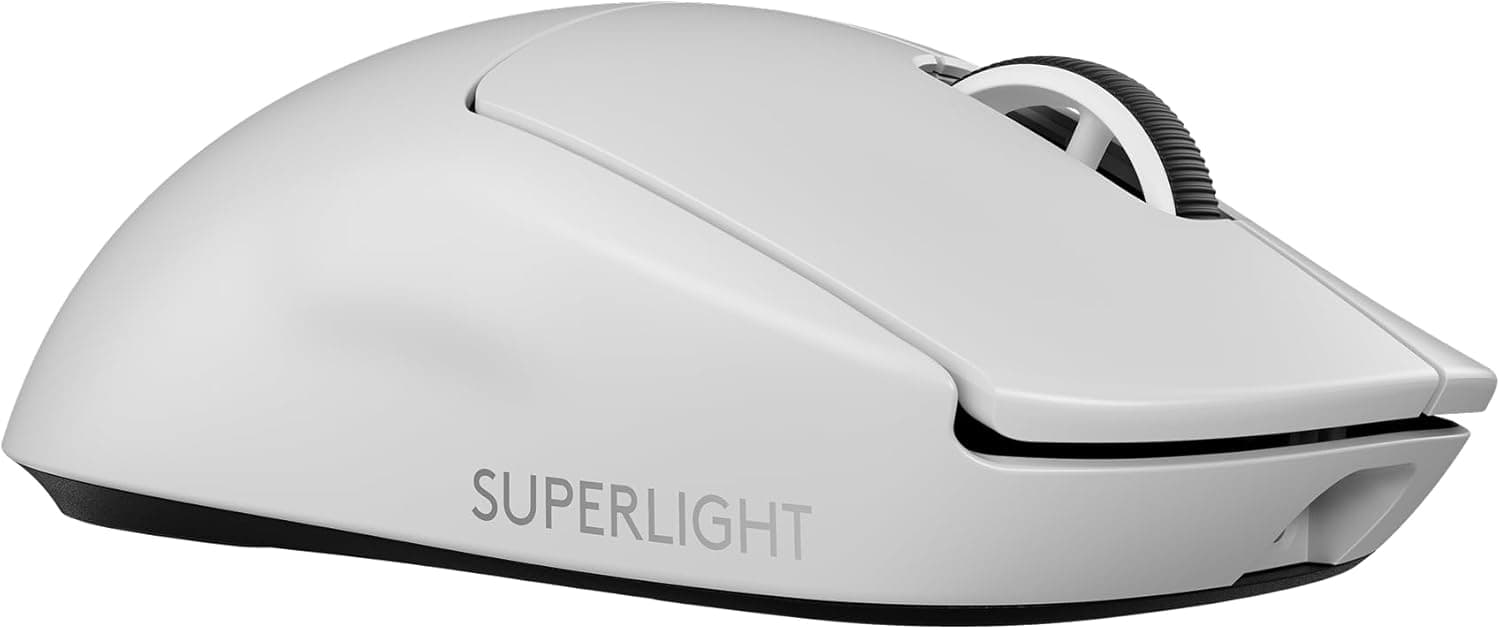
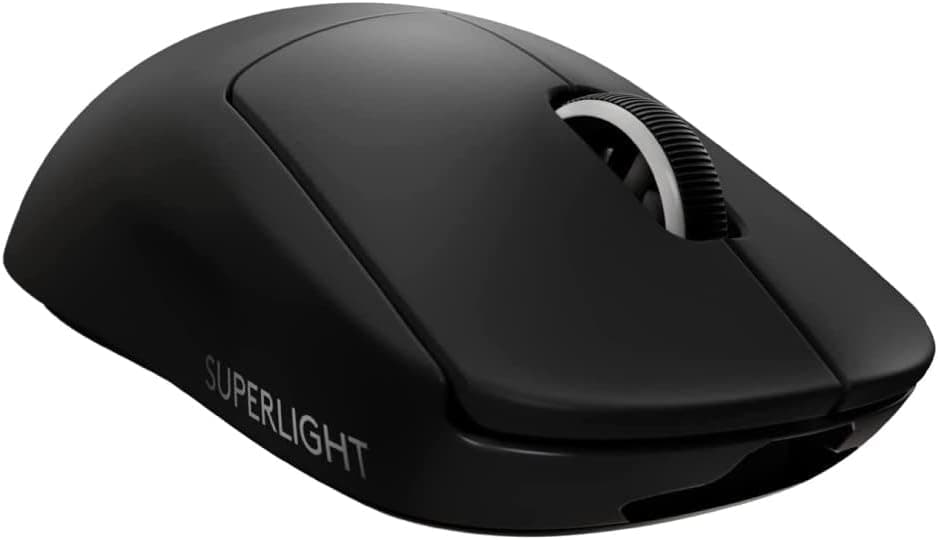
This article covers the Logicool G PRO X SUPERLIGHT — Ultra-lightweight wireless gaming mouse under 63g (model G-PPD-003WL-BK, sold in Japan under the Logicool brand; known as Logitech G elsewhere). The short answer: it is still a strong pick for right-handed players who mainly play FPS titles and value low weight and a stable wireless link over extra buttons or lighting.
On the other hand, its side buttons sit only on the left side and it charges over micro-USB, and for some buyers those are real drawbacks.
The G PRO X SUPERLIGHT launched as the lightest mouse Logitech G had made, weighing under 63g (61g by spec). It is about 25% lighter than the previous G PRO Wireless and is designed for fast, precise handling in competitive play.
The HERO 25K optical sensor supports 100 to 25,000 DPI and tracking speeds up to 400 IPS.
It connects through a USB receiver using LIGHTSPEED wireless technology, with a 1,000Hz polling rate. Thanks to efficient power use, a full charge lasts up to 70 hours of continuous use, and with the optional POWERPLAY mouse pad it can keep charging wirelessly while you play.
It was developed with professional esports players and sits clearly in the high-end segment. On Amazon.co.Check the retailer's page for the latest user reviews.
Compatibility Guide
Supported operating systems are Windows 10 or later and macOS. The receiver plugs into a USB-A port, so laptops or Macs with only USB-C ports need a USB-C to USB-A adapter or hub.
Bluetooth is not supported, so do not plan on using it with devices that cannot take the receiver, such as tablets.
Wireless stability depends heavily on the distance between the receiver and the mouse, and on what sits between them. A receiver plugged into the back of a desktop tower is exposed to the metal case and other wireless devices.
For gaming, the standard practice is to use an extension cable and place the receiver near your mouse pad. Keeping it away from USB 3.0 ports and other 2.4GHz devices also helps prevent dropouts.
Charging uses a micro-USB cable. Wireless charging with POWERPLAY requires a separately sold POWERPLAY-compatible mouse pad; the mouse alone cannot use POWERPLAY.
The body measures about 125.0 × 63.5 × 40.0 mm.
The shape is close to symmetrical, but the button layout is made for right-handed use (see below).
| Item | Details | Watch out for |
|---|---|---|
| OS | Windows 10 or later / macOS | Check software support on the maker's page |
| Connection | LIGHTSPEED (USB receiver) | Needs a USB-A port; no Bluetooth |
| Charging | micro-USB / POWERPLAY (sold separately) | USB-C cables will not work |
| Size | approx. 125.0 × 63.5 × 40.0 mm | Try the fit in a store if you can |
Product Info
Key specifications:
| Item | Value |
|---|---|
| Weight | 61g (under 63g) |
| Sensor | HERO 25K (optical) |
| Maximum DPI | 25,000 |
| Maximum speed | 400 IPS |
| Polling rate | 1,000Hz |
| Battery life | Up to 70 hours |
| Connection | LIGHTSPEED wireless (USB receiver) |
| Charging | micro-USB cable / POWERPLAY compatible (sold separately) |
| Buttons | 5 |
| Dimensions | approx. 125.0 × 63.5 × 40.0 mm |
| Supported OS | Windows 10 or later, macOS |
It was released in late 2020 and comes with a standard 2-year manufacturer warranty. The box includes the USB receiver, a charging cable (USB-A to micro-USB), spare PTFE feet and a quick-start guide.
The contents may change over time, so check the product page before buying.
On Amazon.co.Check the retailer's page for the latest price.
Prices change often with sales and stock levels, so treat these figures only as snapshots from those dates and check the product page for the current price.
For ratings, Amazon.co.
Holding a 4.6 average across close to ten thousand reviews suggests the mouse suits a wide range of buyers, not just a niche group.
Still, low-star reviews tend to mention unit-to-unit variation and wear on the wheel or clicks over time, so it is worth reading the 1- and 2-star reviews too.
Comparison With Competitors
The market for lightweight wireless mice has grown a lot since launch. Here are models from our own coverage that are often compared with it (weights and DPI are the values stated in each product's name).
| Model | Weight | Max DPI | Notes |
|---|---|---|---|
| G PRO X SUPERLIGHT | 61g | 25,000 | HERO 25K, up to 70 hours, POWERPLAY support |
| Pulsar Xlite V3 Medium | 55g | 26,000 | PAW3395 sensor |
| Pulsar X2H | 54g | 26,000 | Symmetrical shape, PAW3395 sensor |
| Pulsar CrazyLight | 41g | 32,000 | Even lighter design |
On paper, mice lighter than the G PRO X SUPERLIGHT are no longer rare. The reasons people keep choosing it are low-effort charging with POWERPLAY, Logicool G's domestic support in Japan, and the confidence of a shape that has been in use for years.
If you want the lowest possible weight or care most about spec-sheet numbers, you will probably be happier after comparing the models above.
Within Logicool G there is also the G304 X SUPERLIGHT. And if you need many buttons for MMOs or work, a multi-button model like the G604, which takes a very different approach, is a better fit.
Setup Tips
The mouse can go up to 25,000 DPI, but FPS players typically use somewhere around 400 to 1,600 DPI. A higher maximum DPI makes almost no difference in everyday play.
A good starting point is to set your in-game sensitivity so that a sweep across the full width of your mouse pad turns you roughly 180 to 360 degrees, then adjust from there.
Leave the polling rate at 1,000Hz. Even if you want longer battery life, it is better for gaming to charge often or use POWERPLAY than to lower the polling rate and lose responsiveness.
DPI and button assignments are configured through Logicool G's software.
Best Use Cases
- Right-handed tactical FPS players: The 61g weight means faster aim movement and cleaner stops, which pays off in games like Valorant and CS2, where lining up a shot in an instant decides the round.
- Players who value lightness, stability and simplicity over buttons and lighting: It has five buttons and no RGB. It suits people who want only the essentials and plan to use one mouse for a long time.
- Anyone who wants less charging hassle: Up to 70 hours per charge, and with a POWERPLAY pad you can almost forget about running out of battery.
- Frequent travelers: It is light and compact, so it is easy to take to LAN events or play on the go.
- Competitive players: The HERO 25K sensor's accuracy and LIGHTSPEED's stable wireless link have a proven track record at tournament level.
Before You Buy
Side buttons are on the left side only. The shape is close to symmetrical, but the button layout is for right-handed use.
For left-handed users, the back and forward buttons end up under the ring and little fingers, where they are practically unusable. If you are left-handed and want a light wireless mouse, pick one with side buttons on both sides.
It charges over micro-USB. If you have moved your phone and other gear to USB-C, you will need to keep an extra cable just for this mouse, and a USB-C cable cannot replace the included one if it is lost or breaks.
With POWERPLAY this matters less, but the POWERPLAY pad is sold separately and costs extra on top of the mouse.
There are only five buttons. Players who want to put skills on the mouse in MMOs or MOBAs, or who rely on many shortcuts for work, will find this too few.
Look at a multi-button model instead.
It is not a new product. It came out in late 2020, and there are now products in a similar price range that are lighter, offer polling rates above 1,000Hz, or charge over USB-C.
If you want the latest performance, compare competitors before you decide.
Check who is selling it. At the time of capture, the Amazon listing showed KEIKAI Mall as the seller, with shipping by Amazon.
Third-party sellers often appear on Amazon, and warranty handling can differ depending on whether the unit is an official Japanese domestic product. Check the seller, the official domestic product label and the warranty terms, and keep proof of purchase such as your order history.
Not everyone gets along with ultralight mice. Users coming from heavier mice sometimes feel it is too light to stop precisely at first.
Most people adjust within a few days, but the right weight depends on whether you aim with big arm movements at low sensitivity or with your fingertips at high sensitivity.
FAQ
Q. Does it work on a Mac? A.
macOS is listed as supported. It needs a USB-A port, though, so prepare an adapter if your Mac only has USB-C.
Q. Do I need a POWERPLAY mouse pad? A.
No. You can charge it with the included micro-USB cable, and since it lasts up to 70 hours, charging every few days to few weeks is enough without POWERPLAY.
Q. How long do 70 hours actually last? A.
At three hours of play a day, that works out to roughly three weeks. Real-world battery life varies with usage and settings, so treat it as a rough estimate.
Q. Do I need 25,000 DPI? A.
Most FPS players use around 400 to 1,600 DPI. You do not need high DPI; consistent sensor tracking matters far more than the maximum figure.
Q. Can left-handed players use it? A.
The shape is close to symmetrical, but the side buttons are only on the left side. Used left-handed, the side buttons are practically unreachable, so we do not recommend it for left-handed players.
Product Disclosure (Amazon)
- Manufacturer: Logicool G(ロジクール G)
- Seller: KEIKAIモール
- Fulfilled by: Amazon
- ASIN: B08LVCQLSH
- Note: This article covers a manufacturer-made product based on Amazon listing details.