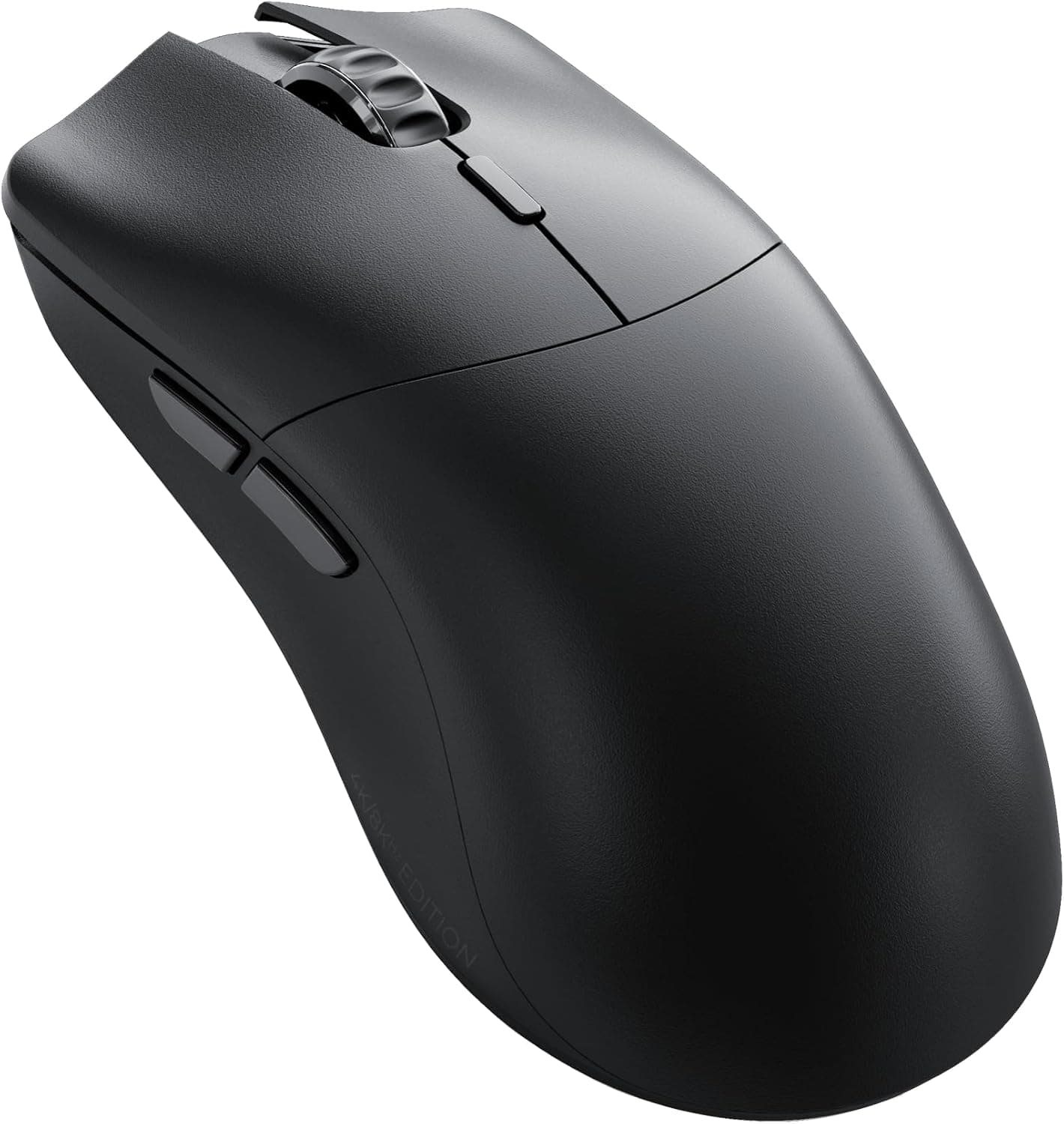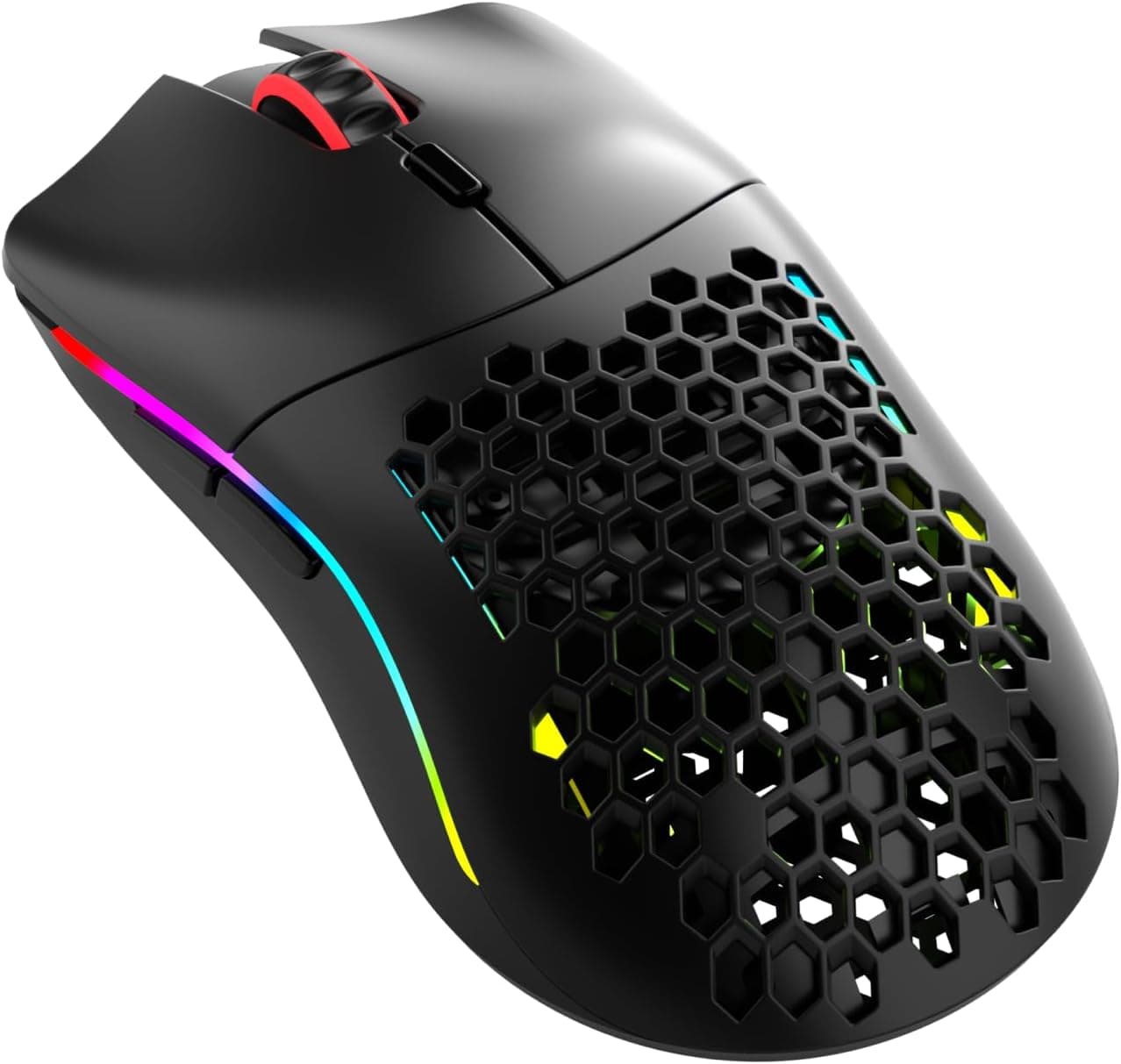
This article covers the GLORIOUS Model O Classic Wireless gaming mouse — specs, compatibility, and the pitfalls buyers tend to discover only after ordering.
Overview
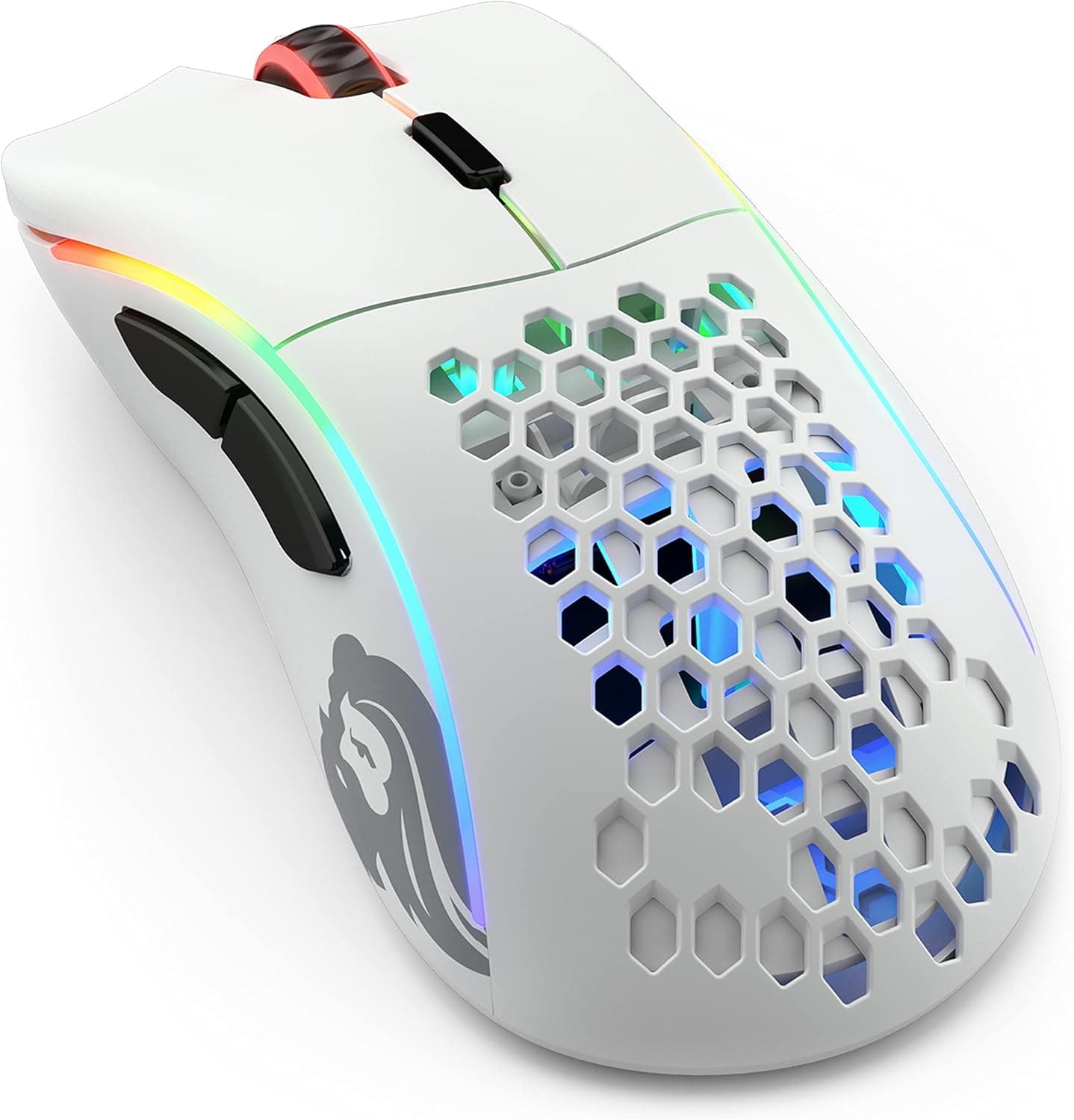
The GLORIOUS Model O Classic Wireless revives the award-winning symmetrical shape of the original Model O in a wireless form. Weighing just 69 grams thanks to its honeycomb shell, it delivers an exceptionally light and agile feel.
It pairs a 19,000 DPI optical sensor with 2.4GHz wireless connectivity for low-latency tracking and up to 72 hours of battery life per charge.
The short verdict: this is a mouse for competitive players who prioritize low weight and a neutral shape above everything else. It is not for people who need macro-heavy button layouts, Bluetooth multi-device switching, or the planted feel of a heavier mouse.
The sections below explain exactly where it wins and where it compromises.
| Item | Value | How to read it |
|---|---|---|
| Weight | 69g | ~30% lighter than a typical 100g mouse |
| Sensor | Optical, 19,000 DPI | Real-world use is 800–1600 DPI; the ceiling is a spec-sheet number |
| Connection | 2.4GHz wireless (USB receiver) | No Bluetooth, so no device switching |
| Battery | Up to 72 hours | Expect less with RGB lighting on |
| Buttons | 6 (programmable) | Not an MMO-style button cluster |
| Switch life | 100M clicks | Standard gaming-grade rating |
The numbers alone say "light and long-lasting," but the pairing of 69g with only six buttons is the real signal: features were trimmed in service of weight. Keep that in mind when weighing the fit below.
Compatibility Guide
Connectivity is 2.4GHz wireless via the bundled USB receiver only — Bluetooth is not supported.
This is the single most important thing to check before buying, because you need a free USB Type-A port. On thin laptops with only Type-C ports, or setups where the dongle must go through a hub, connection stability depends heavily on the adapter or hub quality.
Plug the receiver directly into the machine when you can, and keep it away from 2.4GHz interference sources such as USB 3.0 external SSDs and nearby Wi-Fi routers.
The receiver stores in a compartment on the underside of the mouse, which meaningfully reduces the risk of losing it in transit. For a mouse that cannot fall back to Bluetooth, that storage slot is a practical feature rather than a marketing one.
It works plug-and-play on Windows, macOS, and Linux. However, treat the GLORIOUS CORE software — DPI settings, remapping the six programmable buttons, RGB control — as effectively Windows-oriented.
On macOS or Linux, the safe approach is to configure the mouse on a Windows machine, save the profile to onboard memory, and then use it without the software installed.
Physically, a symmetrical 69g shell means hand size drives the outcome. Broadly, players with larger hands who palm-grip with full contact are the most likely to find lightweight honeycomb mice under-supported; claw and fingertip grips tend to suit this shape better.
Try a similar shape in person if you can.
Mousepad pairing is easy to overlook too. Light mice are relatively more affected by cloth-pad friction, so a thick control pad can blunt the benefit of the low weight.
The bundled replacement mouse feet are useful once the original skates wear and the glide changes.
Product Info
Core specs: a 19,000 DPI optical sensor, 2.4GHz wireless, 69g weight, up to 72 hours of battery life, six programmable buttons, switches rated to 100 million clicks, 16.8-million-color RGB lighting, and USB-C charging.
The box includes the mouse, USB receiver, USB-C charging cable, replacement feet, and a quick-start guide, with a 2-year warranty.
Pricing needs a caveat. As captured on 27 August 2026, the Amazon.co.jp listing showed ¥12,148.
But the same ASIN was captured at ¥24,862 on 6 June 2026, and a marketplace (eBay) listing showed $19.99.
That is an extreme spread for one product. ¥24,862 is clearly too high for a lightweight wireless mouse in this class, and $19.99 is implausibly low; both suggest listing noise or a different item.
Do not treat either as a reference price. Always check the current price and seller on the product page — prices move often, and every figure here is a point-in-time capture.
Check the retailer's page for the latest user reviews. Read the review text for concrete complaints (click feel, scroll wheel variance, connection stability) rather than trusting the average.
With so few reviews, a couple of low scores swing the number dramatically.
Best Use Cases
The 69g body and low-latency wireless remove cable drag entirely, and low-sensitivity players who sweep their whole arm feel the weight difference most.
Second, the ambidextrous symmetrical shape accommodates palm, claw, and fingertip grips, making it flexible across hand sizes and play styles. That neutrality also helps players who haven't settled on a grip yet.
Third, it's a strong upgrade path from a wired mouse. Wireless response is close enough to wired that most players won't notice, and the tidier desk is a real bonus if you've ever fought with cable routing or considered a mouse bungee.
Finally, it suits people who move between a laptop and a desktop setup, since the receiver tucks into the body for travel.
How It Compares
Lightweight wireless is a crowded category, and some rivals advertise around 55g. If you chase grams alone, lighter options exist — but the value of the Model O line is the long-established symmetrical shape, not the weight number by itself.
If the shape fits your hand, prioritize that over a few grams.
Against wired lightweight mice, wired usually wins on raw weight since it carries no battery. You choose this one for the total absence of cable drag and free desk movement.
If you never want to think about charging, a wired lightweight model is the saner pick.
Against ergonomic (right-handed asymmetric) shapes, some users find symmetrical shells more fatiguing over a full workday. Whether this is a gaming-only mouse or an all-day work mouse changes the verdict.
Things to Check Before Buying
No Bluetooth is the headline compromise. It runs on the 2.4GHz receiver only, so it won't work with tablets or Bluetooth-only setups, and switching between PCs means physically moving the dongle.
If multi-device use is a requirement, stop here.
The honeycomb shell trades sealing for weight. It is not dust- or water-resistant, so it's a poor fit for desks where drinks get spilled or dust accumulates.
Budget for occasional cleaning with compressed air — and if perforated shells bother you hygienically, choose a solid-shell lightweight model instead.
Treat "up to 72 hours" as a best-case figure. Battery life generally drops with RGB lighting enabled and higher polling rates.
Turn the lighting off if you want the rated endurance; if you bought it to light up, plan on charging more often. USB-C charging means you can keep playing plugged in.
Six buttons won't satisfy MMO or MOBA players who bind many skills to the mouse. The layout is the standard two side buttons plus a DPI button — macro-heavy use is out of scope.
Verify price and seller carefully. As noted, captures for this product range from ¥12,148 to ¥24,862 to $19.99.
Marketplace listings sometimes bundle parallel imports or different models (wired versions, color variants, older Model O generations) under one page. Listing metadata genuinely does go wrong sometimes, so cross-check price, seller, product image, and title before ordering, and confirm you are buying the wireless Model O Classic.
A price far below the norm often means a different item or an accessory-only listing.
**Remember the thin review base. For products with a short local sales history, warranty handling can depend on the seller — confirm whether the listing is through an authorized distributor if support matters to you.
FAQ
Q. Can I connect over Bluetooth?
A. No. It uses the bundled USB receiver on 2.4GHz only. Make sure you have a free Type-A port.
Q. Can I use it wired?
A. Yes — connect the USB-C charging cable and keep playing. It's a useful fallback when the battery runs out.
Q. Is 69g too light? A.
It depends on hand size and grip. Claw and fingertip grips suit it well; large hands using a full palm grip may find it under-supported.
Try the shape in person if possible.
Q. Does it work on Mac or Linux? A.
Yes, plug-and-play. But assume DPI and button customization requires a Windows machine; configure there and save to onboard memory.
Q. What if I lose the receiver? A.
Without it the mouse cannot connect. Availability of a replacement needs to be confirmed with manufacturer support — use the onboard storage slot to avoid the problem.
Q. Will dust get in through the honeycomb holes? A.
Yes. Assume periodic cleaning with compressed air, especially if you eat or drink at your desk.
Product Disclosure (Amazon)
- Manufacturer: GLORIOUS
- Seller: azkcom (エイゼットケイドットコム)
- ASIN: B0GQ9CDY9J
- Note: This article covers a manufacturer-made product based on Amazon listing details.