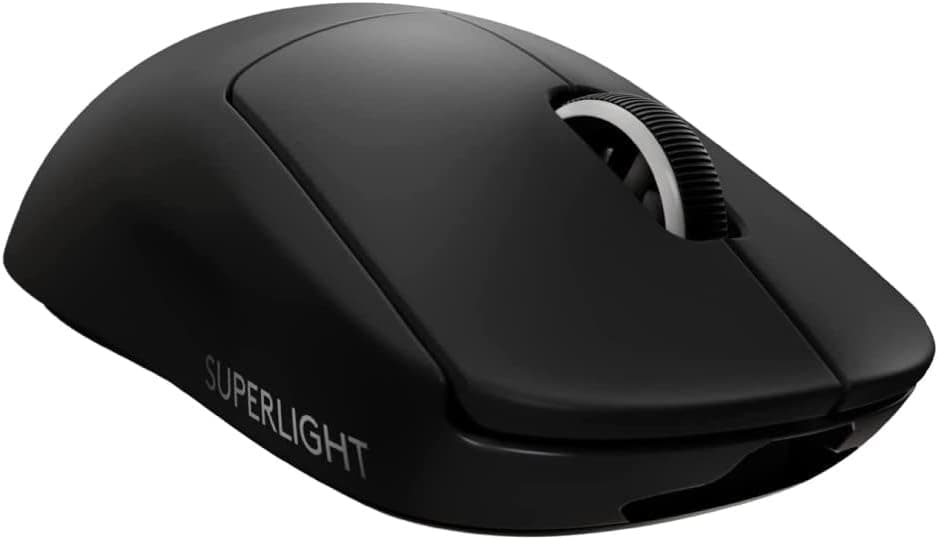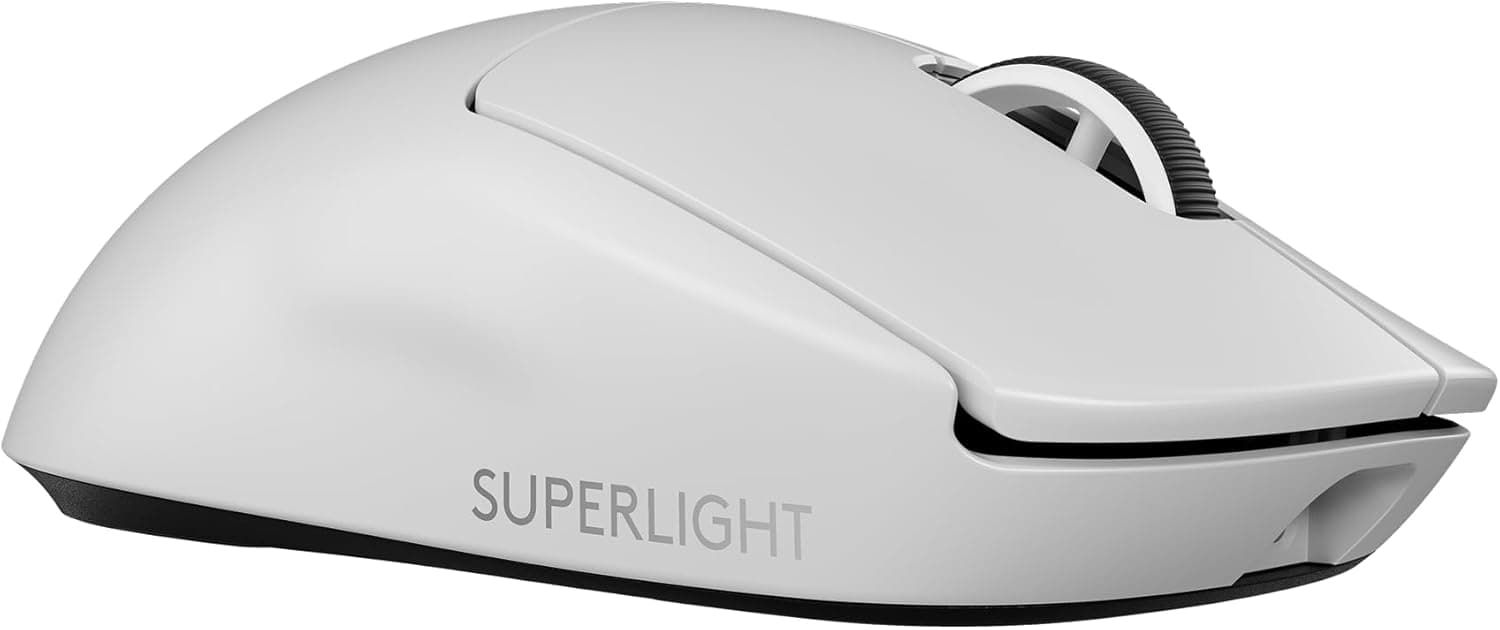
The Logitech G PRO X Superlight 2 Lightspeed Wireless Gaming Mouse is a competition-first mouse that prioritizes weight and wireless stability and strips away almost everything else. This article uses the published specs, captured pricing and review data to explain who it fits — and who is paying for capability they will never use.
Overview
Developed alongside esports professionals, the PRO X Superlight 2 pairs a roughly 60 g shell with the HERO 2 optical sensor and LIGHTFORCE hybrid switches. It offers up to 44,000 DPI, an 8,000 Hz polling rate and up to 95 hours of battery life.
Released in August 2023, it has settled in as a high-end staple, and its aim is narrow: precision on flicks and stops in competitive FPS and battle royale titles.
If mouse behaviour genuinely affects your results, this is the segment to shop in.Check the retailer's page for the latest price.
On Amazon.co.Check the retailer's page for the latest user reviews.
Compatibility Guide
Supported operating systems are Windows 10 or later and macOS 10.14 or later.
The wireless link is Logitech's own LIGHTSPEED technology using a dedicated 2.4 GHz USB receiver — not Bluetooth.
In practice that means you need one free USB Type-A port. On a laptop or tablet with only Type-C ports, budget for an adapter or hub.
The most common real-world problem is receiver placement. Plugging the dongle into a rear motherboard port and expecting the signal to reach a mouse on the desk above is the classic setup for stutter, especially near metal cases and USB 3.x devices.
The box includes an extension adapter and cable so you can bring the receiver up onto the desk. If tracking feels like it snags, move the receiver to within roughly 300 mm of the mouse first — that fixes most "unstable LIGHTSPEED" complaints.
Charging and wired play use the USB-C port. The bundled cable is USB-A to USB-C, so on a Type-C-only machine check whether a spare C-to-C cable works for you before you buy.
Optionally, the POWERPLAY wireless charging system keeps the mouse powered while you play, removing the charging routine entirely — but it is a separate purchase and locks you into that mousepad, so factor it into the total cost.
Treat console use as out of scope; the dedicated-receiver design is not guaranteed to work there. DPI steps, button assignments and polling rate are configured in G HUB and can be stored in onboard memory, so once you have dialled it in, the mouse behaves identically on another PC.
Product Info
The key manufacturer-published specifications are below.
| Item | Value |
|---|---|
| Sensor | HERO 2 optical |
| Max DPI | 44,000 |
| Polling Rate | 8,000 Hz |
| Weight | 60 g |
| Battery Life | 95 hours |
| Switches | LIGHTFORCE hybrid |
| Buttons | 5 |
| Connectivity | LIGHTSPEED wireless / USB-C wired |
| Color | White |
The two numbers that matter day to day are not the DPI ceiling but 60 g and 95 hours. Almost nobody plays at 44,000 DPI; FPS players typically live somewhere around 800–1,600 DPI.
Read the DPI figure as evidence of a capable sensor, not as a buying reason. Weight, by contrast, directly affects wrist and forearm fatigue during long sessions, and 95 hours means charging roughly once a week even with daily play.
The same caveat applies to 8,000 Hz polling: it pays off only with a high-refresh monitor and CPU headroom to spare, and dropping to 1,000 Hz costs you little in practice.
All of these are point-in-time values that move with sales and stock. Two things are worth noticing: the domestic listing sits clearly above the overseas marketplace level, and the Amazon seller and shipper are a third party rather than Logitech itself.
Compare the official store and major retailers before ordering.
In the box: the USB receiver, a USB-A to USB-C charging cable, a receiver extension adapter, replacement grip tape and documentation. Grip tape is a consumable and wears faster if your hands sweat, so plan on replacement tape and mouse feet as running costs.
How It Compares
Lightweight mice aim at different targets. If wired is acceptable, the ASUS TUF Gaming M3 Gen II is 59 g — lighter than this — at a completely different price.
Low weight on its own is simply cheaper over a cable. Ambidextrous models around 71 g, such as the Razer Viper line, work for left-handed users and for anyone whose grip does not agree with a right-hand-leaning shell.
If you only require wireless plus very low weight, budget options like the Redragon M916 advertise 49 g. What separates them is sensor consistency, wireless reliability, build quality and support when something fails.
On a spec table the Superlight 2 looks expensive; in competitive use, repeatability matters more than headline numbers, and that is what the price buys. If you do not value that, a cheaper mouse is genuinely enough.
Large-handed palm grippers may be better served by a bigger asymmetric shell such as the BenQ ZOWIE EC1-C. Light is not automatically better — a shape that fights your hand will not produce stable aim.
Setup and Living With It
Two things are worth doing on day one. First, trim your DPI steps in G HUB to the one or two you actually use and settle your in-game sensitivity around them.
Second, test 8,000 Hz against 1,000 Hz and watch your minimum frame rate. If polling load costs you frames, drop it — unstable frames in exchange for polling headroom is a bad trade.
For battery, pick a habit: charge on weekends, or plug in overnight. The 95-hour figure is a continuous-use guideline, and either routine keeps you from ever thinking about it.
If you add POWERPLAY, accept that your mousepad choice becomes fixed.
Best Use Cases
Across hours of daily practice, 60 g meaningfully reduces wrist and forearm fatigue. It also fits anyone who wants the cable gone without accepting sloppy wireless behaviour.
Claw and fingertip grippers with medium-sized hands, players who are content with five buttons, streamers who would rather not have a cable in frame, and anyone who wants identical behaviour across multiple PCs via onboard memory will all get their money's worth.
Before You Buy
Start with the price. ¥32,873 captured in June 2026 and ¥34,499 captured in August 2026 both sit above where this product usually lands, and the Amazon seller and shipper are a third party, not Logitech.
Parallel imports and scarcity markups are plausible explanations. Compare price and warranty terms against the official store and major retailers first, and remember these figures are point-in-time and may have moved since.
Listing metadata on marketplaces — brand, model number, ASIN — is sometimes wrong or stale. Confirm from the photos and product name that you are buying the PRO X SUPERLIGHT 2 in white and not the first-generation Superlight or a different colour.
Price labels can also be mismatched with the storefront you land on, so verify the final currency and shipping origin at checkout.
The trade-offs are deliberate. Five buttons, side buttons on one side only, and no RGB.
That is not enough for MMO-style ability binding. The wireless link is receiver-based with no Bluetooth fallback, so devices without a usable USB port are out.
Shape fit never shows up in specs. Large hands using a palm grip may find the shell small, and a light mouse you cannot hold comfortably is the worst outcome.
Buy somewhere with a return path if you can, and treat grip tape as a recurring cost.
Finally, do not expect 44,000 DPI or 8,000 Hz to feel like a revelation. They are ceilings, not settings.
The value here is the unglamorous part: low mass, stable wireless and repeatable behaviour.
FAQ
Q. Is it worth upgrading from the original PRO X SUPERLIGHT? A.
The main changes are the HERO 2 sensor, LIGHTFORCE hybrid switches and 8,000 Hz polling support. If the original still satisfies you, there is no urgency; upgrade if you have a concrete complaint about click feel or polling.
Q. Does it support Bluetooth? A.
No. It uses LIGHTSPEED wireless via the dedicated USB receiver, or USB-C wired.
A usable USB Type-A port is assumed.
Q. Should I always run 8,000 Hz? A.
Not necessarily. It only helps with a high-refresh display and spare CPU capacity.
If frame rates wobble, use 1,000 Hz.
Q. Does it work on a Mac?
A. macOS 10.14 or later is supported, and G HUB is available for macOS for configuration.
Q. What happens when the battery dies mid-match? A.
Plug in the USB-C cable and keep playing as a wired mouse while it charges. With POWERPLAY, the situation rarely comes up at all.
Product Disclosure (Amazon)
- Manufacturer: Logitech G
- Seller: APOLO1969
- Fulfilled by: APOLO1969
- ASIN: B09NBWQDKX
- Note: This article covers a manufacturer-made product based on Amazon listing details.