Overview
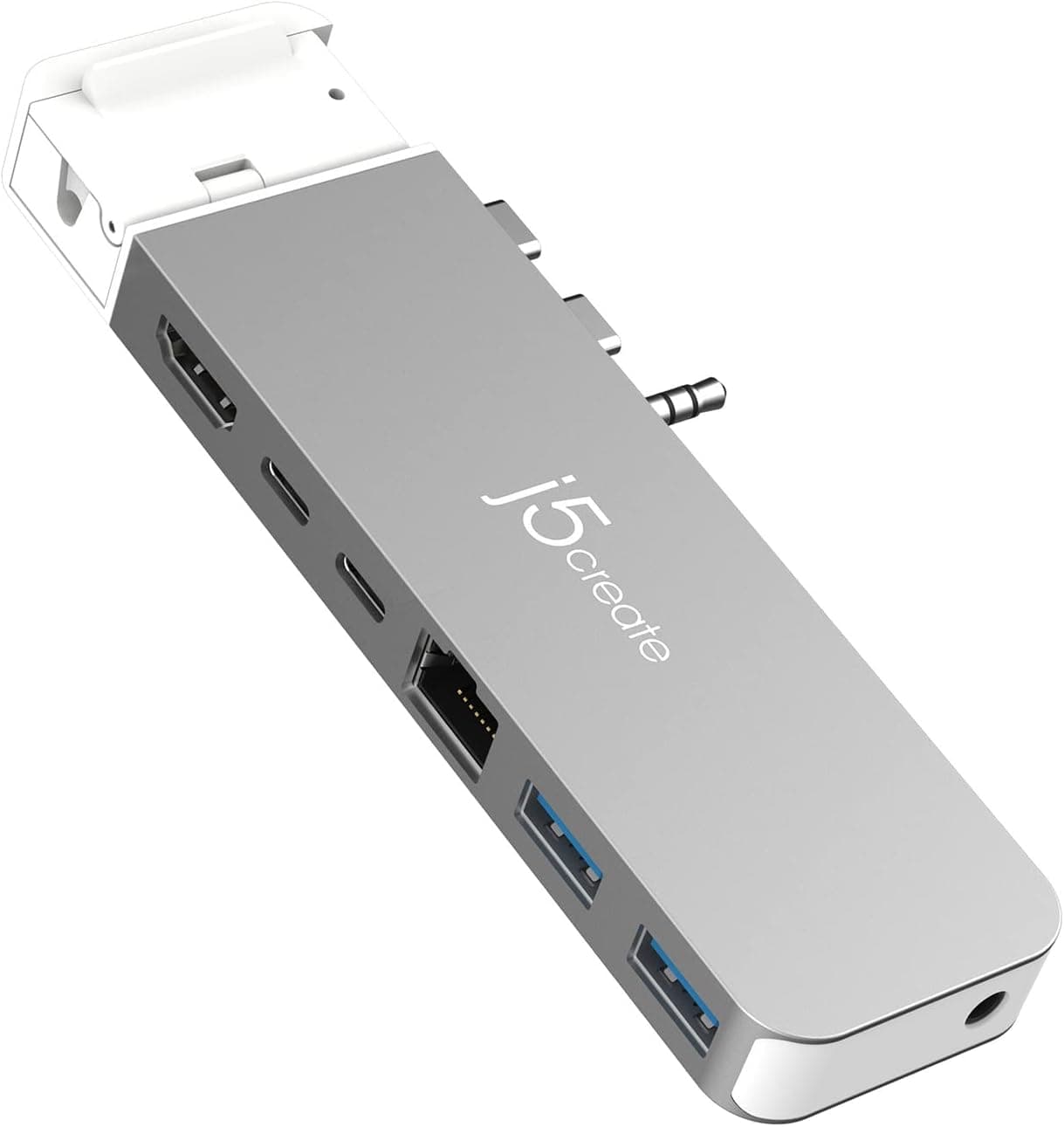
The j5create JCD395-EJ is a 7-in-1 docking station designed to connect directly to MacBook Pro 14-inch and 16-inch models (2021 and later). It features a USB4 passthrough port that simultaneously delivers PD100W charging, up to 6K60Hz external display output, and 40Gbps data transfer. A detachable 3.5mm plug extends compatibility to MacBook Air and older MacBook Pro models. Weighing just 74g with an aluminum chassis, the dock includes a MagSafe3 protective cover to prevent cable damage and simplify plugging/unplugging. It's an ideal all-in-one solution for Mac users who need charging, video output, and data connectivity from a single device.
The host side uses two USB-C male connectors (one with a removable 3.5mm plug) for direct attachment to MacBook Pro 14/16-inch models. For MacBook Air or 13/15-inch models, simply remove the 3.5mm plug. Expansion ports include: USB4 passthrough ×1 (up to 40Gbps, PD100W input, 6K60Hz video) HDMI ×1 (up to 4K60Hz) USB Type-C 3.2 Gen2 ×1 (10Gbps) USB Type-A 3.2 Gen2 ×2 (10Gbps each) Gigabit Ethernet ×1 3.5mm combo audio jack ×1 Compatible with all M1/M2/M3/M4 MacBook models. Note that M1/M2 MacBooks are limited to one external display due to Apple's system restrictions.
Check the retailer's page for the latest price. It comes with a 2-year warranty and domestic support (phone, email, AI chat). Package includes the dock, height-adjustable foot pads, quick install guide, and warranty card.
Creative professionals and video editors: The 6K60Hz display output and 40Gbps transfer speed handle large RAW files and 4K footage smoothly. Be aware of the single-display limit on M1/M2 MacBooks. Office and remote workers: Use HDMI 4K60Hz and Gigabit Ethernet simultaneously for a dual-monitor setup with stable wired networking. PD100W charging keeps the MacBook powered through a single cable. MacBook Air users: After removing the 3.5mm plug, the dock works with Air models. Its lightweight design makes it easy to carry, perfect for on-the-go charging, data transfer, and video output. Not recommended for: Users who primarily use Windows laptops or iPad Pro, as the dock is MacBook-specific. Also, if you need multiple external displays on an M1/M2 MacBook, consider a Thunderbolt 4 dock instead.
Product Disclosure (Amazon)
- Manufacturer: j5create
- Seller: j5create Direct
- Fulfilled by: Amazon
- ASIN: B0BPL97FZ7
- Note: This article covers a manufacturer-made product based on Amazon listing details.