This article covers the ID-COOLING SE-214-XT V2 ARGB White, an affordable ARGB CPU cooler with 4 heat pipes. It explains how to read the specs, which builds suit it, which don't, and what to check before buying.
Overview
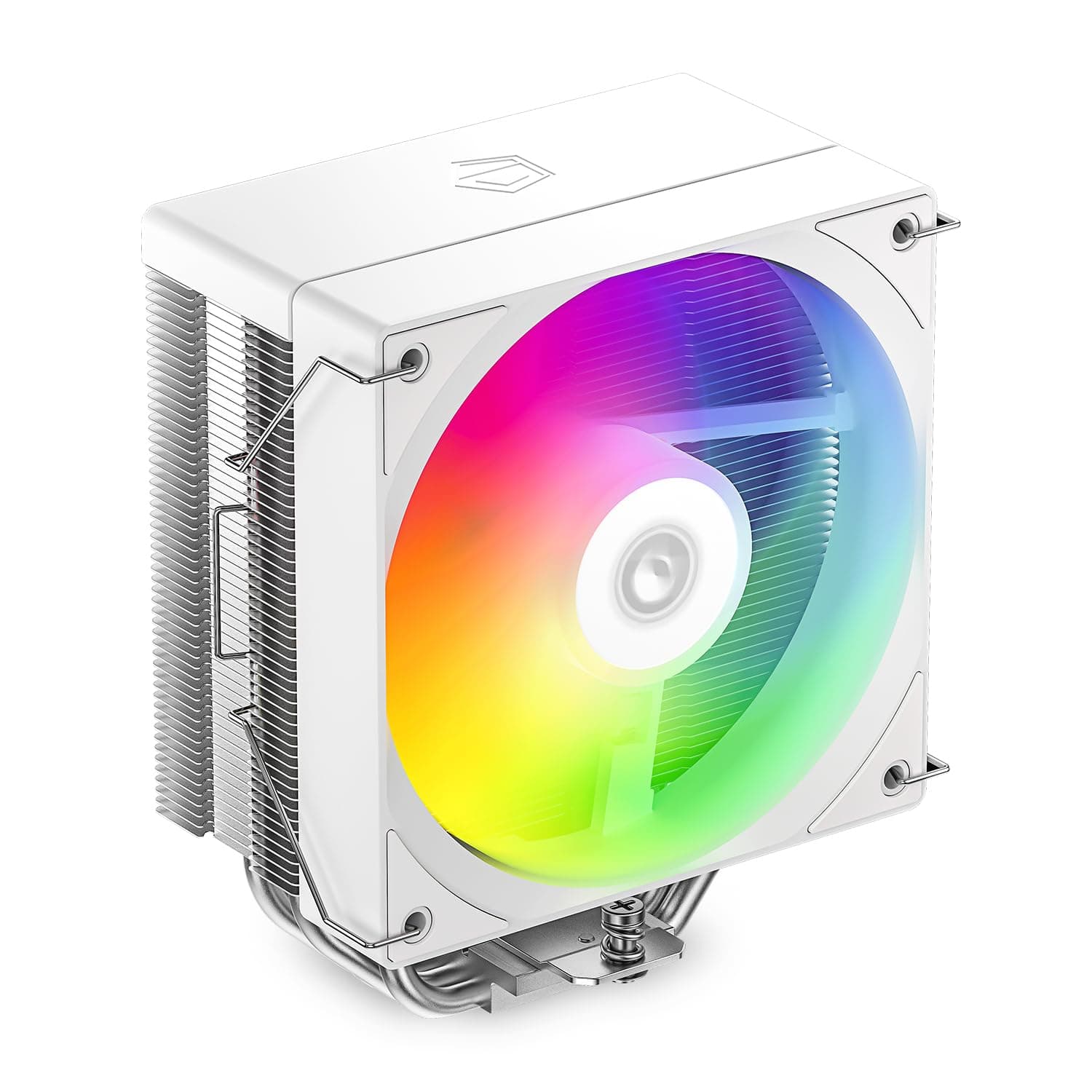
The ID-COOLING SE-214-XT V2 ARGB White is a single-tower air CPU cooler with four 6mm heat pipes and one 120mm ARGB fan. The short answer: it suits people who want to cool a Core i5 or Ryzen 5 class CPU quietly while keeping an all-white build consistent.
It is not the right tool for running hot high-end CPUs at full load. The manufacturer's rated TDP of about 180W is the most useful guide to where its limits are.
Because both the heatsink and the fan are white, you avoid a common white-build problem: a black cooler that stands out against a white case and motherboard. The ARGB lighting runs from a 5V 3-pin motherboard header, so it can sync with case fans and memory.
The main audience is first-time builders and mid-range systems that put looks and low noise first.
Compatibility Guide
Supported sockets are Intel LGA1700 / LGA1200 / LGA115X and AMD AM5 / AM4. LGA1700 covers Core 12th to 14th Gen, AM5 covers Ryzen 7000/9000, and AM4 covers Ryzen 1000 to 5000, so most mainstream CPUs from recent years are covered.
LGA1851, used by the Core Ultra 200S series, is not on the supported list. If you plan to use LGA1851, check the manufacturer's latest compatibility information before buying.
| Check | This cooler | Common mistake |
|---|---|---|
| Sockets | LGA1700/1200/115X, AM5/AM4 | LGA1851 not listed |
| Height | About 154mm | Compare with the case's cooler height limit |
| Fan connector | 4-pin PWM | Use the motherboard CPU_FAN header |
| Lighting connector | 3-pin 5V ARGB | Do not plug into a 4-pin 12V RGB header |
| Form factors | ATX / Micro-ATX / Mini-ITX | Mini-ITX cases often have tight height limits |
Height is the most common trap. About 154mm fits most mid-towers, but some slim cases and small Mini-ITX cases have limits of around 150mm or less.
Always compare it with the CPU cooler height limit in your case's spec sheet. With little margin, the side glass can touch the fan or pinch cables.
As a single-tower design, it is less likely to hit memory than a dual-tower cooler. With tall heat-spreader memory, however, the bottom edge of the 120mm fan can overlap the modules.
You would then mount the fan slightly higher, which also adds to the total height, so check case clearance at the same time.
No dedicated PSU cable is needed. The fan goes to the motherboard's 4-pin PWM header and the lighting goes to a 5V ARGB header, so the board needs both types of header.
The data lists a 650W recommended PSU, but that is best read as a guide for a whole PC with a CPU matched to this cooler, not a requirement of the cooler itself.
Product Info
| Item | Value |
|---|---|
| Cooling type | Air (single tower) |
| Fan | 120mm x 1 |
| Noise level | 27.2 dBA |
| Heat pipes | 4 (6mm) |
| Rated TDP | About 180W |
| ARGB | 3-pin 5V ARGB |
| Height | About 154mm |
| Warranty | Standard manufacturer warranty (check the official site) |
As of June 9, 2026, Amazon.co.jp listed it at ¥9,738 (sold and shipped by Takumido).
On eBay it was $25.90 as of July 2026.
For a 4-heat-pipe, 120mm single-tower cooler, the Amazon.co.jp price looks somewhat high.
Prices like this move a lot depending on the seller and stock, and they change during sales, so check the current price and seller on the product page before buying.
As of June 2026, Amazon.co.Check the retailer's page for the latest user reviews.
The complaints in low-rated reviews (fan noise, mounting hardware, lighting) tell you more than the star count.
Cooling and Noise in Practice
A rated TDP of about 180W is typical for a 4-heat-pipe, 120mm single-tower cooler. For standard Core i5 and Ryzen 5 chips used mostly for gaming, it should cool with room to spare.
Even Ryzen 7 class CPUs often stay within a practical range under bursty loads such as games.
The catch is that modern CPUs don't always draw what their spec-sheet TDP says. Intel K-series chips can have their power limits raised a long way by motherboard settings, and all-core loads can go past 180W.
During long encoding or rendering runs, the CPU may sit at its temperature limit and run at lower clocks for long periods. That won't damage it, but you won't get its full performance.
The 27.2 dBA figure is the manufacturer's maximum.
Test conditions differ between brands, so it's safer not to compare it directly with other companies' numbers. Still, it is a quiet figure for a single 120mm fan.
With PWM control, you can tune the BIOS fan curve to run it even slower at idle.
Best Use Cases
- All-white builds: The white heatsink and fan match white cases and memory without standing out.
- Core i5 / Ryzen 5 gaming PCs: For CPUs within the roughly 180W rating, expect quieter cooling with more headroom than a stock cooler.
- Quiet PCs: With a 27.2 dBA maximum and PWM control, it works for PCs in living rooms or bedrooms.
- Unified ARGB control: Plug it into a 5V ARGB header and its lighting can match your case fans and memory.
Alternatives
If you want a white air cooler, the NZXT T120 White is a natural comparison. It gives you another option for a white build, but height and lighting differ between products, so choose based on your case's height limit and the look you want.
If cooling comes first, consider a dual-tower cooler with 6 heat pipes such as the Thermalright PA120, or a stronger air cooler like the Thermalright Phantom Spirit 120 SE. They have more headroom but are wider and heavier, so memory and case clearance need more care.
Long-standing options like the Cooler Master HYPER 212 series and Arctic Freezer 34 eSports compete in the same tier. This cooler's advantage is that white and ARGB come as standard.
For a high-end CPU in a white build, a 360mm AIO such as the ID-COOLING SL360 White is also an option. It cools much better, but it adds problems air coolers don't have, such as pump lifespan and where to mount the radiator.
A simple way to decide is whether your CPU will go past the 180W class.
Things to Consider
- Not enough for hot CPUs: High-end chips such as Core i7/i9 K models or Ryzen 9, run at full load for long periods, will often need more cooling. If you expect to go past 180W, look at a dual-tower air cooler or an AIO.
- ARGB is 5V 3-pin only: Plugging it into a 4-pin 12V RGB header can damage the LEDs. Check the pin count and voltage label. Older boards may have no 5V ARGB header, in which case you need a separate controller.
- Check the 154mm height: It may not fit slim or small cases. Allow some room for the side panel as well.
- LGA1851 not listed: If you plan to use a Core Ultra 200S CPU, confirm support with the manufacturer first.
- Shade of white: White parts differ slightly in shade between brands. If matching matters to you, look at reviews with real photos.
FAQ
Q. Can it cool a Ryzen 7 7800X3D? A.
The 7800X3D is a 120W TDP chip, which is within the roughly 180W rating. For gaming it's a practical pairing.
Q. Can I use it with a Core i7-14700K? A.
The LGA1700 socket is supported, but with power limits removed and all cores loaded, it probably won't keep up. It will run with power limits set for mostly gaming use, but if you want full performance, get a larger cooler.
Q. Does it work without the ARGB cable connected? A.
Yes. Only the 4-pin PWM fan connection is needed for cooling.
Without the ARGB cable, it simply won't light up.
Q. Can I use it in a Mini-ITX PC? A.
The board size is supported, but it won't fit a case with a CPU cooler height limit under 154mm. Check your case spec first.
Q. Does 27.2 dBA mean it's quieter than other brands? A.
It's the manufacturer's maximum, and test conditions vary by product. Treat it as a guide, not a way to rank quietness against other brands' numbers.
Product Disclosure (Amazon)
- Manufacturer: ID-COOLING
- Seller: Takumido
- Fulfilled by: Takumido
- ASIN: B0G3SXMRXG
- Note: This article covers a manufacturer-made product based on Amazon listing details.