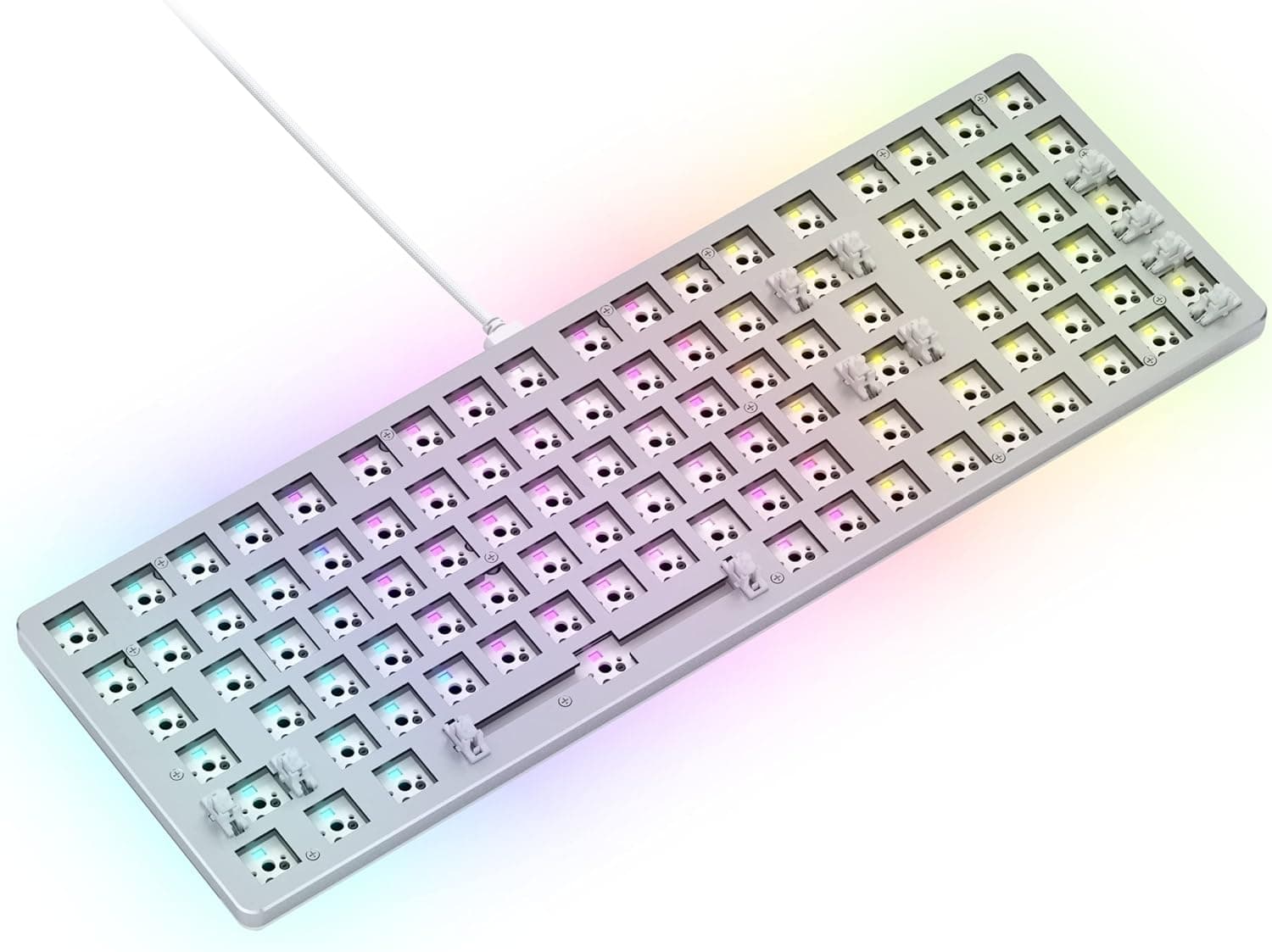
This article covers the Glorious GMMK2 Full Size 99-key barebones keyboard, focusing on the decisions buyers actually struggle with.
Overview
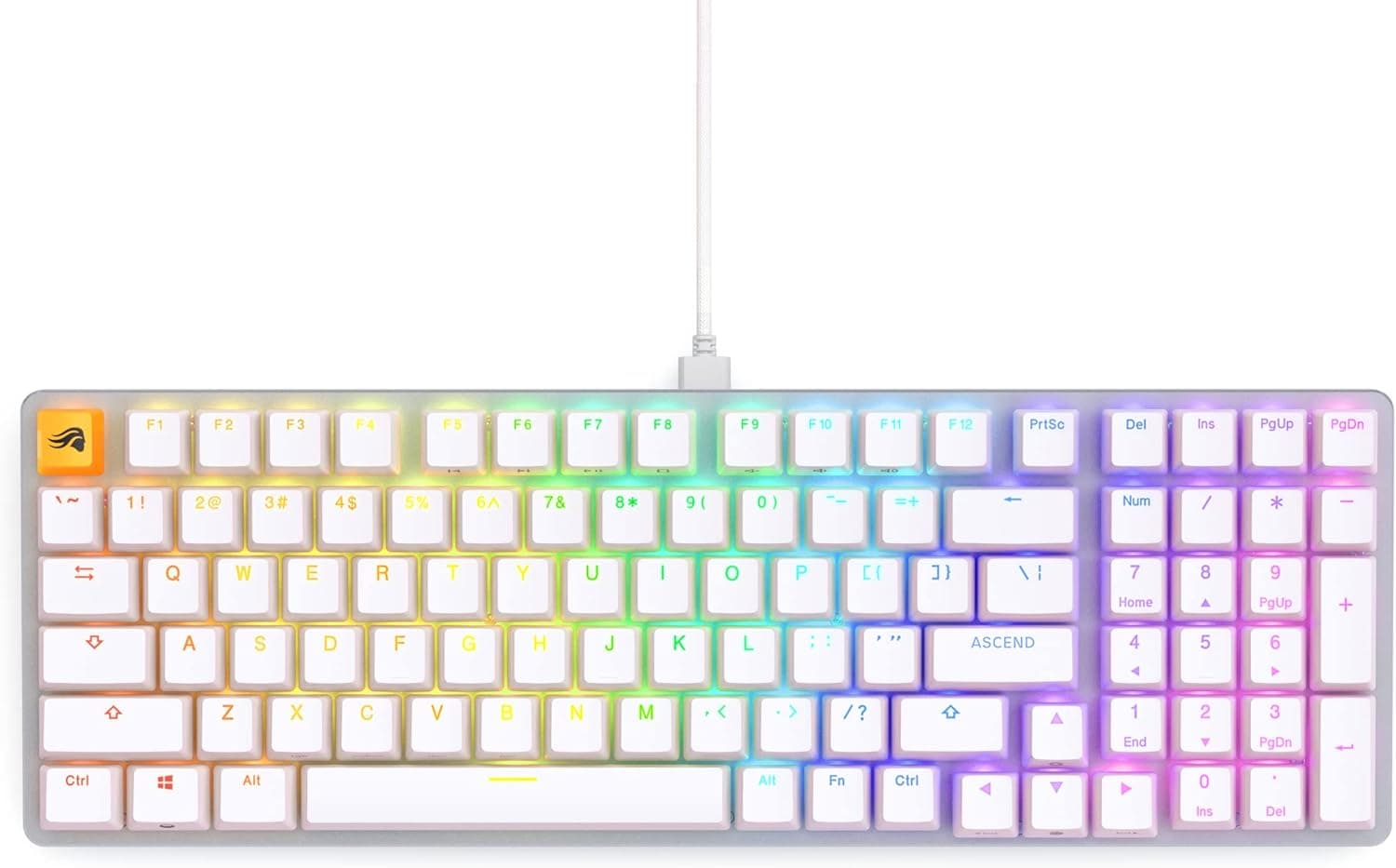
The Glorious GMMK2 Full Size Barebones is a USB-C wired mechanical keyboard with a 96% layout and 99 keys. Its defining feature is the 5-pin hot-swap sockets, which let you change switches with no soldering.
A brushed aluminum frame, pre-lubed stabilizers and internal foam give it a solid base sound before you add any parts of your own.
The word "barebones" matters more than anything else here. No switches and no keycaps are included — the box contains the PCB, case and plate.
This is a foundation for a custom build, not a finished keyboard. It suits people who enjoy choosing switches, not people who want to type the moment the box arrives.
In short: buy it if you want to build a mechanical keyboard yourself and want to keep a numpad without a full-width footprint. Skip it if you need something usable out of the box, need wireless, or want quiet typing above all else.
What a 96% Layout Actually Means
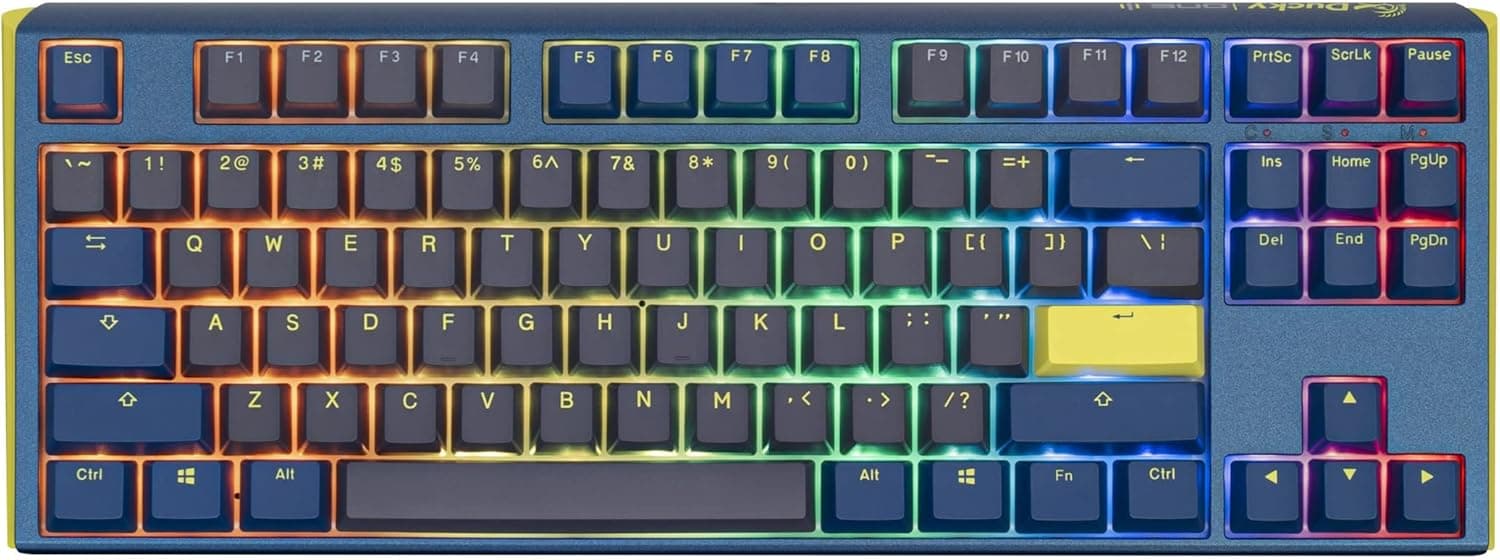
A 96% layout (99 keys here) keeps the numpad but removes the gaps between key clusters, saving several centimeters of desk width. That is real value if you use a numpad for spreadsheets, accounting or CAD but also want mouse room — low-sensitivity gamers benefit most.
The trade-off is structural. The arrow keys sit flush against right Shift, the numpad and the navigation keys, so mispresses are common for the first days or weeks after moving from a full-size board.
Most people adapt, but plan for an adjustment period, and check the layout diagram first if you rely on Home/End/PgUp/PgDn by touch.
The second practical issue is keycaps. Some key sizes on a 96% board differ from standard full-size boards, so a generic "ANSI 104-key" set may not fit around right Shift and the numpad.
Choose a set that explicitly lists 96%/1800 compatibility, or a large set with plenty of extra sizes.
Compatibility Guide
Windows, macOS and Linux are supported. The connection is USB-C wired only — there is no Bluetooth and no 2.4GHz wireless.
The cable is detachable, so you can change length or color, but "wired only" is a hard requirement to accept before buying. It is a poor fit for carrying with a laptop or switching between several devices.
Switch sockets are 5-pin MX-compatible. Cherry MX, Gateron, Kailh and Glorious switches with an MX-style stem all fit.
A 5-pin socket also accepts 3-pin switches; the reverse would require clipping plastic legs, so this board gives you the wider set of options. Magnetic (Hall effect) and optical switches work on a different principle and will not work here — if rapid trigger is your goal, buy a magnetic-switch keyboard instead.
Switch count is the detail people miss. With 99 keys you need at least 99 switches.
Switches are commonly sold in packs of 35, 36, 70 or 90, so a single 70-pack leaves you short. Buy a pack of 100 or more, or a 70-pack plus extras.
Glorious CORE handles key remapping and per-key RGB (16.8 million colors).
If you dislike background software, check whether profiles can be stored onboard before buying. Physically, the compressed 96% frame fits narrow desks and keyboard trays better than a true full-size board despite keeping the numpad.
Product Info
Key specifications:
| Item | Value |
|---|---|
| Key count | 99 |
| Layout | 96% (full size) |
| Connection | USB-C wired |
| Switch socket | 5-pin hot-swap |
| Software | Glorious CORE |
| RGB | Per-key, 16.8M colors |
| Frame | Aluminum (brushed) |
| Keycaps | Sold separately (barebones) |
| Switches | Sold separately (barebones) |
The last two rows drive your real total cost.
As captured on 2026-08-27, Amazon listed ¥13,011; as captured on 2026-06-03 it was ¥13,090 — essentially flat over that period. Prices change often and can drop during sales, so check the product page for the current figure.Check the retailer's page for the latest price.
On top of the body price you will always add roughly 100 switches and a keycap set. Budget as "body plus parts," not body alone, or you will run short.
The GMMK2 Full Size Barebones was released by Glorious in 2021. Pre-lubed stabilizers and internal foam mean it does not sound bad in stock form.
Check the retailer's page for the latest user reviews. Read what the negative reviews actually say — barebones products attract low ratings from buyers who did not realize switches were not included.
Assembly Steps
The build is straightforward: (1) check that switch pins are straight, (2) press each switch straight down into the socket, (3) install the corner and center keys first to seat the plate, (4) fit keycaps only after every switch is in.
The most common failure is a bent pin pushed into the socket, leaving one dead key. If a key does not register, pull that switch and inspect the pins; straighten them with tweezers and reseat.
Always pull straight up with the switch puller so you do not damage the socket.
Test the board on a PC before adding keycaps — finding a dead key afterwards means twice the work.
Compared With Alternatives
Hot-swap keyboards are now crowded at this price. The GMMK2 Full Size stakes out "aluminum frame + numpad + barebones," which is a narrow niche.
- Want it working immediately / lowest total cost — a complete keyboard with switches and caps included is cheaper.
- Need wireless — this is wired only; look at tri-mode boards instead.
- Want to swap switches often but keep a numpad — this is exactly its territory, and few competitors offer it.
- Competitive play with rapid trigger — buy a magnetic-switch board; MX hot-swap cannot do it.
This is a board that earns its place as a neutral foundation, not through headline performance.
Best Use Cases
It is ideal for beginner-to-intermediate builders who want solder-free switch swapping — anyone comparing linear, tactile and clicky feel directly, or working through silencing and lubing in stages.
It also suits people who need a numpad for spreadsheets, accounting, CAD or data entry but want mouse room back. If you have used full-size boards and your desk has gotten tighter, 96% is a sensible compromise, and the aluminum frame resists flex during heavy typing.
Before You Buy
No switches and no keycaps are included. Bought alone, this board cannot type.
Order roughly 100 switches and a keycap set at the same time. This is the single most common mistake with barebones kits.
Count your switches. With 99 keys, a 70-pack leaves you 29 short, and buying more later may not match the original batch.
Secure 100+ up front.
Verify keycap compatibility. Look for sets that state 96%/1800 support; standard 104-key sets can leave you short or long around right Shift and the numpad.
Wired only, no wireless option. It is unsuited to laptop travel or living-room use.
The detachable cable is easy to replace but thick cables can be awkward behind a desk.
Quietness depends on your parts. Pre-lubed stabilizers and foam help, but an aluminum case still resonates.
If silence is the priority, choose silent switches or a keyboard designed for quiet operation.
Read prices and reviews carefully. Prices are point-in-time and move.
Check the listing details yourself. Store listings can be vague about contents or mix barebones and switch-included configurations; the marketplace price far above the domestic one suggests exactly that.
Confirm from the product images and title that you are buying the barebones version.
FAQ
Q. Can I type on it right away?
A. No. It is barebones — you must add switches and keycaps and assemble it yourself.
Q. How many switches do I need?
A. At least 99. Buy a pack of 100 or more; a 70-pack is not enough.
Q. Do 3-pin switches work? A.
Yes. A 5-pin socket accepts 3-pin switches.
The reverse would need leg trimming, which is not a concern here.
Q. Can I use magnetic or optical switches? A.
No. Only MX-compatible mechanical switches.
For rapid trigger, choose a magnetic-switch keyboard.
Q. Is there a wireless mode?
A. No, USB-C wired only.
Q. Does it work on a Mac? A.
Windows, macOS and Linux are supported, though Glorious CORE support varies by environment — verify if remapping matters to you.
Q. Will any keycap set fit?
A. Choose a 96%/1800-compatible set; standard 104-key sets may not cover every size.
Product Disclosure (Amazon)
- Manufacturer: GLORIOUS
- Seller: AIQA Market
- Fulfilled by: AIQA Market
- ASIN: B096CPPRF8
- Note: This article covers a manufacturer-made product based on Amazon listing details.