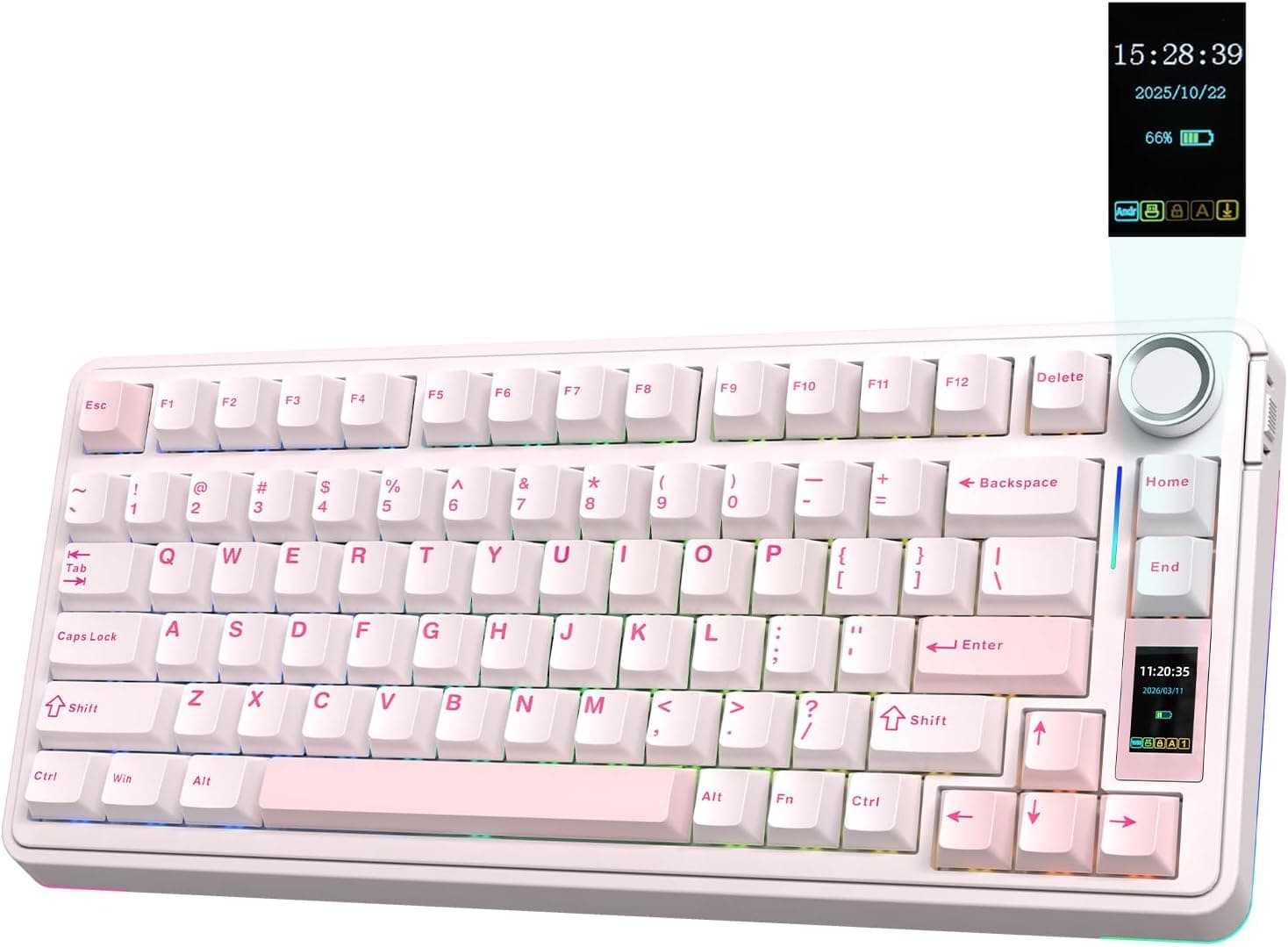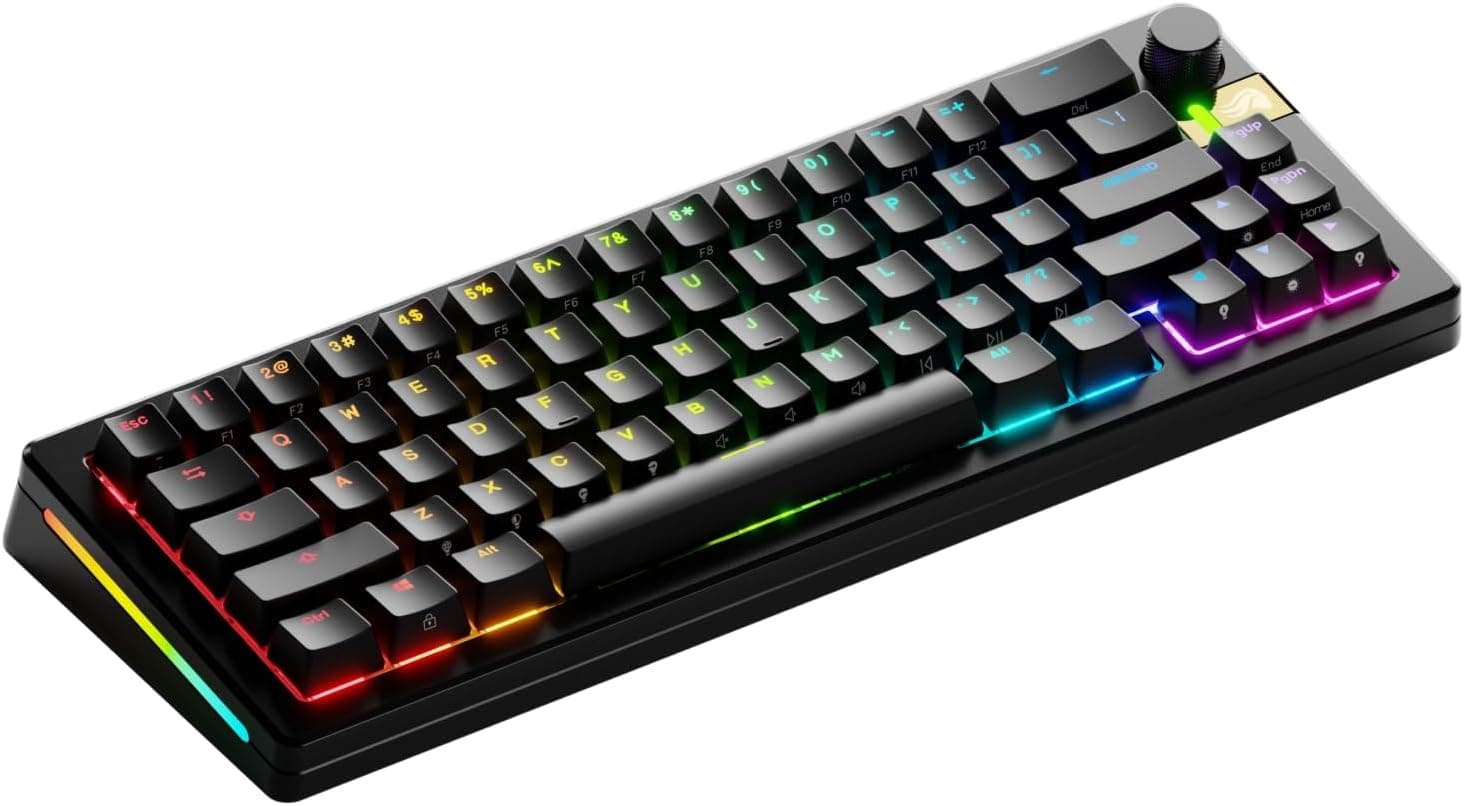
The Glorious GMMK 3 PRO HE 65% Prebuilt Wireless Black is an unusual board: it accepts both magnetic Hall Effect (HE) switches and standard MX mechanical switches in the same hot-swap sockets. This article goes past the spec sheet into the weaknesses you notice after buying, and who should skip it.
Overview
This is Glorious's 65% wireless flagship, and the short version is that it targets people who want rapid trigger without giving up switch tinkering. Most HE boards either solder their switches down or accept HE switches only.
The GMMK 3 PRO HE takes both, so one board can run HE switches for gaming and tactile MX switches for typing.
It ships with Glorious Fox HE Linear magnetic switches, tops out at an 8000Hz polling rate, uses a CNC-machined aluminum case measuring 335 x 124 x 43 mm, and has per-key RGB lighting. Connectivity covers wired USB-C, 2.4GHz wireless, and Bluetooth.
It is priced firmly in the high end: roughly ¥69,801 as captured on 27 August 2026. Reviews sit at 4.0 out of 5 stars across 40 ratings (80% positive, captured 3 June 2026).
That is a small sample, but it is not a flawless score either, which lines up with the caveats below.
Compatibility Guide
How much of the keyboard you actually get depends on how you connect it.
| Connection | Works with | Notes |
|---|---|---|
| Wired USB-C | Practically any device | Required if you want the 8000Hz polling rate |
| 2.4GHz dongle | PCs and Macs with a USB-A port | Dongle stores in the underside of the case |
| Bluetooth | BT-capable PCs, tablets | Power-saving mode; not for competitive play |
Supported operating systems are Windows, macOS, and Linux. The layout is US ANSI, and macOS replacement keycaps are included, so a Mac works out of the box.
Per the manufacturer's compatibility note, USB-C works with any device, 2.4GHz and Bluetooth require compatible hardware, and console support is partial.
That console caveat matters. A PS4/PS5 or Xbox will take basic input, but remapping keys, tuning rapid trigger actuation points, and editing RGB profiles all happen in Glorious CORE, which is PC-only.
The board stores up to 3 onboard profiles, so the realistic workflow is to configure everything on a PC first and then move the keyboard over. If you are buying it purely for a console, you will not extract anything close to the value of the price.
Physically, measure your desk against 335 x 124 x 43 mm before ordering. It is a tall 65% board and the aluminum case adds real weight, so some people want a palm rest to keep their wrist angle comfortable.
How It Compares
HE keyboards multiplied quickly after 2024, and the natural cross-shopping targets are other 8000Hz Hall Effect boards.
Three axes separate them. First, connectivity: HE boards skew competitive and therefore wired-only, so a model carrying both 2.4GHz and Bluetooth is still the minority.
If wireless is a requirement, your shortlist shrinks fast.
Second, switch freedom: HE-only boards limit you to HE switches, while this one also accepts MX-compatible switches. If you later stop caring about rapid trigger, the board still has a life.
Third, layout: 65% keeps the arrow keys while cutting nearly everything else. It is smaller than TKL and far more usable than 60%, but the function row moves onto an Fn layer.
Count how often you actually press F2 or F5 in a day before committing.
Product Info
Key specifications: 65% US layout, Glorious Fox HE Linear magnetic switches, 8000Hz polling rate, CNC aluminum case, per-key RGB backlighting, 3 onboard profiles, and Windows/macOS/Linux support.
Battery life is rated at roughly 28 hours over 2.4GHz and 26 hours over Bluetooth.
This is one of the most important numbers on the sheet. Plenty of wireless boards in this price class advertise triple-digit hours, so 28 assumes you either charge daily or run wired most of the time.
To be fair, sustaining 8000Hz polling and full RGB over a wireless link is exactly what costs that runtime — it is a design trade-off, not a defect.
On pricing: the Amazon listing showed ¥70,506 as captured on 3 June 2026 and ¥69,801 as captured on 27 August 2026. Both are point-in-time figures that move with sales, currency, and stock.
Check the product page for the current price before ordering. Note that some collected pricing data included a figure far too low to be plausible for a product of this class, so it is not cited here.
If you see an unusually cheap marketplace listing, treat missing accessories, a different model, or a bad listing as the likely explanation.
The bundle is generous: keycap puller, switch puller, screwdriver, spare switches, macOS keycaps, the 2.4GHz receiver, and a USB-C cable.
For a hot-swap board, shipping the tools to actually swap switches on day one is the right call.
Setup and Living With It
The first thing to do after unboxing is install Glorious CORE, update the firmware, and tune the rapid trigger actuation points. The value of HE switches lies in analog travel detection, and the stock configuration leaves most of that on the table.
Shallower actuation reacts faster but also misfires more. The practical approach is per-key tuning: go shallow on keys you tap and release rapidly, such as A and D for strafing, and leave the rest at a normal depth.
Setting every key to the shallowest point makes the board register input from resting fingers, which is how people end up concluding that HE switches are hard to use.
As for 8000Hz, few people can honestly claim to feel the difference. Getting any benefit requires headroom on the PC side, since it consumes USB bandwidth and CPU cycles.
Start at 1000Hz, confirm your setup is stable, and raise it from there.
Best Use Cases
The clearest fit is a player who regularly plays FPS or MOBA titles where press-and-release speed decides fights, and who genuinely enjoys swapping switches and remapping keys. Rapid trigger is a real weapon in that context.
The second fit is multi-device users moving between PC and Mac, or laptop and desktop. Three connection modes plus bundled macOS keycaps mean one board covers the whole desk.
The third is anyone short on desk space. Dropping the numpad and function row frees room to swing a mouse, and the weight of the aluminum case keeps the board planted during aggressive play.
Before You Buy
Treat 28 hours of battery as short. At five or six hours of daily use, that is under a week per charge, and bright RGB shortens it further.
Ironically, the people most drawn to the wireless feature are the ones most likely to be annoyed. The realistic pattern is wired by default, wireless when you need it.
If that is unacceptable, a lower-polling, lower-power board will make you happier.
Do not buy this for the 8000Hz number. Whether you can feel the gap over 1000Hz depends heavily on your setup and your own perception, and for most players the cost-benefit does not land.
Buy it for the HE switches and the flexibility instead.
65% is not for everyone. With the function row and dedicated navigation keys on an Fn layer, spreadsheet, CAD, and video editing work gets slower.
The question is whether you can accept it as a gaming-first board.
The score is not perfect. 4.0 out of 5 across 40 reviews as captured in June 2026.
The sample is small, so draw no hard conclusion, but check the return policy before buying rather than assuming universal praise.
Verify the listing details yourself. Manufacturer names, model numbers, and prices on retail listings sometimes disagree with the actual product.
A price wildly out of line with the product class is a strong hint that data from another item has leaked in. Confirm the product images and the model number in the title (GLO-KB-GMMK3-PRO-65-PB-HE-WL-BLK-US) before you order.
Warranty is 1 year. Hot-swapping switches and changing keycaps are intended uses, but disassembling or modifying internals may void coverage.
Check the terms before you start.
FAQ
Q. Can it really use both HE and normal mechanical switches? A.
Yes. The sockets accept both magnetic HE switches and MX-compatible mechanical switches.
Analog features such as rapid trigger only work on keys fitted with HE switches.
Q. How long does the battery last? A.
Rated at about 28 hours on 2.4GHz and about 26 hours on Bluetooth.
Real-world figures vary with RGB brightness and polling rate.
Q. Does it work on a Mac? A.
macOS is a supported OS and macOS keycaps are included. Detailed configuration still requires a machine that can run Glorious CORE.
Q. What about PS5 or Xbox? A.
It connects, but with reduced functionality. Since software customization is PC-only, configure it on a PC and save to the onboard profiles (up to 3) first.
Q. Is there a Japanese layout version? A.
This article covers the US ANSI model. If you need kana legends or the conversion keys, look at a different model or product.
Q. Do I actually need 8000Hz?
A. Most people do not. Run 1000Hz until you are confident your system has headroom, then raise it.
Product Disclosure (Amazon)
- Manufacturer: GLORIOUS
- Seller: Amazon.co.jp
- Fulfilled by: Amazon.co.jp
- ASIN: B0DCHPYY2Y
- Note: This article covers a manufacturer-made product based on Amazon listing details.