Overview
The GEEKOM Mini PC Air12 is a palm-sized desktop that ships with Windows 11 Pro, aimed at office work and video playback. In short, it is a strong choice if you want a quiet, space-saving office PC that can drive two or three screens.
It is the wrong choice for recent 3D games or serious video editing. The retail listing names the model 'Air12 PT7505' and lists the processor as 'Intel PT7505 (up to 3.5GHz)'.
The base configuration is 8GB of DDR4 memory and a 512GB NVMe SSD. Memory can be expanded to 32GB.
For storage, there is an M.2 2280 NVMe slot plus a 2.5-inch SATA bay.
That room to upgrade after purchase is its main advantage over similar compact machines. Wireless is WiFi 6 and Bluetooth 5.2, wired networking is Gigabit LAN, and the manufacturer warranty lasts three years.
Key Features
- Intel processor up to 3.5GHz: Sized for everyday work such as office apps, web browsing, and 4K video playback. It is built to keep daily tasks responsive, not to run heavy workloads for hours.
- 8GB DDR4 (up to 32GB) + 512GB NVMe SSD: 8GB handles office work. With many browser tabs and a video call running at once, though, there is little headroom left. You will be happier if you plan to upgrade.
- Up to three displays: HDMI, Mini DisplayPort, and USB-C can drive up to three monitors at once. The spec sheet also claims 8K output. The compatibility guide below explains which port that applies to.
- Quiet large fan: The fan is described as nearly silent at idle and still quiet under load. That matters if the PC sits in a living room, bedroom, or quiet office.
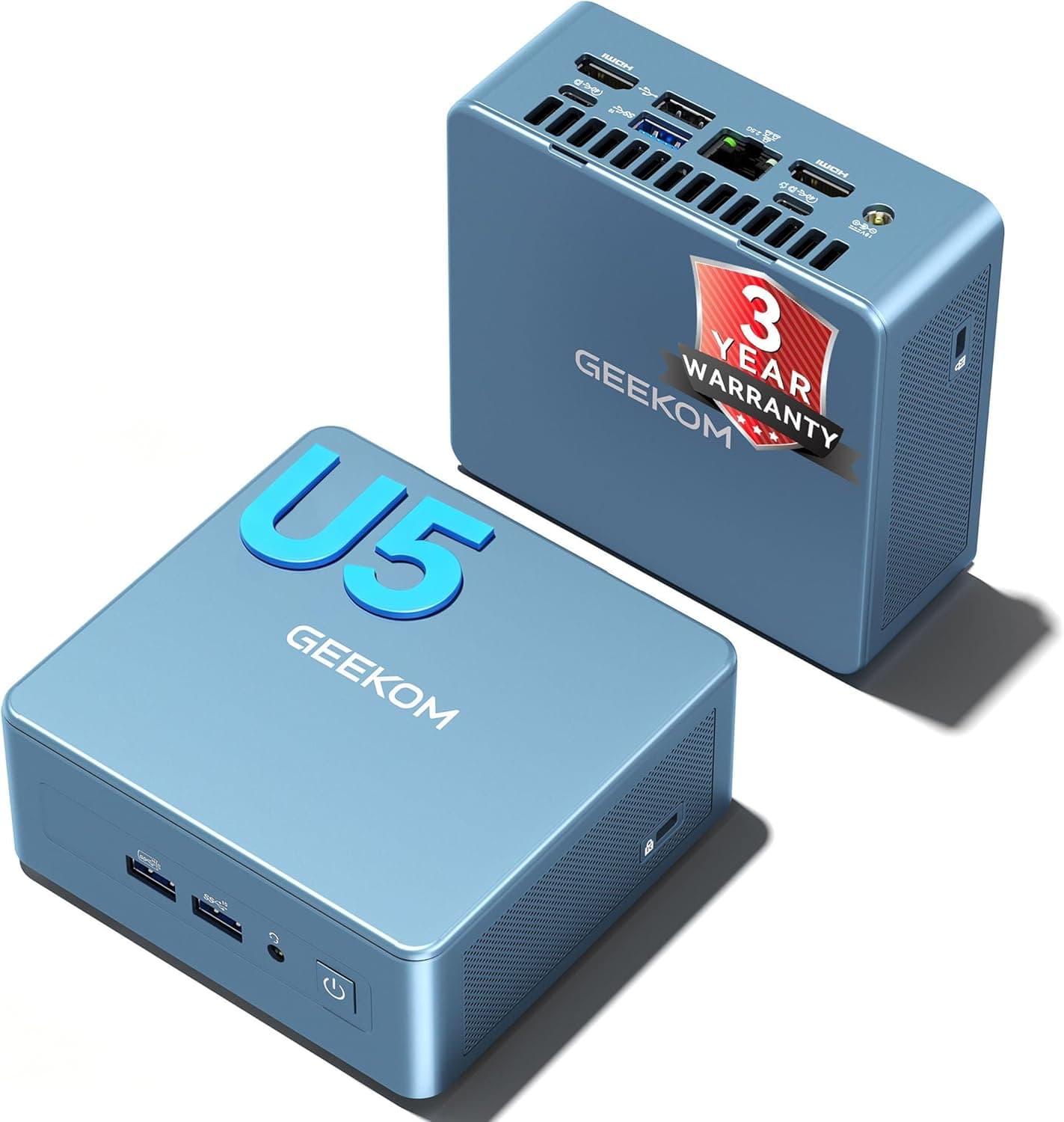
- Compact metal-frame chassis: It measures about 125 x 112 x 44 mm. With the included VESA mount plate, you can attach it to the back of a monitor and keep it off the desk.
Compatibility Guide
You cannot swap the CPU or graphics in a mini PC. Compatibility therefore comes down to the parts you add and the devices you connect.
The common mistakes are summarized below.
| Item | Spec | Common mistake |
|---|---|---|
| Memory | 2x DDR4 SO-DIMM slots, up to 32GB | DDR5 and desktop DIMMs do not physically fit |
| Storage 1 | M.2 2280 NVMe SSD | 2242 or 2230 drives need a workaround to secure |
| Storage 2 | 2.5-inch SATA SSD/HDD | Check the supported drive thickness on the product page |
| Video out | HDMI 2.0b, Mini DP, USB-C | 8K is outside what the HDMI 2.0b standard supports |
| Power | DC 19V (about 65W) | Use only the included AC adapter |
| Wireless | WiFi 6, Bluetooth 5.2 | A router without WiFi 6 limits you to older-standard speeds |
Memory uses DDR4 SO-DIMM, the same type as laptops. Desktop memory and DDR5 SO-DIMMs will not work.
When buying an upgrade, make sure it says both 'DDR4' and 'SO-DIMM'. There are two slots.
Open the bottom cover to see whether the stock 8GB is one module or two, then decide whether to add a module or replace what is there.
The '8K support' claim is the most commonly misread spec. HDMI 2.0b tops out at 4K/60Hz.
If 8K output is possible, it is most likely through USB-C or Mini DisplayPort rather than HDMI. If you plan to use an 8K or high-refresh monitor, check the product page or manual for the resolution and refresh rate each port supports.
To drive a monitor over USB-C, you need a cable that carries video (DisplayPort Alternate Mode). A charge-only USB-C cable will not show a picture.
Power comes in through a DC 19V input, with about 65W as the power guideline. The PC is not designed to run on USB-C power, so plan on using the included AC adapter.
Ports and How to Use Them
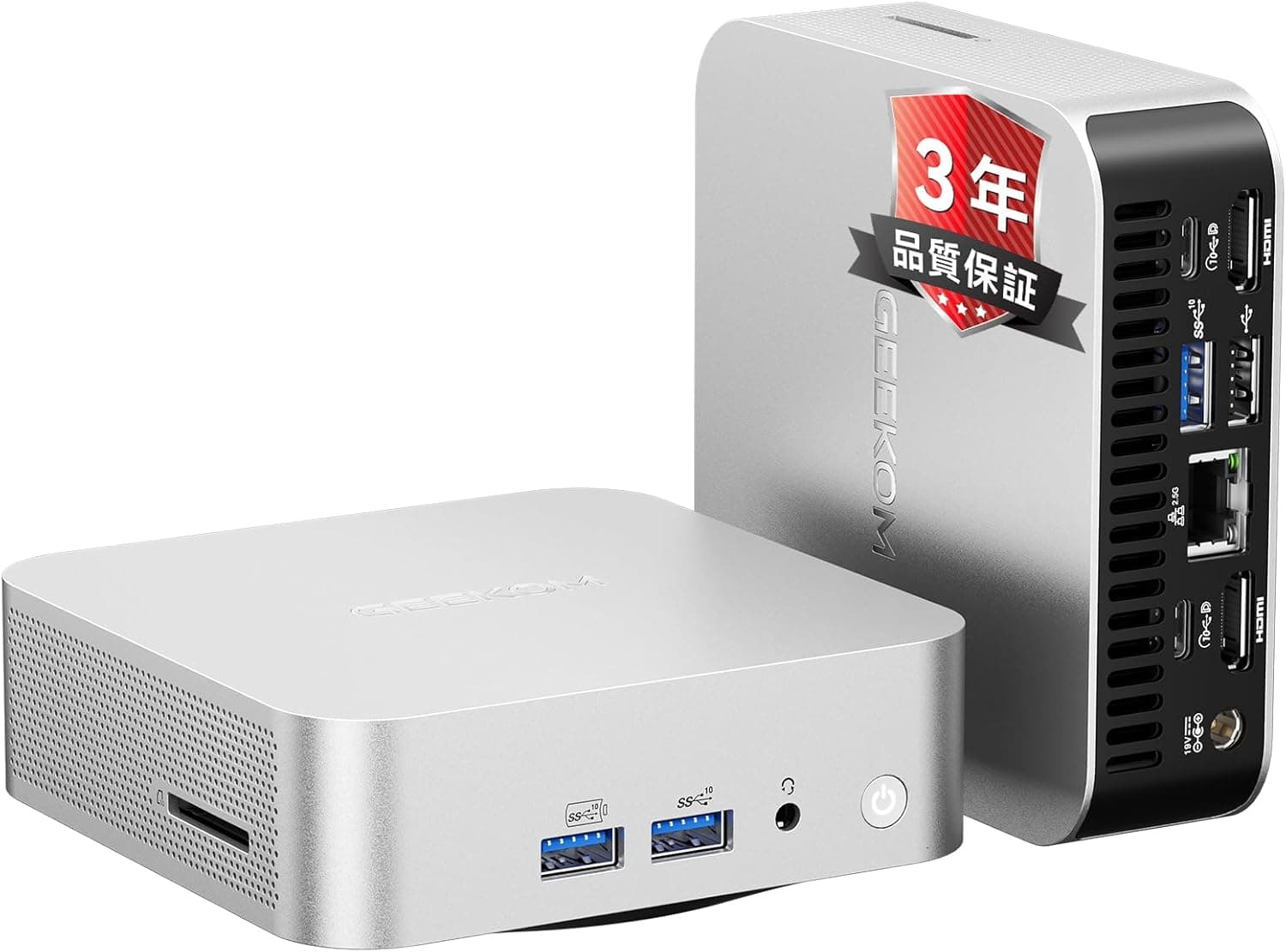
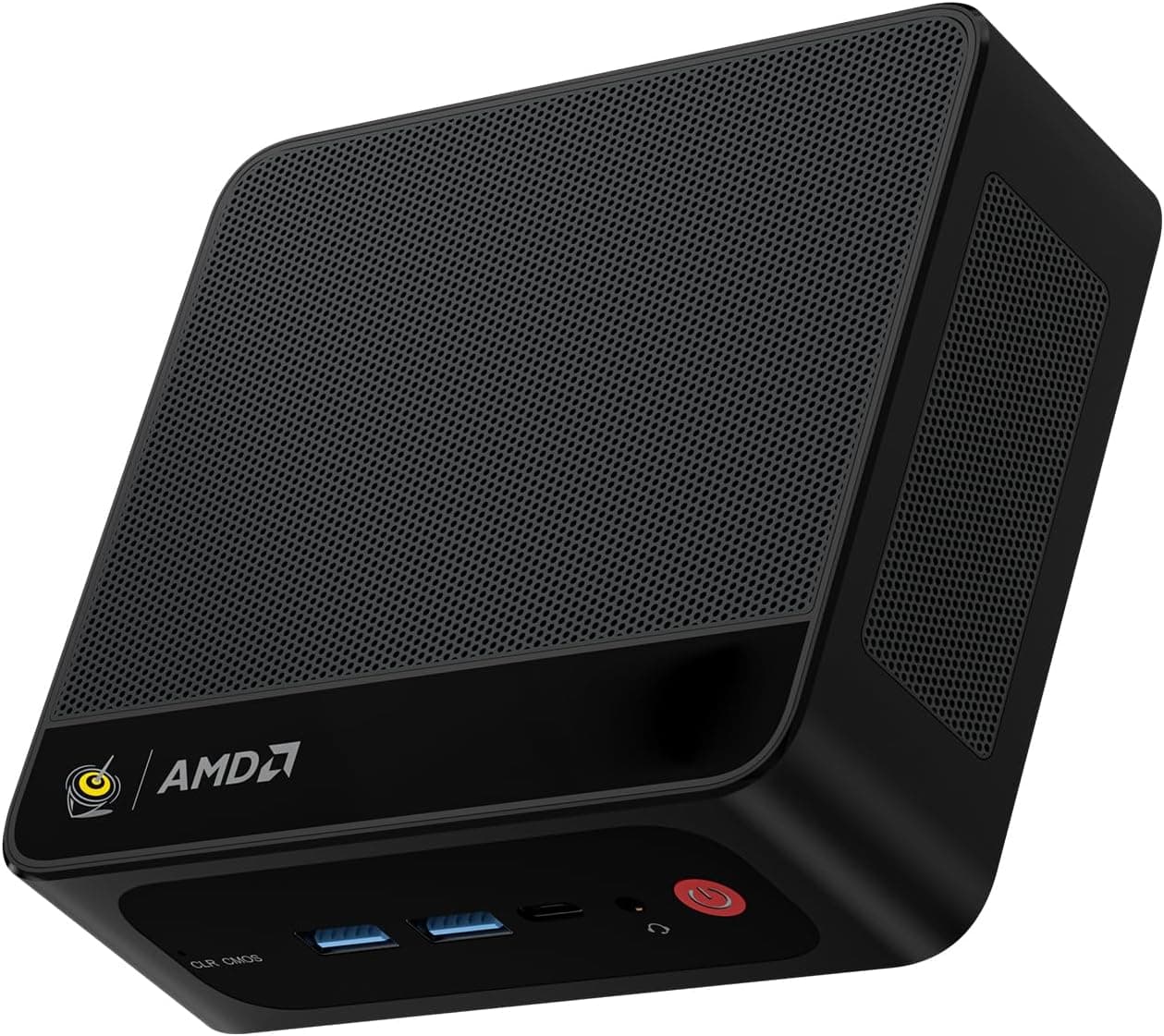
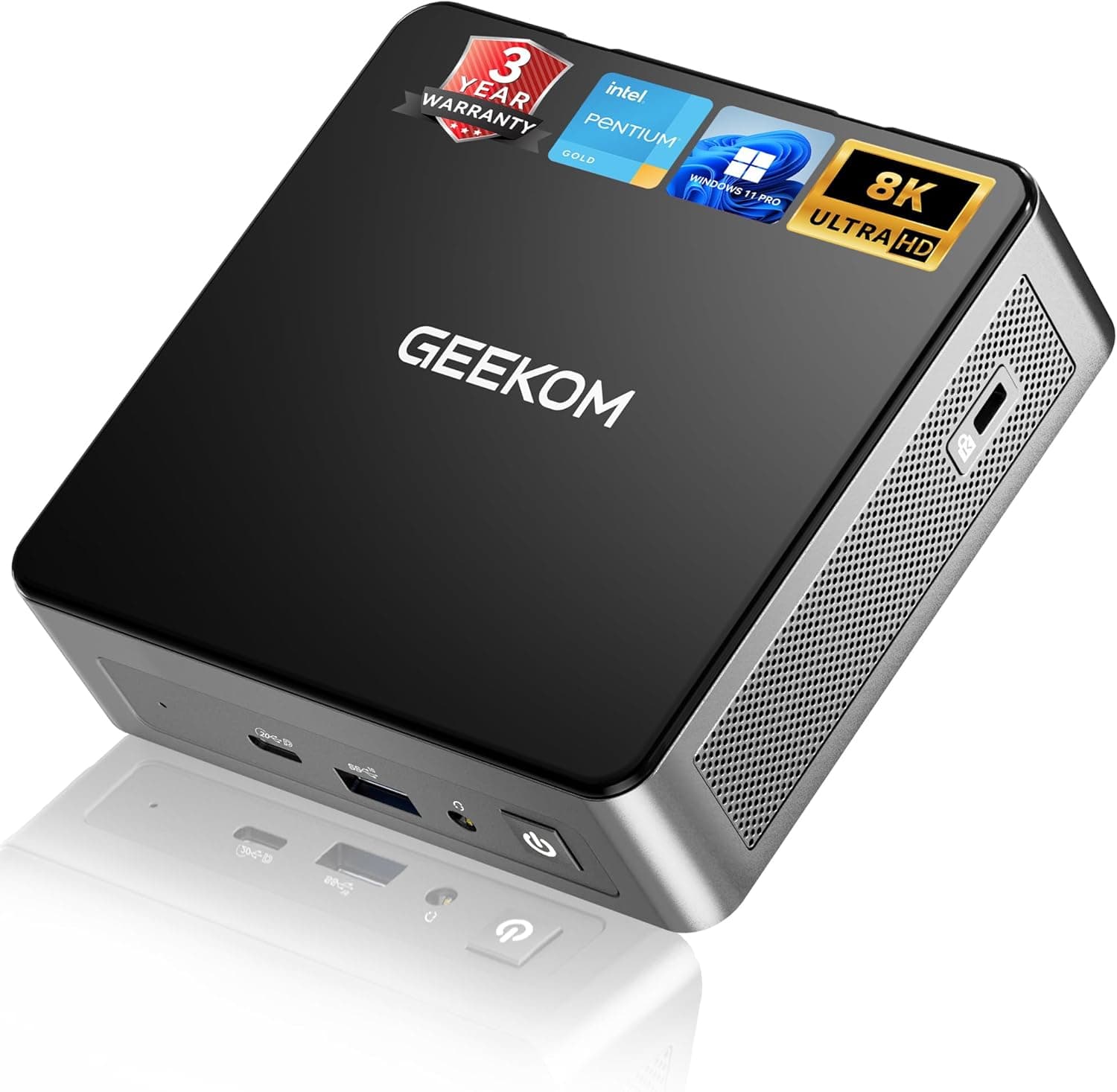
The front has USB 3.2 Gen2 Type-A, USB-C, and a headphone jack.
The rear has two USB 2.0 ports, HDMI 2.0b, Mini DisplayPort, Gigabit LAN, and the DC power input.
The fast USB ports are all on the front, so plug external SSDs and flash drives in there. Putting keyboard and mouse receivers in the rear USB 2.0 ports keeps the fast ports free.
There are only three USB-A ports in total: one on the front and two on the back. If you plan to wire up a webcam, headset, and printer, get a USB hub.
For remote work, the rear Gigabit LAN port gives a steadier connection than WiFi and means fewer dropouts in video calls.
Product Info
| Item | Details |
|---|---|
| Processor | Intel PT7505 (up to 3.5GHz) |
| Memory | 8GB DDR4 (up to 32GB) |
| Storage | 512GB NVMe SSD |
| OS | Windows 11 Pro |
| Wireless | WiFi 6, Bluetooth 5.2 |
| Video output | HDMI 2.0b, Mini DP, USB-C (8K capable) |
| Warranty | 3 years |
When we checked on May 25, 2026, the GEEKOM store on Rakuten listed it at ¥69,900. Sales and point rewards change what you actually pay a great deal, so check the current price on the product page before buying.
The price we found on the Amazon listing was implausibly high for a mini PC with this configuration, so we do not quote it here. The section on things to check before buying explains why.
Check the retailer's page for the latest user reviews. The rating is excellent, but the number of reviews is still small.
That is not enough to judge long-term durability or how the fan noise changes over the years. The PC is reported to have launched in late 2024.
The box includes an AC adapter, an HDMI cable, a VESA mount plate, and manuals, and a 3-year manufacturer warranty applies.
Comparison with Alternatives
Which mini PC fits you depends mostly on how much work you plan to give it. The GEEKOM Mini PC Air12 is an office-leaning machine that comes with Windows 11 Pro and lets you add memory and storage later.
If zero noise matters most, compare it with a fanless model such as the MeLE Cyber X1. The Air12 is designed to be quiet, but it does have a fan.
If you need complete silence in a recording space or bedroom, look at fanless machines too.
If you plan to edit photos, do light video editing, or run several heavy apps at once, a model with a stronger CPU has more headroom. Examples are the MINISFORUM UM760 with a Ryzen 5 7640HS and the MINISFORUM NAB6 Lite with a Core i5-12600H.
The Air12 gives up processing power compared with those in exchange for quiet operation and simplicity.
Who Should Buy It
- Remote workers and offices that need an office PC: It takes up little space, runs quietly, and supports a two- or three-monitor setup. It is the right size for documents, spreadsheets, and video calls. Because it runs Windows 11 Pro, it also suits people who use Pro features at work, such as BitLocker and hosting Remote Desktop.
- Anyone who wants a media PC for the living-room TV: It is plenty for 4K playback, streaming services, and casual games. The VESA mount lets you hide it behind a TV or monitor.
- Classrooms and digital signage: Its small size and low noise make it easy to use as a classroom terminal or an in-store display PC.
- Buyers who like to upgrade their own hardware: Adding memory or a 2.5-inch drive keeps it useful as your needs change.
Before You Buy
It is not made for recent 3D games. It has no discrete graphics card, so running demanding 3D titles on Steam smoothly is out of scope.
Expect browser games, 2D indie games, and older light titles at most. If gaming is the main goal, you will be happier with a model that has a stronger CPU and integrated GPU from the start.
8GB can feel tight sooner than you expect. Windows 11 with a browser and a video-call app running together leaves 8GB with little headroom.
If you plan to keep the PC for years, budget for an upgrade to 16GB or more from the start. As noted above, buy DDR4 SO-DIMM memory.
Do not read '8K support' as 8K over HDMI. HDMI 2.0b is limited to 4K/60Hz.
If you expect an 8K picture just by plugging into an 8K TV over HDMI, you will be disappointed.
Confirm the processor name before buying. The listing says 'Intel PT7505', which does not follow Intel's usual naming such as the Core i or N series.
If you want to compare performance with other models, check the actual CPU name on the manufacturer's product page or in Windows System Information.
Prices differ widely between stores. In our data, the GEEKOM store on Rakuten listed ¥69,900 (as of May 2026), while the Amazon listing showed nearly twice that.
On Amazon, the seller and shipper are shown as 'ingサービス', not GEEKOM itself. The listing data is also inconsistent: the price source is labeled 'Amazon US' even though the link points to Amazon Japan.
Before buying, compare the seller, the configuration (memory and SSD size), and the price. Then confirm from the product images and title that it is the product you want.
Check the procedure before adding a 2.5-inch drive. Having a bay does not tell you which drive thicknesses fit or whether a cable is included; that varies by product.
Follow the manual when opening the case. It is also worth asking the manufacturer beforehand how opening it affects the warranty.
FAQ
Q. Can the GEEKOM Mini PC Air12 run games? A.
Browser games, light 2D games, and casual titles are within reach. It is not suited to playing recent 3D games smoothly.
Q. What memory should I buy to upgrade it? A.
DDR4 SO-DIMM memory. It has two slots and supports up to 32GB in total.
DDR5 and desktop memory will not work.
Q. How many monitors can I connect? A.
Up to three, using HDMI, Mini DisplayPort, and USB-C. USB-C output needs a cable that carries video.
Q. Can I add more storage? A.
Yes. Besides the M.2 2280 NVMe slot, there is a 2.5-inch SATA SSD/HDD bay, so you can add a second drive for data.
Q. How long is the warranty? A.
The manufacturer warranty is three years. The support contact can depend on where you bought it, so confirm this when you buy.
Product Disclosure (Amazon)
- Manufacturer: GEEKOM
- Seller: ingサービス
- Fulfilled by: ingサービス
- ASIN: B0GQH2CV3R
- Note: This article covers a manufacturer-made product based on Amazon listing details.