This article takes a closer look at Dell キーボード KB522 ビジネスマルチメディア 462-3618 — the Dell KB522 Business Multimedia Keyboard — using its published specifications and Amazon rating data. The short version: this is not a keyboard you buy for typing feel.
It is an office keyboard built to cut down the number of movements you make at your desk, thanks to 14 hotkeys and a built-in USB hub.
Overview
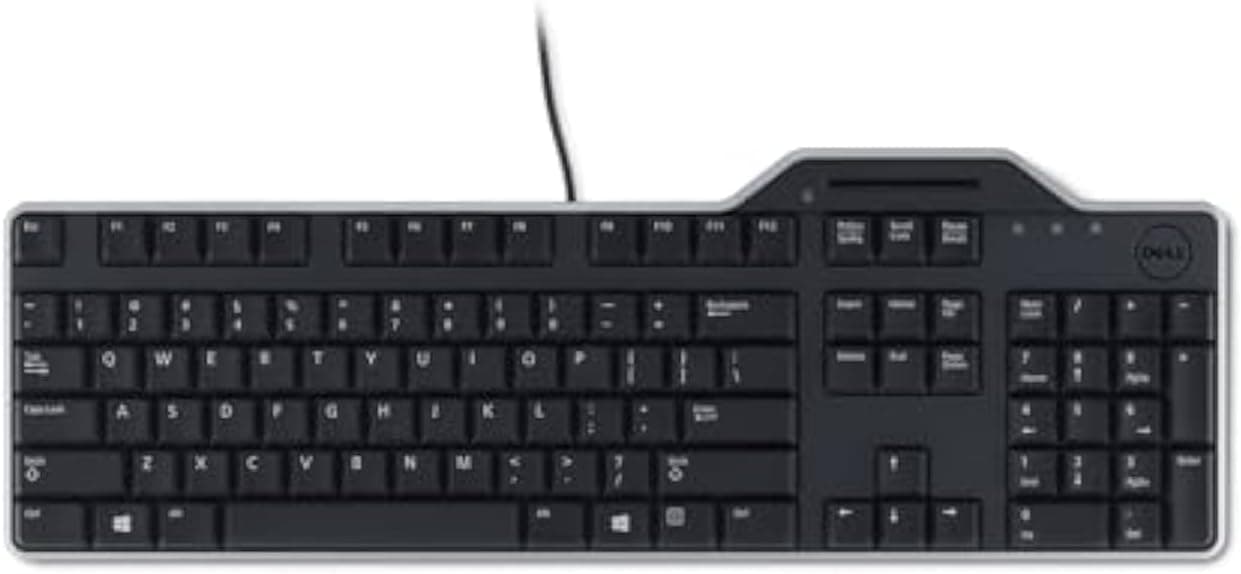
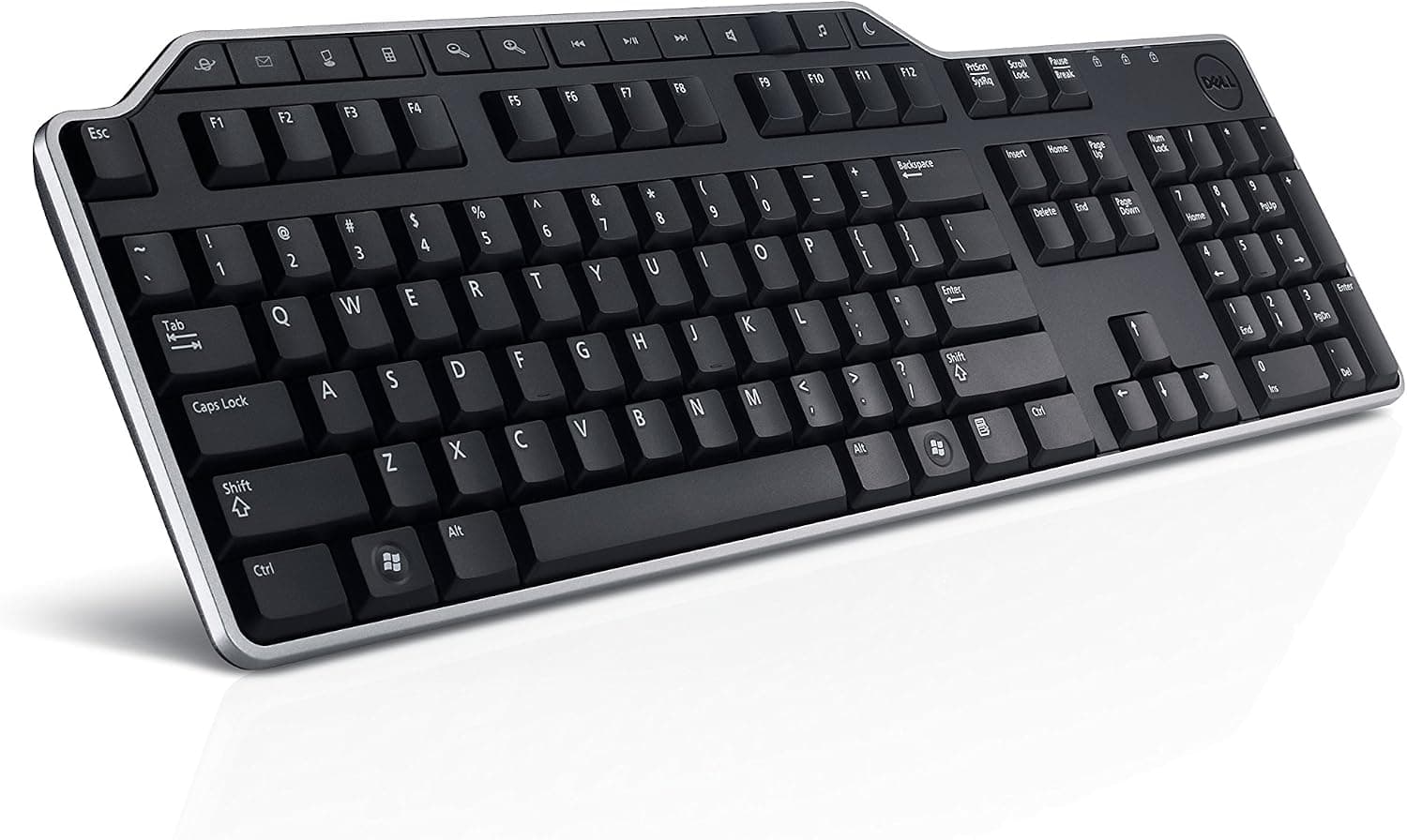
The Dell KB522 Business Multimedia Keyboard (model 462-3618) is a wired keyboard designed for office productivity and everyday computing. It features a full 104-key layout with 14 dedicated hotkeys for quick access to web browsing, media playback, calculator, email, and more.
The mid-profile keycaps offer a comfortable typing feel with quiet acoustics, making it suitable for shared workspaces.
A spill-resistant design protects against accidental liquid spills, adding durability in busy environments, and an integrated palm rest reduces wrist strain during long typing sessions. The keyboard also houses a built-in 2-port USB 2.0 hub, letting you connect a mouse or USB drive right at the keyboard.
Connectivity is a wired USB Type-A interface, plug-and-play with no driver installation required, on a cable roughly 1.8 meters long.
That is a modest review count, but the score is consistent — about what you would expect from a product that spent years in Dell's business accessory channel.
The Numbers That Matter
| Spec | Value | Why it matters |
|---|---|---|
| Key count | 104 | Full size with numpad — good for data entry and accounting work |
| Hotkeys | 14 | Email, calculator, volume and playback in a single press |
| Dimensions (W×D×H) | 446 × 150 × 26 mm | 150 mm depth includes the palm rest — unusually compact for the type |
| Weight | ~581 g | Light for a full-size board; heavy typists may notice slight sliding |
| USB hub | 2 ports (USB 2.0) | 480 Mbps ceiling — mice and flash drives, not external SSDs |
| Cable | ~1.8 m | Reaches a desktop under the desk in almost any layout |
| Interface | USB Type-A | USB-C-only laptops need an adapter |
The 150 mm depth is the number most people overlook. For a board with an integrated palm rest that is remarkably tight, so it fits keyboard trays and shallow desks — but the rest itself is smaller than a dedicated wrist rest.
If you like to park your whole palm, it may feel thin.
The 581 g weight cuts both ways. Metal-plate mechanical boards routinely exceed 1 kg; this one is easy to move and reposition, but a firm typist can nudge it.
A thin desk mat solves it.
Connectivity & Compatibility
The keyboard connects via a USB Type-A cable and works with Windows 7/8/10/11 and macOS, with hotkeys optimized for Windows. No software is needed — it is enumerated as a standard HID keyboard on connection.
On macOS some hotkeys may not behave as labeled.
Three compatibility points are worth checking. First, whether your PC still has a USB Type-A port; thin laptops and Macs that are Type-C only will need an adapter or dock.
Second, power: the keyboard is bus-powered with no external adapter input, and the hub inherits that limit. Mice, flash drives and wired headsets are fine; bus-powered portable hard drives or fast-charging phones may fail to enumerate.
Third, the host port. Anything plugged into the hub shares bandwidth with the keyboard's own connection, and the hub itself is capped at the USB 2.0 ceiling, so large file copies belong on a port on the PC itself.
Also note that composite devices like a hub-equipped keyboard are not always enumerated correctly through KVM or USB switches — verify your switch supports cascaded hubs before committing. In BIOS/UEFI the keyboard normally works, but not if USB legacy support has been disabled.
Product Info
Released around 2014, the Dell KB522 was a staple of Dell's business accessory lineup and is still obtainable through retailers and online marketplaces. It ships with the keyboard and a quick-start guide, and carries Dell's standard one-year limited warranty.
Positioned as a practical, value-oriented business keyboard, it pairs neatly with Dell desktops.
Pricing deserves caution. This is a product more than a decade old, generally sold as remaining stock by third-party sellers, so listed prices swing widely between sellers.
The listing data captured in August 2026 showed a figure clearly out of line with an entry-to-mid-tier business keyboard — the kind of number that is either a scarcity premium or a listing error. Treat any single listing as one seller's price, not a market rate, and check the current product page and seller before buying.
What the spec sheet really buys you is the combination of an integrated hub and a built-in palm rest at a budget price point. That pairing is uncommon even today.
If neither feature matters to you, the case for this keyboard largely disappears.
How It Compares
Against current keyboards, the KB522's clear advantages are the built-in hub and the spill-resistant chassis. Few budget boards integrate USB ports, and if your PC sits behind or under the desk, being able to plug a drive in at hand rate changes daily friction.
If typing feel, acoustics or long-term switch durability matter more, a wired mechanical or mecha-membrane board in the same price bracket will satisfy you more. The switch type and rated keystroke life are not stated in the published specs, so no firm claim can be made here — try one in person or pick a board that documents its switches.
It also runs against the wireless trend. Wired means no batteries and no pairing, but a cable across the desk is guaranteed.
Living With It
The 104-key layout is a real advantage for numeric entry, but the 446 mm width pushes your mouse further right. If shoulder position bothers you or your desk is narrow, a TKL board will treat your body better.
The 14 hotkeys are an all-or-nothing feature: valuable if you hit email, calculator and playback controls many times a day, and dead weight if you live entirely in a browser and an office suite.
Spill resistance means "unlikely to die instantly from a small spill," not "waterproof." If you spill, unplug it immediately and let it dry fully before reconnecting.
Best Use Cases
- Remote workers: the palm rest and light keystrokes suit long sessions, and the hub keeps mouse and drives within reach when the PC is out of the way.
- Dell desktop owners: consistent aesthetics and a completely standard HID keyboard that just works.
- Shared or kiosk PCs: no drivers, no batteries, spill-resistant — a sensible fit for machines many people touch.
Not suitable for gamers: N-key rollover and polling rate are not published, so there is no assurance it will handle competitive FPS or rhythm-game key presses. Mac users who want full hotkey support, buyers who prioritize typing quality or silence, and anyone chasing a cable-free desk should look elsewhere.
Before You Buy
1. Do not trust a single listed price. Supply is stock-based and prices vary sharply by seller; the data referenced here showed a price well above what this class of keyboard warrants, and a field labeled for the US store carrying a yen figure.
Check the price, seller and stock status on the product page at the moment you buy.
2. Listing metadata can be wrong. Manufacturer, model number and ASIN fields are entered by sellers and sometimes conflict with the actual item.
Confirm from the product images and title that you are looking at the KB522 / 462-3618 before ordering.
3. It is an old product. Basic key input on modern operating systems should be fine, but do not count on vendor utility software or full hotkey support.
There is no documented onboard remapping.
4. Keep hub expectations modest. USB 2.0 and bus power mean mice, flash drives and headsets — not external SSD throughput or tablet charging.
5. Condition varies. Business-channel products often resurface as lease returns or long-held stock.
Read the condition description and return terms first.
FAQ
Q. Does it work on a Mac?
A. Standard key input is recognized, but the hotkeys are Windows-centric and may not all behave as labeled.
Q. Do I need drivers?
A. No. Plug it into a USB Type-A port and it works.
Q. Can I run an external hard drive off the hub?
A. Not recommended — it is a USB 2.0 bus-powered hub. Use a port on the PC itself.
Q. Is it good for gaming? A.
Fine for casual play. Rollover and response specs are unpublished, so it is not recommended for competitive titles.
Q. Can keys be remapped?
A. Not via onboard firmware as far as the specs state. Use OS features or third-party remapping software.
Q. Is there a tenkeyless version? A.
This model is a 104-key full-size board. If you want the desk space, look at a separate TKL product.
Product Disclosure (Amazon)
- Manufacturer: Dell
- Seller: 安田屋堂
- Fulfilled by: 安田屋堂
- ASIN: B00HD7IICA
- Note: This article covers a manufacturer-made product based on Amazon listing details.