This article takes a detailed look at the RK952 有線メカニカルゲーミングキーボード フルサイズ104キー アルミプレート (RK952 wired full-size 104-key mechanical gaming keyboard with aluminum plate). It covers what the specs actually mean and what to check before you buy.
Overview
The RK952 from RK ROYAL KLUDGE (RK) is a full-size, 104-key wired mechanical gaming keyboard with a numpad. It suits people who need a numpad but want to tune the typing feel by swapping switches.
If your desk is narrow or you are used to the Japanese (JIS) layout, think carefully before buying.
The aluminum top plate adds rigidity and a premium feel. The switches are pre-lubricated Creamy linears with a light 45gf actuation force, giving a smooth, bump-free stroke for both gaming and typing.
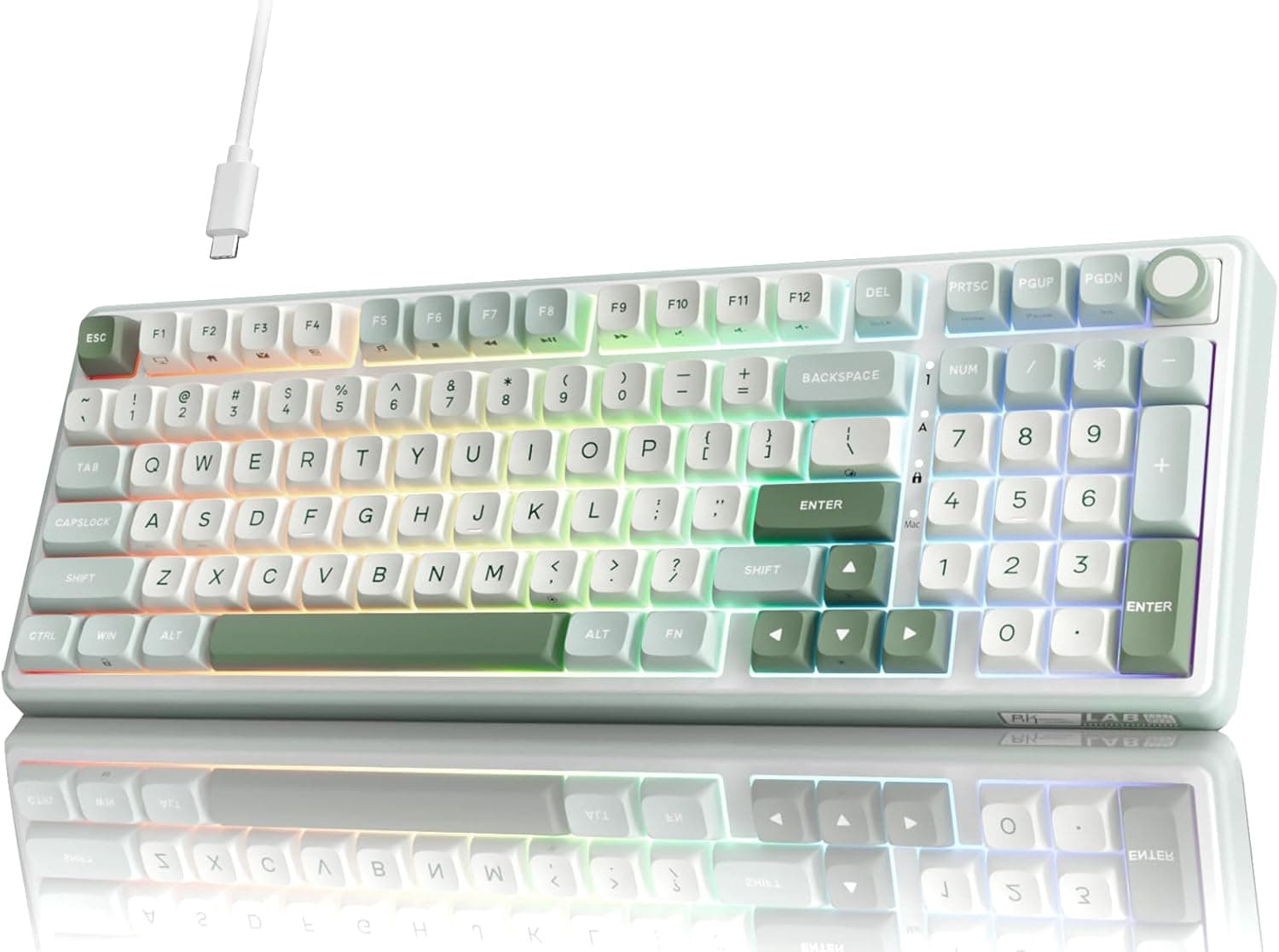
Double-shot PBT keycaps keep their legends through heavy use, and the RGB backlight shines through the legends.
The other key feature is hot-swap support. The sockets accept 3-pin and 5-pin switches, so you can swap switches without soldering.
If the stock feel doesn't suit you, new switches can make it feel like a different keyboard. That is a real advantage for a full-size board at this price.
Key Specs and What They Mean
| Item | Spec | What it means |
|---|---|---|
| Layout | Full-size, 104 keys | Includes a numpad; 104 keys is typically the US layout |
| Switches | Creamy linear (pre-lubed) | Smooth stroke with no tactile bump or click |
| Actuation force | 45gf | On the light side: fast, but easier to mis-press |
| Keycaps | Double-shot PBT | Resists shine and legend wear |
| Backlight | RGB (per-key) | Per-key colors via driver software |
| Connection | USB-A wired | No wireless latency or battery worries |
| Hot-swap | Yes (3-pin/5-pin) | Swap switches without soldering |
| Rollover | N-key rollover, anti-ghosting | Handles many simultaneous keys reliably |
| Dimensions | 442×142×38mm | Over 44cm wide; affects mouse space |
| OS | Windows / macOS | No official Linux support listed |
Three things stand out. First, 45gf is a light weight common among red-style linear switches.
It reduces finger fatigue but makes accidental presses more likely. Second, the 104-key count tells you which layout you are getting (US or JIS).
Third, the 442mm width is easy to overlook on a spec sheet, but it shapes daily use.
Compatibility Guide
Connection and OS
The keyboard connects over wired USB-A. N-key rollover and anti-ghosting register combinations such as WASD with Shift and Space accurately.
It supports Windows and macOS. With the driver software from the manufacturer's website, you can set per-key RGB and assign macros.
Two-stage feet let you adjust the typing angle.
On USB-C-only laptops or recent Macs, you will need a USB-C to USB-A adapter or hub. Check the product photos to see whether the cable detaches.
If the keyboard is unstable through a bus-powered hub, plug it directly into the PC to isolate the problem.
US vs. JIS Layout
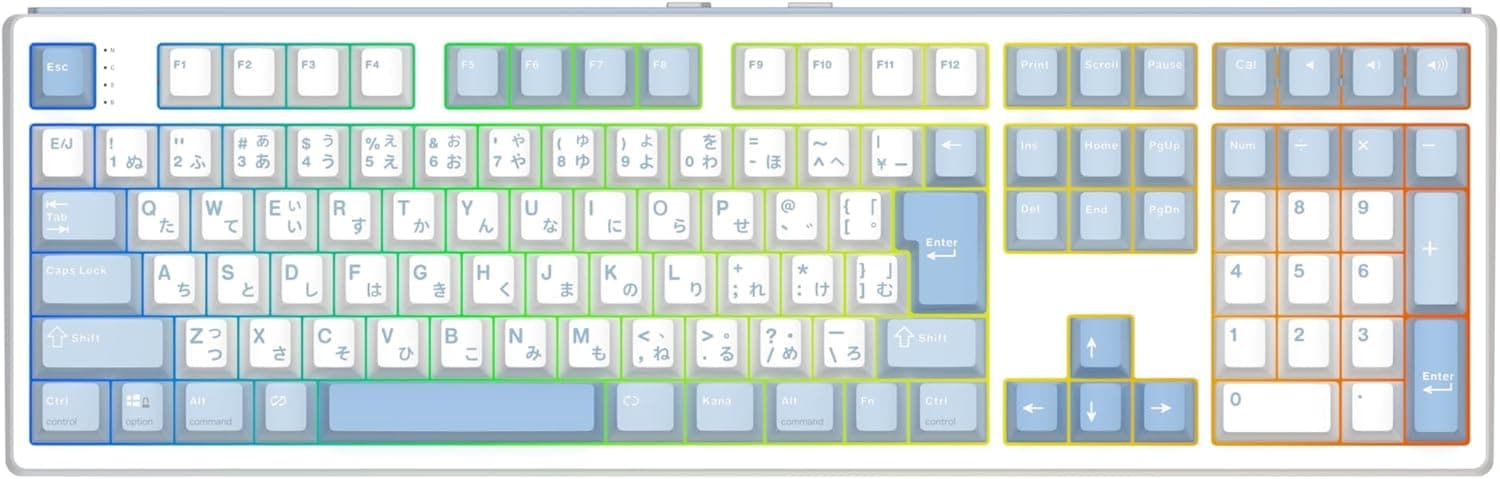
This is where Japanese buyers most often slip up. 104 keys is the usual count for a US layout, while JIS boards typically have 108–109 keys.
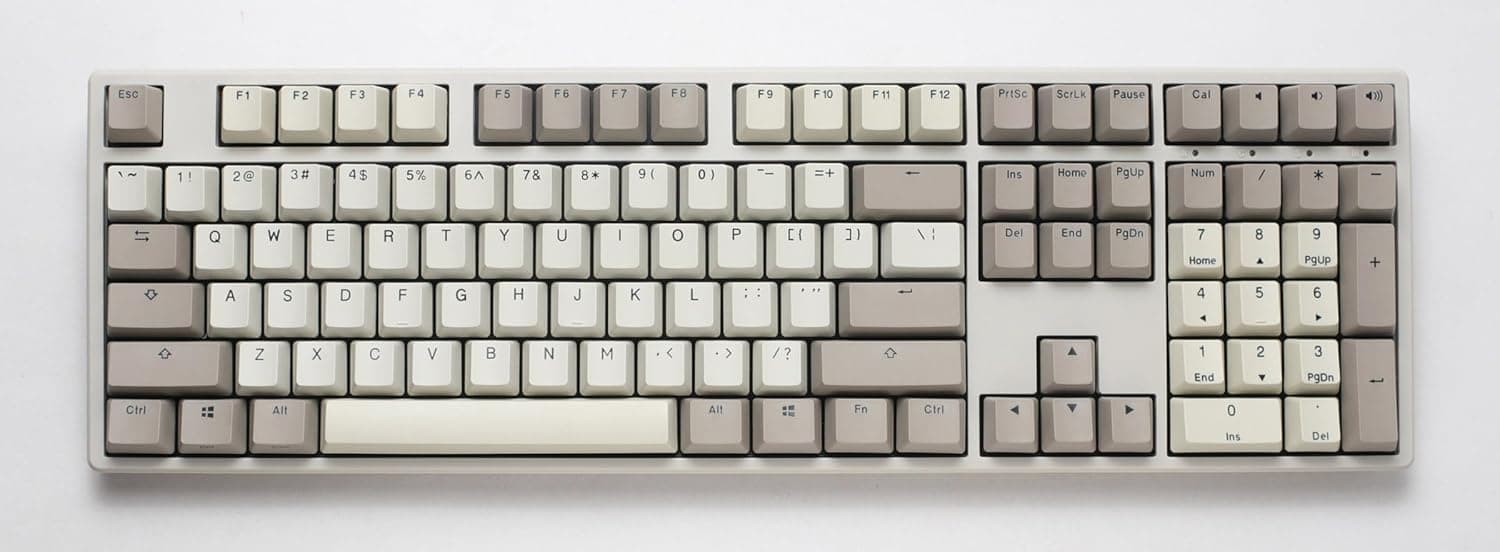
The US layout has a wide Enter key, different symbol positions and no half/full-width key. Check the legends in the product images.
If your PC is set to a Japanese layout, symbols won't match the legends. In Windows, go to Settings → Time & language → Language, open the Japanese options, and change the hardware keyboard layout to English (US).
After that, press Alt with the tilde (~) key below Esc to toggle Japanese input.
Using It on a Mac
macOS is supported. Windows-oriented boards usually have Windows and Alt legends, so Command and Option may feel swapped on a Mac.
You can remap them in macOS keyboard settings. Check the manufacturer's site for what the Mac driver supports.
Hot-Swap Compatibility
The 3-pin/5-pin sockets accept most common MX-style switches; 5-pin switches simply add two stabilizing legs. Low-profile standards such as Kailh Choc have a different shape, and support for them is not listed.
When swapping, check that the pins are straight, and use the included switch puller to pull straight up.
When replacing keycaps, confirm the stem type on the product page. Full-size boards need odd-sized keys such as right Shift, numpad + and Enter, and numpad 0, so make sure any keycap set covers a full 104-key layout.
Desk Space
The board measures 442×142×38mm. Tenkeyless boards are typically around 36cm wide, so this is about 8cm wider.
Low-sensitivity FPS players may need to angle the board or shift it left. No wrist rest is included, so consider buying one if your wrists get tired.
Product Info
As of September 25, 2026, the price on Amazon.co.jp was ¥15,645.
Prices change with sales and coupons, so check the product page for the current price. The package includes a USB-A cable, keycap puller, switch puller and quick-start guide.
Because a switch puller is included, you can start hot-swapping as soon as you buy new switches.
Warranty follows manufacturer policy, typically one year, but confirm on the listing. At capture time, the seller and shipper was World Import ANアマゾン店, not Amazon itself.
Returns and defect handling follow the seller's policy, so review it first.
At capture time, the Amazon rating was 4.5 out of 5, from only 8 reviews.
The score is high, but the sample is too small to judge long-term durability or unit-to-unit variation. The RK952 sits in the entry to mid-range.
It offers an aluminum plate, double-shot PBT and hot-swap in a value-focused full-size package.
Comparison with Alternatives
The RK952 makes sense when you want full-size, wired and hot-swap together. If you don't need all three, other options open up.
| If you want... | Consider | Difference from the RK952 |
|---|---|---|
| A numpad plus wireless or a screen | Redragon K762 | Wireless 104-key board with TFT display and knob |
| No numpad, building from a hot-swap base | Razer BlackWidow V4 Barebones 75% | Compact 75% kit |
| Mac-first wireless use | Keychron K1 Max | Mac-oriented model with 2.4GHz and Bluetooth |
| Maximum competitive FPS response | Razer Huntsman V3 Pro | High-end board with analog optical switches |
The RK952's value is that you keep the numpad and can still change how it feels. If you never use the numpad, a 75% board frees up desk and mouse space.
If you need wireless, the RK952 is out.
Tips for Everyday Use
Use the stock Creamy linears for the first week or two to learn your preference for weight and sound. If they feel too light and cause mis-presses, swap in heavier linears.
Thanks to hot-swap, you can change only some keys, such as WASD or Space.
Set macros and RGB in the driver. For office work, putting frequent shortcuts on macros makes the most of a full-size board.
If typing noise bothers you, a desk mat alone reduces resonance through the desk.
Recommended Users
- Gamers: A good fit for MMO or simulation players who use the numpad or bind skills and macros to it. The responsive linear switches and N-key rollover help ensure inputs are not dropped when many keys are pressed. If quiet operation matters, plan on swapping to silent switches.
- Office workers and creators: The full-size layout suits spreadsheets and data entry. The PBT keycaps resist shine during long typing sessions. If you never use the numpad, compare compact models too.
- Mechanical keyboard beginners: 3-pin/5-pin hot-swap lets you experiment with switches without soldering. It is a low-risk first board for getting into keyboard customization.
Before You Buy
Check the layout. 104 keys typically means US layout.
If you expect JIS, the Enter shape, symbol positions and missing half/full-width key will be confusing. Check the legends in the listing images, and expect to change your OS keyboard setting for US layout.
Desk width and mouse room. At 442mm, it is about 8cm wider than a tenkeyless board.
Measure your desk to be sure it fits alongside your mouse pad.
No wireless. The only connection is wired USB-A. It is not for a cable-free desk or for switching wirelessly between PCs.
Not a quiet keyboard. Linear switches don't click, but bottoming out and general mechanical key noise remain.
For late-night calls or shared offices, consider silent switches.
45gf is not for everyone. Light actuation is fast, but if you rest your fingers on the keys you will get more mis-presses.
If you prefer heavier switches, plan on swapping them.
Few reviews so far. Only 8 Amazon reviews existed at capture time.
The average is high, but that is not enough to judge long-term durability.
Linux is not officially listed. Supported OSes are Windows and macOS.
Basic typing usually works like any USB keyboard, but RGB and macro setup through the driver assumes Windows or macOS.
FAQ
Q. Is it a Japanese (JIS) layout? A.
A 104-key board is typically US layout. Confirm the legends in the product images, and set your OS to an English layout if you use it as US.
Q. Does it work on a Mac?
A. Yes, macOS is supported. You can swap Command and Option in macOS keyboard settings if needed.
Q. Can I use third-party switches? A.
The 3-pin/5-pin hot-swap sockets accept most common MX-style switches. Low-profile-only switches are not supported.
Q. Can it be used wirelessly?
A. No. It connects only via wired USB-A.
Q. Does it handle simultaneous key presses in games? A.
Yes. N-key rollover and anti-ghosting register multiple simultaneous keys accurately.
Product Disclosure (Amazon)
- Manufacturer: RK ROYAL KLUDGE
- Seller: World Import ANアマゾン店
- Fulfilled by: World Import ANアマゾン店
- ASIN: B0GZZYQSQS
- Note: This article covers a manufacturer-made product based on Amazon listing details.