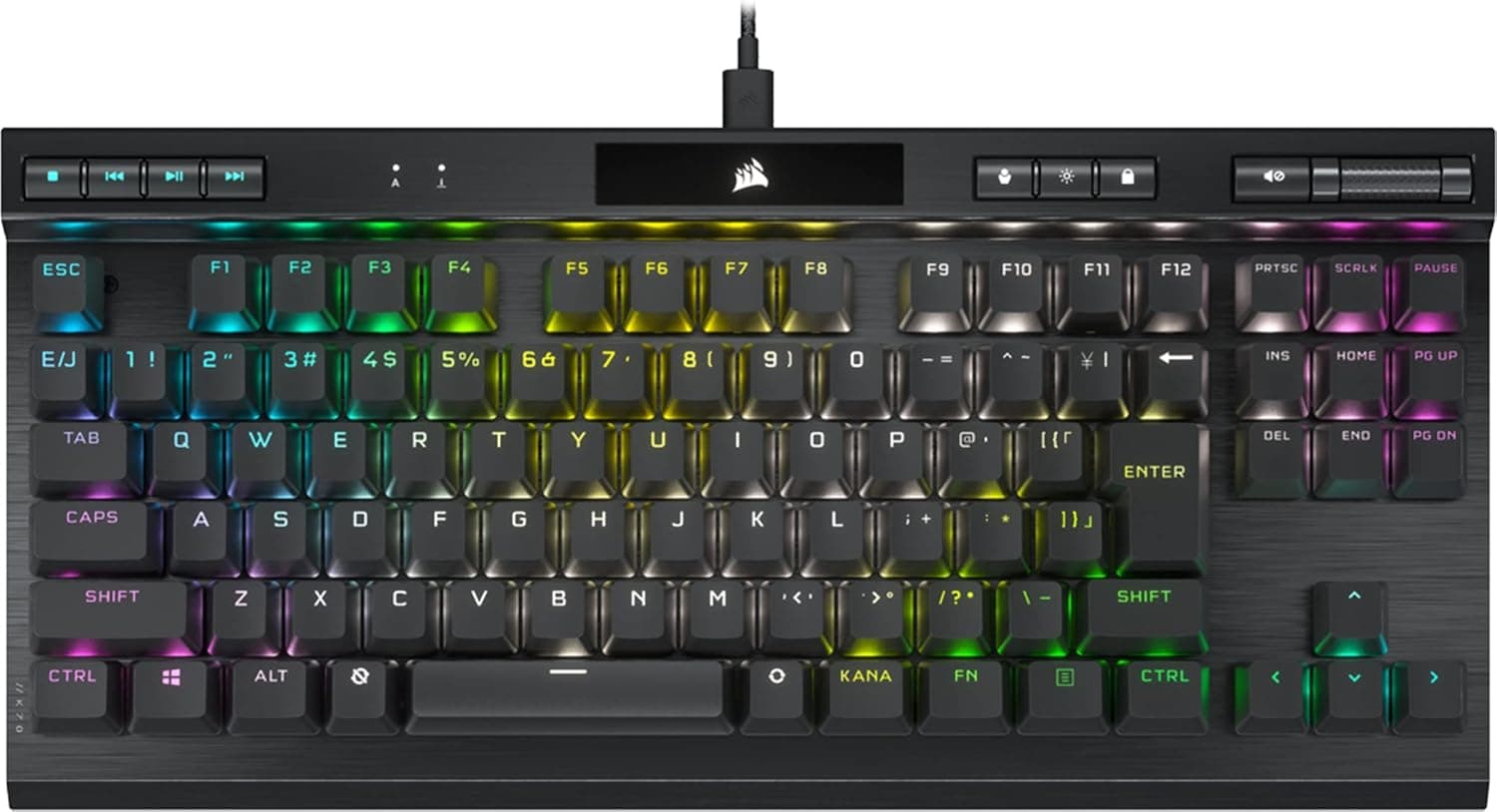
The CORSAIR K60 PRO TKL RGB is a wired tenkeyless gaming keyboard built around OPX, CORSAIR's own optical mechanical switch. This article works through the published specs and the Amazon listing data to show where the board actually shines and what you have to give up.
Overview
The short version: this is a simple wired TKL for competitive players who want fast input and a wider mouse zone at the same time. The OPX switch actuates at 1.0mm, noticeably shallower than typical linear switches (usually around 1.8-2.0mm), so the keypress registers before you bottom out.
In FPS and fighting games, that roughly 0.8mm difference is something you feel.
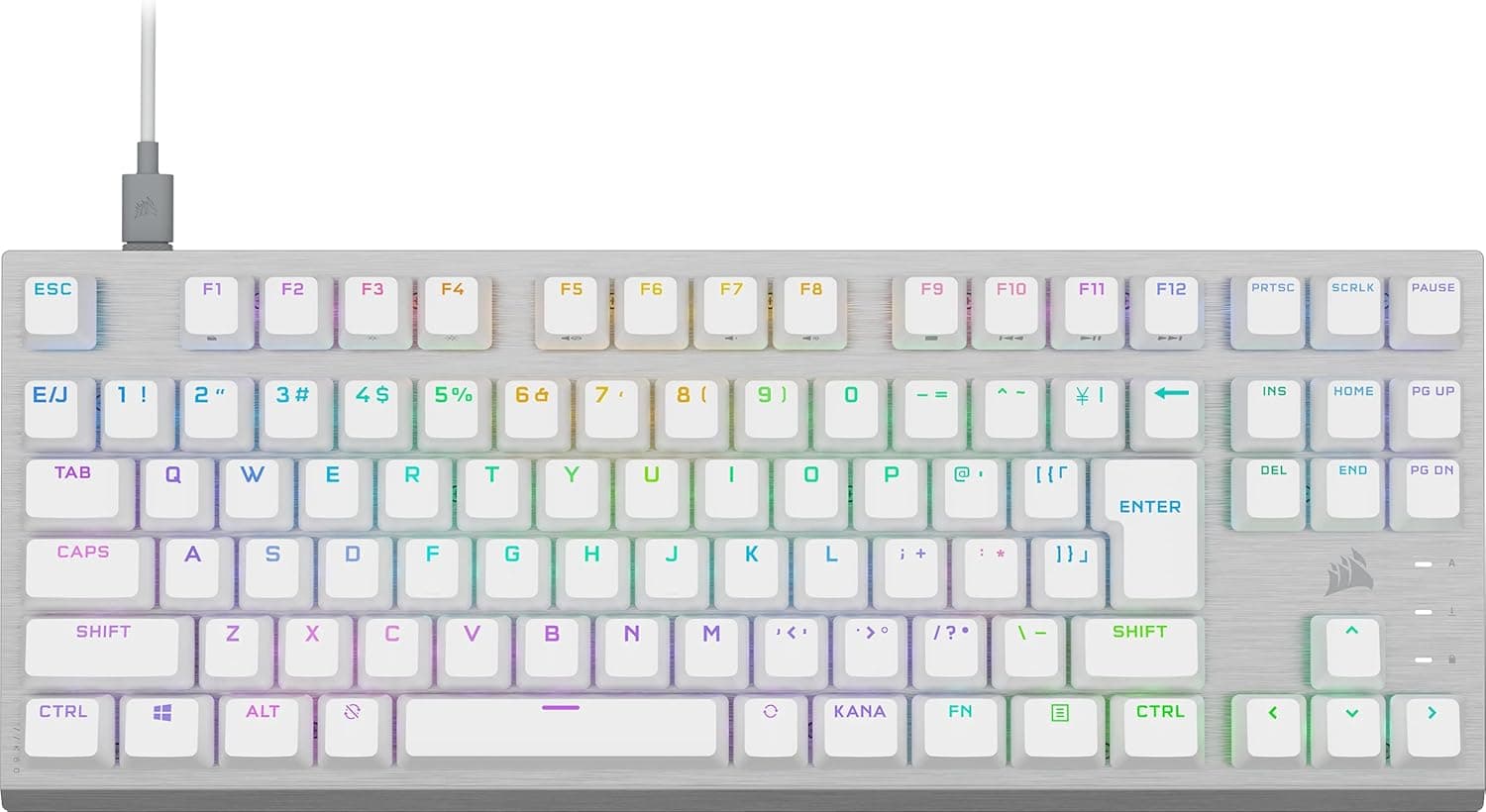
The 87-key TKL layout removes the entire numpad column, which matters most if you play at low sensitivity and swing the mouse widely. Lighting is per-key RGB driven by CORSAIR's iCUE software.
The white chassis pairs cleanly with light-colored cases and desk mats.
What this board does not try to do is equally important. There is no wireless mode, no adjustable actuation or rapid trigger, no gasket mount, and it is not built around swapping switches.
Bought with that understood, it is a coherent product; bought expecting those features, it will disappoint.
Connectivity & Compatibility
Connection is a detachable USB Type-C cable on the keyboard side and USB-A on the PC side, with a 1.8m cable in the box.
Measure your run before buying if the PC sits at the back of the desk or you route cables along a monitor arm. Because the cable detaches, a damaged cable does not mean replacing the whole board.
Supported OS is Windows 10/11. The manufacturer's compatibility notes also list PlayStation and Xbox as verified.
Keep in mind that on consoles the keyboard only helps in titles that actually accept keyboard input — the console recognizing a USB keyboard is not the same as the game supporting one. iCUE is Windows software, so console use relies on settings stored on the board itself; configure it on a PC first, then move it.
Avoid low-quality bus-powered USB hubs. RGB lighting draws enough current that an underpowered hub can cause flaky behavior.
Plug directly into a USB-A port on the PC where possible. Physically the board is a standard TKL footprint and fits normal keyboard trays and wrist rests.
Product Info
| Item | Value |
|---|---|
| Switch | CORSAIR OPX optical mechanical |
| Actuation point | 1.0mm |
| Layout | Japanese (JIS), no kana legends |
| Keys | 87 (TKL) |
| Backlight | RGB (iCUE) |
| Connection | USB Type-C (detachable) to USB-A |
| Cable length | 1.8m |
| OS | Windows 10/11 |
| Color | White |
| Warranty | 2 years |
The two lines that matter most are the 1.0mm actuation and the kana-free JIS layout.
You keep JIS behavior — henkan, muhenkan, the yen key, all in their normal places — while the caps stay visually clean and close to a US board. That specific combination is rarer than you might expect.
On reception, Amazon.co.jp shows 303 reviews averaging 4.2 out of 5 (84% positive, as captured on 5 June 2026).
At that sample size, the score suggests a consistent product rather than a hit-or-miss one.
On price, Amazon.co.jp was ¥9,980 as captured on 5 June 2026 and ¥13,785 as captured on 27 August 2026.
Both are point-in-time figures and move with sales and stock — roughly ¥3,800 of movement in about two months, so check the live listing before you buy. One pricing entry is labeled "Amazon US" while pointing at Amazon.co.jp in yen; treat that as a labeling artifact.
In the box you get the keyboard and the detachable USB-C cable only — no keycap puller and no spare caps. Warranty is the standard two years.
How It Compares
The TKL segment now includes magnetic (Hall effect) boards with adjustable actuation and gasket-mounted boards tuned for sound. The K60 PRO TKL RGB goes a different way: deliver one fixed 1.0mm point reliably through a simple optical design.
Fewer settings means less to fiddle with on day one, which is a genuine benefit.
But if your goal is tuning rapid trigger reset distances, or swapping switches to shape the feel over time, this board will not satisfy it. That is a design-philosophy gap rather than a price gap, so decide by what you want to touch every day, not by a feature checklist.
Best Use Cases
- Competitive FPS and fighting game players, where the shallow 1.0mm actuation helps on rapid taps and strafe reversals.
- Anyone short on desk space who wants more room to swing a mouse.
- Users who want JIS behavior without kana clutter on the keycaps.
- White-themed builds, where RGB reads cleanly against a light chassis.
- People who do not want to configure anything — wired, fixed actuation, plug in and play.
Things to Check Before Buying
Confirm you truly do not use the numpad. This is the single most common TKL regret.
If spreadsheets or accounting work are part of your day, plan on a separate numpad or buy full-size instead.
A 1.0mm actuation is not universally better. Shallow means keys register when you merely rest a finger.
If you rest your hands on the keys, or spend most of your time writing long text rather than gaming, you may see more accidental inputs — and with no adjustable actuation, there is no setting to dial it back.
Do not buy this planning to swap switches. OPX is optical and works differently from a typical MX-compatible hot-swap PCB.
If switch swapping or keycap replacement is central to your plan, verify compatibility on the product page first.
Calibrate your expectations on sound and feel. If you want the muted, tuned acoustics of a modern gasket-mounted board, this is a different design goal.
Response speed is the priority here, not sound tuning.
White shows wear. Finger oils and dust are more visible, so plan on regular cleaning — and note there is no keycap puller included if you want to pull caps to clean underneath.
Finally, be careful with the listing data itself. Amazon listings sometimes carry errors in manufacturer, model number, or accessory fields, and often bundle color and layout variants on one page.
With a model defined by white + JIS + no kana, verify from both the images and the title that the selected variant is the part number you want (CH-911D11A-JP) before ordering.
FAQ
Q. Can the actuation point be adjusted? A.
No, it is fixed at 1.0mm.
If you want adjustable actuation or rapid trigger, look at magnetic Hall effect boards instead.
Q. Can I type Japanese without kana legends? A.
Yes. The layout is still JIS internally, so conversion and half/full-width keys all work normally.
Only the printing is absent.
Q. Does it work on PS5 or Xbox? A.
The manufacturer lists both as verified, but whether you can actually play depends on the game supporting keyboard input. iCUE is Windows-only, so you cannot change detailed settings from a console.
Q. Can I replace the cable if it fails? A.
Yes, the USB Type-C cable is detachable. A standard USB-C to USB-A cable will likely work, but connector clearance varies, so check the product page specs first.
Q. Is iCUE required? A.
Basic typing and lighting work without it. You only need iCUE for macros, key remapping, and detailed lighting configuration.
Product Disclosure (Amazon)
- Manufacturer: CORSAIR
- ASIN: B0BKKLL9F3
- Note: This article covers a manufacturer-made product based on Amazon listing details.