![Cooler Master ミドルタワー PCケース MasterBox K500 [MCB-K500D-KGNN-S00]](/_next/image?url=https%3A%2F%2Fm.media-amazon.com%2Fimages%2FI%2F819es5ghr4L._AC_SL1500_.jpg&w=1920&q=75)
This article covers Cooler Master ミドルタワー PCケース MasterBox K500 [MCB-K500D-KGNN-S00].
Overview
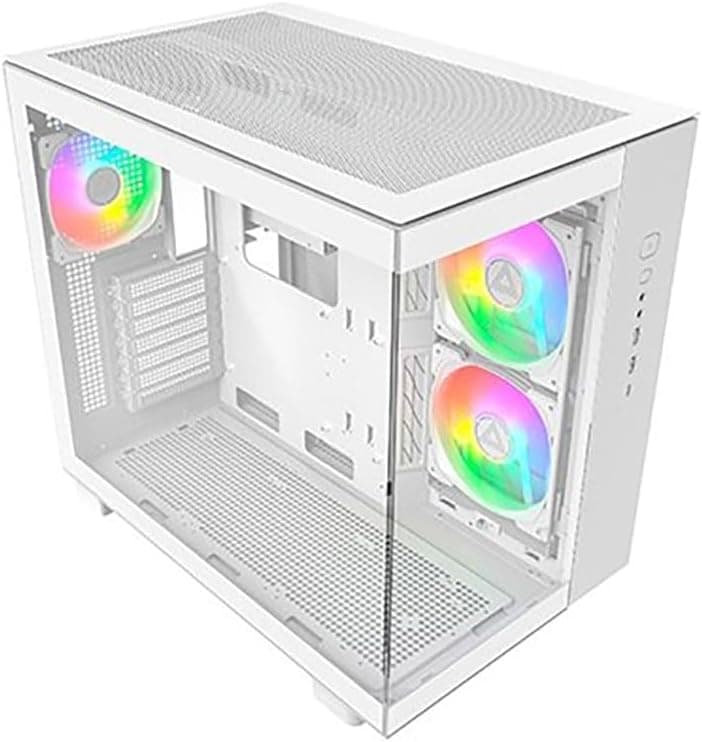
The Cooler Master MasterBox K500 is a mid-tower PC case that strikes a solid balance between affordability, expandability, and visual flair. It ships with two 120mm RGB LED fans pre-installed in the front, delivering vibrant lighting right out of the box. The side panel features a 4mm thick tempered glass window, allowing you to showcase your component layout with pride.
With support for graphics cards up to 400mm and CPU coolers up to 160mm tall, the K500 accommodates nearly all high-end consumer hardware without clearance issues. It accepts ATX, Micro-ATX, and Mini-ITX motherboards, making it versatile enough for everything from a flagship gaming rig to a compact secondary machine. Seven expansion slots also mean multi-GPU or additional PCIe cards are still on the table.
Cooling options are generous: front supports up to 140mm×2 fans, top supports 120mm×2, and rear supports one 120mm. Water-cooling radiators can be mounted in the front or top, so the K500 can handle a demanding thermal load without choking.
Compatibility Guide
MasterBox K500 uses a bottom-mount PSU layout and accepts standard ATX power supplies up to 180mm long. Storage options include two 3.5-inch HDD bays and one dedicated 2.5-inch SSD bay (up to six total drives using optional brackets).
Motherboard compatibility spans ATX, Micro-ATX, and Mini-ITX, with generous routing holes for cable management. The 400mm VGA clearance ensures modern flagship GPUs fit with room to spare. However, CPU cooler clearance is capped at 160mm, so large tower air coolers must be double-checked. The case also lacks a front USB-C port, which may be a dealbreaker for users with modern motherboards that have a Type-C header.
Product Info
The MasterBox K500 typically retails around the ¥10,000–12,000 mark in Japan, placing it at the sweet spot of budget-to-midrange cases. Construction uses steel, plastic, and tempered glass. Front I/O features two USB 3.0 ports and audio jacks. Pre-installed RGB fans eliminate the need to purchase additional lighting components, making it especially attractive for first-time builders.
Market positioning: the K500 targets entry-level to mid-tier gamers who want a clean, illuminated build without breaking the bank. It prioritizes aesthetic appeal and cooling flexibility over premium features like sound dampening or a USB-C front panel.
Best Use Cases
- First-time PC builder — Spacious interior and straightforward cable management make assembly beginner-friendly. The pre-installed RGB fans offer instant gratification. Anyone who wants a good-looking case without extra lighting purchases will appreciate this.
- Budget gaming PC — At around ¥10,000, it frees budget for CPU/GPU upgrades. With 400mm GPU clearance, you can install a flagship card later without swapping the chassis.
- High-airflow enthusiast — Mesh front panel and multiple fan mounts deliver strong airflow out of the box. Users who prioritize thermal performance over absolute silence will feel at home.
- Showcase build — The tempered glass side panel and pre-installed RGB create a clean, modern look. If you’re planning to add custom cable extensions or a liquid cooler with RGB, this case provides a nice canvas.
Things to Consider
CPU cooler clearance is 160mm, so popular large air coolers like the Noctua NH-D15 (165mm) won’t fit. You’ll need either a lower-profile air cooler or a liquid cooler. The top radiator support is limited to 240mm; you cannot install a 280mm or 360mm radiator on top.
Cable management depth is adequate but not generous. Non-modular power supplies may leave excess cabling that is tricky to tuck away. The tempered glass side panel is heavy and fragile; handle it with care during assembly.
Only two USB 3.0 ports are provided on the front panel, with no USB-C. If you rely on high-speed external storage or a dock, you may need a hub or an adapter. Also, the case lacks a PSU shroud, so the bottom of the PSU will be visible through the glass side panel — something to consider for visual purists.
FAQ
Q: Can I install a 360mm radiator in this case?
A: Yes, the front supports a 360mm radiator. However, check radiator thickness against the GPU length — especially with thick radiators, you may lose GPU clearance. Also, the top only fits a 240mm radiator.
Q: Does it come with a fan controller?
A: No. The pre-installed RGB fans are standard 3-pin and 4-pin RGB; you need to connect them to your motherboard’s RGB header or buy a separate controller to manage lighting.
Q: Will an E-ATX motherboard fit?
A: Officially the case supports only ATX and smaller. E-ATX boards are too wide and will likely block cable routing holes and may not allow the side panel to close. Stick with ATX or smaller.
Product Disclosure (Amazon)
- Manufacturer: Cooler Master
- Seller: クリエイトハマダ
- Fulfilled by: クリエイトハマダ
- ASIN: B07B5XNBQN
- Note: This article covers a manufacturer-made product based on Amazon listing details.