Overview
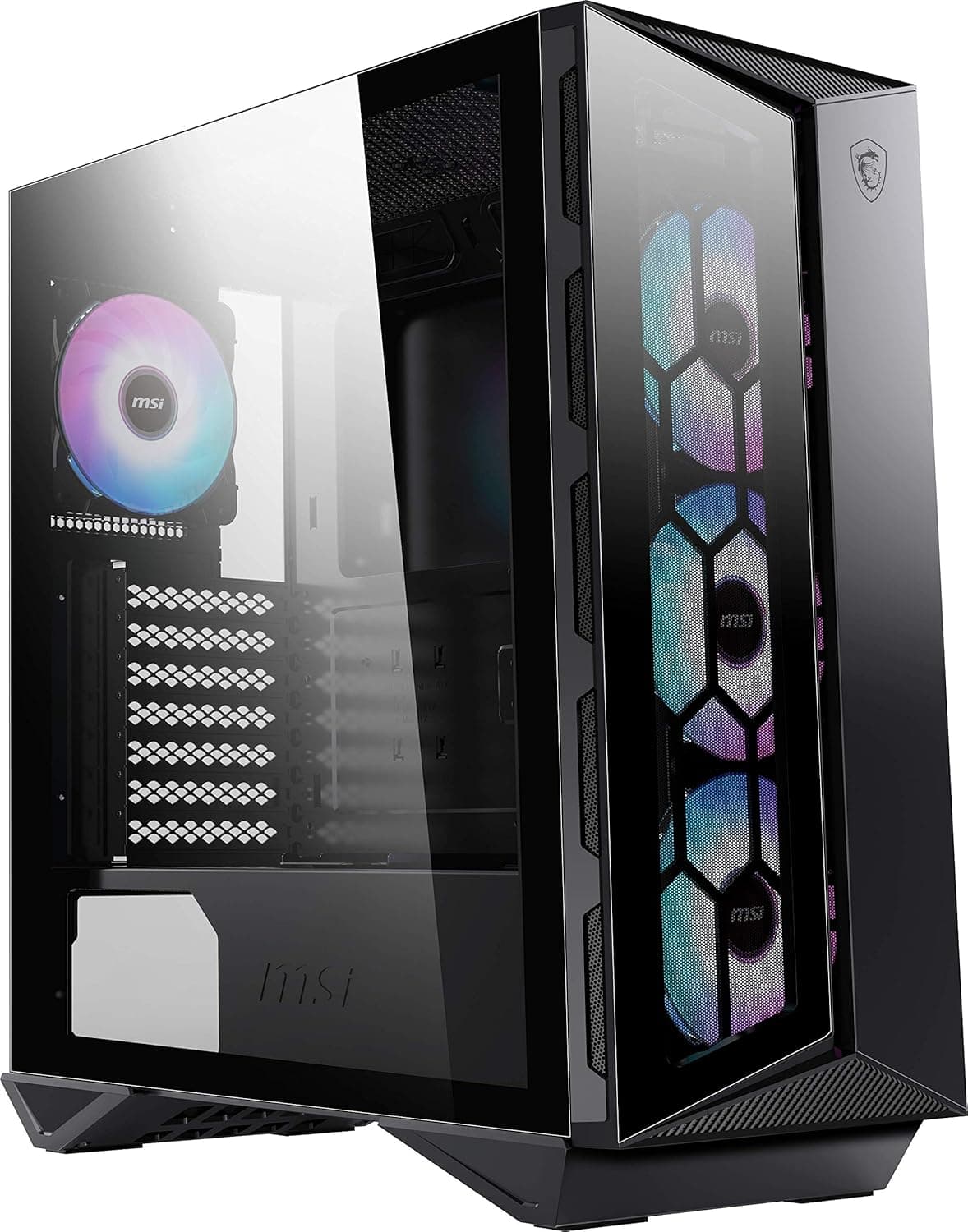
The MSI MPG GUNGNIR 110R is a mid-tower gaming PC case that sits in MSI's premium MPG lineup. It comes with a tempered glass side panel and four pre-installed 120mm ARGB fans, making it a strong contender for builders who want an out-of-the-box lighting show. The front mesh panel balances airflow with visual flair, and a front USB 3.2 Gen2 Type-C port (10Gbps) keeps up with modern motherboards. One of the standout features is the Insta-Light Loop button on the front I/O panel. This physical switch lets you cycle through ARGB lighting effects without needing to open any software. Combined with MSI's Mystic Light ecosystem, the whole system can be synchronized with compatible motherboards and GPUs. The tempered glass side panel provides a clean window into the components, making the RGB glow the centerpiece of your build. Cooling-wise, the case supports up to a 360mm radiator in the front, a 240mm radiator on top, and a 120mm at the rear. This gives builders plenty of flexibility for either AIO or custom loop configurations. GPU clearance up to 340mm and CPU cooler height up to 165mm means most high-end hardware will fit without trouble.
Compatibility Guide
The MPG GUNGNIR 110R supports ATX, Micro-ATX, and Mini-ITX motherboards. E-ATX boards will not fit. For graphics cards, the maximum length is 340mm, though you should always measure if installing a front radiator alongside a long GPU. CPU cooler height is limited to 165mm, so large dual-tower air coolers like the Noctua NH-D15 or Be Quiet! Dark Rock Pro 5 will not fit. Storage options include two 3.5-inch HDD bays and two 2.5-inch SSD mounts. The PSU mounts at the bottom, with a removable dust filter accessible from the front. Cable management space behind the motherboard tray is generous for this size, but using thicker cables may still require some extra effort.
Product Info
The MSI MPG GUNGNIR 110R launched around 2020 and is positioned as a mid-to-high-end gaming case. As of July 2026, the retail price on Japan is approximately ¥34,909 (tax included). The warranty is standard two years (check MSI's official site for confirmation). The case is primarily made of steel with a tempered glass side panel, and the front panel is steel mesh. The four included 120mm ARGB fans are 3-pin (non-PWM) so they run at full speed all the time. They are reasonably quiet at idle but become audible under load. The ARGB connector is standard 5V 3-pin, compatible with most motherboard RGB headers.
Best Use Cases
First-time PC builder: The spacious interior and simple cable routing make assembly straightforward. With four fans included, you don't need to buy extra fans right away. The clear side panel makes the build look impressive even on a budget. RGB enthusiast: If you love synchronized lighting across your system, the Mystic Light support and Insta-Light Loop button make managing effects effortless. This case is especially appealing if you already own MSI components. * High-end AIO cooling setup: The ability to mount a 360mm radiator in the front allows for a powerful AIO cooler like the Arctic Liquid Freezer III or Corsair H150i. Pair this with a high-end CPU and you'll keep temperatures in check.
Things to Consider
The included fans lack PWM control, so they always spin at full speed. If silence is a priority, swapping them for PWM fans is highly recommended. The front mesh panel offers decent intake, but the overall airflow is average compared to fully open-mesh cases like the Fractal Design Meshify 2 or Corsair 4000D Airflow. For very high-heat components, adding an extra exhaust fan on top may help. E-ATX motherboards and very tall air coolers are not supported. The price sits in a competitive segment; comparable cases from Corsair, Fractal Design, and NZXT offer similar or better airflow at slightly lower prices. Make sure you value the included ARGB fans and USB-C port enough to justify the cost. ## FAQ Q: Can I control the ARGB fans with non-MSI motherboards? A: Yes, the fans use a standard 5V 3-pin ARGB connector. They work with ASUS Aura Sync, Gigabyte RGB Fusion 2.0, ASRock Polychrome, and others. Just connect the ARGB cable to your motherboard's 3-pin header. Q: Does the front USB Type-C port work on older motherboards? A: Only if the motherboard has a USB 3.2 Gen2 Type-C internal header (20-pin). Most modern boards (B550, X570, Z590, and newer) include this header. Older boards may not support it. Q: What is the maximum GPU length if I install a front radiator? A: With a 360mm radiator installed in the front, GPU clearance drops to around 290-300mm depending on radiator thickness. Always measure your specific components before building.
Product Disclosure (Amazon)
- Manufacturer: MSI
- ASIN: B0899H96NQ
- Note: This article covers a manufacturer-made product based on Amazon listing details.