Overview
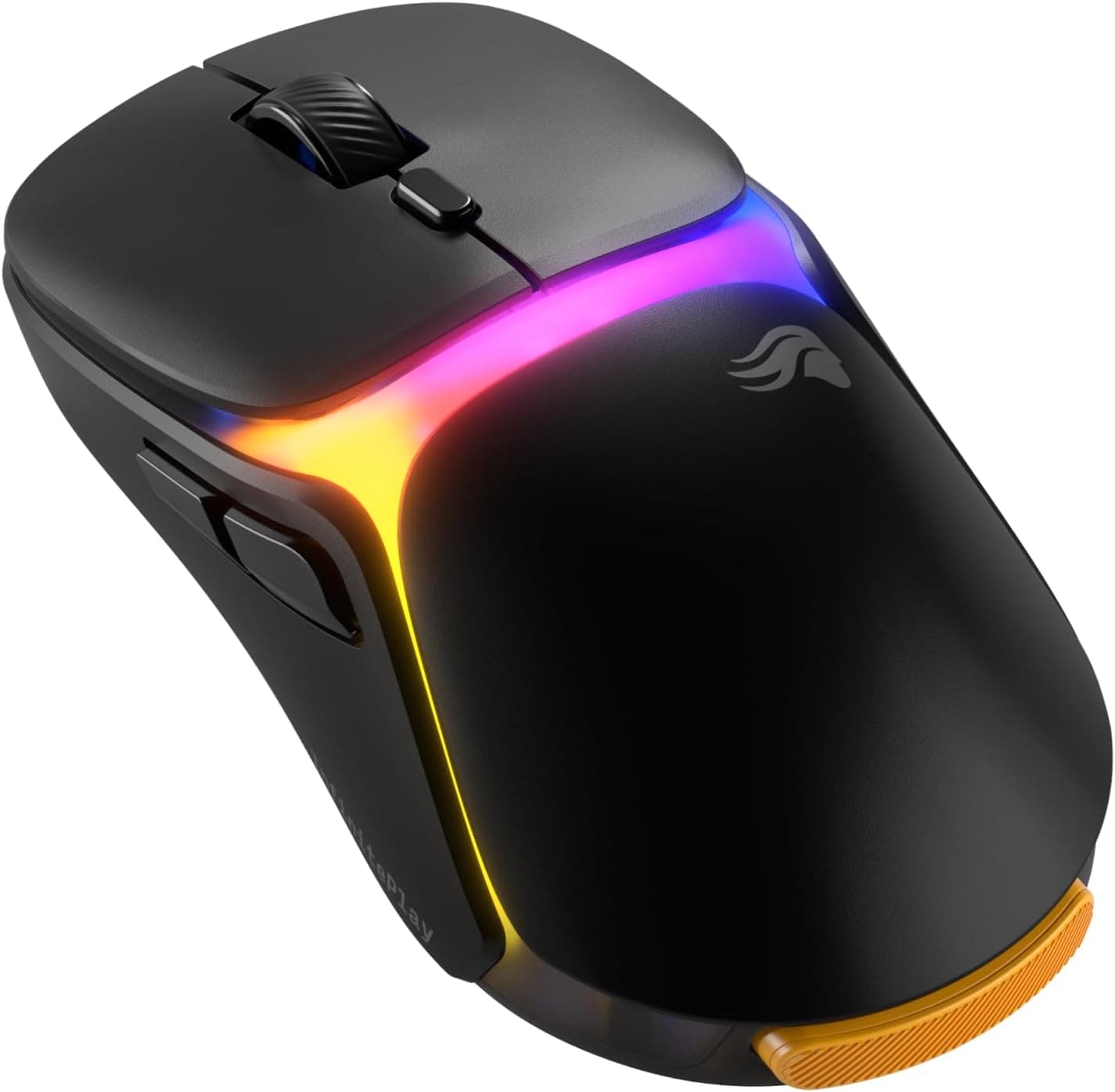
The ATTACK SHARK V3PRO — Ultra-light wireless gaming mouse with magnetic charging dock (V3PRO below) pairs a 62g (±3g) body with a PixArt PAW3311 optical sensor. It works over wired USB-C, 2.4GHz wireless, and Bluetooth.
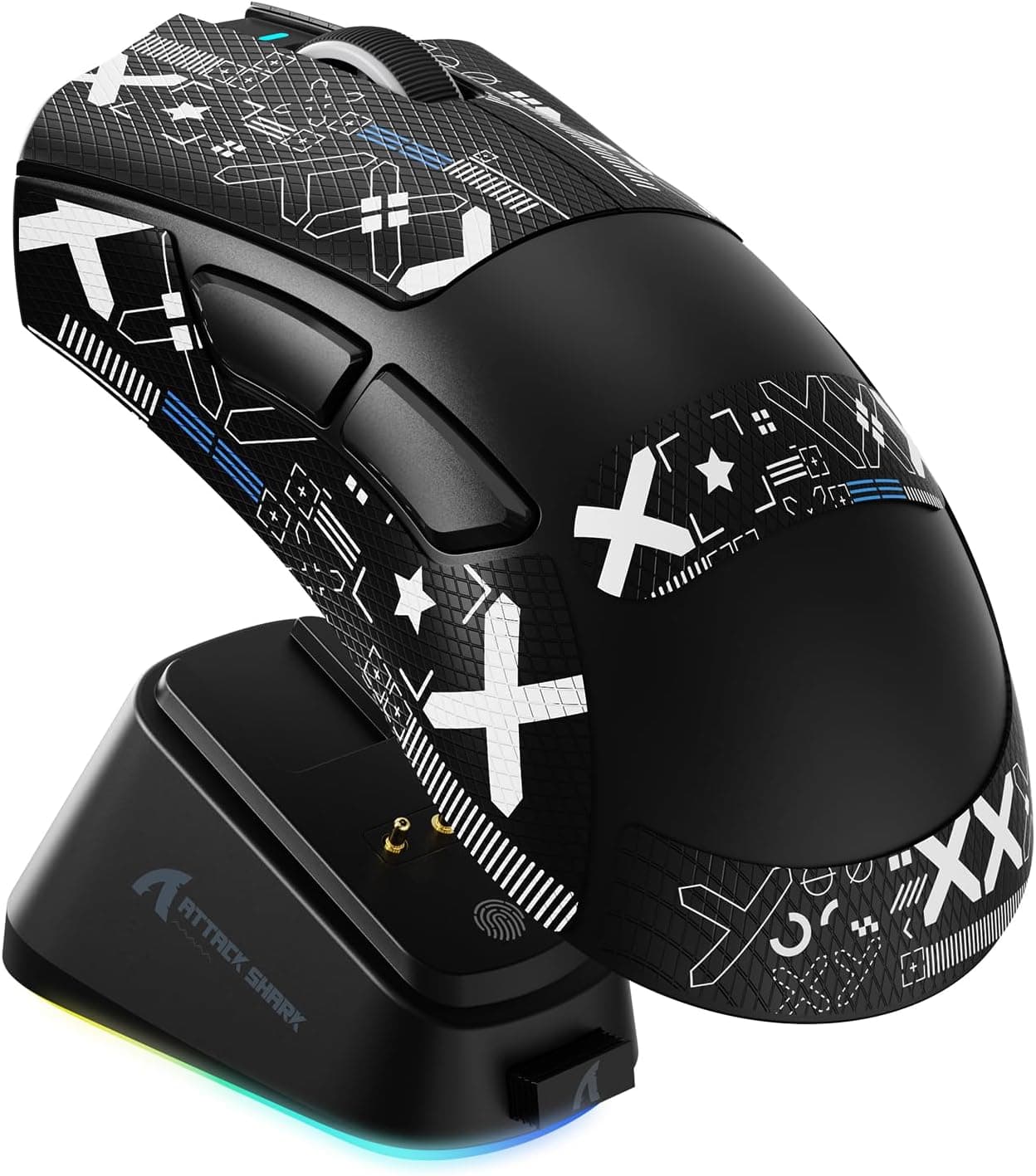
Its biggest selling point is the included magnetic charging dock: set the mouse down and it charges. In short, it suits casual to intermediate FPS players who want wireless, a charging dock, and a weight in the low 60s without spending much.
It is not the pick for players who want 4000Hz+ polling, a sub-50g shell, or a flagship sensor.
The spec sheet lists a Broadcom BK52820 chip, a 500mAh battery, and polling up to 1000Hz (1ms). Switch life is rated at 100 million clicks, with 40G max acceleration and 400 IPS max tracking speed.
On paper, those numbers are good enough for competitive play. This review focuses on how to read the specs, which setups it works with, and the pitfalls buyers tend to find after purchase.
Verdict: Who Should Buy, Who Should Skip
| Buyer | Verdict | Why |
|---|---|---|
| First wireless gaming mouse on a sub-¥10,000 budget | Buy | Three connection modes and a dock in one package |
| Casual FPS player who values light weight and convenience | Buy | 62g is lighter than typical wired mice, and 1000Hz is plenty in practice |
| Mac user who wants to remap buttons and tune DPI | Skip | Software customization is Windows-only |
| Competitive player chasing 4000/8000Hz polling | Skip | Tops out at 1000Hz |
| MMO player who relies on many side buttons | Skip | Simple button layout |
| Anyone who wants a sub-50g mouse | Skip | The same brand has sub-40g models |
As the table shows, the V3PRO's appeal is getting everything in one affordable package, not class-leading performance in any single area. Products like this tend to satisfy buyers best as a first gaming mouse, a second mouse, or a travel mouse.
If you care strongly about polling rate, weight, or sensor tier, one of those points will probably disappoint you, so you can rule it out quickly.
Compatibility Guide
There are no socket or memory standards to worry about with a mouse. The usual trouble spots are which connection mode to use, what each OS supports, and where to put the dock and dongle on your desk.
Choosing a Connection Mode
| Mode | Best for | Watch out for |
|---|---|---|
| USB-C wired | Playing while charging, or when wireless is unstable | Cable drag cancels some of the weight advantage |
| 2.4GHz (dongle) | Your main gaming connection | Rear PC ports far from the mouse can cause dropouts |
| Bluetooth | Laptops, tablets, office work, travel | Usually higher latency than 2.4GHz, so not ideal for games |
For gaming, use 2.4GHz or wired, and treat Bluetooth as the fallback for devices that cannot take the dongle.
The dongle stores in a slot on the bottom of the mouse, so it is hard to lose in transit. Our spec data does not say whether the dongle is USB-A or USB-C.
If your laptop only has USB-C ports, check the product page and get an adapter if needed. The 2.4GHz band is also known to pick up interference near rear USB 3.x ports.
If the cursor skips, moving the dongle to a front port or closer to the mouse often helps.
What Each OS Supports
Software customization (button mapping, DPI, macros) works only on Windows. On macOS and Chrome OS you get the basics: tracking, clicks, and scrolling.
Check the product page to see whether settings are saved to the mouse itself. If they are, you could configure it once on Windows and then use it on a Mac.
Placing the Charging Dock
The dock holds the mouse with magnets, and the dock itself needs power, so plan for it to take one USB port on your PC or charger. If it sits where you swing the mouse, your hand or arm can knock the mouse off.
A back corner outside the mousepad is the safe choice.
Product Info
The ATTACK SHARK V3PRO was listed at ¥6,597 on Amazon.co.jp as of June 23, 2026.
A capture of the same listing in August 2026 showed a price several times higher. That could reflect a seller or stock change, or a collection error, so we do not use it here.
Prices vary widely, so check the product page before buying.
As of June 2026, the mouse was rated 4.4 out of 5 stars (88% positive) across 22 reviews.
That is a good score, but the sample is too small to reveal durability or unit-to-unit variation. When deciding, reading the complaints in low-star reviews is more useful than the star average.
| Item | Spec |
|---|---|
| Sensor | PixArt PAW3311 optical sensor |
| Max DPI | 25,000 |
| Polling Rate | 1000Hz (1ms) |
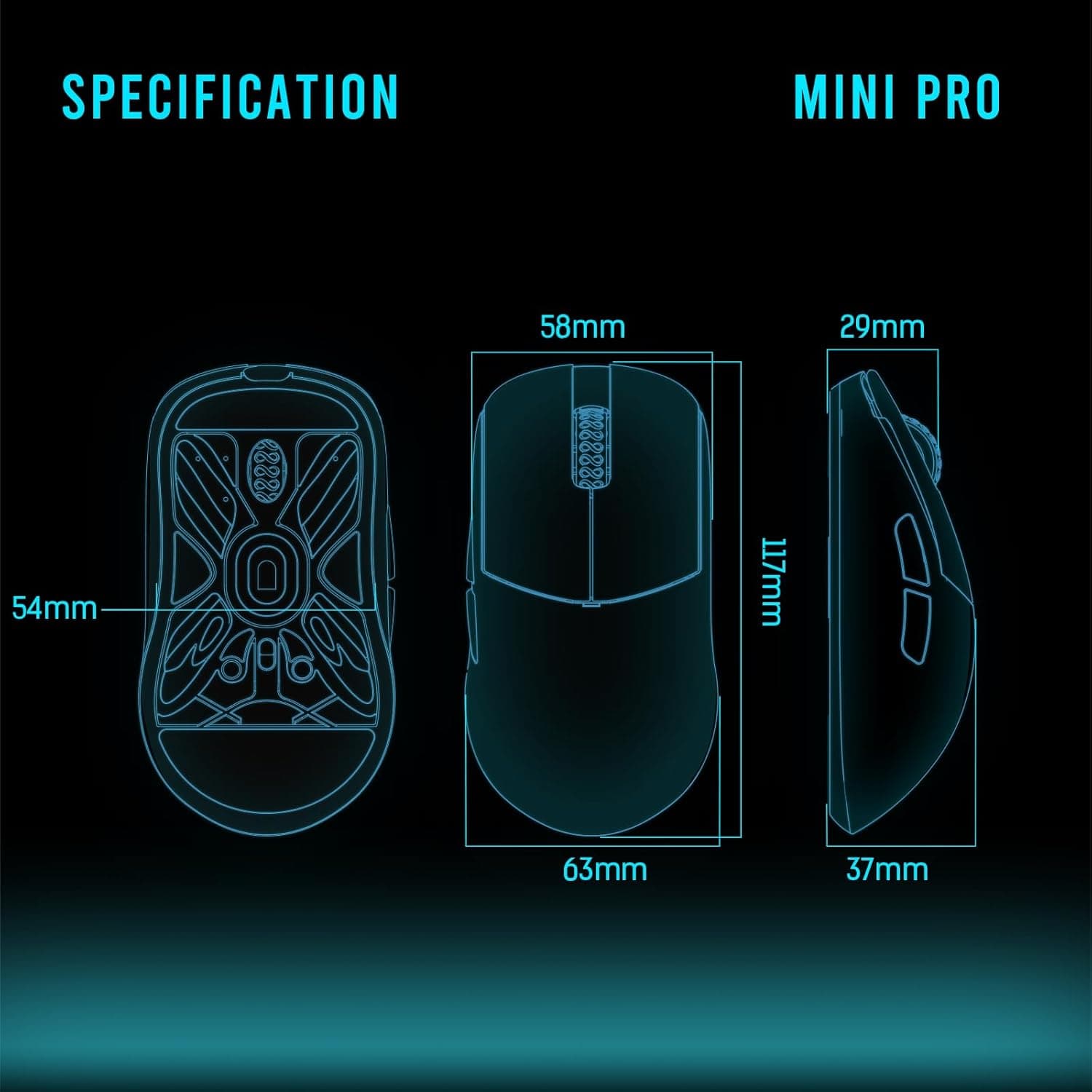
| Weight | 62g ±3g |
| Connection Modes | USB-C wired / 2.4GHz / Bluetooth |
| Battery Capacity | 500mAh |
| Chip | Broadcom BK52820 |
| Switch Lifespan | 100 million clicks |
| Max Acceleration | 40G |
| Max Tracking Speed | 400 IPS |
According to the original listing, the package includes the mouse, magnetic charging dock, USB-C cable, 2.4GHz dongle, replacement grip tape, and a manual.
Warranty terms are set by the manufacturer, so check the product page for details. The V3PRO sits in the entry-to-mid range for budget buyers who want a light wireless mouse.
Few mice at this price include a charging dock, so the dock is its clearest point of difference.
Reading the Specs
25,000 DPI Is a Ceiling, Not a Setting
Most FPS players use somewhere around 400 to 1600 DPI. The 25,000 figure only shows how wide the range goes; it does not make aiming easier.
The ATTACK SHARK X11 uses the same PAW3311 sensor but is rated at 22K DPI, so the same sensor gets different max DPI figures from product to product. It is safest to read the number as a maker-specific ceiling and not to compare mice by it.
Where the PAW3311 Sits
Within PixArt's gaming sensors, the PAW3311 is an entry-to-mid-tier part; flagship options include the PAW3395 and PAW3950. Even so, the V3PRO's listed 400 IPS and 40G are enough to keep tracking stable during large low-sensitivity arm swings.
In typical play, the sensor rarely makes a noticeable difference.
Is 1000Hz Enough?
At 1000Hz, the mouse reports its position to the PC 1,000 times per second, once every 1ms. More mice now offer 4000Hz or 8000Hz, but you need a high-refresh monitor and a capable CPU to feel the difference.
On a 60 to 144Hz monitor, 1000Hz is rarely a limitation.
Is 62g Still Light?
62g is clearly lighter than office mice and older gaming mice. Among ultralight mice, though, it sits in the middle; ATTACK SHARK's own R6 comes in under 40g.
Lighter is not always better, since some players find a bit of weight helps them stop their aim cleanly. If you do not want a drastic weight change from your current mouse, 62g can actually be the easier transition.
Battery Life
The battery is 500mAh, but our spec data does not list runtime. Runtime typically depends on RGB and polling settings.
Once you get in the habit of returning the mouse to the dock each day, you will rarely have to think about battery life. That is the main practical advantage of a dock-equipped mouse.
Comparison with Rivals
| Product | Weight | Sensor | Key features (from product names) |
|---|---|---|---|
| ATTACK SHARK V3PRO | 62g | PAW3311 | Tri-mode, magnetic charging dock |
| ATTACK SHARK X11 | Listed as ultralight | PAW3311 | Tri-mode, 22K DPI, 5 programmable buttons |
| ATTACK SHARK R6 | 38g | PAW3950 MAX | Ultralight, higher-tier sensor |
| Pulsar X2H Mini | 52g | PAW3395 | Symmetrical, 2.4GHz, 26000 DPI |
| Razer Viper Mini | 61g | 8500 DPI | Wired, compact |
The X11 from the same brand uses the same PAW3311 and emphasizes extra buttons. The V3PRO, by comparison, sets itself apart with the convenience of the dock.
If weight and sensor tier matter most, the R6 or the Pulsar X2H Mini is a step up. The case for the V3PRO comes down to two reasons: you want dock charging with no hassle, or you prefer a moderate weight in the low 60s.
If neither applies, it is worth widening your search.
Best Use Cases
- FPS and battle royale players: the 62g body makes quick flicks and aiming easier, and the PAW3311 is accurate enough for typical play.
- People who want a tidy desk: two wireless options plus drop-in dock charging mean no cable permanently trailing across the desk.
- Budget buyers trying a light mouse: at ¥6,597 as of June 2026, getting this weight and a dock is a strong offer and an easy first ultralight mouse.
- People who use one mouse with a PC and a tablet: use 2.4GHz for games and Bluetooth for the tablet.
Not ideal for: people who prefer right-handed ergonomic shapes, or MMO players who rely on many thumb buttons, since the button count may feel limited. Mac users who want deep customization and anyone chasing 8000Hz-class polling should also look elsewhere.
Things to Check Before Buying
Software customization is Windows-only. Button mapping, DPI, and macros can only be changed on Windows; macOS and Chrome OS get basic functions only.
If a Mac is your main machine, check this first.
Mind where you put the dock. The magnets hold firmly, but a hard knock can still dislodge the mouse.
Keep the dock away from the area where you swing the mouse.
Polling tops out at 1000Hz. There is no 4000Hz or 8000Hz mode.
That is plenty for most players, but it will not suit anyone building a competitive setup around the latest high-polling gear.
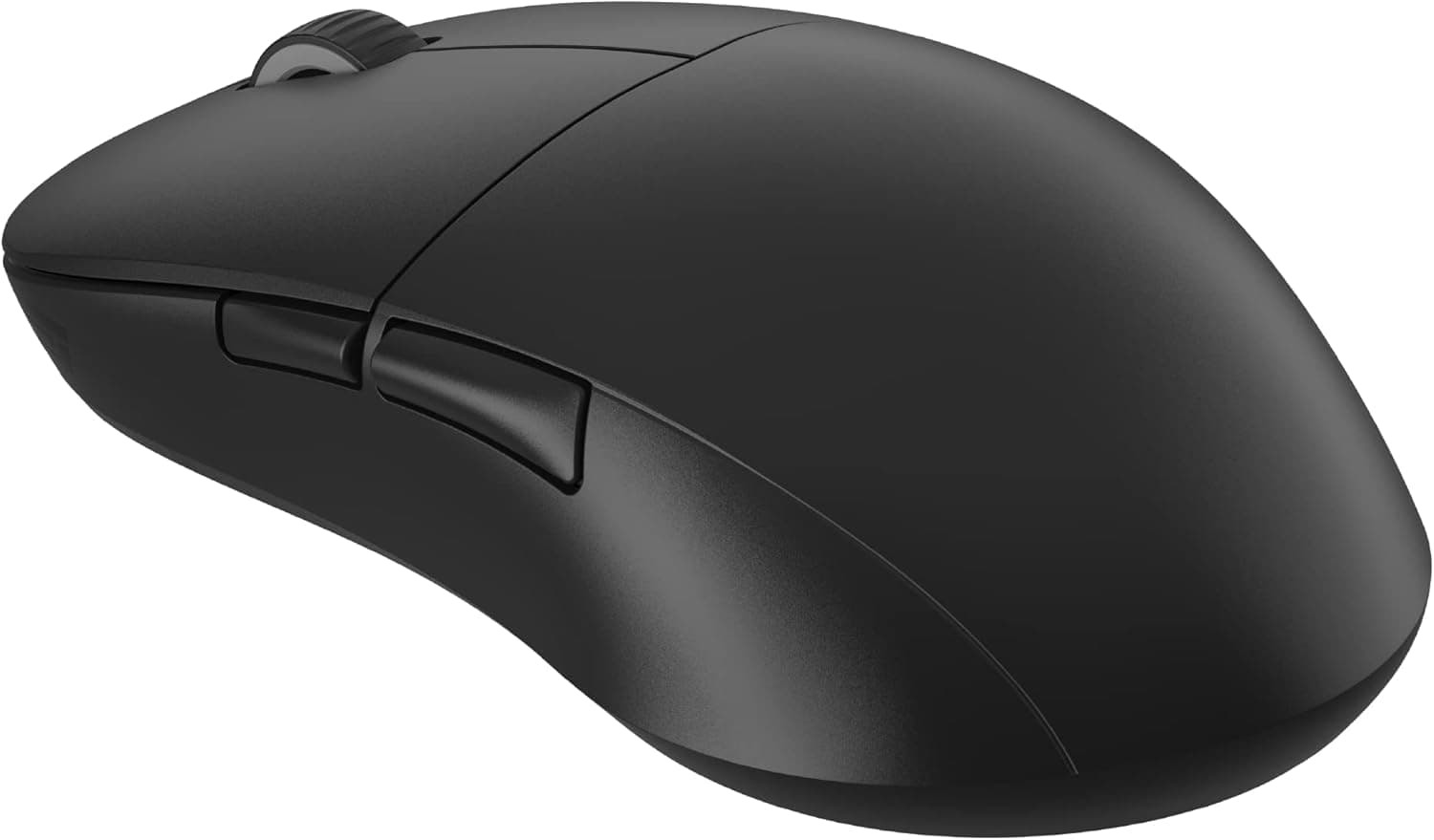
Finish and grip: the shell is described as solid, with no honeycomb cutouts, and has a slightly matte plastic finish. If your hands get sweaty, plan on applying the included grip tape from day one.
Price swings: captures from different dates showed very different prices for the same listing, and some products change price sharply when the seller changes. Always check the displayed price and the seller before checking out.
Check the seller: our data showed the seller and shipper as Amazon US even though the listing is on the Japanese Amazon site. If the item ships from overseas, delivery time, return terms, and warranty contacts may differ from domestic stock.
Before buying, check the seller and shipper on the product page, and use the photos and title to confirm it is the right product.
Few reviews so far: as of June 2026 there were only 22 reviews. There is not yet enough information to judge long-term battery wear or click durability.
FAQ
Q. Can I game over Bluetooth? A.
It works, but Bluetooth generally has higher latency than 2.4GHz and is not a good fit for competitive games like FPS titles.
Use the 2.4GHz dongle or a wired USB-C connection for gaming.
Q. Does it work on a Mac? A.
Yes, for basic tracking, clicks, and scrolling. Button remapping and DPI tuning through the software are Windows-only.
Q. Can I play while it charges? A.
Yes. Connect the USB-C cable and use it in wired mode while it charges.
Treat the dock as charge-only.
Q. Do I need 25,000 DPI? A.
No. Most FPS players use about 400 to 1600.
Treat the maximum as a rough indicator and find the value that works with your in-game sensitivity.
Q. V3PRO or the ATTACK SHARK X11? A.
Both use the PAW3311. Choose the V3PRO for dock-charging convenience, or the X11 if you want more programmable buttons.
Product Disclosure (Amazon)
- Manufacturer: ATTACK SHARK
- Seller: Amazon US
- Fulfilled by: Amazon US
- ASIN: B0G1XVS1JQ
- Note: This article covers a manufacturer-made product based on Amazon listing details.