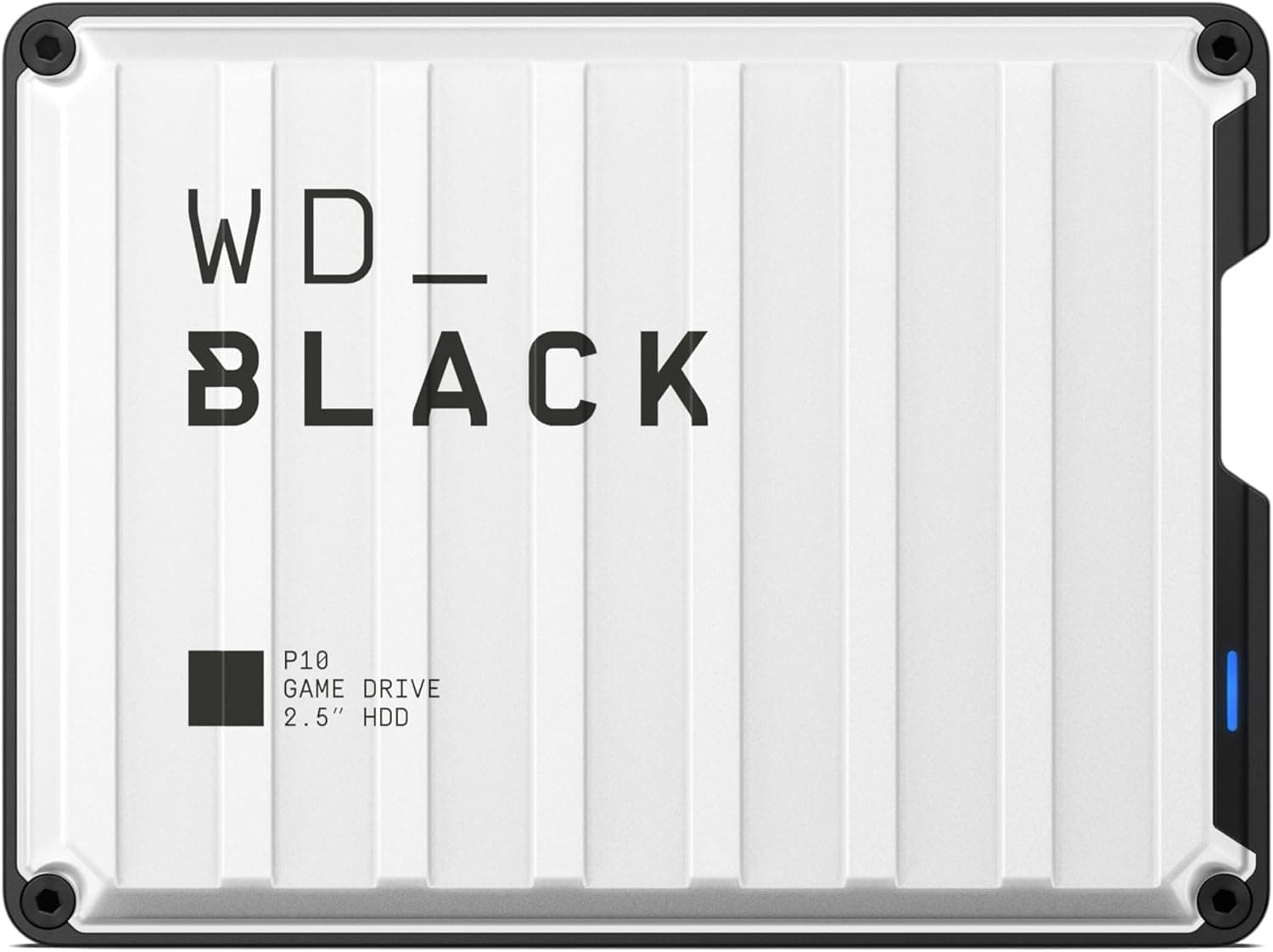
This article covers the WD_Black P10 Game Drive 2TB — Portable external HDD for consoles and PC. It focuses on what the drive can and cannot do on PS4, PS5 and PC, and on the traps buyers tend to find only after purchase.
Overview
The short answer first. This is a portable HDD that works well as a home for PS4 games and as a drive for carrying or backing up PC data.
It is not a way to play PS5 games from external storage. It is a gaming-branded external HDD in the WD_BLACK line.
The product page lists the model number as WDBSYM0020BWT and the color as white. It uses USB 3.0 (USB 2.0 compatible), is rated for up to 130MB/s, holds 2TB and carries a 3-year warranty.
The drive is bus-powered, so it runs from a single USB cable without an AC adapter. You buy it for capacity and convenience, not speed.
A 2TB portable SSD is far faster, but for moving a large game library off a console, an HDD like this still makes sense. The sections below explain what works on each device and where you have to accept limits.
Quick Verdict by Use Case
| Goal | Good enough? | Note |
|---|---|---|
| Store and play PS4 games on PS4 | Yes | Register it as extended storage |
| Store and play PS4 games on PS5 | Yes | Loads slower than the internal SSD |
| Play PS5 games on PS5 | No | Storage only; copy back to play |
| Back up games or files on PC | Yes | Works as shipped in exFAT |
| Main drive for OS or heavy PC games | Not ideal | Choose an SSD |
| Use on Xbox | Not listed | Only PS4/PS5/PC are listed |
The deciding question is whether you want to play PS5 games directly from external storage. If you do, skip this drive and add an M.2 SSD inside the PS5.
If you want to move PS4 games off the console, or keep games you do not want to delete, it does the job well.
Compatibility Guide
The listed compatible devices are PlayStation 4, PlayStation 5 and PC. The interface is USB 3.0.
The drive will work in a USB 2.0 port, but speed is then capped by USB 2.0 and you will not get close to 130MB/s.
PS4 and PS5 need a USB 3.0 or faster port for extended storage, so check which port you plug into.
- PS4: Once formatted as extended storage, it can hold and launch PS4 games. Connect it directly to the console, not through a USB hub.
- PS5: PS4 games run directly from the drive. You can store PS5 games on it, but you must copy them back to the internal SSD (or an added M.2 SSD) before playing. USB ports differ by PS5 model, and on the launch model the front USB-A port is the slower standard. Using a rear port is usually the safe choice, but check your own model.
- PC / Mac: The drive ships formatted in exFAT, so it reads and writes on both Windows and macOS out of the box. You normally do not need extra drivers.
- Xbox: Xbox is not in the manufacturer's compatibility list. Xbox consoles reformat external drives into their own format before using them, which erases the contents. If you are buying for Xbox, a drive marketed for Xbox is the safer pick.
Because the drive is bus-powered, some low-power USB hubs and some laptop ports may not detect it reliably. If it does not show up or keeps disconnecting, plug it straight into the device first.
The 0W recommended PSU value in the compatibility data only means that, as an external device, it does not count toward your PC power supply budget.
Setting It Up on PS4/PS5 (and the Formatting Trap)
The most common mistake is setting it up as console extended storage while PC files are still on it. Formatting the drive as extended storage erases everything on it.
Move any files you saved in the factory exFAT format to another location first.
Once the drive is formatted for a console, your PC can no longer read and write it normally. In practice, one drive cannot serve as both PS5 game storage and a PC backup drive.
Decide which job it will do before you buy.
The steps are:
- Make sure the drive can be wiped (move any PC data elsewhere) 2.
Connect it directly to a USB 3.0 or faster port on the console, without a hub 3.
Format it as USB extended storage from the console settings 4. Set it as the install location for PS4 games, or move installed games to it
Keeping PS5 games on the drive helps if your internet connection is slow. Copying a 100GB-class game back from the drive can be faster than downloading it again.
Copying still takes time, though, so if you swap games often, adding internal SSD capacity is the better experience.
Product Info
| Item | Value |
|---|---|
| Capacity | 2TB |
| Interface | USB 3.0 (USB 2.0 compatible) |
| Max transfer speed | 130MB/s |
| Color | White |
| Warranty | 3 years |
| Compatible devices | PlayStation 4, PlayStation 5, PC |
The 2TB figure is counted in decimal units, so operating systems and consoles show roughly 1.8TB.
That is a difference in how capacity is counted, not a defect. PS4 games range from tens of gigabytes to more than 100GB, so the number you can fit depends on your library.
Even with mostly large games, you can fit more than a dozen.
When the data was captured on June 22, 2026, Amazon.co.jp listed it at ¥32,403.
That is on the high side for a 2TB portable HDD, and the price may vary a lot by seller and over time. Check the current price on the product page before buying, and compare it with portable SSDs of the same capacity.
Prices change during sales.
When the data was captured in June 2026, the listing showed 4.2 out of 5 stars from 30,154 reviews.
The high count suggests a long-selling product line. Amazon sometimes combines reviews for different capacities and colors, though, so not all of them are necessarily about this 2TB white model.
What 130MB/s Means in Practice
The 130MB/s rating is a best-case figure, close to the ceiling for large sequential reads and writes. Even at a steady 130MB/s, copying a 100GB game takes about 13 minutes.
Folders with many small files copy more slowly, so plan for longer than that.
The PS4's internal storage is also an HDD, so load times on PS4 should feel similar. Playing PS4 games on a PS5 from this drive means longer loads than from the internal SSD.
On PC, recent large open-world games may show texture pop-in or stutter from an HDD. A good split is to keep the games you are playing now on an SSD and everything else on this drive.
Alternatives
| Option | Speed | Best for |
|---|---|---|
| Portable HDD (this drive) | Up to 130MB/s | PS4 game storage, archiving, backups |
| Portable SSD | Much faster, depending on the model | Playing on PC, carrying daily |
| M.2 SSD plus external enclosure | Depends on the enclosure and SSD | Reusing an SSD you already own |
| M.2 SSD installed in the PS5 | Similar to the internal SSD | Playing PS5 games |
Among portable HDDs, Seagate's PlayStation-oriented game drives are direct rivals. HDDs perform about the same, so the choice comes down to design, warranty and the price at the time.
The comparison that matters more is against portable SSDs. An HDD's usual advantage is a lower price per gigabyte.
The price captured here was high for an HDD, though, so when a same-capacity portable SSD costs only a little more, the SSD is usually the more satisfying buy. With no moving parts, it also handles bumps in a bag much better.
Who Should Buy It
- PS4/PS5 owners with many PS4 games and not enough internal storage: Move PS4 games off the console and keep the internal SSD for PS5 games.
- Players on slow connections: Keep PS5 games on the drive and copy them back instead of downloading them again.
- PC and Mac users who need to store or carry large files: It works in exFAT out of the box, so moving files between Windows and macOS is easy.
- Anyone archiving old PC games or recordings: It is a good home for data you rarely use but do not want to delete.
Who Should Skip It
- Anyone who wants to play PS5 games from external storage: It cannot do that. Add an M.2 SSD to the PS5 instead.
- Xbox owners: Xbox is not in the compatibility list.
- PC players who want faster load times for current games: An HDD will not help. Buy an SSD.
- People who carry a drive in their bag every day: HDDs are sensitive to shock, so a portable SSD is safer.
- Anyone who wants one drive shared between a PS5 and a PC: Extended storage cannot do both jobs, so you would need two drives.
Things to Check Before Buying
This is an HDD, so treat it as vulnerable to shock while it is running. The enclosure is designed to be portable, but moving or dropping it during reads and writes can cause failure or data corruption.
On PC, use the operating system's safe-removal option before unplugging it. On a console, stop using the extended storage from the settings before removing it.
Next, the price. ¥32,403 at capture time is high for a 2TB portable HDD.
Check the current price and the seller on the product page. Compare other listings for the same line, and portable SSDs of the same capacity, before you buy.
Parts of the collected listing data do not match. The seller is labeled Amazon US, but the link actually goes to an Amazon.co.jp product page.
Store listing details can be wrong, so check the model number (WDBSYM0020BWT), capacity (2TB) and color (white) against the images and title before you buy. The game drive line includes several models with different colors and target consoles, so it is easy to pick the wrong one.
Warranty claims usually require proof of purchase, so keep your order record or receipt for the 3-year warranty. Also avoid relying on a single external HDD for important data.
Even if you use this drive for backups, keep critical files on another drive or in cloud storage too.
FAQ
Q: Can I play PS5 games directly from this drive on a PS5? A: No.
PS5 games launch only from the internal SSD or an added M.2 SSD.
This drive can store and run PS4 games, and store PS5 games.
Q: Do I need to format it before using it on PC? A: No.
It ships in exFAT and works on Windows and macOS as is. Setting it up as PS4/PS5 extended storage reformats it and erases everything on it.
Q: Can one drive be shared between a PS5 and a PC? A: Not when it is used as extended storage.
Use separate drives, or dedicate this one to a single role.
Q: Why does it show less than 2TB? A: The 2TB figure is counted in decimal units, so systems and consoles show about 1.8TB.
It is not a defect.
Q: What is the warranty?
A: 3 years. Keep your proof of purchase in case you need to make a claim.
Product Disclosure (Amazon)
- Manufacturer: WD
- Seller: Amazon US
- Fulfilled by: Amazon US
- ASIN: B0GX7WXXFN
- Note: This article covers a manufacturer-made product based on Amazon listing details.