Overview
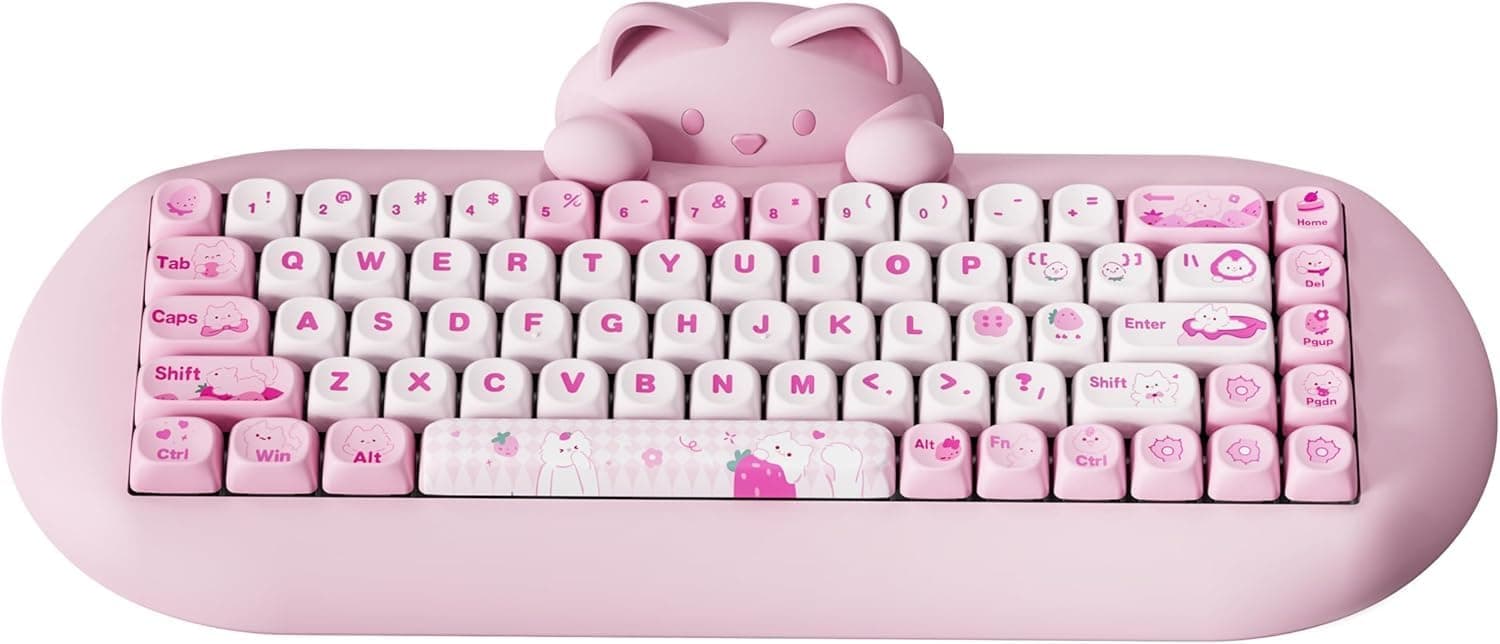
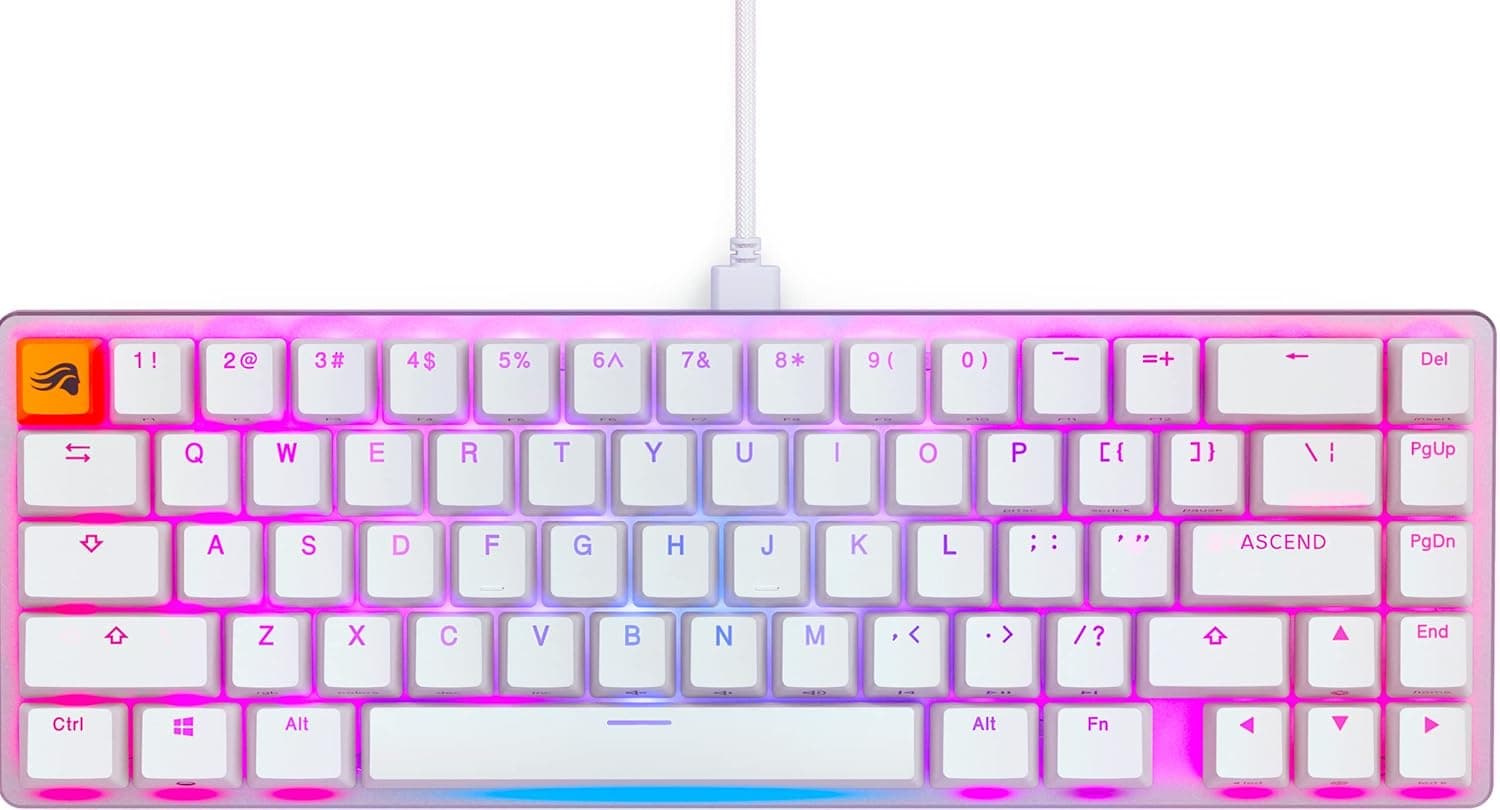
The YUNZII C68 Teclado Mecánico Inalámbrico is a 65% (68-key) wireless mechanical keyboard. The short verdict: it suits people who want a desk accessory that looks charming and a hot-swappable board they can tune later.
It is a lower priority for competitive gamers or anyone who needs a Japanese (JIS) layout. The Spanish part of the listing name simply means wireless mechanical keyboard; the product itself is the YUNZII C68.
Its signature feature is a detachable silicone palm rest shaped like a cat's head. Beneath the cute exterior are practical features: a hot-swap PCB (3-pin/5-pin), triple-mode connectivity (Bluetooth 5.0, 2.4GHz, USB-C wired), and a 4000mAh battery rated for up to 72 hours wireless.
Multi-layer dampening plus pre-lubricated switches and stabilizers keep the typing sound subdued.
On Amazon.co.jp, as of October 1, 2026, it was rated 4.7 out of 5 stars from 305 reviews.
That is fewer reviews than flagship models from major brands, but holding 4.7 across more than 300 reviews suggests few buyers were disappointed on arrival.
Key Specs at a Glance
| Item | Detail |
|---|---|
| Layout | 65% (68 keys) |
| Connectivity | Bluetooth 5.0 / 2.4GHz / USB-C wired |
| Switches | Hot-swappable (3-pin/5-pin) |
| Battery | 4000mAh, up to 72 hours (wireless) |
| Keycaps | PBT, MOA profile |
| Backlight | RGB (18 modes, 8 colors) |
| Dimensions (as listed) | 378 × 178 × 79 mm |
The easily overlooked detail is the MOA keycap profile. MOA caps are tall with rounded tops, which cradle the fingers but raise the front edge of the board.
Think of the cat palm rest as functional rather than decorative: it fills that height and eases wrist angle. PBT is generally more resistant to shine than ABS and holds up well over long use.
Compatibility Guide
Connections and OS
The board supports USB-C wired, 2.4GHz wireless, and Bluetooth 5.0, and can register up to four devices switchable by shortcut.
It works with Windows and macOS without extra drivers. The USB-C port sits on the top edge, so you can charge and use it wired at the same time.
The 2.4GHz receiver stores magnetically underneath, making it harder to lose when traveling.
A sensible split is 2.4GHz or wired for gaming, and Bluetooth for hopping between a tablet and laptop.
Bluetooth generally has more latency than 2.4GHz and can drop the first keystrokes after waking from sleep, so avoid relying on it for fast-paced shooters.
Hot-Swap Compatibility
The spec lists support for both 3-pin and 5-pin switches, so standard MX-compatible switches can be swapped without soldering. Low-profile, optical, and magnetic (Hall effect) switches use different pins or mechanisms and will not fit.
Before buying replacements, confirm they are labeled MX-compatible and 3-pin or 5-pin.
The most common mistake is bending switch pins. Pull switches straight out with the included puller, and check the pins are straight before pressing a switch in.
If a swapped key does not register, a bent pin is usually the cause.
Using It in a Japanese Environment
A 68-key layout is typical of a US (ANSI) 65% board. Japanese input works fine, but on Windows you should set the keyboard layout to English (101/102 keys), or symbols will not match the legends.
There is also no Hankaku/Zenkaku key, so you need another way to toggle Japanese input.
On 65% boards the key left of 1 is usually Esc, with the backtick on an Fn layer, so the Windows Alt+backtick toggle can become a three-key combo. Assigning a toggle such as Ctrl+Space in Microsoft IME settings makes life easier.
On a Mac, use the input source shortcut.
Desk Space
The listed dimensions are 378 × 178 × 79 mm. That is large for a bare 65% board, so the figure may include the palm rest or the packaging.
If you plan to use it on a keyboard tray or in a tight space, verify the size against the product page images.
Product Info
YUNZII is a keyboard brand from China, and the C68 was released in late 2023 as an entry-to-mid-range model. It bundles hot-swap sockets, PBT keycaps, RGB lighting (18 modes, 8 colors), and a silicone palm rest, giving a first-time buyer a chance to try a full set of features.
As of October 1, 2026, the Amazon.co.jp listing was ¥25,535.
The listing is sold and shipped by a marketplace seller, ☆ショップANNIE☆, not by Amazon itself. Seller prices move with stock and exchange rates and change during sales, so check the current price and any other sellers on the product page before buying.
At similar prices you can find 75% boards with gasket mounts or screen knobs. On feature count alone the C68 can look outmatched, so whether the price feels fair depends on how much you value its design, cat palm rest included.
The box includes a USB-C cable, keycap puller, switch puller, two spare switches, a 2.4GHz receiver, and a manual.
The manufacturer warranty is one year, but when buying from a marketplace seller, check beforehand whether defects are handled by the seller or the manufacturer.
How It Compares
Here is where the C68 sits against keyboards with different priorities.
- For typing feel and build: 75% boards such as the EPOMAKER X Aula EA75 MAX, with a gasket structure and screen knob, are worth a look. The C68 tunes sound with dampening and lubrication rather than an elaborate mounting structure.
- If you want a function row: a 75% (83-key) layout like the nuphy Halo75 V2 gives dedicated F1-F12 keys. The C68, being 65%, has no F-row.
- If you need a numpad: choose a full-size board such as the Keychron K10 Max. It keeps the desk tidier than adding a separate numpad to a 65% board.
- If magnetic switches or rapid trigger interest you: a Hall effect model like the Keychron K8 HE is a different path. The C68's hot-swap sockets are for mechanical switches only.
The C68's edge is that wrist support comes as part of the design from day one and doubles as desk decor. It is a product chosen for balance between looks and comfort, not for peak specs.
Best Use Cases
First, it is ideal for anyone who wants a cute desk setup. The cat silicone palm rest looks great and fills the height created by the MOA keycaps, easing wrist strain.
Not having to buy a separate rest and match its height is a quiet but real advantage.
Second, it suits people looking for a compact yet capable keyboard. The 65% layout drops the numpad and F-row but keeps dedicated arrow keys, which is plenty for writing and browsing.
Switching among up to four devices is handy if you use a PC and tablet side by side.
Third, it works as an entry point into custom keyboards. The 3-pin/5-pin hot-swap support lets you try different switches without soldering, and the two spare switches let you practice a swap right away.
Before You Buy
Note that the listing name is in Spanish. A 68-key count matches a US 65% layout, but a Spanish layout (with an Ñ key) cannot be ruled out entirely.
Check the key legends in the product images so the symbols are not a surprise on arrival. Listing details are sometimes wrong, so rely on the images and title to confirm the product and layout.
Assume it is not a JIS layout. There are no Hankaku/Zenkaku, Henkan, or Muhenkan keys, and the Enter key is shaped differently.
JIS users should expect a few days of hesitation when typing symbols.
There is no function row. Actions like F2 to rename or F5 to refresh require holding Fn.
Heavy Excel users and gamers who rely on F-keys will feel the extra step.
The switch type is not specified in the data covered here. Weight and sound vary greatly by switch, so confirm which switch you will receive in the product page variations before ordering.
The 72-hour battery figure depends on usage. RGB lighting generally increases power draw, so keep the lighting modest if you want long wireless sessions.
Silicone palm rests attract dust and skin oils. Since looks are the selling point, plan on wiping it down now and then, especially with lighter colors.
Enthusiasts focused on typing feel may find it lacking. Its strength is a quiet, dampened sound; those wanting a heavy chassis or gasket feel will likely be happier elsewhere.
FAQ
Q. Is there a Japanese (JIS) version? A.
The specs covered here describe a US-style 68-key layout. Japanese input works, but set your OS to an English layout and choose an input toggle key.
Q. Can I use 5-pin switches? A.
Yes, the spec lists 3-pin and 5-pin support. Low-profile, optical, and magnetic switches are not supported.
Q. Does it work on a Mac? A.
It supports Windows and Mac without drivers. Check the manual for the Mac mode switch to map Command and Option correctly.
Q. Is it good for gaming? A.
Over 2.4GHz or wired it is fine for casual games.
It is not suited to competitive shooters over Bluetooth or games that use F-keys heavily.
Q. Can the cat palm rest be removed?
A. Yes. Detach it for travel or when your desk lacks depth.
Product Disclosure (Amazon)
- Manufacturer: YUNZII
- Seller: ☆ショップANNIE☆
- Fulfilled by: ☆ショップANNIE☆
- ASIN: B0CJ8Y4M97
- Note: This article covers a manufacturer-made product based on Amazon listing details.