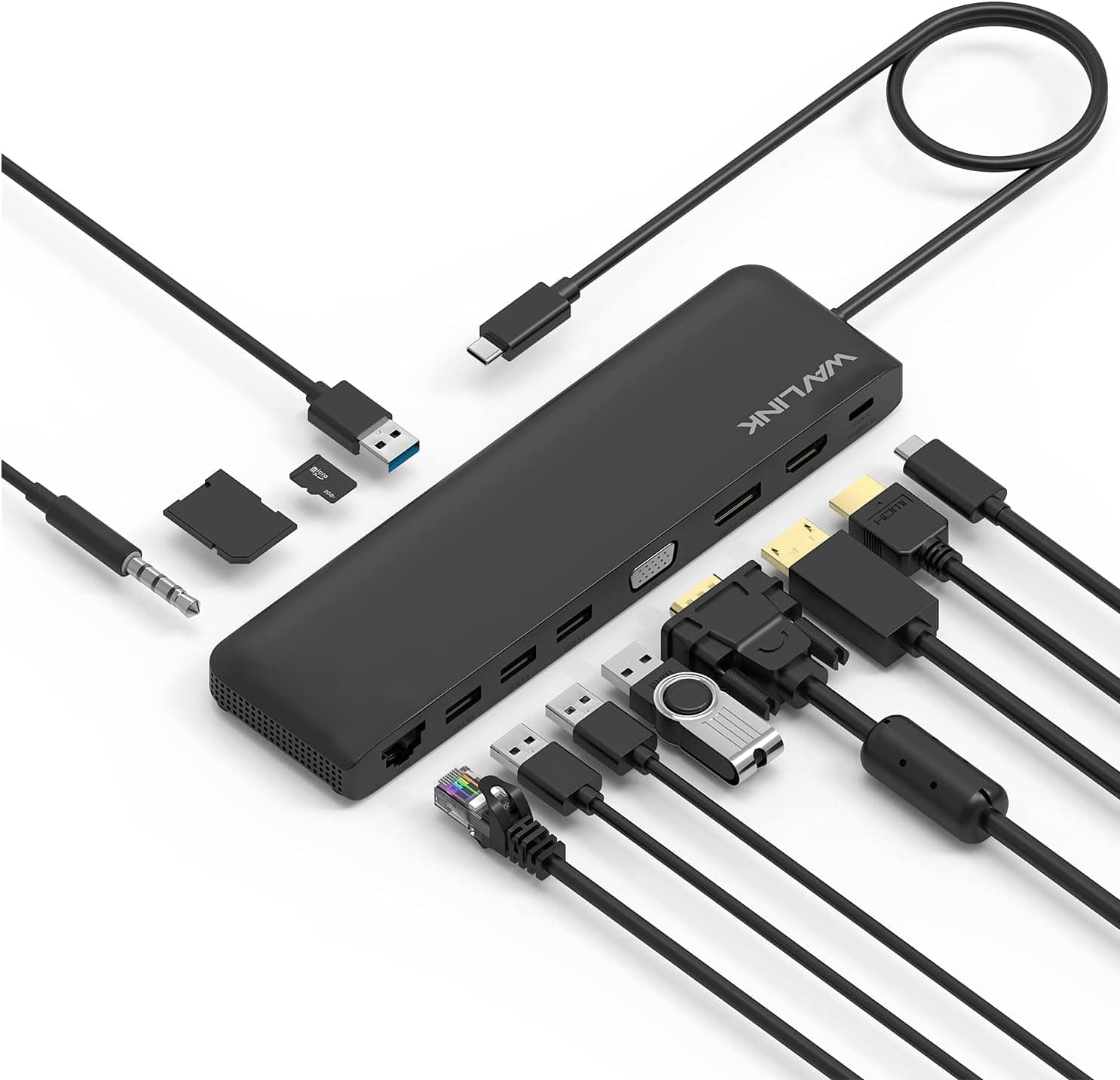
Overview
The WAVLINK 12-in-1 Type-C Mini Docking Station — 100W PD Charging, Triple Display USB-C Hub turns one USB-C port on your laptop into three video outputs, four USB ports, wired Ethernet, an SD/TF card reader, an audio jack and a PD charging input. The short verdict: it is a sensible, inexpensive choice if you use a Windows laptop and want two Full HD monitors, wired LAN and your peripherals on a single cable.
It is the wrong choice if you need 4K at 60Hz, extended triple display on a Mac, or fast external SSD transfers.
Through HDMI (1.4b) or DisplayPort (1.2a) it outputs up to 3840×2160@30Hz.
VGA goes up to 2048×1152@60Hz. Windows also supports three displays at once.
The catch is that resolution and refresh rate drop as you add screens: in triple mode, every display runs at 1920×1080@30Hz. The headline of 12 ports and three screens is where expectations most often go wrong, so this article lays out the limits for each display configuration.
On Amazon.co.jp, as of June 2026, the dock was rated 3.4 out of 5 stars across 114 reviews.
That is a middling score, which suggests satisfaction depends heavily on whether your use case fits inside the spec sheet.
Port Layout and How to Use It
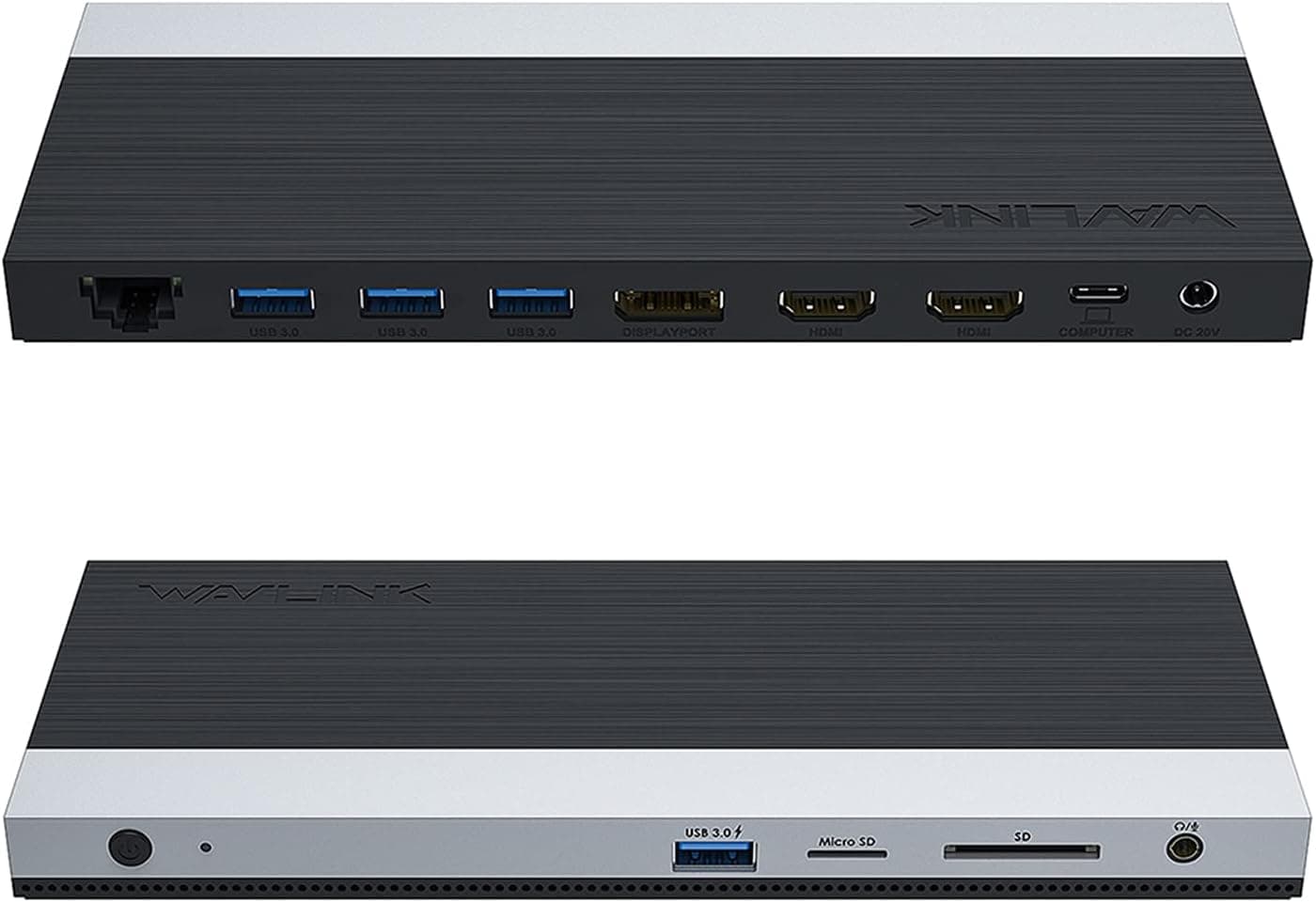
The 12-in-1 name counts the following 12 functions. The count is high, but the ports differ in speed and purpose, so it pays to plan what goes where.
| Group | Port | Spec |
|---|---|---|
| Video | HDMI | 1.4b, up to 3840×2160@30Hz |
| Video | DisplayPort | 1.2a, up to 3840×2160@30Hz |
| Video | VGA | up to 2048×1152@60Hz |
| Data | 2× USB 3.0 | 5Gbps |
| Data | 2× USB 2.0 | 480Mbps |
| Network | RJ45 | Gigabit Ethernet (10/100/1000Mbps) |
| Cards | SD / TF | SDHC up to 32GB, SDXC up to 2TB |
| Audio | 3.5mm combo jack | Earphones or headset |
| Power | USB-C PD | Up to 100W, passed through to the laptop |
Put storage devices on the USB 3.0 (5Gbps) ports, and keyboards, mice and wireless receivers on the USB 2.0 (480Mbps) ports.
That keeps the faster ports free for when you need them. VGA is handy for older projectors and office monitors.
Ethernet gives you a stable fallback for video calls and large transfers when Wi-Fi is unreliable.
Resolution by Number of Displays
| Setup | Max resolution | OS condition |
|---|---|---|
| Single (HDMI or DP) | 3840×2160@30Hz | All supported OSes |
| Single (VGA) | 2048×1152@60Hz | All supported OSes |
| Dual | 2048×1152@60Hz | Windows, macOS (Mac depends on model) |
| Triple | 1920×1080@30Hz | Windows only |
Three things stand out. First, 4K works only on a single display, and only at 30Hz.
At 30Hz, cursor movement and scrolling look visibly choppy. That is tolerable for spreadsheets and documents but not for video editing previews or games.
Second, dual mode tops out at 2048×1152, so two WQHD (2560×1440) or 4K monitors cannot run at their native resolution, and text may look softer. A pair of 1080p monitors is the natural fit.
Third, triple mode forces every screen to 1080p@30Hz, so treat it as a way to show mostly static content such as documents, chat or dashboards.
Compatibility Guide
Your laptop's USB-C port must support video output. Some USB-C ports only handle charging or data.
On those, USB and Ethernet may work while the monitors stay blank. Check that the port supports DisplayPort Alt Mode or is a Thunderbolt port.
According to the listing, the dock also works with Thunderbolt 3/4 ports.
On a Mac, extended triple display is not supported; you get mirroring or up to two displays. Some Macs with base Apple silicon chips officially support only one external display, so even dual extended mode may not be possible.
Check Apple's tech specs for your model first.
Supported OSes are Windows 7/8/10/11, macOS 10+ and Linux. Triple display works on Windows only.
PD charging means plugging your own USB-C PD charger into the dock, which then passes power to the laptop, up to 100W. The dock uses some of that power itself, so expect the laptop to receive somewhat less than the charger's rating.
The laptop's USB-C port also has to accept PD charging. Power-hungry gaming laptops may not charge over USB-C at all, or may drain under load.
The card reader supports SDHC (up to 32GB) and SDXC (up to 2TB).
Product Info
rmation
As of August 2026, the price on Amazon.co.jp was ¥4,144, the same as when it was captured in June 2026.
Prices change with sales and stock, so check the listing before you buy. That puts it in the entry-to-mid tier for docks with this many functions.
According to the Amazon listing, the seller is Techflow and the dock is fulfilled by Amazon. It appears to have been on sale since around 2022.
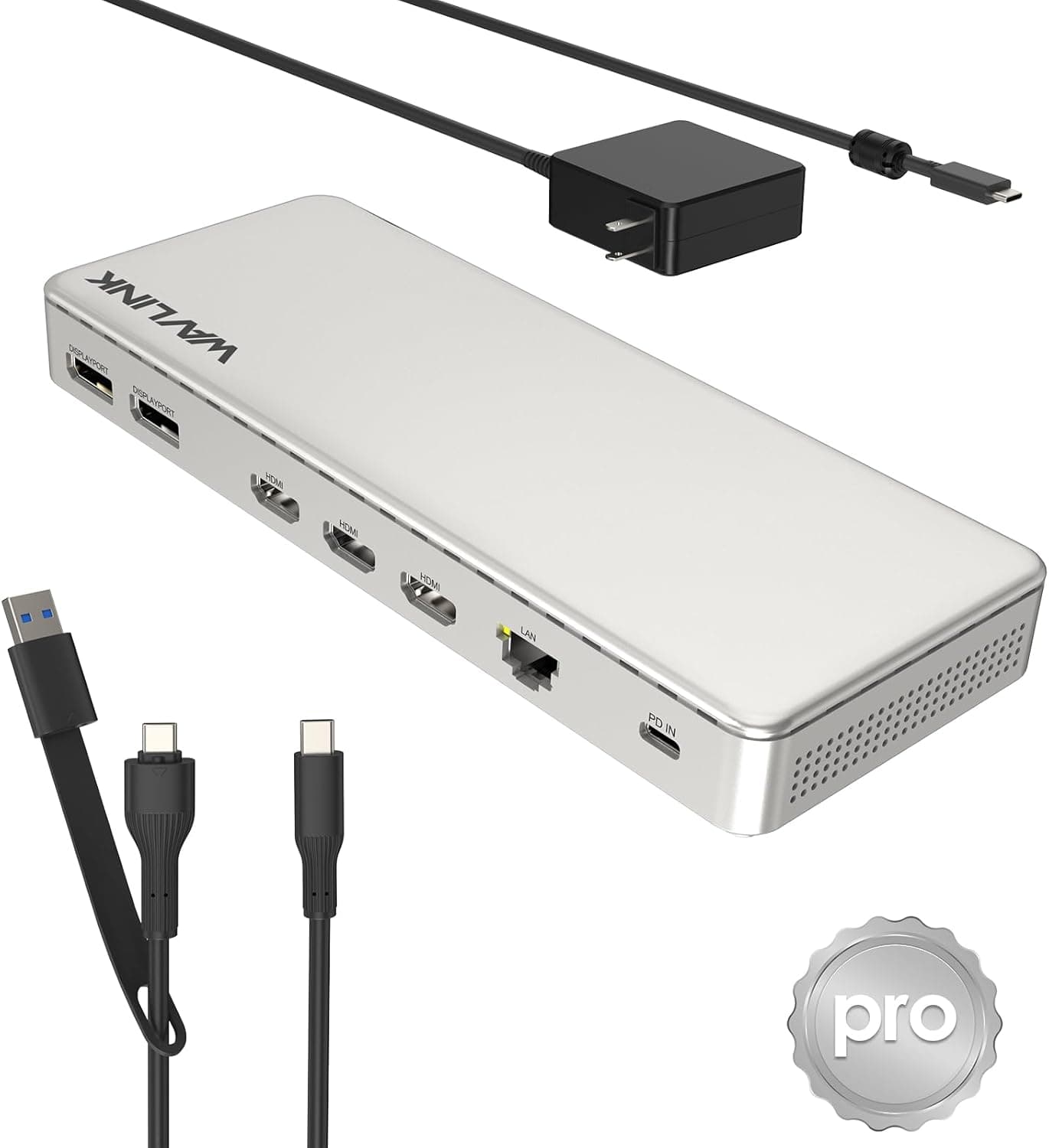
It needs no dedicated AC adapter and runs on host power or PD input. Only the dock itself is included, so plan on supplying your own PD charger.
The housing is described as aluminum alloy. Check the listing for warranty terms.
Who Should Buy
Remote workers on Windows laptops: Connect two 1080p monitors, Ethernet, keyboard, mouse and webcam through one cable. Leave a PD charger plugged into the dock and docking becomes a single plug.
Photographers: The built-in SD/TF reader removes the need for a separate card reader. Keep in mind that the display limits still apply.
Budget-minded students and home workers: At ¥4,144 as of August 2026, it is an easy first dock to try.
People who meet legacy equipment: The VGA port connects to older projectors and monitors.
It is not for people who need 4K@60Hz, extended triple display on a Mac, two WQHD monitors at native resolution, or fast NVMe transfers, and it is not a good everyday dock for a gaming laptop.
How It Compares
- For 4K@60Hz: Hubs like the LENTION 7-in-1 give up ports in exchange for 4K@60Hz over HDMI.
- For triple display on a Mac: WAVLINK also sells DisplayLink docks. DisplayLink generally works around Mac display limits through a driver, though it tends to handle fast-moving content less well.
- For faster USB: Hubs with a 10Gbps data port, such as the Anker 565, avoid the 5Gbps ceiling.
- For Thunderbolt laptops: Docks like the CalDigit Thunderbolt 3 mini Dock with HDMI 2.0 give you more video headroom, but they require Thunderbolt.
This WAVLINK dock wins on port variety and price. The more you care about display quality or transfer speed, the more the alternatives make sense.
Before You Buy
4K is capped at 30Hz, even on a single display. In triple mode, every screen runs at 1080p@30Hz.
Macs cannot do triple display, and some models cannot do dual either. That limit comes from macOS and the hardware, not from a defective dock.
No picture usually means the host port lacks video output. Check the port spec before blaming the dock.
The spec sheet is inconsistent. It lists the host link as USB 3.1 Gen2 (5Gbps), but Gen2 is normally a 10Gbps standard and 5Gbps matches Gen1.
The dock's USB 3.0 ports are 5Gbps anyway, so treat 5Gbps-class throughput as the ceiling.
Running several drives at once, or moving heavy data over USB and Ethernet together, means the devices share that bandwidth.
You need your own PD charger. The dock consumes some power, so high-draw laptops may still lose battery under load.
It gets warm. With many ports in use for long periods, the body can get warm. Keep it away from your laptop's exhaust vents.
The rating is middling. A 3.4 out of 5 score (114 reviews, as of June 2026) suggests results vary by setup.
Check whether the low ratings come from users with the same OS, display count and laptop model as you.
FAQ
Q. Can I run a 4K monitor at 60Hz?
A. No. Both HDMI and DP top out at 4K@30Hz.
Q. Can a MacBook use three displays? A.
No. macOS gets mirroring or up to two displays, and some models are limited to one external display.
Q. Can I use two WQHD monitors?
A. Not at 2560×1440. Dual mode is limited to 2048×1152@60Hz.
Q. Does it work without a charger? A.
Yes, it runs on host power, but your laptop will not charge. With many power-hungry USB devices attached, connecting a PD charger tends to be more stable.
Q. How fast is the Ethernet port?
A. It is Gigabit (10/100/1000Mbps). Real-world speed depends on your connection and router.
Product Disclosure (Amazon)
- Manufacturer: WAVLINK
- Seller: Techflow
- Fulfilled by: Amazon
- ASIN: B09ZYCS71Z
- Note: This article covers a manufacturer-made product based on Amazon listing details.